Taber du salg på grund af browsing-afgang i din Shopify-butik?
Browsing-afgang er, når dine webstedsbesøgende browser dit websted og derefter forlader det uden at købe noget. Endnu værre, de tilføjer ikke engang noget til deres indkøbskurv. Så, hvad kan du gøre?
En simpel måde at håndtere dette problem på er at oprette retargeting-annoncer på Facebook, Instagram og Google Search Ads. Men det kan være meget dyrt. Og du skal være en erfaren annoncør for at få det til at virke.
Den nemmeste måde at komme sig over browsing-afgang på er at oprette push-notifikationskampagner for browsing-afgang.
I denne artikel vil vi se på, hvordan man kommer sig over browsing-afgang i Shopify ved hjælp af automatiserede push-notifikationer. Det er super nemt at gøre, og det er også super overkommeligt.
Lad os dykke lige ned i det.
Sådan Opsætter Du en Shopify Kampagne for Browsing-afgang
Til denne vejledning vil vi vise dig, hvordan du aktiverer Shopify push-notifikationer ved hjælp af PushEngage Shopify-appen.

PushEngage er den #1 web push-notifikationssoftware på markedet.
Push-notifikationer hjælper dig med at øge din webtrafik og dit engagement automatisk. Og hvis du driver en onlinebutik, hjælper PushEngage dig også med at øge dit salg ved at hjælpe dig med at oprette automatiserede e-handels-push-notifikationer.
Du kan komme i gang gratis, men hvis du er seriøs omkring at vækste din forretning, bør du købe en betalt plan. Tjek også denne guide til omkostninger ved push-notifikationer, før du køber en push-notifikationstjeneste.
Her er et hurtigt overblik over, hvad du får med PushEngage:
- Højt konverterende automatiserede kampagner
- Flere målretnings- og kampagneplanlægningsmuligheder
- Målsporing og avanceret analyse
- Smart A/B-test
- En dedikeret succesmanager
Du vil se, at PushEngage uden tvivl er det bedste valg, hvis du vil opbygge trafik, engagement og salg for din virksomhed. Og hvis du har et stramt budget, kan du altid være lidt kreativ med dine push-notifikationer.
Så hvis du ikke allerede har gjort det, kom i gang med PushEngage i dag.
Trin #1: Installer PushEngage på Dit Shopify Websted
Shopify giver dig mulighed for at oprette e-handelswebsteder uden at skrive en eneste linje kode. Uanset hvilken funktion eller funktionalitet der ikke er tilgængelig som standard, kan du installere den ved hjælp af en app. Så du kan bruge en app til at aktivere Shopify push-notifikationer.
Gå til Shopify-kontoen og klik på Apps for at søge efter PushEngage-appen:
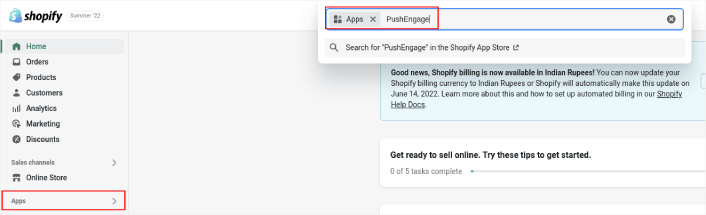
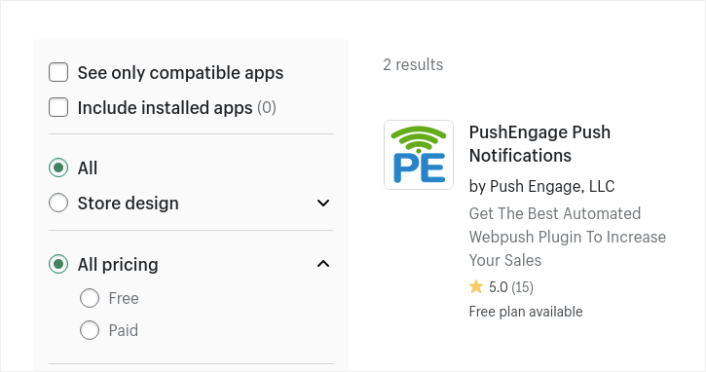
Søg derefter efter PushEngage Push Notification Shopify App:
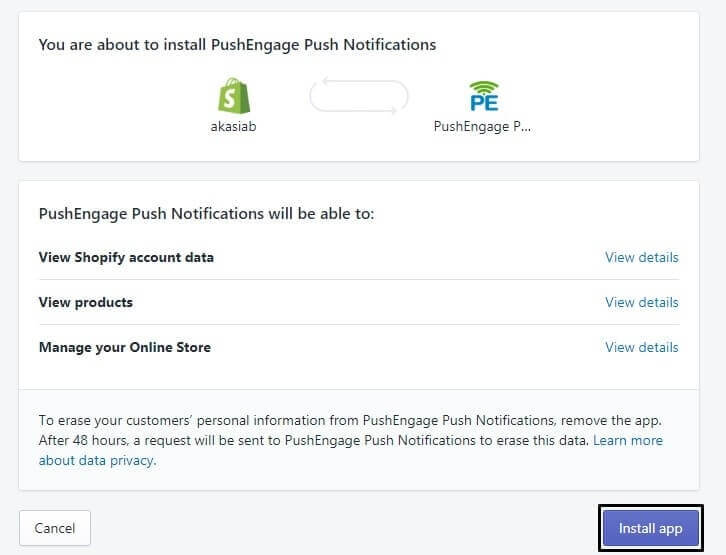
Og tryk på Installer app:
Du er næsten færdig.
Derefter skal du gå til dit PushEngage-dashboard og konfigurere din PushEngage-konto til at sende dine notifikationer øjeblikkeligt. Du vil se en 7-punkts tjekliste, du skal gennemføre inde i dit PushEngage-dashboard.
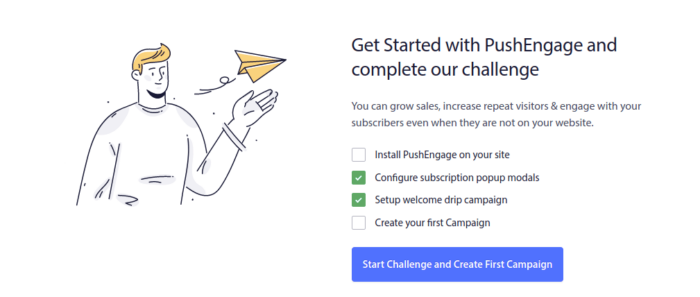
Hvis dette er din første gang, du bruger push-notifikationssoftware, anbefaler vi kraftigt at tage udfordringen op for at blive sat op.
Trin #2: Opret en Push-notifikationskampagne for Browsing-afgang
Gå igen til PushEngage-dashboardet og gå til Kampagne » Udløste kampagner for at oprette en ny udløst kampagne:

Opret derefter en ny kampagne for forladte browsing-besøg ved at klikke på knappen Opret ny:

Dernæst kan du opsætte hele din sekvens af push-meddelelser sammen med en forsinkelse mellem hver meddelelse:
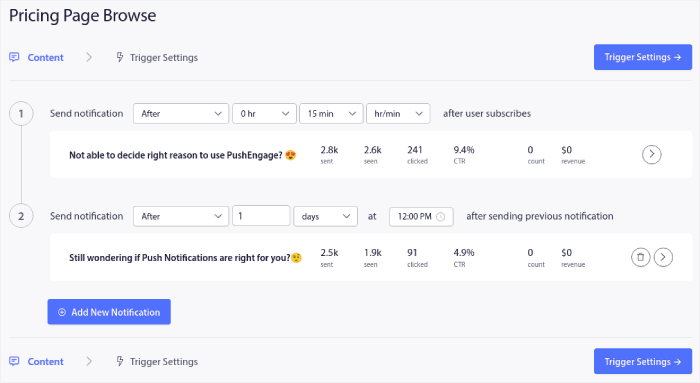
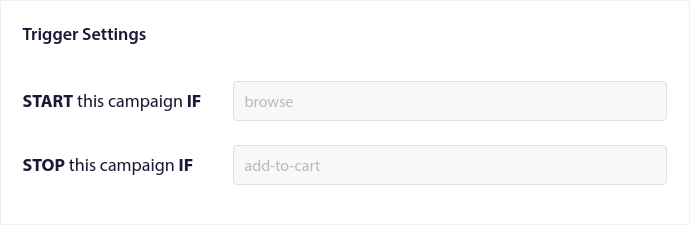
Hvis du er ny inden for push-meddelelser, bør du læse vores artikel om bedste praksis for push-meddelelser. Når du er tilfreds med dit push-meddelelsesindhold, skal du klikke på Udløserindstillinger. Du vil se, at betingelserne for en kampagne for forladte browsing-besøg er forudkonfigureret i sekvensen.
Klik på knappen Integrationskode for at få den kodestykke, du skal bruge for at indlejre kampagnen for forladte browsing-besøg på dit websted.
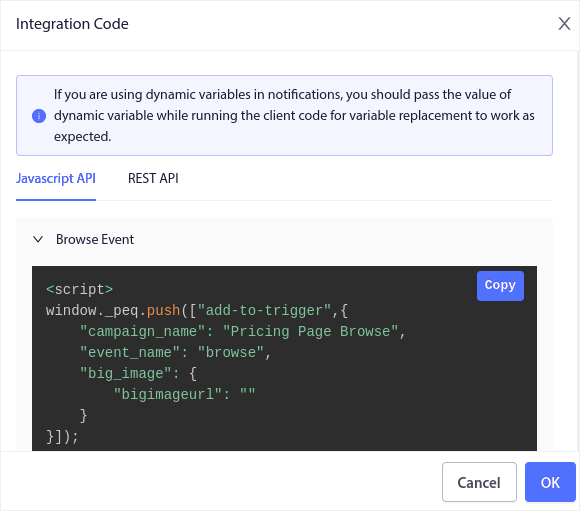
Kopier derefter koden og indsæt den på dit websted. Du vil indsætte koden i HTML-<head>-sektionen af den side, du vil spore. Klik til sidst på knappen Aktivér udløst kampagne:
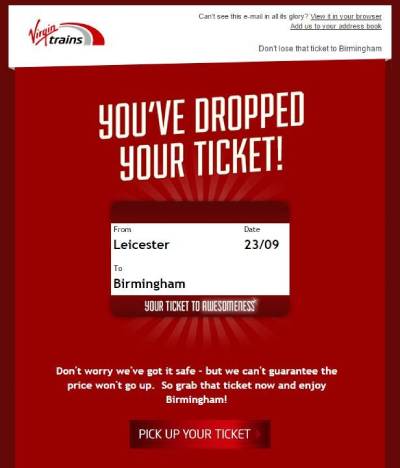
Hvis du fulgte alle trin, har du oprettet en kampagne for browsing-afgang i Shopify som denne:
Trin #3: Opsæt Din Push-notifikations Optin
Endelig, i dit PushEngage-dashboard, skal du gå til Design » Popup Modals:
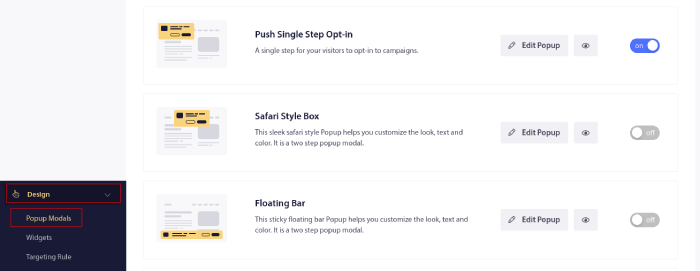
Herfra kan du tilpasse din push-notifikations-tilmelding. Hvis du har brug for hjælp til det, bør du tjekke denne artikel om hvordan man opretter en brugerdefineret push-notifikations-tilmelding.
Hvis du har brug for inspiration, kan du tjekke denne artikel om højt konverterende push-notifikations-tilmeldinger.
Finjuster kampagnen: Udløsergrænser, UTM'er og målsporing
De tre ovenstående trin får en fungerende kampagne i gang. Før du skalerer den, skal du bruge fem minutter mere i Udløserindstillinger på de tre kontroller, der afgør, om kampagnen øger omsætningen eller opsigelser.
Indstil en udløsergrænse
Udløsergrænsen begrænser antallet af notifikationer, en shopper modtager på en dag. Besøgsafvisere er koldere end indkøbskurvsafvisere, så hold dig lavt: en eller to om dagen er loftet. En shopper, der besøger din butik hver frokostpause, bør ikke modtage en notifikation for hvert besøg. Standard skabelonværdierne er fornuftige, men tjek dem mod dine egne trafikmønstre.
Tilføj UTM-parametre
I det samme indstillingspanel skal du indstille UTM-parametre på kampagnen, f.eks. utm_source=push og utm_campaign=browse_abandonment. Uden dem lander gendannede sessioner i din analyse som direkte trafik, og kampagnen ser ud til at gendanne intet, hvilket er grunden til, at budgetter for besøgsafvisning bliver skåret ned af de forkerte årsager.
Aktivér målsporing
Aktivér målsporing, så hver notifikation i sekvensen rapporterer den omsætning, den har gendannet, ikke kun klik. Dette er det tal, der fortæller dig, hvilken notifikation i din serie der tjener sin plads, og hvilken der skal omskrives. Hvis du er ny til det, guider guiden til målsporing af push-notifikationer dig gennem opsætningen.
Med grænser, UTM'er og mål på plads, skal du iterere på selve sekvensen. Strategimønstrene i vores guide til push-notifikationer for besøgsafvisning, såsom segmentering efter besøgsdybde og reservation af kuponer til browsere med høj hensigt, gælder uændret for Shopify-butikker.
Hvad du skal gøre, efter du har opsat Browsing-afgang i Shopify
Du bør tjekke vores artikel om e-mail-kampagner for browsing-afgang, når du er færdig. Det er en fantastisk lille ressource til at få inspiration og oprette dine egne kampagner.
Hvis du leder efter en omkostningseffektiv måde at øge din trafik, engagement og salg på, bør du komme i gang med push-meddelelseskampagner. Push-meddelelser er kraftfulde marketingværktøjer, der kan hjælpe enhver e-handelsvirksomhed med at vokse hurtigt.
Ikke overbevist? Tjek disse fantastiske ressourcer:
- Sådan opsættes push-meddelelser om forladte indkøbskurve (nem vejledning)
- Sådan planlægger du push-meddelelser på den nemme måde [5-min. guide]
- Sådan opretter du kampagner med prisnedgangsmeddelelser på < 10 min.
- Sådan bruges e-handels-push-meddelelser til at øge omsætningen
PushEngage er den #1 push-meddelelsessoftware i verden. Derfor anbefaler vi at bruge PushEngage til at oprette dine push-meddelelser og udvide din e-handelsvirksomhed.


