Push-notifikationer får i stigende grad opmærksomhed af en række årsager. Veldefinerede push-notifikationer kan hjælpe en virksomhed med at vokse hurtigere. Og når det kommer til at forbinde med dine brugere, vil du sandsynligvis antage, hvilke notifikationer der vil fungere bedst for dit websted. Eksperimentering med dine notifikationer vil hjælpe dig med at beslutte, hvilken type notifikation dine abonnenter/målgrupper nyder mest. Kør A/B-test i push-notifikationer ved hjælp af PushEngage-platformen. Vælg mellem 7 forskellige måder at lave A/B-test af push-notifikationer på. Tjek den seneste opdatering om A/B-test af notifikationer.
PushEngage vil nu hjælpe dig med at lave A/B-test i push-notifikationer. Vores analyser vil hjælpe dig med at implementere push, som du kan teste og analysere flere versioner af forskellige notifikationer i realtid. A/B-test giver dig mulighed for at lave eksperimenter i push-notifikationer ved at ændre notifikationstitlen, beskeden, billedet. Du kan eksperimentere ved at bruge store billednotifikationer eller normale notifikationer, eller med flere CTA/multi-action-notifikationer. Du kan derefter spore CTR for at beslutte, hvilken variant der fungerer bedst, så du kan fortsætte med den. Med A/B-test kan du finde ud af, hvilken notifikation der virker, og dette kan føre til en reduktion af afmeldingsraten for push-notifikationer.
Hvad er A/B-test, og hvordan kan du bruge det?
A/B-test i push-notifikationer er sammenligningen af en eller flere versioner af push-notifikationer for at se, hvilken der klarer sig bedst. Disse notifikationer sendes til to grupper tilfældigt. For eksempel, hvis du har 200 abonnenter, vil en gruppe på 100 brugere modtage Notifikation A og en anden gruppe på 100 brugere vil modtage Notifikation B. Du kan tænke over, hvilken type besked din målgruppe vil reagere på. Du kan formulere spørgsmål, være legesyg eller lave en simpel test som din notifikationstitel og besked. Disse grupper af abonnenter vil blive valgt tilfældigt, og baseret på notifikationens ydeevne, som er sammenligning af CTR, kan du sende en lignende notifikation til samme type kampagner.
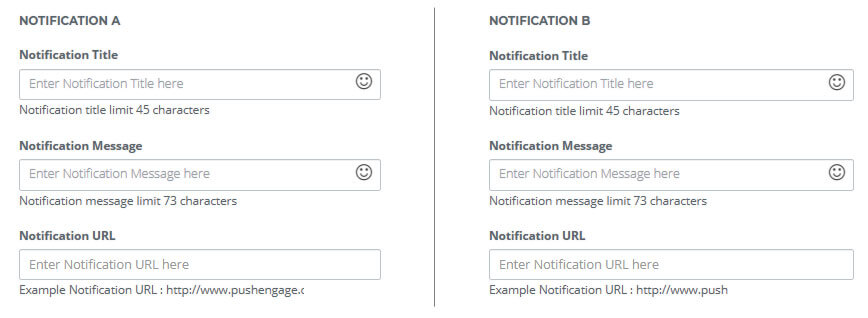
Sådan vil notifikationen se ud, når du laver A/B-test af web push-notifikationer –

Dette er den bedste måde at analysere, hvilken type notifikationer der fungerer bedst for dit websted.
7 forskellige måder at lave A/B-test i push-notifikationer på
7 forskellige måder at lave A/B-test af push-notifikationer på
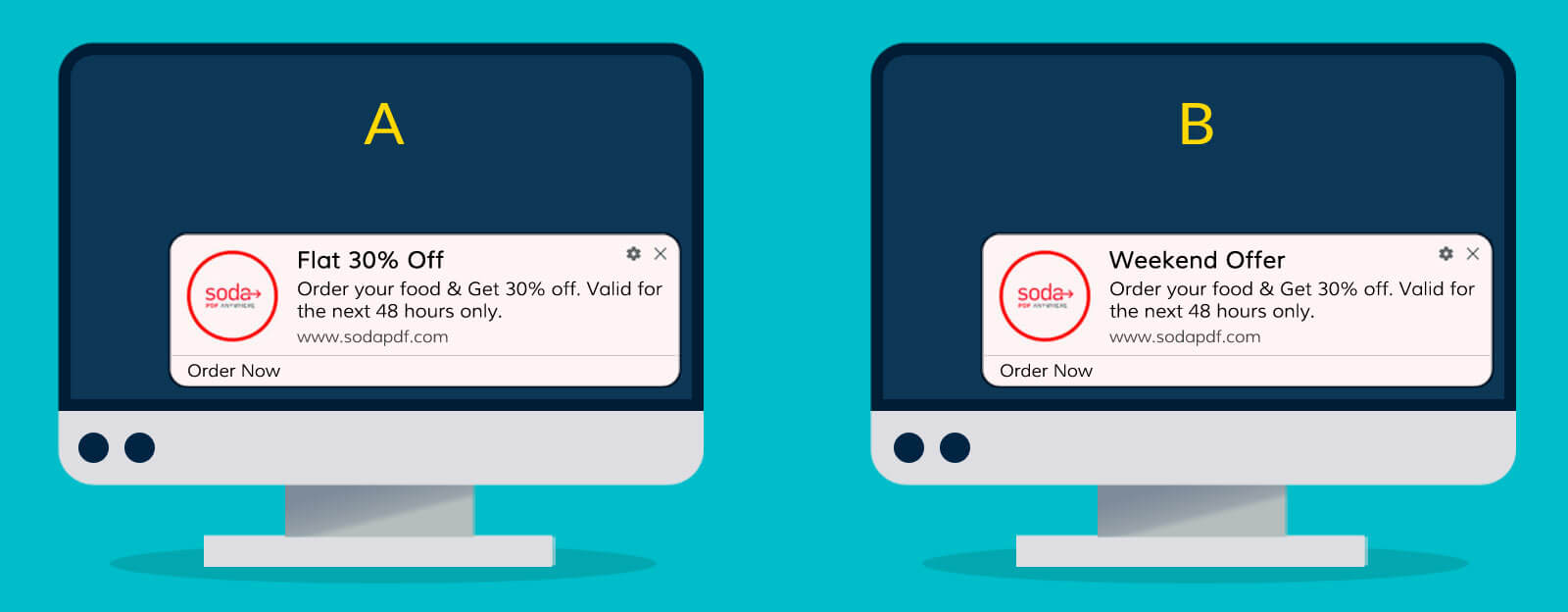
- AB-test notifikation baseret på notifikationstitel
Behold alle de andre attributter ens og ændr kun titlen. Nedenfor er eksemplet:

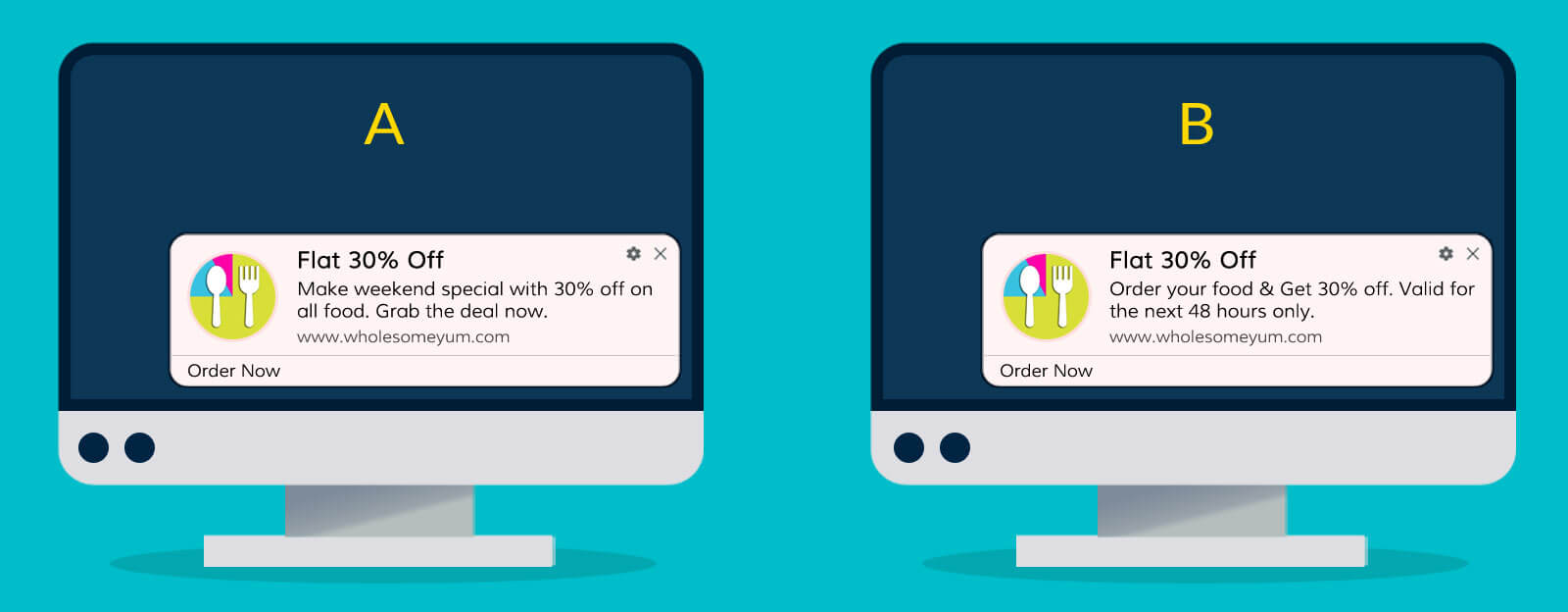
- AB-test notifikation baseret på notifikationsbesked
Behold alt det samme og ændr kun notifikationsbeskeden. Nedenfor er eksemplet:
- A/B-test notifikation baseret på lille billede
Du kan ændre notifikationsikonbilledet og beholde alle parametrene ens.
- A/B-test notifikation baseret på to store billeder
Behold alt det samme undtagen det store billede. Brug to forskellige store billeder i hver af push-notifikationerne.
- AB Test Notifikation Baseret på Ét Stort Billede
I denne AB-test, behold én notifikation med et stort billede og en anden notifikation uden det store billede. Dette er for at bekræfte, om det store billede har nogen indvirkning på CTR eller ej.
- AB Test Notifikation Baseret på Landing Page URL
Hvis du vil teste landingssiden, kan du angive en anden URL for hver notifikation. Tjek derefter, hvilken landing der fører til et bedre svar.
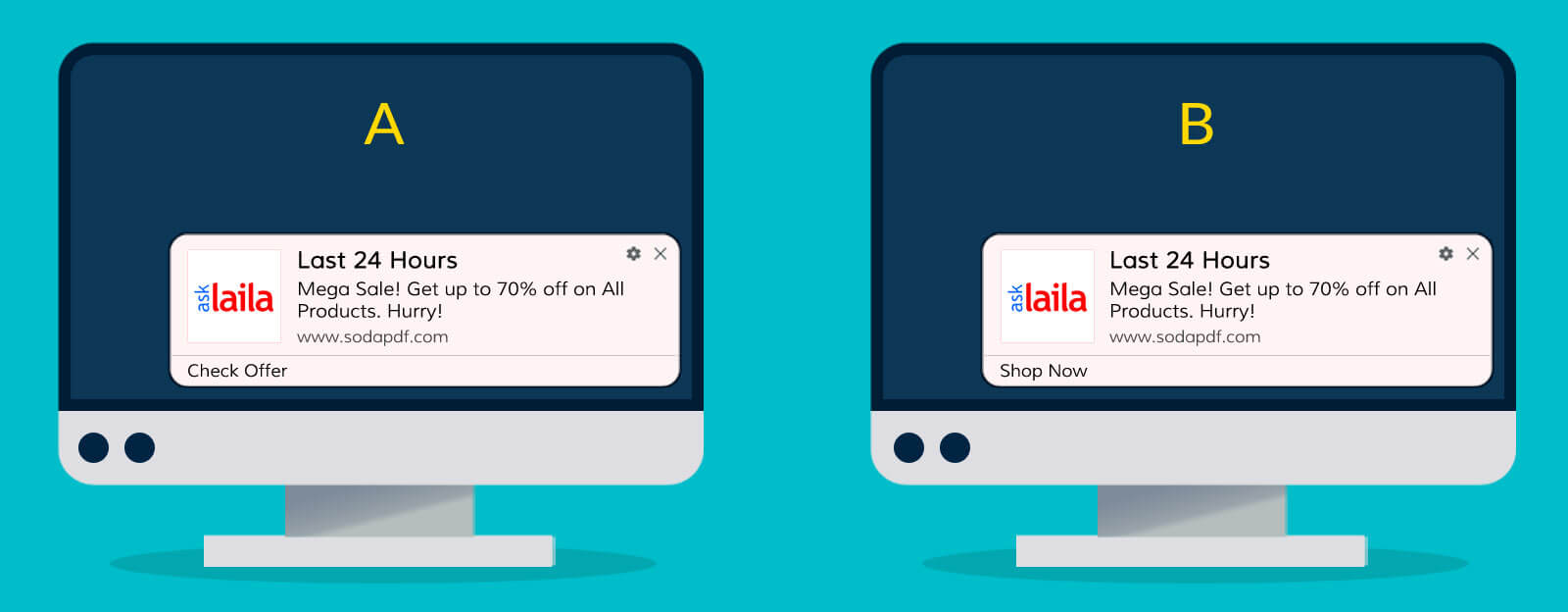
- AB Test Notifikation Baseret på Multi-Action Knap
I PushEngage tilbyder vi flere handlingsknapper for hver notifikation. Under AB Test kan du bruge 4 forskellige tekster til handlingsknapper. På denne måde kan du se, hvilken tekst til handlingsknap der fører til højere klikrater. Overvej eksemplet nedenfor med 4 forskellige typer notifikationer: “Grib Nu“, “Sidste Chance“, “Klik Nu“, “Tjek Tilbud”
- AB Test Notifikation Baseret på Notifikationsindstillinger
Under Notifikationsvarighed har du to muligheder for at udløbe notifikationen:
Behold 20 Sekunder
Behold åben indtil en interaktion
Du kan teste ovenstående to indstillinger med AB test notifikationer. På denne måde vil du vide, om notifikationen skal udløbe efter 20 sekunder fra visning eller vente, indtil en bruger klikker på den.



AB Test Notifikationsanalyse
Efter du har sendt notifikationen, kan du tjekke analyserne for at se, hvilken notifikation der har klaret sig godt. Nedenfor er et øjebliksbillede af analyserne for at få mere klarhed:
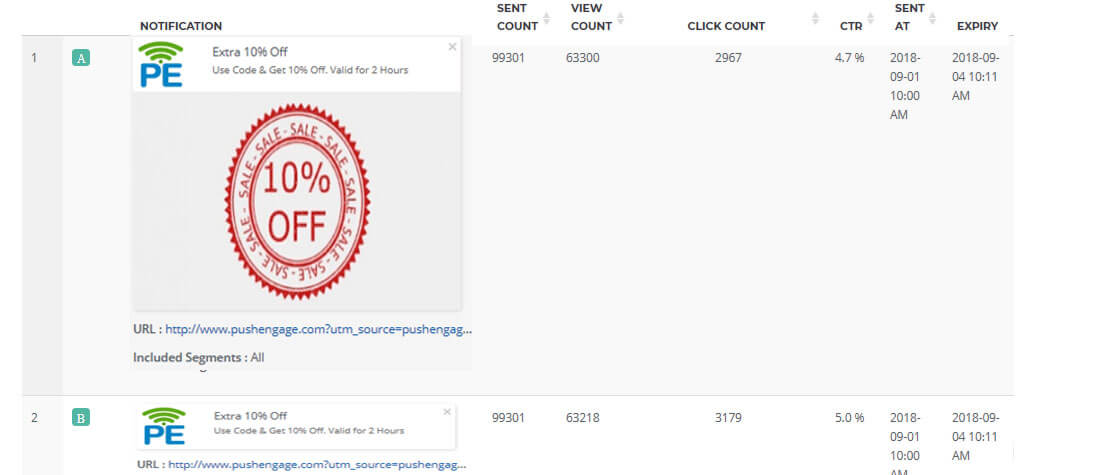
Fordele ved at bruge AB-test af notifikationer
Som ethvert andet marketingværktøj skal du optimere dine push-notifikationer. Tidligere, for at forstå, hvilken type notifikation der ville give et godt svar, sendte du notifikationer til alle brugere og analyserede derefter alle notifikationerne. For at teste hver parameter skal du sende en notifikation til alle, og dette vil øge din testtid.
Med AB-test af notifikationer kan du teste hver af parametrene med en enkelt udsendelse. F.eks., hvis du vil se, om en bruger vil kunne lide notifikationen med det store billede eller ej, vil du oprette Notifikation A med et stort billede og Notifikation B uden et stort billede.
- Sparer tid: Med den enkelte notifikation kan du teste en kundes respons på specifikke attributter.
- Kan teste flere attributter: Du kan også teste en kundes respons på ændringer i flere attributter.
- Fair chance for hver testnotifikation: Systemet opdeler din kundebase ligeligt mellem Notifikation A & B, og giver dermed en fair chance for at teste hver notifikation.
- Analysedata til validering: Analysedata viser rapporten separat for hver notifikation. Du kan nemt sammenligne og se, hvilken der klarede sig bedst.
- Forskellige UTM'er til sporing af brugerdefinerede analyseværktøjer: Du kan også bruge forskellige UTM-parametre for hver notifikation. På denne måde kan du spore notifikationen på ethvert analyseværktøj.