
هل تبحث عن أفضل إضافة بودكاست تقدمها ووردبريس في عام 2023؟
تعد ووردبريس واحدة من أقوى المنصات لإدارة أعمال المحتوى. وإذا كنت تستخدم ووردبريس للترويج لبودكاست الخاص بك، يمكنك إنشاء منصة قوية متكاملة. ولكن لا توجد الكثير من المعلومات حول الإضافات التي يجب عليك استخدامها لتعزيز نموك.
في هذه المقالة، سنستعرض أفضل إضافات البودكاست التي تقدمها ووردبريس والتي ستساعدك على:
- الحصول على المزيد من الزيارات لبثوثك
- تشغيل حملات تسويقية قوية تلقائيًا
- إنشاء طرق للبقاء على اتصال بمشتركيك حتى لو حدث شيء لقناتك
دعنا نتعمق.
لماذا تحتاج إلى إضافة بودكاست في ووردبريس؟
إذا كنت تدير عمل بودكاست على أي منصة عبر الإنترنت، فربما تعلم أنها يمكن أن تحظرك تمامًا لـ… أسباب. ومن الصعب حقًا معرفة ما الذي أدى إلى سحب ميزتك الإعلانية، أو حظرك بشكل خفي، أو حذف حسابك، أو حتى حظرك.
لهذا السبب يجب أن يمتلك جميع صانعي البودكاست موقعًا إلكترونيًا على ووردبريس. إذا كان لديك موقع ووردبريس، يمكنك إيجاد طرق للتواصل مع جمهورك حتى لو…
- تم حظر قناتك
- تم حظر مقاطع الفيديو الخاصة بك في الظل
- تم حذف قناتك
إذا كنت على دراية بكل هذا بالفعل، فمن المحتمل أن يكون لديك خادم ديسكورد كنسخة احتياطية. ولكن هناك الكثير من الأشياء التي يمكنك القيام بها باستخدام موقع ووردبريس والتي لا يمكنك القيام بها ببساطة على ديسكورد.
نحن لا نقول أنه لا يجب أن يكون لديك خادم ديسكورد. ديسكورد رائع لإنشاء مجتمع مخلص.
ولكن موقع ووردبريس له مزايا أخرى. إحدى أكبر المزايا هي أنه يمكنك الحصول على الكثير من الزيارات الإضافية عن طريق تضمين البودكاست الخاص بك على موقعك وتحسين المحتوى الخاص بك لجذب الزيارات من محركات البحث.
يمكنك استخدام إضافات البودكاست في ووردبريس لـ:
- إخبار المشتركين لديك بموعد بث الحلقة القادمة
- نشر جدول البودكاست الخاص بك مع قوائم الضيوف
- الترويج لعروضك التابعة ورعاتك
- تنمية قائمة بريدك الإلكتروني
- جذب المزيد من متابعي وسائل التواصل الاجتماعي
إذا كان بإمكانك استخدام قنوات تسويقية أخرى لتنمية بثك، فنحن نوصي بذلك. تحقق من مقالتنا حول كيفية الحصول على المزيد من المتابعين على تويتش وستعرف ما نعنيه.
شيء آخر رائع حقًا بشأن امتلاك موقع ووردبريس هو أنه من السهل جدًا إعداد موقع للتجارة الإلكترونية باستخدام WooCommerce. إذا كنت تتطلع إلى بيع منتجات تحمل علامتك التجارية أو منتجات معلوماتية مثل الكتب الإلكترونية والدورات التدريبية. يمكنك حتى إنشاء عضوية على موقعك.
أفضل إضافات البودكاست لووردبريس
في هذا القسم، سنقوم بإدراج بعض الإضافات الرائعة لتضمين البودكاست الخاص بك على موقع ووردبريس الخاص بك. ولكننا سنضيف أيضًا بعض الإضافات الرائعة التي نعتقد أنه يجب على كل صانع بودكاست استخدامها.
لنبدأ.
رقم 1. PushEngage

PushEngage هو البرنامج رقم 1 لإشعارات الدفع في العالم. تساعدك إشعارات الدفع على زيادة زيارات موقعك الإلكتروني وتفاعلك تلقائيًا. و PushEngage هي أفضل إضافة يمكنك الحصول عليها لإرسال حملات إشعارات دفع آلية قوية.
أنت تعلم أن إشعارات Twitch و YouTube بها خلل ولا يتم إرسالها دائمًا، أليس كذلك؟ باستخدام PushEngage، يمكنك بسهولة إرسال إشعارات فورية لتوليد حركة مرور إلى بثوثك.
نعم، يمكنك إرسال إشعار على قناة إعلانات Discord الخاصة بك. ولكن إشعارات Discord يصعب تخصيصها ولا يتبع الجميع قناة إعلانات Discord الخاصة بك لأنه لا يوجد خيار اشتراك واضح.
يتيح لك PushEngage إنشاء نوافذ منبثقة مخصصة للإشعارات الفورية للحصول على مشتركين في الإشعارات الفورية. لذلك، فهي أكثر فعالية بكثير من Discord. الإشعارات الفورية أيضًا بأسعار معقولة للغاية ويمكنك دائمًا تجربة البرنامج مجانًا قبل شرائه.
#2. PowerPress
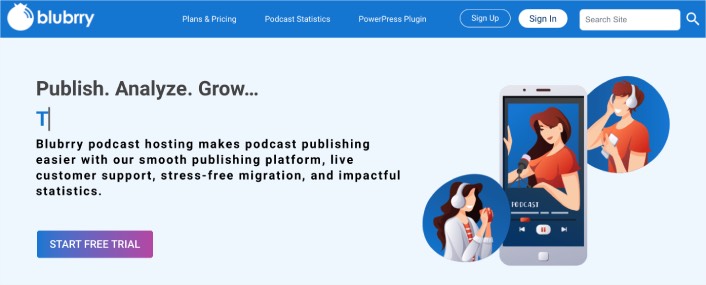
PowerPress بواسطة blubrry هي على الأرجح الإضافة الأكثر اكتمالاً للبودكاست التي تقدمها ووردبريس. إنها سهلة الاستخدام للغاية ولا تحتاج إلى أي خبرة في ووردبريس لتتمكن من استخدامها. يمكنك أيضًا الحصول على استضافة بودكاست ولوحة تحكم مع إحصائيات بودكاست مفصلة. لذا، سواء كنت مبتدئًا تمامًا أو صانع بودكاست متمرسًا، فأنت بحاجة إلى هذه الإضافة.
تشمل الميزات الشائعة:
- استيراد مباشر من ساوند كلاود
- حلقات بودكاست خاصة للأعضاء المميزين
- تغذيات بودكاست RSS لبودكاست أبل وجوجل
- مشغل وسائط HTML5 مدمج مع دعم التضمين ليوتيوب
- دعم بودكاست الصوت والفيديو
- أنواع منشورات مخصصة للبودكاست
والمزيد! PowerPress تزيل العناء عن استضافة البودكاست.
#3. فيوز بوكس (مشغل البودكاست الذكي)
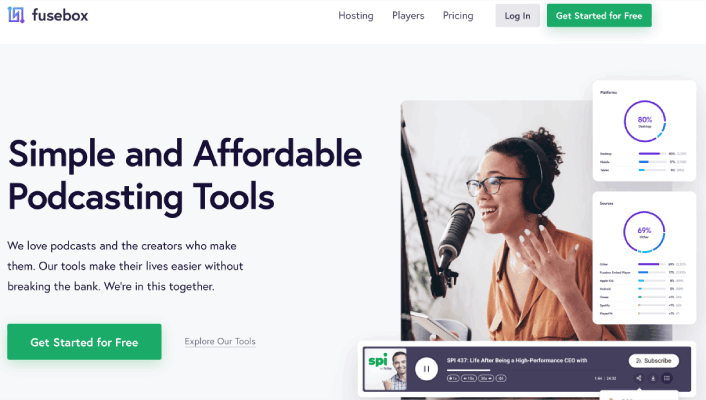
فيوز بوكس (Fusebox)، المعروف سابقًا باسم مشغل البودكاست الذكي (Smart Podcast Player)، هو إضافة ووردبريس قوية للبودكاست. إنه خيار رائع لمنشئي البودكاست الذين يرغبون في الارتقاء بعملهم إلى مستوى احترافي دون أن يعيقهم صعوبات تقنية.
مشغل المسار الذكي (Smart Track Player) هو ما يميز هذه الإضافة عن غيرها. ولكن هذا ليس كل شيء. إليك بعض الأسباب الإضافية للنظر في استخدام فيوز بوكس لتنمية البودكاست الخاص بك على ووردبريس:
- مشغل HTML مصمم بشكل جميل مع أزرار المشاركة والتنزيل والاشتراك
- القدرة على الترويج لأرشيف البودكاست بالكامل وحلقات البودكاست الجديدة والأحدث
- يحتوي على طوابع زمنية قابلة للنقر
- مشغل المسار الذكي متجاوب تمامًا ويبدو رائعًا على أجهزة الكمبيوتر المكتبية والأجهزة اللوحية والأجهزة المحمولة
- تتيح لك ميزات التحكم في السرعة إضافة سرعات تشغيل مختلفة
- خصص سمة الألوان الخاصة بك لتناسب علامة البودكاست التجارية
ابدأ مع فيوز بوكس اليوم!
#4. سيدبرود
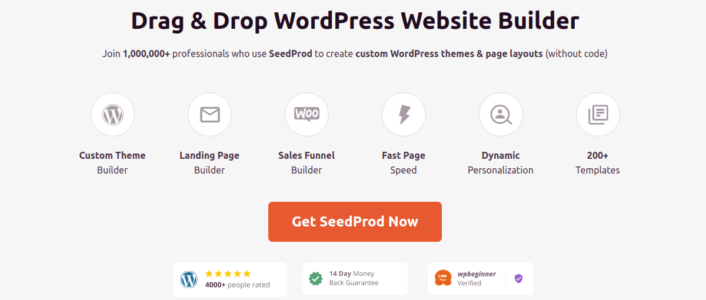
SeedProd هو منشئ صفحات هبوط مرئي يساعدك على إنشاء صفحات هبوط تحقق تحويلات جيدة جدًا. يمكنك استخدام SeedProd لإنشاء صفحات هبوط لأي منتج تريد بيعه. إذا كنت تدير موقعًا للتجارة الإلكترونية، يمكن لـ SeedProd أيضًا مساعدتك في إنشاء صفحات منتجات رائعة المظهر تحقق تحويلات.
هناك الكثير الذي يمكنك القيام به مع صفحات الهبوط الخاصة بالبودكاست الخاص بك.
على سبيل المثال، يمكنك:
- تضمين مشغل فيديو لعرض بثوث Twitch الخاصة بك
- تضمين أزرار دعوة لاتخاذ إجراء للاشتراك في قناتك
- استخدام عناوين متحركة لجذب انتباه الناس
- إضافة مؤقت عد تنازلي لإظهار وقت بدء البث الخاص بك
- تضمين هدية RafflePress لزيادة حركة المرور
- تضمين شهادات وتقييمات بالنجوم من متابعين سعداء للبث
- تضمين منشورات أو خطوط زمنية من Facebook و Twitter ذات صلة ببثك
- إضافة منتجات WooCommerce لـ الترويج لعلامتك التجارية على Twitch
- تشغيل حملات ترويجية لمنتجات تابعة وحملات دعائية
والكثير غير ذلك! إذا كنت جديدًا في إنشاء صفحات الهبوط، فراجع دليلنا حول كيفية إنشاء صفحة هبوط للبودكاست. نحب استخدام سيدبرود وقد كتبنا مراجعة متعمقة لإضافة سيدبرود. تفضل بإلقاء نظرة عليها!
يمكنك أيضًا إنشاء نماذج اتصال لجمع العملاء المحتملين أو حتى إجراء استطلاعات رأي على موقعك حول ما يجب أن تغطيه جلستك القادمة. مرة أخرى، يمكنك بالتأكيد إجراء استطلاعات رأي على Discord أو مباشرة على Twitch. ويجب عليك ذلك. ولكن إجراء استطلاع رأي آخر على موقعك يعني أنه يمكنك الحصول على رأي الجميع حتى لو لم يكونوا يشاهدونك مباشرة.
#5. رافل بريس
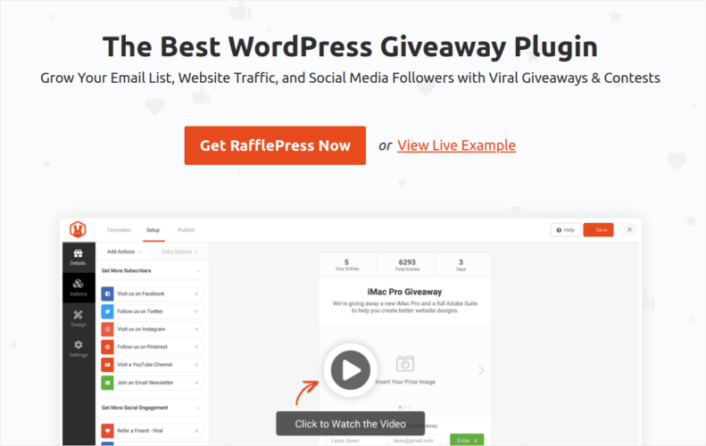
رافل بريس (RafflePress) هي أفضل إضافة هدايا (giveaway) لووردبريس في السوق. إنها تتيح لك تصميم وبناء وتشغيل أي نوع من الهدايا عبر الإنترنت من موقع ووردبريس الخاص بك. يمكنك استخدام رافل بريس لزيادة متابعيك المشتركين.
أفضل جزء؟ يمكنك تشغيل هدية يوتيوب (YouTube giveaway) بالكامل تلقائيًا باستخدام رافل بريس.
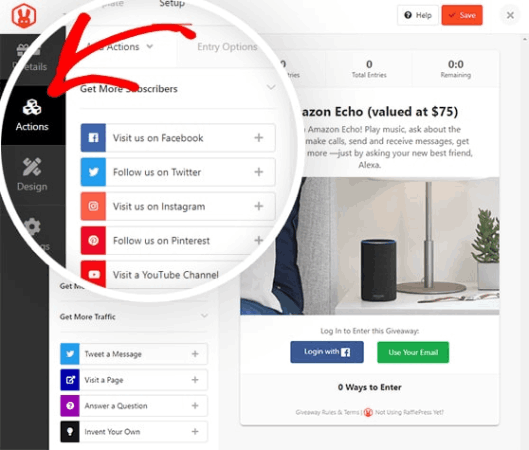
يمكنك إنشاء مسابقة مخصصة باستخدام منشئ مسابقات بسيط بالسحب والإفلات. تطلب كل مسابقة من المستخدمين إكمال مهام محددة للفوز بإدخالات في المسابقة. يمكنك تعيين هذه المهمة لتكون أي شيء تريده بما في ذلك:
- متابعتك على يوتيوب
- مشاهدة فيديو معين
- مشاركة قناتك على منصات التواصل الاجتماعي الأخرى
- إنشاء محتوى يتميز بقناتك
وأكثر من ذلك بكثير!
تحتوي الإضافة على قوالب جاهزة قوية مصممة لـ:
- تنمية قائمة بريدك الإلكتروني
- إحالة الأصدقاء عبر التسويق الشفهي
- تشغيل هدية قبل إطلاق موقعك
- تنمية صفحتك على فيسبوك
- زيادة متابعيك على تويتر
- تنمية قناتك على يوتيوب
- زيادة متابعيك على انستغرام
ويمكنك القيام بكل ذلك بدون أي برمجة. ألقِ نظرة على مراجعتنا لـ رافل بريس، حيث استكشفنا ميزات الإضافة بعمق أكبر. إنها مثالية لتنمية البودكاست الخاص بك باستخدام منصات التواصل الاجتماعي المختلفة.
#6. سماش بالون
يعد «Smash Balloon» إضافة بسيطة لـ WordPress تتيح لك عرض خلاصات الوسائط الاجتماعية الخاصة بك على موقعك دون الحاجة إلى أي تعليمات برمجية على الإطلاق.
يمكنك استخدام Smash Balloon لإنشاء خلاصات وسائط اجتماعية مخصصة لموقع ووردبريس الخاص بك ببضع نقرات. لا يتطلب الأمر أي برمجة ولا حاجة لتوظيف مطور. ويمكنك دمج خلاصات Instagram و Facebook و Twitter و YouTube معًا أو بشكل منفصل حسب رغبتك.
طريقة رائعة حقًا لاستخدام إضافة مثل سماش بالون هي استخدام خلاصات وسائل التواصل الاجتماعي لإنشاء جدار شهادات. ولكن يمكنك أيضًا استخدامها للترويج لقنوات التواصل الاجتماعي الأخرى الخاصة بك لجمهور البودكاست الخاص بك والعكس صحيح.
يمكنك استخدام Smash Balloon لـ:
- استخدام خلاصات الهاشتاج الخاصة بك على موقعك كـ دليل اجتماعي
- اعرض خلاصات Twitter التفاعلية لـ تعزيز تفاعل موقع الويب
- تضمين مقاطع فيديو YouTube الخاصة بك على موقعك لـ زيادة المشتركين
- إضافة تقييمات صفحة أعمال Facebook الأصلية إلى موقعك لـ زيادة التحويلات
وغيرها الكثير!
إذا كنت تنشر بشكل متكرر على YouTube، فستحب إضافة «YouTube Feed plugin» من Smash Balloon. تساعدك هذه الأداة في جلب محتوى الفيديو تلقائيًا من قناة YouTube الخاصة بك إلى WordPress.
أفضل جزء؟ إنها سهلة الاستخدام بشكل لا يصدق. يستغرق إعداد سماش بالون بالكاد 5 دقائق. ولا يوجد منحنى تعلم على الإطلاق.
ابدأ اليوم مع Smash Balloon.
#7. أوبتين مونستر
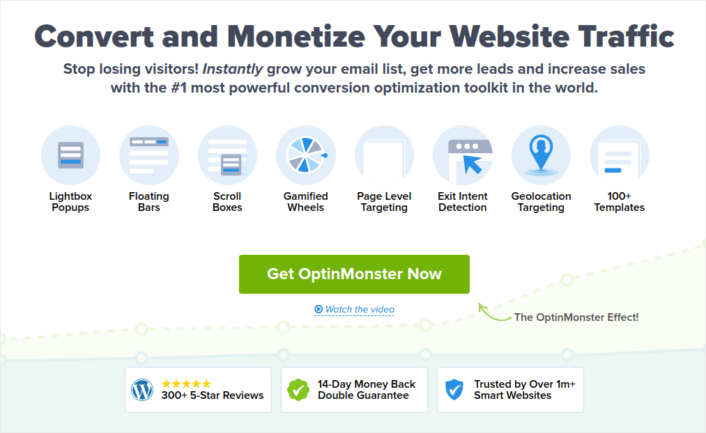
OptinMonster هو أحد الرواد في النوافذ المنبثقة لـ WordPress. لقد غيروا عمليًا الطريقة التي يعمل بها توليد العملاء المحتملين عبر البريد الإلكتروني في صناعة التسويق.
أوبتين مونستر (OptinMonster) لديها كل ما تحتاجه تقريبًا لبدء وتنمية وتوسيع نطاق عملية توليد العملاء المحتملين عبر البريد الإلكتروني. إحدى أسهل الطرق لجعل المشتركين يصلون إلى كل حلقة من حلقاتك هي إرسال دعوة عبر البريد الإلكتروني. يمكنك حتى إنشاء نوافذ منبثقة فيديو قوية لتحفيز مستمعي البودكاست الخاص بك ليصبحوا مشتركين عبر البريد الإلكتروني.
إليك نظرة سريعة على ما يمكنك القيام به باستخدام مجموعة الأدوات:
- قم بتنمية قائمة بريدك الإلكتروني بسلاسة لإعادة التسويق
- حوّل الزوار لأول مرة إلى قراء منتظمين
- تقليل معدلات التخلي عن سلة التسوق والتخلي عن التصفح
- أنشئ عروضًا محدودة الوقت مع مؤقتات العد التنازلي الفعلية
- زد من تنزيلات الكتب الإلكترونية ومبيعات المنتجات الرقمية
- إنشاء مسار تحويل للأحداث المباشرة
- حسن تفاعل الموقع باستخدام النوافذ المنبثقة ذات الطابع الترفيهي
- أعد توجيه حركة المرور الخاصة بك إلى الصفحات والمشاركات التي تجلب لك المال
- أنشئ قائمة بالعملاء المحتملين الحقيقيين وأزل رسائل البريد الإلكتروني المزيفة باستخدام خيارات الاشتراك المكونة من خطوتين
لقد كتبنا مراجعة لـ أوبتين مونستر. لذا، إذا كنت ترغب في الاطلاع على الميزات بمزيد من التفصيل، فتفضل بإلقاء نظرة عليها. لقد استخدمنا أوبتين مونستر بأنفسنا وقد ساعدنا في تنمية قائمة البريد الإلكتروني الخاصة بنا بسرعة كبيرة. ونحن على يقين من أنها ستعمل مع البودكاست الخاص بك أيضًا.
ابدأ مع أوبتين مونستر اليوم.
ما هي أفضل إضافة بودكاست تقدمها ووردبريس؟
حان الوقت لمعرفة أفضل إضافة بودكاست تقدمها ووردبريس. توصيتنا؟ احصل عليها جميعًا. كل إضافة في القائمة تخدم غرضًا مختلفًا. يجب عليك الحصول على:
- «PushEngage» لإنشاء قائمة بالمشتركين لديك لا تملكها أطراف ثالثة
- تم تصميم PowerPress لمساعدة المبتدئين على استضافة بودكاست وتنميته من الصفر
- يساعدك Fusebox على تضمين البودكاست الخاص بك ويوفر لك أدوات نمو أكثر تقدمًا
- «SeedProd» لإطلاق صفحات هبوط عالية التحويل بسرعة لدعم حملاتك التسويقية
- RafflePress لإطلاق مسابقة هدايا خالية من المتاعب مع صفر من مشاكل الترميز أو الإدارة
- Smash Balloon للترويج المتبادل لحساباتك الأخرى على وسائل التواصل الاجتماعي بفعالية
- OptinMonster يساعدك على بناء قائمة بريد إلكتروني للتواصل مع المستمعين الخاص بك والعمل كنسخة احتياطية في حالة إزالة منصتك
نوصي بالبدء بإشعارات الدفع عبر الويب لأن معظم المذيعين الآخرين لا يقومون بذلك بعد. تحقق من هذه الموارد الرائعة التي ستساعدك على البدء:
- لماذا تعد الإشعارات الفورية مهمة (7 فوائد قوية)
- كيفية إضافة إشعارات الدفع عبر الويب إلى موقع ووردبريس الخاص بك
- كيفية إخطار المشتركين بمنشورات ووردبريس الجديدة
- كيفية إضافة AdSense إلى ووردبريس (الطريقة السهلة)
- 11 مثالاً إبداعياً لإشعارات الدفع يمكنك سرقتها الآن!
وإذا لم تكن قد فعلت ذلك بالفعل، فتابع وجرب PushEngage. PushEngage هي الخدمة رقم 1 لإشعارات الدفع في العالم. لذا، إذا كنت جادًا بشأن تنمية عملك، فيجب عليك الاستثمار في PushEngage.
تساعد الإشعارات الفورية الشركات على النمو في جميع أنحاء العالم. هل ستنتظر حتى يبدأ منافسوك في استخدامها قبل أن تبدأ؟


