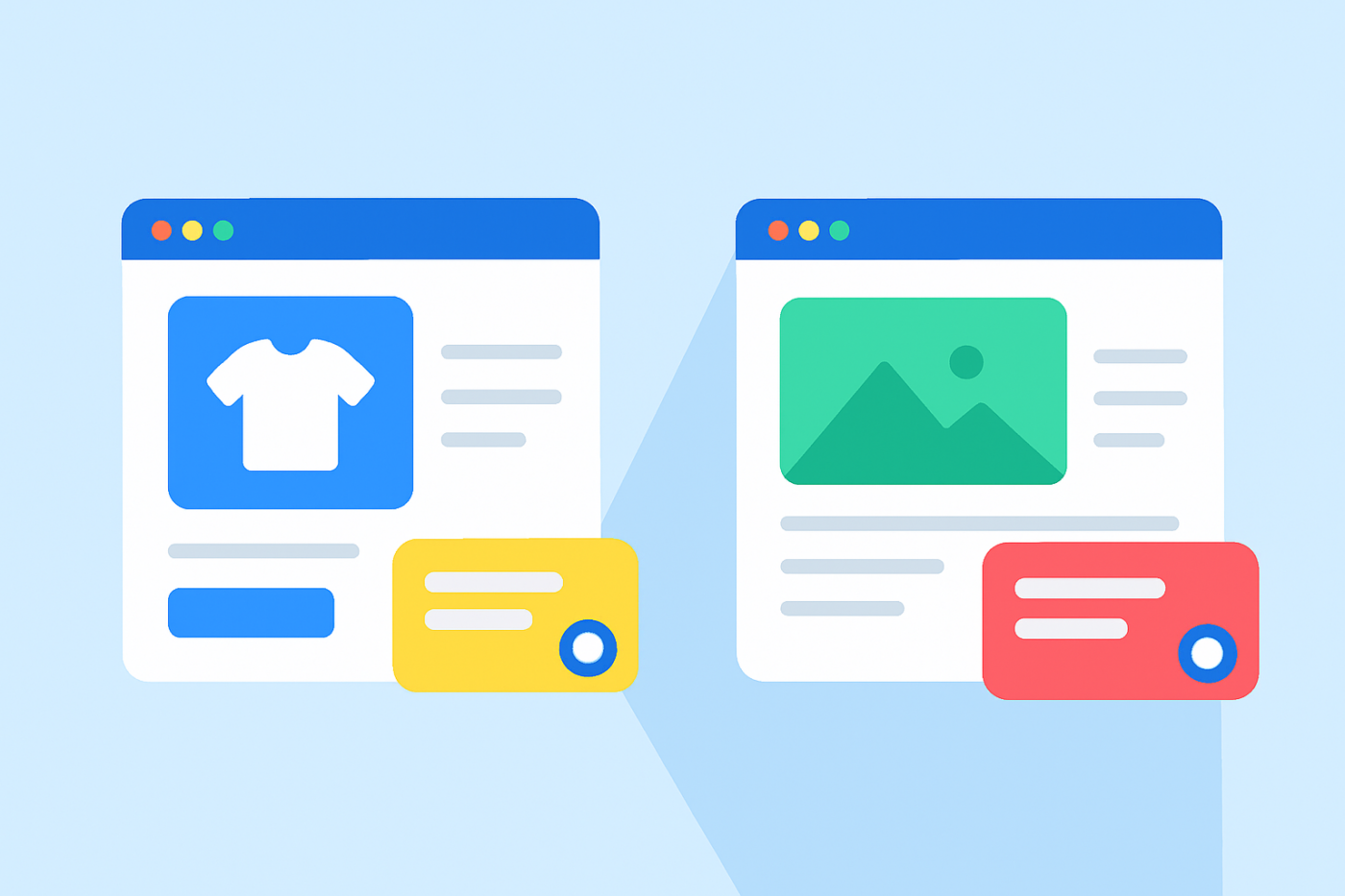
Ziyaretçiler web sitenize geldiğinde, hepsi aynı zihniyette değildir. Bir ürün sayfasında gezinen biri bir satın alma işlemini değerlendiriyordur. Bir blog yazısı okuyan biri öğreniyor, araştırıyor veya sadece keşfediyordur.
Her iki ziyaretçiye de aynı sohbet widget'ını göstermek, dönüşümleri kaybetmenin, temsilcilerinizi bunaltmanın ve kullanıcı niyetini karıştırmanın en hızlı yollarından biridir.
WordPress ve WooCommerce için PushEngage'ın yeni sohbet widget'ları ile farklı sayfa türleri için farklı widget'lar oluşturabilirsiniz - her biri kendi tasarımına, mesajına, kanallarına, temsilcilerine ve kurallarına sahip.
Bu kılavuz, ürün sayfaları için bir sohbet widget'ı ve blog yazıları için başka bir sohbet widget'ı kurmanın tam olarak nasıl yapılacağını size adım adım anlatacaktır.
Çok Kanallı Mesajlar Gönderin Bugün!
Push ve WhatsApp mesajlaşması, tekrar eden trafiğinizi, etkileşiminizi ve satışlarınızı otomatik pilotta büyütmenize yardımcı olacak süper etkili, düşük maliyetli pazarlama araçlarıdır.
- Ürün Sayfaları ve Blog Sayfaları Neden Farklı Sohbet Deneyimleri Gerektirir
- Özel Sohbet Widget'ları Neler Yapmanıza İzin Verir
- Örnekler: Ürün Sayfası vs Blog Sayfası Sohbet Stratejileri
- PushEngage Kullanarak Farklı Sohbet Widget'ları Nasıl Ayarlanır
- Birden Fazla Sohbet Widget'ı Çalıştırmak İçin En İyi Uygulamalar
- Sohbet Widget'ları Kurduktan Sonra Ne Yapmalı
Her WordPress için canlı sohbet widget'ı sayfa başına widget'ları desteklemez, bu nedenle bir araca bağlanmadan önce bu özelliği kontrol edin.
Ürün Sayfaları ve Blog Sayfaları Neden Farklı Sohbet Deneyimleri Gerektirir
Ürün Sayfaları = Yüksek Niyet, Düşük Sabır
Birisi bir ürün sayfasındayken, satın almayı veya vazgeçmeyi düşünüyordur. Fiyatları karşılaştırıyor, stok durumunu kontrol ediyor, nakliye hakkında merak ediyor ve kalite konusunda tereddüt ediyor.
Bu sayfadaki sohbet widget'ınızın şunları yapması gerekir:
- Anında veya yüksek görünürlükte olmak
- Satış uzmanlarına bağlanmak
- Güvence vermek
- Engelleri kaldırmak
- Satışı kapatmak
Sohbeti geciktirirseniz veya yumuşak bir mesaj kullanırsanız, anı kaçırırsınız.
Blog Sayfaları = Düşük Niyet, Yüksek Merak
Bir blog yazısındaki ziyaretçiler henüz satın almaya hazır değiller. Öğreniyor, araştırıyor veya bir problem ifadesi oluşturuyorlar.
Buradaki sohbet widget'ınız şunları yapmalıdır:
- İtici değil, yardımcı olmak
- Bir gecikmeden sonra tetiklenmek
- Onları kaynaklara yönlendirmek
- E-posta veya potansiyel müşteri niyetini yakalamak
- Onları ürünlere doğru nazikçe ısıtmak
Burada agresif bir şekilde satış yapmaya çalışmak okuyucuları uzaklaştıracaktır.
Sohbeti Niyetle Eşleştirmek = Daha Fazla Dönüşüm
Sohbet stratejinizi ziyaretçinin zihniyetine uyarlamak, etkileşimi artırmanın, destek yükünü azaltmanın ve satışları yükseltmenin en basit yollarından biridir.
Özel Sohbet Widget'ları Neler Yapmanıza İzin Verir
PushEngage, her biri kendi:
- Tasarım
- Kanallar (WhatsApp, Canlı Sohbet, E-posta)
- Acente atamaları
- Proaktif mesajlar
- Hedefleme kuralları
- Davranış tetikleyicileri
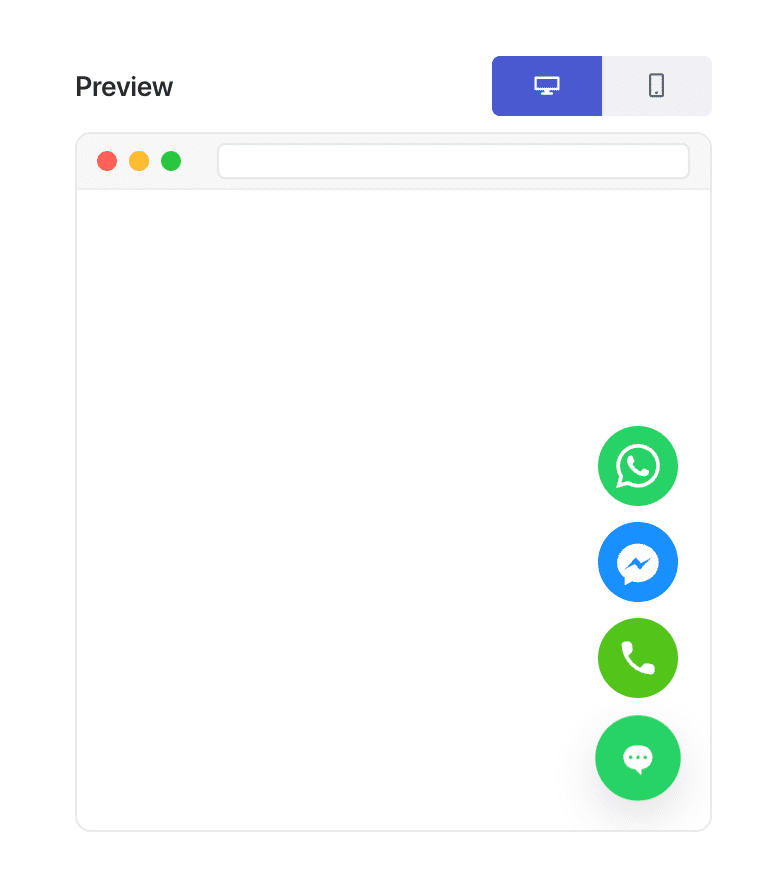
Bu esneklik, “sayfa türüne göre kişiselleştirme”yi mümkün kılan şeydir.
Örnekler: Ürün Sayfası vs Blog Sayfası Sohbet Stratejileri
Ürün Sayfası Widget Fikirleri
Bu mesajlar, gezinenleri alıcılara dönüştürür:
- “Sipariş vermeden önce sorularınız mı var? Bir ürün uzmanıyla sohbet edin.”
- “Teslimat süreleri veya ürün özellikleri hakkında sorun.”
- “Doğru varyantı seçmekte yardıma mı ihtiyacınız var?”
Kullanım:
- Satış acenteleri
- WhatsApp + canlı sohbet
- Hızlı tetikleyici davranış (0-5 saniye veya %20-30 kaydırma)
Blog Sayfası Widget Fikirleri
Bu mesajlar, öğrenme ortamında doğal hissettirir:
- “Bu konuyu anlamakta yardıma mı ihtiyacınız var?”
- “Ürün önerileri mi arıyorsunuz? Yardımcı olabilirim.”
- “Bir özet veya rehber mi istiyorsunuz? Sadece sorun!”
Kullanım:
- Destek acenteleri
- İsteğe bağlı e-posta yakalama
- Gecikmeli tetikleyiciler (40-60 saniye veya %60-70 kaydırma)
PushEngage Kullanarak Farklı Sohbet Widget'ları Nasıl Ayarlanır
Bu, PushEngage ile WordPress/WooCommerce'de kullanacağınız tam yapılandırmadır.
Adım 1: İlk Sohbet Widget'ınızı Oluşturun
- WordPress'te şuraya gidin: PushEngage → Sohbet Widget'ları → Yeni Widget Oluştur
- Adlandırın: Ürün Sayfası Sohbeti
- Belirgin bir renk ve stil seçin
- WhatsApp + Canlı Sohbet gibi kanallar ekleyin
- Satış veya ürün temsilcilerinizi atayın
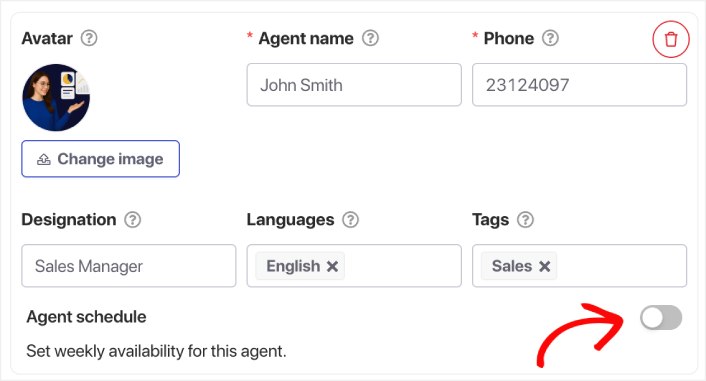
Adım 2: Satış Odaklı Bir Mesaj Ekleyin
İçerik » Görünüm » Gelişmiş görünüm altında, CTA Metni alanına gidin ve bir satış mesajı ekleyin.
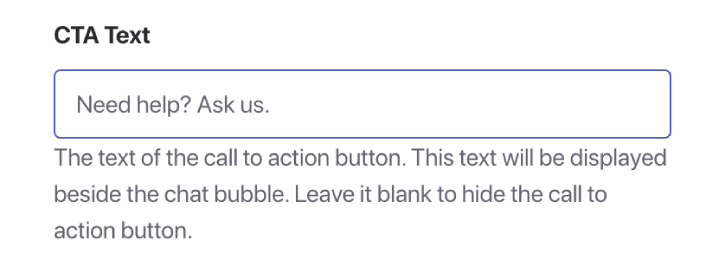
Örnekler:
- “Satın almadan önce yardıma mı ihtiyacınız var? Bize her şeyi sorun.”
- “Beden veya uyumdan emin değil misiniz? Yardımcı olabilirim.”
- “Ürününüzü daha hızlı teslim alın — nasıl olduğunu sorun!”
Bu mesaj eyleme geçirmeyi amaçlar.
Adım 3: Widget'ı WooCommerce Ürün Sayfalarına Hedefleyin
Tetikleyiciler sekmesine gidin ve Görüntüleme Kuralları'na gidin.
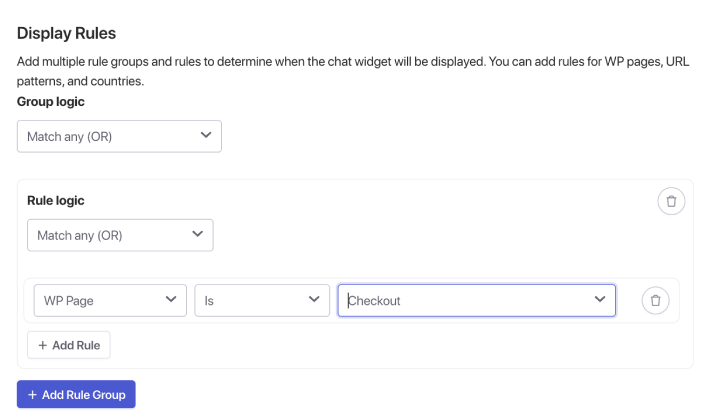
Burada, ürün, ödeme vb. WooCommerce sayfalarını bulmak için WP Sayfası seçeneğini kullanabilirsiniz. Ancak belirli URL'leri kullanmayı tercih ederseniz, o açılır menüyü tıklayıp bunun yerine URL'yi seçin ve hedeflemenizi buna göre değiştirin.
Bitirdiğinizde, sohbet widget'ınızı kaydedin ve etkinleştirin.
Blog sayfası sohbet widget'ı kurarken de durum aynıdır. Yalnızca blog sayfalarını hedefleyen ayrı bir widget oluşturun.
Önerilen Davranış Kuralları
- 45–60 saniye sonra göster
- Veya %60–70 kaydırmadan sonra
- Yalnızca masaüstü (isteğe bağlı)
Bu, widget'ın kesintiye uğratmak yerine destekleyici hissetmesini sağlar.
Birden Fazla Sohbet Widget'ı Çalıştırmak İçin En İyi Uygulamalar
1. Tasarımınızı Tutarlı Tutun
Widget'lar bağlama göre farklılık gösterse bile aynı markadanmış gibi hissettirmelidir.
2. Ziyaretçileri Bunaltmayın
Çok fazla proaktif açılır pencereden kaçının. Ağır işi bağlamın yapmasına izin verin.
3. Doğru Temsilcileri Atayın
Ürün sayfaları → Satış
Blog sayfaları → Destek veya eğitim personeli
4. Analizleri Aylık Olarak Kontrol Edin
Şunlara bakın:
- Tetiklenen oturumlar
- Ort. yanıt süresi
- Dönüşüm akışı
- Kullanıcıların çıktığı sayfalar
Gerçek verilere göre ince ayar yapın.
5. Mobil ve Masaüstü Farklılıklarını Unutmayın
Mobil önizlemeler şarttır. Mesaj uzunluğunu ve tetikleyici zamanlamasını buna göre ayarlayın.
Sohbet Widget'ları Kurduktan Sonra Ne Yapmalı
Ürün sayfaları ve blog gönderileri için farklı sohbet widget'ları oluşturmak, WordPress veya WooCommerce deneyiminizde yapabileceğiniz en basit, en etkili iyileştirmelerden biridir.
Ürün sayfaları hızlı, satış odaklı destek gerektirir.
Blog sayfaları yavaş, destekleyici rehberlik gerektirir.
PushEngage ile bunu dakikalar içinde kurabilir ve hemen daha iyi etkileşim, daha yüksek dönüşüm oranları ve daha verimli acente iş yükleri görmeye başlayabilirsiniz.
- Müşteriler her zaman birini çevrimiçi görür
- Yanıt süreleri düşer
- Satın alma öncesi dönüşümler artar
- Destek daha hızlı ve daha güvenilir hissettirir
- Mağazanız küresel kullanıma hazır hissettirir
Programlar ayarlandıktan sonra ekibiniz daha verimli çalışabilir ve müşterileriniz bekledikleri deneyimi yaşar.
Henüz PushEngage'de temsilci profilleri ve programları ayarlamadıysanız, şimdi tam zamanı.
İkna olmadınız mı? Çok kanallı pazarlama kampanyaları hakkında bu harika kaynaklara göz atın:
- Düşük Sezonda Otel Satışlarını Artırma Yolları
- 2026'da Oteller İçin Çok Kanallı Pazarlama Nasıl Yapılır
- Aboneleri Web Anlık Bildirimleri Kullanarak Alıcılara Dönüştürme
- Yeni WordPress Gönderilerinden Aboneleri Haberdar Etme
- Daha Fazla Satış Elde Etmek İçin Stokta Kalmayan Ürün Bildirimleri Gönderme
- Anlık Bildirim Aboneli Listelerini Temizleme (Kolay)
- Otomatik Olarak RSS Anlık Bildirimleri Gönderme
- Bir Haber Sitesini Tanıtmak İçin Anlık Bildirimleri Kullanma
- Satışlarınızı 2 Katına Çıkarmak İçin Çapraz Satış Anlık Bildirimlerini Kullanma
- Göz Atma Terk Etme Anlık Bildirimlerini Kullanma (4 Adım)


