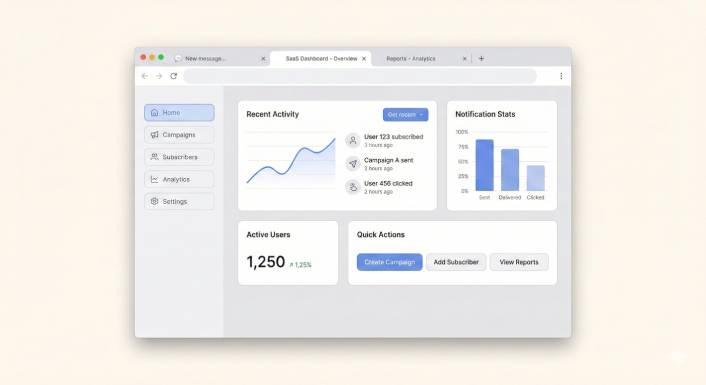
WordPress sitenizde canlı sohbete ihtiyacınız var. Biliyorsunuz. Ziyaretçileriniz sorularla sitenize geliyor ve yanıtlanmayan her soru kapıdan giden bir satıştır.
Yani araştırmaya başlıyorsunuz. Ve çoğu canlı sohbet aracının ayda 20, 30, hatta 60 dolar istediğini çabucak keşfediyorsunuz—ajan başına. Küçük bir işletme için bu, yalnızca müşteri sorularını yanıtlamak için yılda 240 ila 720 dolar demektir. Ve bu, başka bir kontrol panosunu, başka bir gelen kutusunu, istemediğiniz başka bir uygulamayı kontrol etmek için harcanan zamanı hesaba katmadan öncedir.
İşte olay şu: bu kadar harcamanıza gerek yok. WordPress'te harika çalışan, gerçekten ücretsiz (ve neredeyse ücretsiz) canlı sohbet widget'ları var. Bazıları bazı kısıtlamalarla tamamen ücretsizdir. Biri iyi bir yemeğin maliyetinden daha azına mal oluyor—ve çoğu küçük işletmenin başlaması gerektiğini düşündüğümüz bu.
Sizin yerinize en popüler seçenekleri test ettik. İşte WordPress için en iyi 7 ücretsiz canlı sohbet widget'ı, gerçekten önemli olanlara göre sıralanmıştır: fiyat, kurulum kolaylığı ve karmaşıklık eklemeden daha fazla satış yapmanıza yardımcı olup olmadıkları.
Çok Kanallı Mesajlar Gönderin Bugün!
Push ve WhatsApp mesajlaşması, tekrar eden trafiğinizi, etkileşiminizi ve satışlarınızı otomatik pilotta büyütmenize yardımcı olacak süper etkili, düşük maliyetli pazarlama araçlarıdır.
- Ücretsiz Bir Canlı Sohbet Widget'ında Aranacaklar
- WordPress için En İyi 7 Ücretsiz Canlı Sohbet Widget'ı
- 1. PushEngage Sohbet Widget'ı – Küçük İşletmeler İçin En İyi Genel Seçenek
- 2. Tawk.to – En Tamamen Ücretsiz Seçenek
- 3. Tidio – En İyi Ücretsiz Yapay Zeka Sohbet Botu
- 4. HubSpot Ücretsiz Canlı Sohbet – En İyi Ücretsiz CRM Paketi
- 5. Crisp – Girişimciler İçin En İyi Ücretsiz Plan
- 6. Chatty – En İyi Çok Kanallı Düğme Widget'ı
- 7. LiveChat – En İyi Premium Seçenek (Yalnızca Ücretsiz Deneme)
- Hızlı Karşılaştırma: Nasıl Karşılaştırılıyorlar
- Peki Hangi Canlı Sohbet Widget'ını Seçmelisiniz?
Ücretsiz Bir Canlı Sohbet Widget'ında Aranacaklar
Detaylara dalmadan önce, iyi bir ücretsiz sohbet widget'ını gizlenmiş bir baş ağrısından ayıran şey şudur:
- Fiyat şeffaflığı – Gerçekten ücretsiz mi? Yoksa kullanışlı bir şey isteyene kadar ücretsiz mi?
- Kurulum hızı – Koda dokunmadan 5 dakikadan kısa sürede kurabilir misiniz?
- Mesajlar nereye gidiyor – Yeni bir kontrol panosunu mu kontrol etmeniz gerekiyor, yoksa mesajlar size mi geliyor?
- Mobil uyumlu – Başka bir uygulama indirmeden telefonunuzdan yanıt verebilir misiniz?
- Markalama kontrolü – Ekstra ücret ödemeden “Destekleyen” rozetini kaldırabilir misiniz?
Her seçeneği incelerken bunları aklınızda bulundurun. Düşündüğünüzden daha fazla önem taşıyacaklar.
WordPress için En İyi 7 Ücretsiz Canlı Sohbet Widget'ı
1. PushEngage Sohbet Widget'ı – Küçük İşletmeler İçin En İyi Genel Seçenek
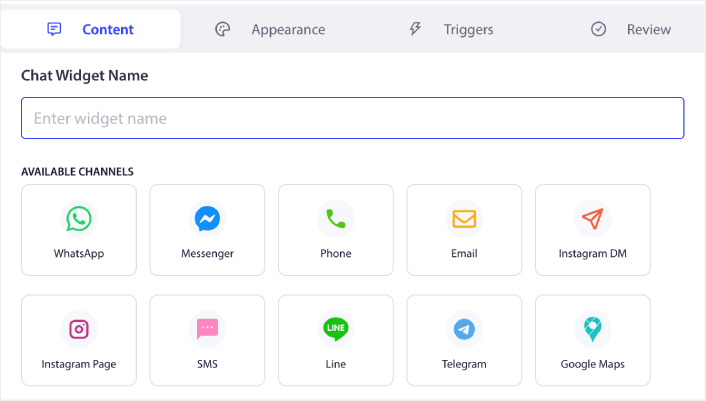
🏆 En İyi Seçimimiz: 49$/yıl. Gelen kutusu yok. Mesajlar doğrudan DM'lerinize gider.
Eğer kurucu, pazarlamacı, destek ekibi ve hademe gibi tüm şapkalı küçük işletme sahibiyseniz, PushEngage'ın sohbet widget'ı sizin için üretildi.
Çoğu sohbet aracı, yanıtlamak için kendi kontrol panosuna giriş yapmanızı zorlar. PushEngage bu modeli tamamen tersine çevirir. Bir ziyaretçi sohbet widget'ınız aracılığıyla bir mesaj gönderdiğinde, zaten kullandığınız kanala yönlendirilir: e-posta, SMS, WhatsApp, Slack veya Telegram. Yeni bir gelen kutusu yok. Yeni bir uygulama yok. Unutacağınız yeni bir sekme yok.
Uygulamada “gelen kutusu yok”un anlamı budur. Müşteri sorularını zaten bulunduğunuz yerde yanıtlıyorsunuz. Ve farklı kanallardaki birden fazla ajanı desteklediği için ekibiniz birbirine engel olmadan iş yükünü bölebilir.
Fiyatlandırma, PushEngage'ın gerçekten öne çıktığı yerdir. Yıllık 49$ — aylık değil — LiveChat'in tek bir ayından daha ucuza mal oluyor. Bir sohbet sorgusundan elde edilen bir satış, tüm yılın maliyetini karşılar. Bu pazarlama sözü değil. Bu matematik.
Kurulum herhangi bir WordPress sitesinde yaklaşık 5 dakika sürer. Kodlama yok. Geliştirici yok. Baş ağrısı yok.
En iyisi: Yönetilecek başka bir gelen kutusu olmadan - ve kurumsal fiyat etiketi olmadan - profesyonel canlı sohbet isteyen küçük işletmeler ve tek kişilik girişimciler için.
Neden 1 numarada sıraladık:
- ✅ Gelen kutusu yok: yanıtlar mevcut DM'lerinize (e-posta, WhatsApp, SMS, Slack, Telegram) gider
- ✅ 49$/yıl vs. rakipler için 240–720$/yıl
- ✅ Çok kanallı + çoklu temsilci desteği dahildir
- ✅ 5 dakikada WordPress kurulumu, sıfır kodlama
- ✅ Kontrol edilecek ayrı bir kontrol paneli yok
Bilmeye değer:
- 100% ücretsiz değil (ancak yıllık 49$, çoğu aracın aylık ücretinden daha azdır)
- Yapay zeka sohbet botu yok - insan konuşmalarına odaklanmış
2. Tawk.to – En Tamamen Ücretsiz Seçenek
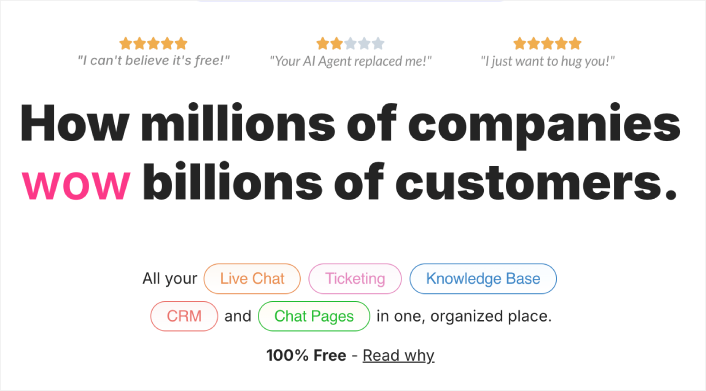
Bütçeniz kelimenin tam anlamıyla sıfır dolarsa, Tawk.to'yu yenmek zordur. Sınırsız temsilci, sınırsız sohbet geçmişi ve canlı sohbet için ihtiyacınız olan tüm temellerle %100 ücretsizdir.
Peki ya yakalanma? Tawk.to, saatlik 1$ karşılığında ücretli sohbet temsilcileri satarak para kazanıyor. Bu nedenle iş modelleri, harika otomasyon veya yapay zeka özellikleri oluşturmayı teşvik etmiyor. Sağlam, manuel bir canlı sohbet aracı elde edersiniz - ancak yanıtlamak için bilgisayarın (veya uygulamalarının) başında olmanız gerekir. Konuşmalar, mevcut araçlarınızda değil, Tawk.to'nun kontrol panelinde yaşar.
Widget tasarımı da yeni seçeneklere kıyasla biraz eski görünüyor. Ve marka rozetlerini kaldırmanın aylık 19$ maliyeti var, bu da maliyeti artırmaya başlıyor.
En iyisi: Sıfır bütçeli ve sohbeti kendileri halledebilecek kendi sermayesiyle iş yapan işletmeler için.
Güçlü Yönler:
- ✅ Sınırsız temsilci ile %100 ücretsiz
- ✅ Tam sohbet geçmişi dahildir
- ✅ 45'ten fazla dili destekler
Zayıf Yönler:
- ❌ Tüm mesajlar için ayrı kontrol panellerini kontrol etmeyi gerektirir
- ❌ Yapay zeka sohbet botu veya gelişmiş otomasyon yok
- ❌ Widget tasarımı eski görünüyor
- ❌ Markalamayı kaldırmanın aylık maliyeti 19$
3. Tidio – En İyi Ücretsiz Yapay Zeka Sohbet Botu
Tidio'nun ücretsiz planı, canlı sohbetin yanı sıra yaygın soruları otomatik olarak yanıtlayabilen temel bir yapay zeka sohbet botu içerir. Tekrarlayan 5 soruyu sürekli alıyorsanız, Tidio siz uyurken bunları yanıtlayabilir.
Ücretsiz katman ayda 50 konuşma ile sınırlıdır, bu çok küçük siteler için uygundur ancak gerçek trafik almaya başladığınızda yeterli olmayacaktır. Ücretli planlar ayda 29$ ile başlar ve Tidio'yu özel kılan yapay zeka özellikleri çoğunlukla bu ödeme duvarının arkasında yer alır.
WooCommerce ile iyi entegre olur ve ekibinizin, e-ticaret mağazaları için hoş bir dokunuş olan konuşma sırasında müşterinin sepetini ve sipariş geçmişini görmesini sağlar.
En iyisi: Ücretsiz planında temel sohbet botu otomasyonu isteyen küçük e-ticaret mağazaları için.
Güçlü Yönler:
- ✅ Ücretsiz plan temel yapay zeka sohbet botunu içerir
- ✅ WooCommerce entegrasyonu sepet/sipariş verilerini gösterir
- ✅ Temiz, modern widget tasarımı
Zayıf Yönler:
- ❌ Ücretsiz plan ayda 50 konuşma ile sınırlı
- ❌ En iyi yapay zeka özellikleri ayda 29$+ gerektirir
- ❌ İzlenecek başka bir kontrol paneli
4. HubSpot Ücretsiz Canlı Sohbet – En İyi Ücretsiz CRM Paketi

HubSpot, ücretsiz CRM paketinin bir parçası olarak ücretsiz bir canlı sohbet widget'ı sunar. Zaten HubSpot ekosistemindeyseniz veya olmak istiyorsanız, bu, sohbet konuşmalarını kişi kayıtlarına, e-posta pazarlamasına, formlara ve analitiklere bağlayan kullanışlı bir eklentidir.
Sohbet widget'ının kendisi ücretsiz planda işlevsel ancak basittir. Özelleştirme sınırlıdır ve yükseltme yapmadığınız sürece HubSpot'un markalaması kalır. Gerçek değer CRM entegrasyonudur: her sohbet, bir kişi profiline bağlı kaydedilmiş bir etkileşim haline gelir.
Dezavantajı mı? HubSpot'un ücretli planları pahalıdır. Ücretsizden büyüdüğünüzde, başlangıç katmanı için ayda 20$+ ödemeniz gerekir ve oradan hızla yükselir. Birçok küçük işletme için HubSpot'un ücretsiz sohbeti, ücretli ekosistemlerine bir geçittir.
En iyi: Sohbeti kişi veritabanlarına bağlı isteyen ve zaten HubSpot CRM kullanan işletmeler.
Güçlü Yönler:
- ✅ Ücretsiz CRM sohbetle birlikte dahildir
- ✅ Sohbet konuşmaları otomatik olarak kişi profillerine kaydedilir
- ✅ Dahili e-posta pazarlaması ve formlar
Zayıf Yönler:
- ❌ Ücretsiz planda sınırlı widget özelleştirmesi
- ❌ Ücretsiz planda HubSpot markalaması
- ❌ Ücretli yükseltmeler hızla pahalılaşıyor
5. Crisp – Girişimciler İçin En İyi Ücretsiz Plan
Crisp'in ücretsiz planı, 2 ekip koltuğu ve sınırsız sohbeti destekler—küçük bir ekibe sahip erken aşama girişimler için cömert bir teklif. Widget temiz ve moderndir ve canlı yazma önizlemesi, ziyaretçi mesajını bitirmeden önce bir yanıt hazırlamaya başlamanıza olanak tanır.
Crisp'in ücretsiz planda yetersiz kaldığı yerler: sohbet botu yok, entegrasyon yok ve sohbet tetikleyicisi yok. Bu özellikler çalışma alanı başına ayda 25$'dan başlar. Crisp hafiftir ve hızlıdır, ancak açıkça sizi ücretsiz planda bağımlı hale getirmek ve ücretliye dönüştürmek için tasarlanmıştır.
En iyi: Hiçbir ek maliyeti olmayan temiz, hızlı bir canlı sohbet isteyen iki kişilik girişimler.
Güçlü Yönler:
- ✅ Ücretsiz plan 2 koltuk ve sınırsız sohbet içerir
- ✅ Modern, hafif widget
- ✅ Daha hızlı yanıtlar için canlı yazma önizlemesi
Zayıf Yönler:
- ❌ Ücretsiz planda sohbet botu veya otomasyon yok
- ❌ Aylık 25$ ödeyene kadar entegrasyon yok
- ❌ Hala Crisp'in kendi kontrol panelini kontrol etmeyi gerektiriyor
6. Chatty – En İyi Çok Kanallı Düğme Widget'ı
Chatty farklı bir yaklaşım benimsiyor. Kendi sohbet sistemini oluşturmak yerine, sitenize ziyaretçileri mevcut kanallarınıza—WhatsApp, Messenger, Telegram, e-posta, telefon ve daha fazlasına bağlayan kayan bir düğme ekler. Bunu geleneksel bir canlı sohbetten ziyade çok kanallı bir "bize ulaşın" düğmesi olarak düşünün.
Ücretsiz sürüm 2 kanalı ve temel özelleştirmeyi destekler. Ücretli planlar, daha fazla kanal, hedefleme kuralları ve analizler için yaklaşık 49 $/yıl'dan başlar. Zaten tercih ettiğiniz bir mesajlaşma uygulamanız varsa ve ziyaretçilerin size oradan ulaşmasını kolaylaştırmak istiyorsanız harikadır.
Sınırlama, Chatty'nin sitenizde bir sohbet arayüzü sağlamamasıdır; ziyaretçileri harici uygulamalara yönlendirir. Bu, tek bir yerde sohbet geçmişi ve birleşik bir gelen kutusu olmadığı anlamına gelir.
En iyi: Zaten WhatsApp veya Messenger'da aktif olan ve kolay bir "bize ulaşın" düğmesi isteyen işletmeler.
Güçlü Yönler:
- ✅ 20'den fazla mesajlaşma platformuna bağlanır
- ✅ Ücretsiz plan mevcut
- ✅ Basit kurulum
Zayıf Yönler:
- ❌ Gerçek bir canlı sohbet değil – harici uygulamalara yönlendirir
- ❌ Yerinde sohbet arayüzü veya geçmişi yok
- ❌ Ücretsiz plan 2 kanalla sınırlıdır
7. LiveChat – En İyi Premium Seçenek (Yalnızca Ücretsiz Deneme)

LiveChat, bir nedeni olduğu için sektör standardıdır. Cilalı, zengin özellikli ve 200'den fazla araçla entegre olur. Widget profesyonel görünüyor, analizler derin ve ekip yönetimi özellikleri ölçek için tasarlanmıştır.
Ancak LiveChat ücretsiz değil. Yıllık faturalandırılan temsilci başına 20$'dan başlar, bu da iki kişilik bir ekibin bile yılda 480$ ödemesi anlamına gelir. Test etmek için 14 günlük ücretsiz deneme sürümü alırsınız, ancak kalıcı bir ücretsiz plan yoktur.
Özel destek ekipleri ve gerçek bütçeleri olan kurumsal işletmeler için LiveChat mükemmeldir. Küçük bir işletme veya tek kişilik bir girişimci için mi? Matematik basitçe tutmuyor.
En iyi: Özel destek ekipleri ve premium araçlar için bütçesi olan orta ölçekli ila kurumsal işletmeler.
Güçlü Yönler:
- ✅ Sektör lideri özellik seti
- ✅ 200'den fazla entegrasyon
- ✅ Mükemmel analitik ve raporlama
Zayıf Yönler:
- ❌ Ücretsiz plan yok – temsilci başına ayda 20$'dan başlar
- ❌ Birden fazla ajanla hızla pahalılaşır
- ❌ Küçük işletmeler için fazla
Hızlı Karşılaştırma: Nasıl Karşılaştırılıyorlar
En çok önem taşıyan özelliklerde bu 7 sohbet widget'ının karşılaştırması burada:
| Özellik | PushEngage | Tawk.to | Tidio | HubSpot | Crisp | Chaty | Canlı Sohbet |
|---|---|---|---|---|---|---|---|
| Fiyat | 49$/yıl | Ücretsiz | Ücretsiz / 29$/ay | Ücretsiz / 20$/ay | Ücretsiz / 25$/ay | Ücretsiz / 49$/yıl | 20$/ay+ |
| Gelen Kutusu Yok | ✅ Evet | ❌ Hayır | ❌ Hayır | ❌ Hayır | ❌ Hayır | Kısmi | ❌ Hayır |
| Çok Kanallı Yönlendirme | ✅ Evet | ❌ Hayır | Sınırlı | Sınırlı | ❌ Hayır | ✅ Evet | ✅ Evet |
| Çoklu Ajan | ✅ Evet | ✅ Evet | Ücretli | Sınırlı | 2 kullanıcı | Y/S | ✅ Evet |
| Kontrol Paneli Gerekmez | ✅ Evet | ❌ Hayır | ❌ Hayır | ❌ Hayır | ❌ Hayır | ✅ Evet | ❌ Hayır |
| Yapay Zeka Sohbet Botu | ❌ Hayır | ❌ Hayır | ✅ Evet | Temel | Ücretli | ❌ Hayır | Eklenti |
| Kurulum Süresi | 5 dk | 5 dk | 5 dk | 10 dk | 3 dk | 5 dk | 5 dk |
Peki Hangi Canlı Sohbet Widget'ını Seçmelisiniz?
Basitleştirelim.
Bütçeniz kelimenin tam anlamıyla 0$ ise ve sohbetlere yanıt vermek için bilgisayar başında oturabiliyorsanız, Tawk.to sağlam bir ücretsiz seçenektir. Hile yok, ajan sınırı yok.
Yaygın soruları otomatik olarak yanıtlamak için yapay zeka sohbet botları istiyorsanız, 50 konuşma sınırına ulaştığınızda yükseltme yapmaya hazır olun, ancak Tidio'yu denemeye değer.
Zaten HubSpot ekosisteminin derinliklerindeyseyseniz, onların ücretsiz sohbeti eklenti olarak mantıklıdır.
Ancak profesyonel canlı sohbet isteyen, kullanımı son derece basit, yeni bir kontrol paneli gerektirmeyen, konuşmaları zaten kullandığınız araçlara gönderen ve tüm yıl boyunca lüks bir yemeğin maliyetinden daha az tutan bir küçük işletme sahibiyseniz?
PushEngage'ın sohbet widget'ı sizin cevabınız. Yıllık 49$. Gelen kutusu yok. Tek satış kendini amorti eder.
Bu listedeki diğer her araç sizi ayrı bir kontrol panelini kontrol etmeye zorlar, ücretsiz planlarda kullanımınızı sınırlar veya kullanıcı başına ayda 20–60 ABD doları ücret alır. PushEngage, konuşmaları doğrudan e-postanıza, WhatsApp'ınıza veya Slack'inize gönderir ve ayda yaklaşık 4 ABD dolarına mal olur.
Zaten yüzlerce şeyi aynı anda yönetiyorsunuz. Canlı sohbet aracınız yığınına eklenmemelidir. Sadece sessizce, uygun fiyatlı ve zaten bulunduğunuz yerde çalışmalıdır.
Büyük isimleri mi karşılaştırıyorsunuz? En iyi Intercom alternatiflerini, Zendesk - Intercom - PushEngage karşılaştırmamızı, Intercom - Drift karşılaştırmasını ve WhatsApp'ta müşteri hizmetlerini nasıl otomatikleştireceğinizi görün.
- Sitenizde Çok Dilli Sohbet Desteği Nasıl Kurulur
- WordPress Mağazaları İçin Sayfa Düzeyinde Sohbet Hedefleme Kapsamlı Bir Kılavuz
- Sohbet Widget'ları İçin Özel Simgeler Nasıl Eklenir (Ve Neden Önemlidir)
- Daha Fazla İnsanın Canlı Sohbet Başlatmasını Nasıl Sağlarsınız (5 İpucu)
- Gelen Kutusu Olmayan Sohbet Widget'ları Neden Daha İyi Çalışır
WordPress sitenize canlı sohbet eklemeye hazır mısınız?
PushEngage'ın sohbet widget'ını deneyin ve başka bir gelen kutusunda değil, doğrudan mesajlarınızda müşteri sorularını yanıtlamaya başlayın.
Müşteri sorularını kaçırmayı bırakmaya hazır mısınız?


