Покупатели посещают ваш веб-сайт и просматривают ваши товары или услуги, но уходят, не совершив никаких действий; кампании PushEngage по брошенным корзинам предназначены для их повторного вовлечения. Эти кампании используют веб-push-уведомления, чтобы вернуть покупателей, особенно тех, кто просто просматривает товары, побуждая их совершить такие действия, как покупка или регистрация.
Прежде чем начать
Путешествие начинается с кампаний-триггеров, которые полезны для создания персонализированного опыта с помощью шаблонов, таких как брошенная корзина, брошенный просмотр, снижение цены или оповещения о наличии товара, а также для создания любых кампаний на основе событий, адаптированных к взаимодействию с пользователем.
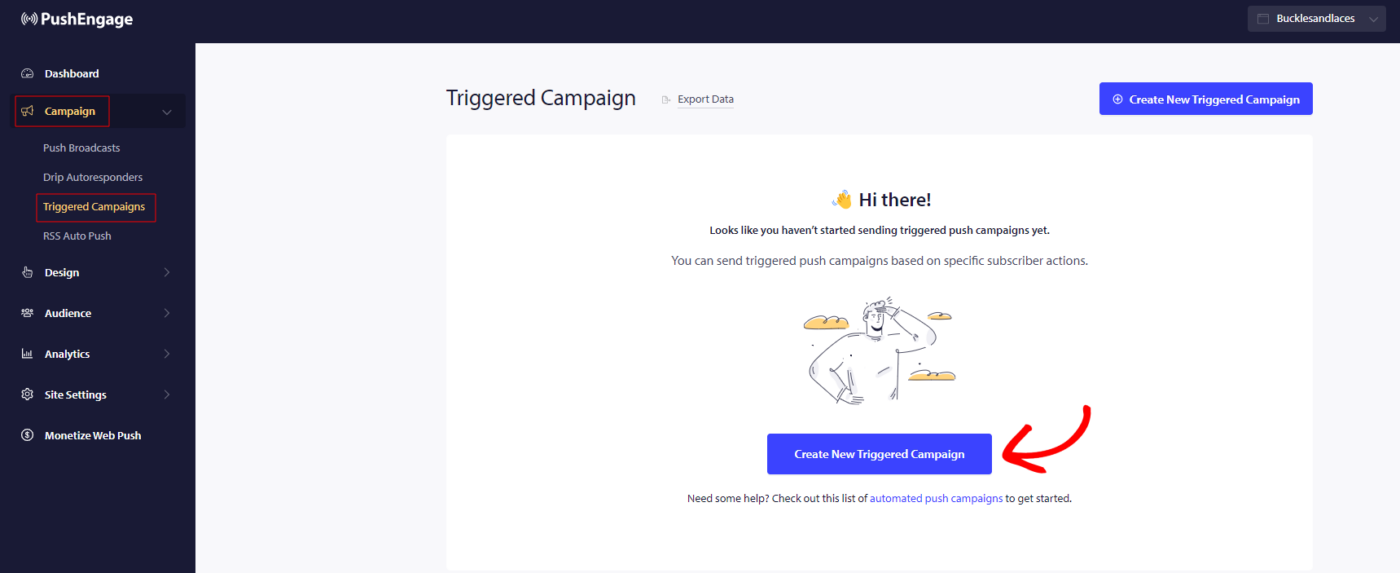
В этом руководстве вы узнаете, как настроить кампании по брошенным просмотрам с помощью PushEngage.
Вам нужно войти в свою панель управления и перейти в раздел Campaign » Triggered Campaigns. Выберите Browse Abandonment Campaign и нажмите Create New.
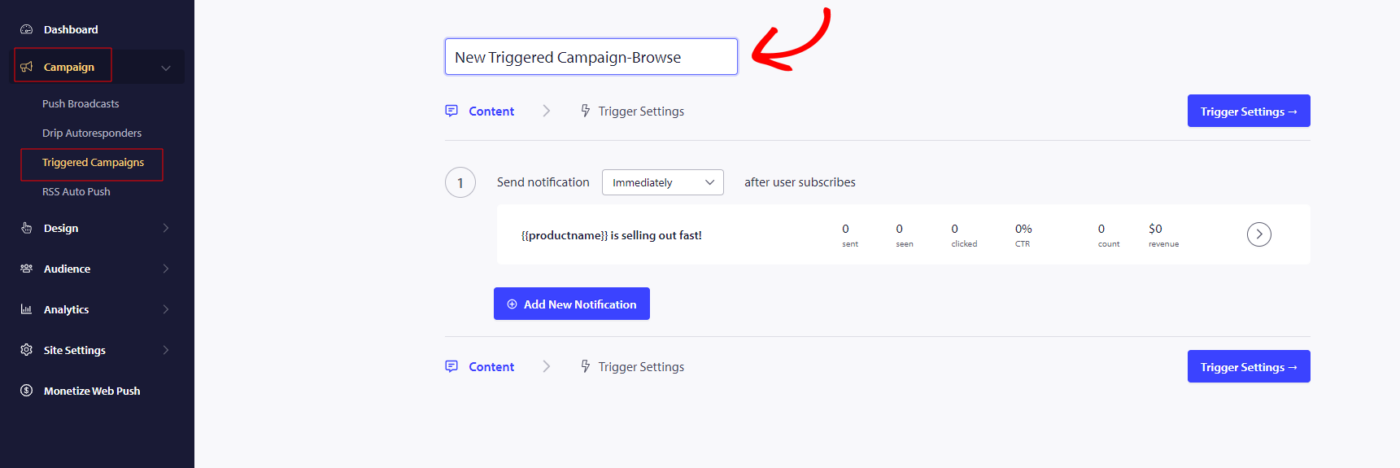
Примечание: Когда вы добавляете название кампании, оно также останется таким же в вашем коде. Поэтому правильное название кампании важно, так как его нельзя будет изменить после публикации кампании.
Здесь вы можете ввести Campaign Name.
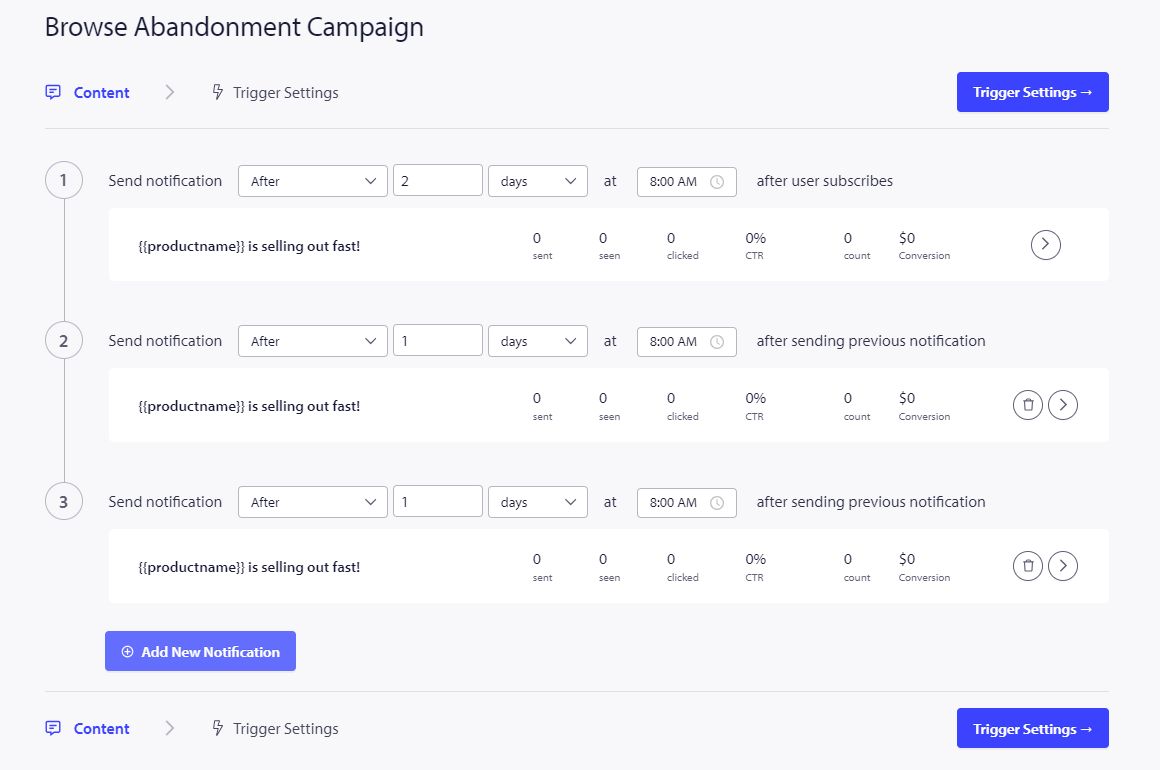
Следующий шаг — настройка расписания кампании. Вы можете выбрать один из следующих вариантов: отправить немедленно, через указанное количество часов и минут или в определенный день.
Как правило, не рекомендуется планировать отправку кампании немедленно. Вместо этого подождите не менее 15 или 30 минут для первой кампании в серии.
При настройке серии вам нужно иметь как минимум три кампании. Вы можете изменить сообщение или заголовок, но убедитесь, что не меняете переменные, если планируете использовать их в кампании.
Переменные по умолчанию, включенные в код кампании: {{productname}}, {{price}} и {{notificationurl}}.
Управление настройками триггера
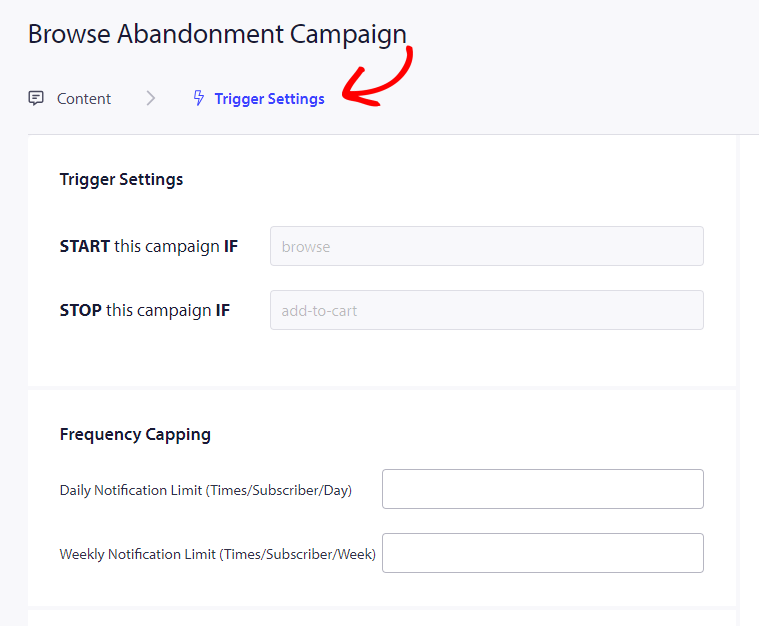
После того, как вы добавили сведения об уведомлениях, мы переходим к Trigger Settings.
В этой настройке триггеры предопределены. Кампания начнется, если кто-то добавит товар в корзину, но не завершит оформление заказа. Если они завершат оформление заказа, они не получат уведомление о брошенной корзине. Однако имейте в виду, что эти события только определены; они не будут работать, если они не реализованы на веб-сайте.
Триггеры здесь: Start Campaign If – browse и Stop Campaign If – add-to-cart
Следующий шаг — установить дневные и недельные лимиты триггеров, которые контролируют количество уведомлений, которые подписчик может получать каждый день и неделю. Например, если вы разрешаете 2 уведомления в день, это составит максимум 14 уведомлений в неделю. Это помогает контролировать частоту уведомлений.
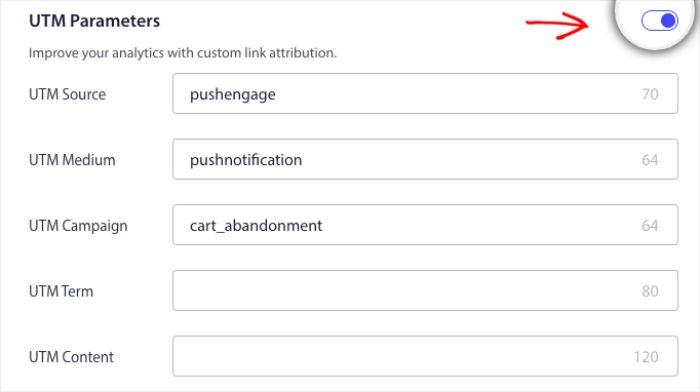
Не забывайте, что вы можете отслеживать аналитику в Google Analytics, вы можете включить UTM-параметры, позволяющие настроить конкретные имена, которые сделают эти кампании легко идентифицируемыми в ваших отчетах.
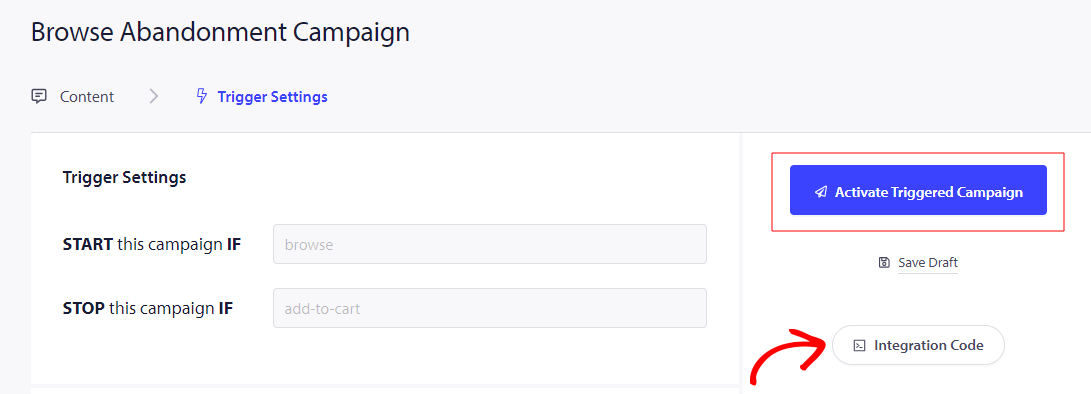
Затем вам нужно нажать кнопку Integrate Code, скопировать код и поделиться им с вашей командой разработчиков для внедрения.
Понимание кода и персонализированных переменных
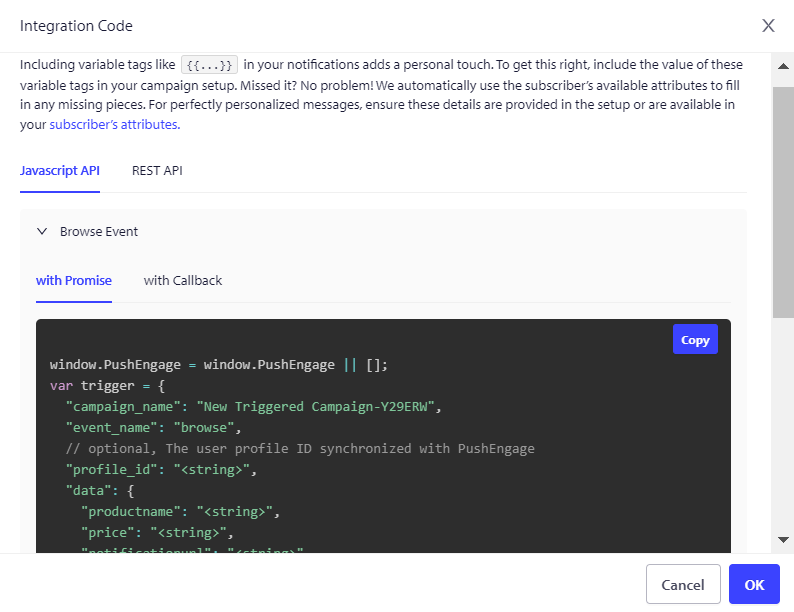
Вам нужно добавить название продукта, цену и URL уведомления, чтобы они могли передаваться динамически с помощью вашей команды по продуктам.
Например, если человек просматривает мобильный телефон, он получает уведомление конкретно о просматриваемом мобильном телефоне и уходит, не добавляя его в корзину.
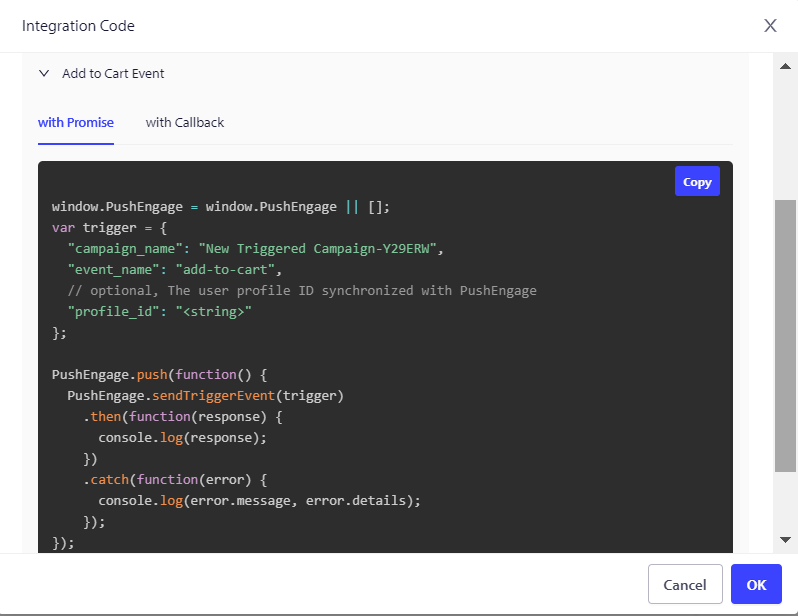
Код состоит из двух частей: первая часть — это событие начала, а вторая часть — событие окончания –
1. Событие просмотра
2. Событие добавления в корзину
Мы также предлагаем пиксель отслеживания целей, который необходимо разместить на событии окончательной конверсии для эффективного мониторинга и отслеживания ваших целей. Этот пиксель играет решающую роль в обеспечении точной записи всех конверсий, позволяя вам оценивать успех ваших кампаний и соответствующим образом оптимизировать ваши стратегии.
Устранение неполадок кампании «Брошенная корзина»
- Название кампании должно совпадать в коде и на панели управления PushEngage.
- Код установки PushEngage должен присутствовать там же, где и код кампании «Брошенная корзина»; в противном случае уведомления не будут выполнены.
- Убедитесь, что кампания активна на панели управления после того, как вы разместили код на своем веб-сайте.
- Вы должны быть подписчиком веб-push вашего веб-сайта; в противном случае вы не сможете проверить, получаете ли вы кампании «Брошенная корзина» в вашей системе.
Если у вас возникнут какие-либо проблемы, пожалуйста, не стесняйтесь связаться с нами , нажав здесь. Наша служба поддержки будет рада помочь вам.