購読者のタイムゾーンに合わせてプッシュ通知をスケジュールする方法

A very effective way of advertising to the customers using a notification is by sending them to the customer in their own time zones. The importance of Timezone is seen particularly if you have subscribers in multiple Time zones. This helps in increasing the CTR too.

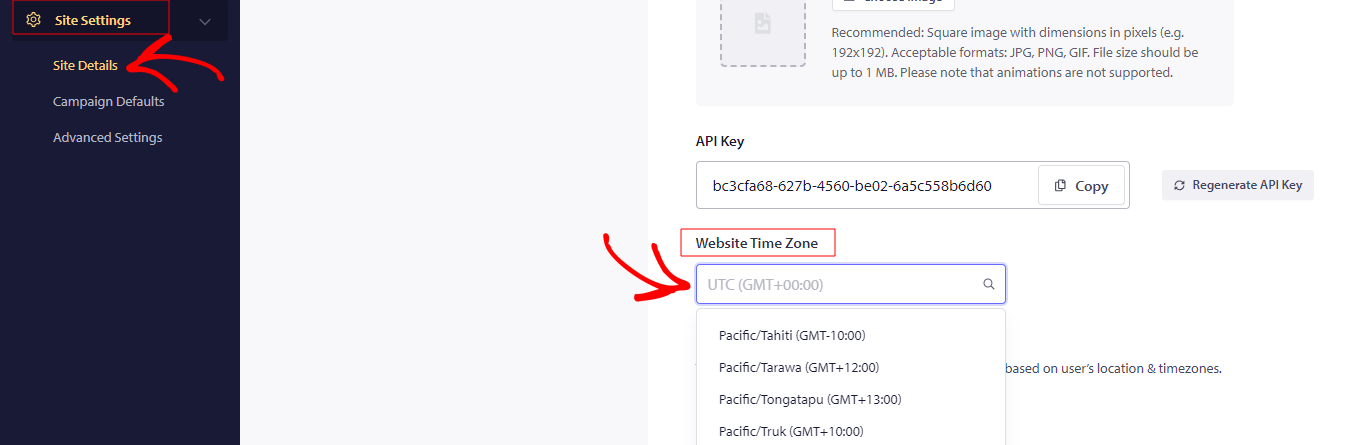
To schedule push notifications, you need to log in with your registered account. Navigate to Site Settings » Site Details » Website Time Zone & set your current time zone as a base, without which any scheduling may not work the way it should.

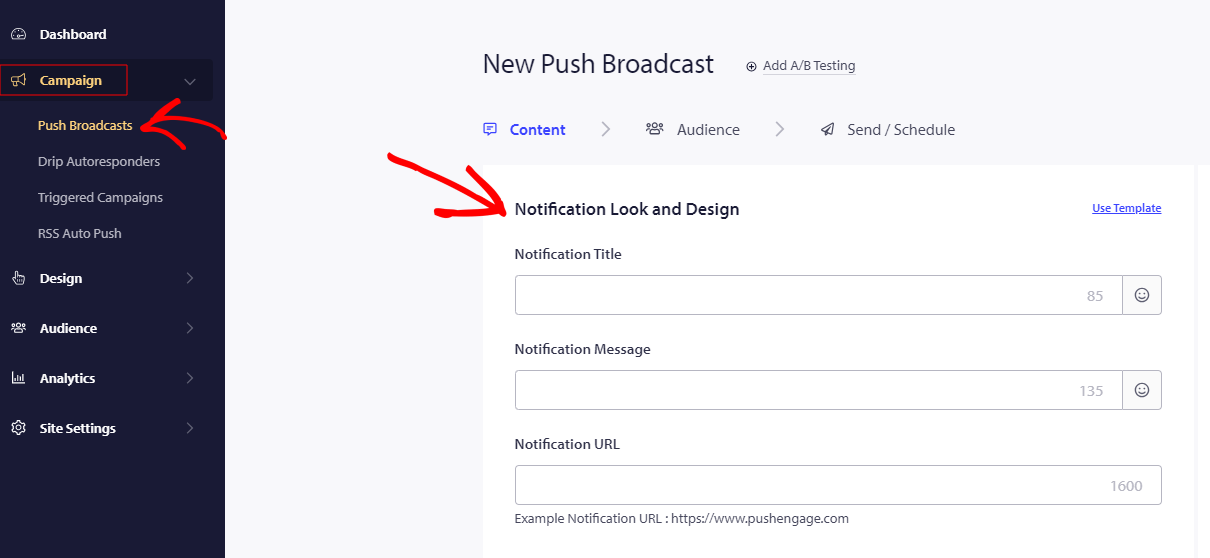
Then, to send a time zone notification, navigate to Campaign » Push Broadcast » Notification Look and Design » scroll down to Save and select Audience- “Send Notifications in Subscribers time zone.”

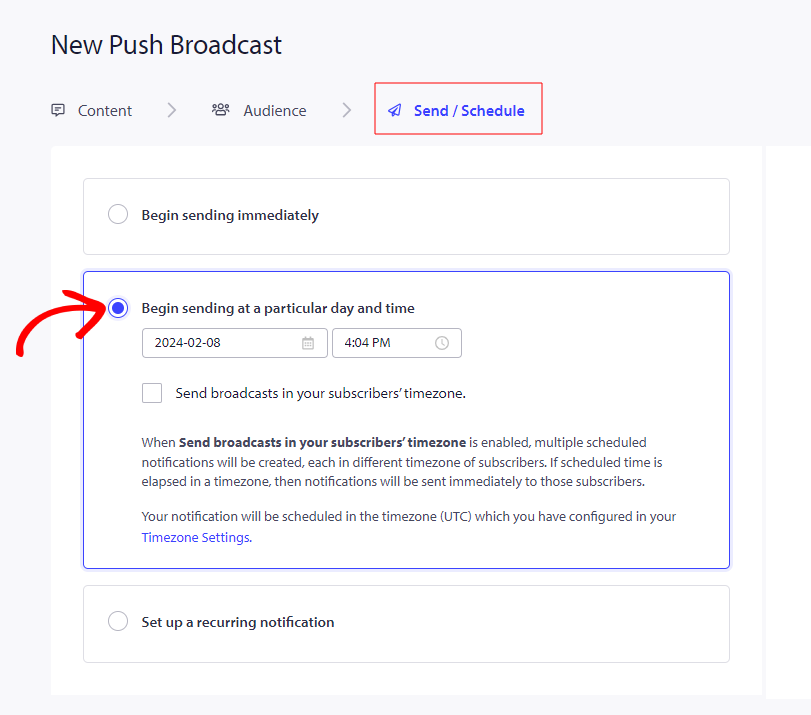
Enter all the required details of the notification in the given fields to create a notification. Move to Send/Schedule tab to Scheduling Options & check the option – Send Notifications in Subscribers timezone. By selecting this option, the notification will be sent to the customers in their own timezone. After all this is set, click on Schedule Notification

問題が発生した場合は、こちらをクリックしてお問い合わせください。サポートチームがお手伝いします。

最終更新日:2026年3月9日

ウェブサイトを離れた後も訪問者をエンゲージし、維持する

見逃せないプッシュ通知で、すべてのウェブ訪問の価値を高めましょう。

  • 永久無料プラン
  • 簡単なセットアップ
  • 5つ星サポート