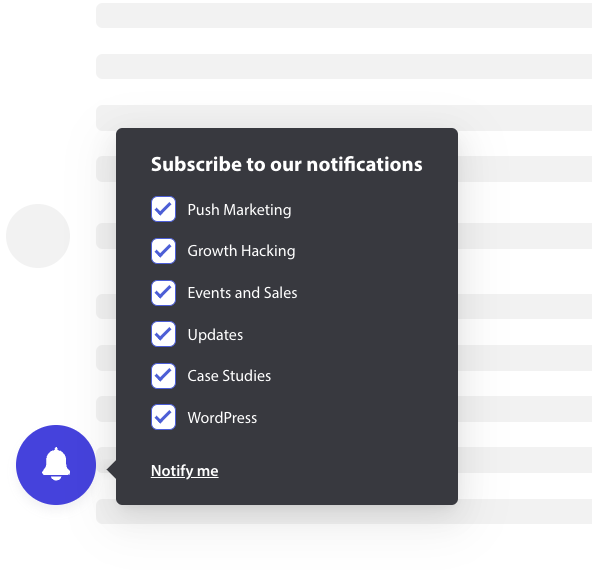
Le module d'inscription ou la fenêtre contextuelle peut désormais être personnalisé et inclure une case à cocher de segment afin que le visiteur du site Web ait la possibilité de décider s'il souhaite être informé de toutes les campagnes ou uniquement de segments sélectionnés.
Les différents styles d'option d'abonnement
Il existe différents styles de fenêtres contextuelles d'abonnement qui pourraient convertir vos visiteurs en abonnés et clients de vos notifications push Web.
Boîte d'inscription élégante : Ce style a un design épuré et un seul bouton au lieu de deux.
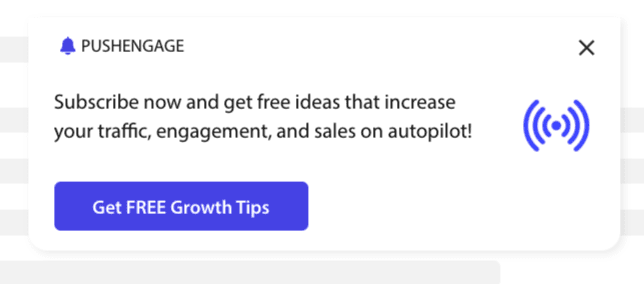
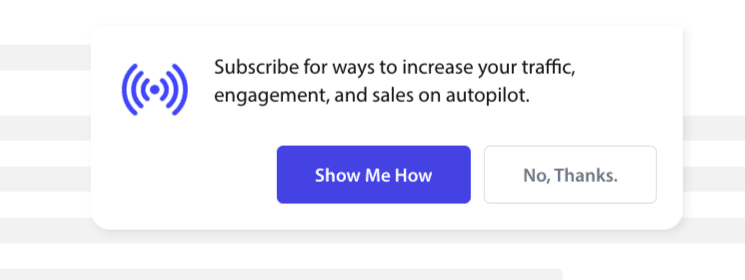
Boîte style Safari : Il s'agit d'une boîte d'inscription classique en deux étapes avec deux boutons pour cliquer sur Autoriser ou Refuser, qui peut être personnalisée.
Barre avec cloche : Cette petite cloche vous invite à vous abonner ou à bloquer. La petite icône de cloche dans le coin inférieur peut être personnalisée mais prend moins de place à l'écran, permettant aux gens de s'abonner aux notifications push.
Barre flottante : Ce style de fenêtre contextuelle s'étend sur l'écran et sera placé en bas. Vous pouvez ajouter un texte plus long à la fenêtre contextuelle de conception.

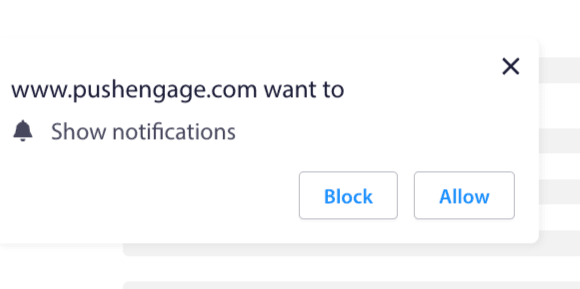
Inscription en une étape : Une boîte de permission en une seule étape, qui ne vous permet pas de personnaliser ou d'ajouter de message personnalisé.
Grande boîte style Safari : Une boîte qui apparaît au milieu de l'écran et vous permet d'ajouter des segments.
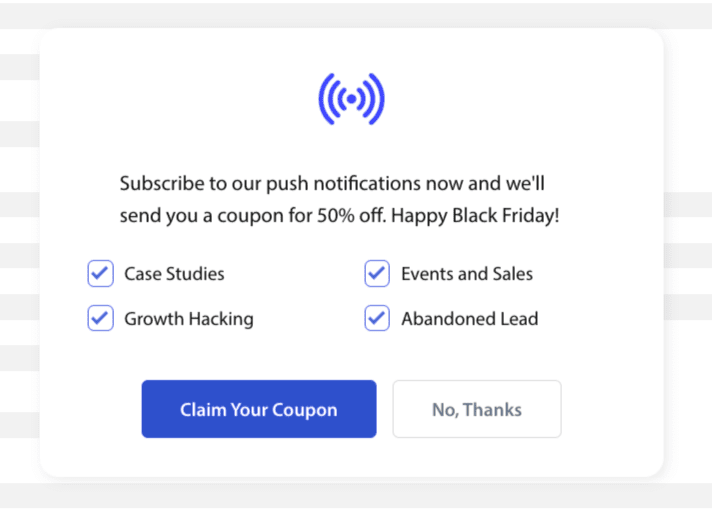
Remarque : Tous les styles de fenêtres contextuelles d'abonnement peuvent être modifiés ou personnalisés, à l'exception de l'inscription en une étape. L'inscription en une étape est le style par défaut du navigateur et ne peut être ni modifiée ni personnalisée.
Ajout de segments à l'inscription
Vous pouvez choisir le style auquel vous souhaitez vous inscrire et cliquer sur Modifier. Sous Conception de la fenêtre contextuelle, vous devez Activer tous les segments.
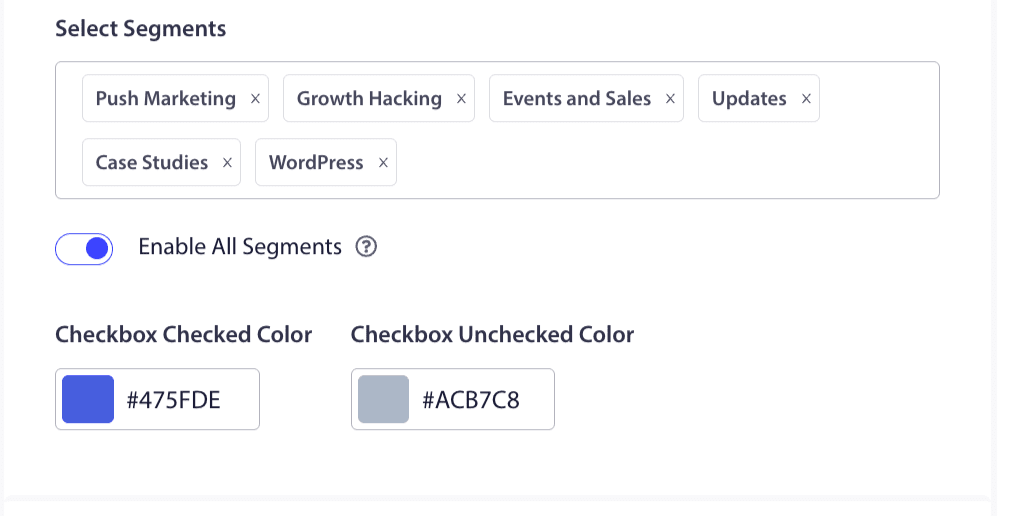
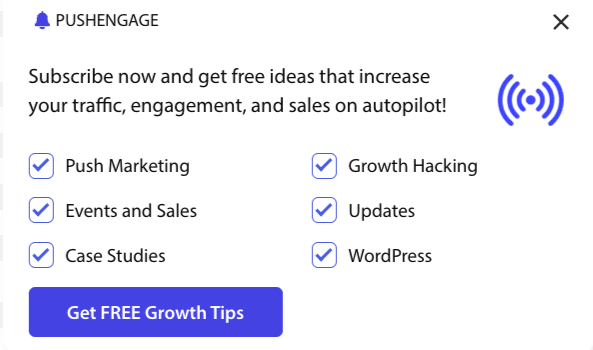
Vous pouvez choisir les segments dans la liste déroulante et vérifier si l'aperçu correspond à ce que vous souhaitez. Vous avez également la possibilité de personnaliser la couleur des cases à cocher afin de les aligner avec les couleurs de votre marque. Voici à quoi ressemblerait votre aperçu –
Comprendre les options pour améliorer la fonctionnalité
Activer l'abonnement d'inscription Rules
Cette fenêtre contextuelle d'abonnement s'affichera sur toutes les pages autorisées par la règle de ciblage globale. Cependant, vous pouvez ajouter ces fenêtres contextuelles sur des pages Web spécifiques si vous le souhaitez.
Activer le superposition d'abonnement
Une superposition est une option qui incite les gens à cliquer sur autoriser, indiquant aux utilisateurs de cliquer sur le bouton autoriser pour recevoir des notifications push.
Activer l'invite de rappel :
Les navigateurs comme Chrome et Edge se basent sur le comportement antérieur des visiteurs du site Web s'ils cliquent souvent sur Bloquer. Ils activent une interface utilisateur plus discrète, une icône de cloche dans la barre d'adresse. C'est une version optimisée de la fenêtre contextuelle d'abonnement pour les personnes qui refusent généralement les notifications. Ce rappel peut être affiché uniquement sur un ordinateur de bureau. Il vise à éduquer les gens à s'abonner aux campagnes de notifications push Web.
Fenêtre contextuelle d'abonnement :
Ceci est le bouton bascule pour désactiver ou activer l'affichage de l'option sur les pages où le code est installé. Si vous désactivez ce bouton, vous cesserez de collecter des abonnés.
Comprendre les options d'affichage
Cet écran vous aidera à optimiser la façon dont la fenêtre contextuelle d'abonnement doit être affichée.
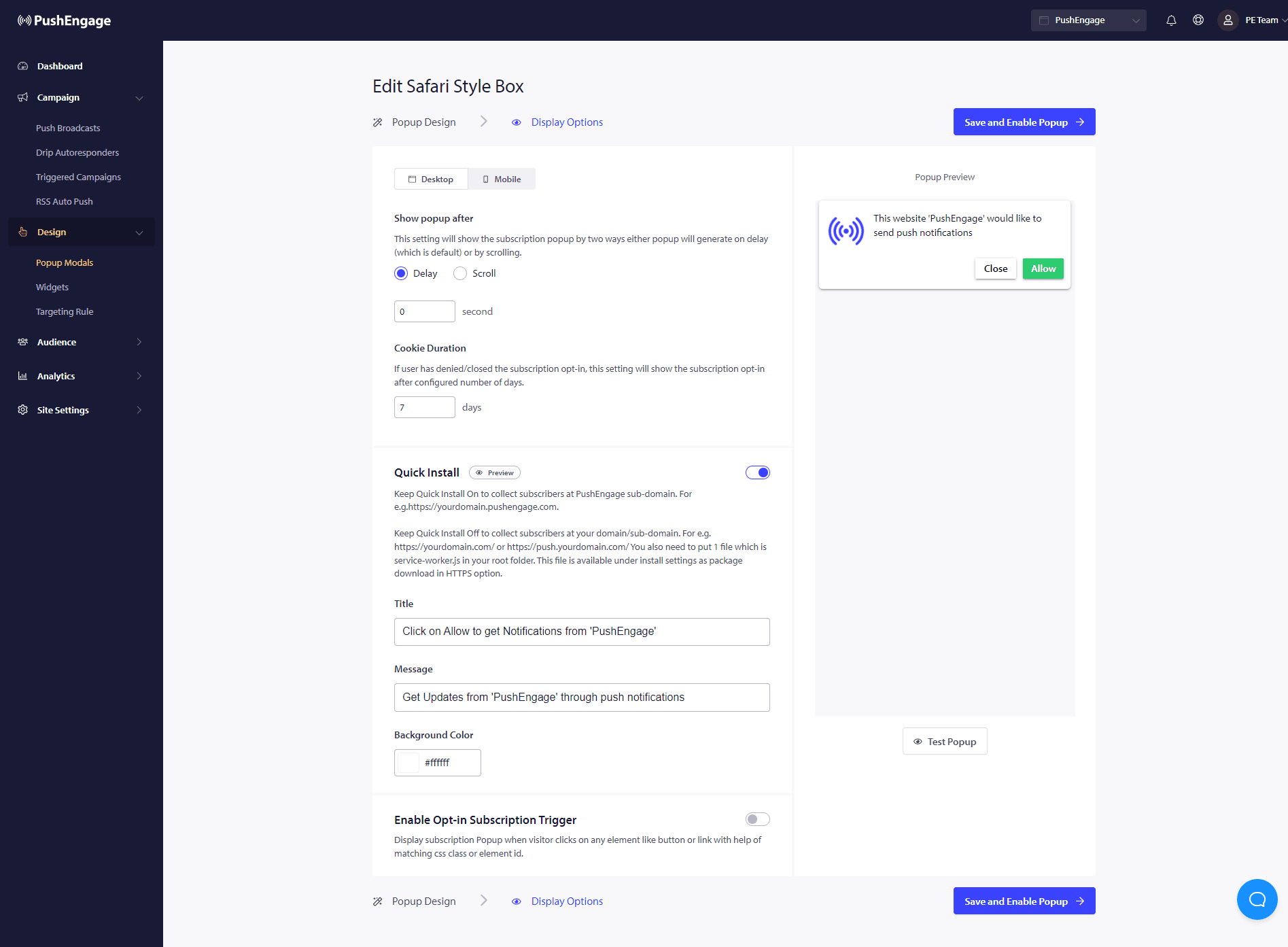
Installation rapide :
Nous vous recommandons de laisser cette option toujours désactivée. Ainsi, les abonnés sont collectés sur votre domaine. Cette option est uniquement pour les personnes qui ne peuvent pas ajouter de service workers à leur site Web et collecter des abonnements sur leur domaine.
Activer le déclencheur d'abonnement par option :
En plus du chargement de la page, la fenêtre contextuelle peut être déclenchée par tout autre événement, comme lorsque le visiteur clique sur un bouton ou un lien à l'aide d'une classe CSS ou d'un ID d'élément correspondant. La fenêtre contextuelle peut être déclenchée sans modifier le code.
Afficher l'option :
C'est ici que vous pouvez définir la règle pour afficher l'opt-in après un délai ou après avoir fait défiler un certain pourcentage de la page.
- Délai – Au bout de combien de temps la fenêtre contextuelle d'abonnement doit-elle s'afficher ? Nous recommandons que la meilleure pratique soit de la faire apparaître en moins de 5 secondes ou au maximum 10 secondes.
- Défilement – Vous pouvez décider que la fenêtre contextuelle d'abonnement peut être déclenchée si un visiteur a fait défiler X pourcentage de l'écran.
- Durée du cookie – Si une personne annule et décide de ne pas autoriser/bloquer la fenêtre contextuelle d’abonnement, vous pouvez définir la durée de réinitialisation du cookie. Après ces jours, le visiteur peut voir à nouveau la fenêtre contextuelle.
C'est tout. Une fois que vous avez personnalisé la fenêtre contextuelle d'abonnement selon vos besoins, vous pouvez enregistrer les modifications.
Vous êtes maintenant prêt à voir vos visiteurs de site Web se convertir en abonnés web push.
Si jamais vous rencontrez des problèmes, n'hésitez pas à nous contacter en cliquant ici. Notre équipe de support sera en mesure de vous aider.