Les Progressive Web Apps (PWA) sont une partie très importante de l'installation de l'architecture Web Push. Elles vous aident à collecter les abonnés sur votre domaine et à diffuser les notifications.
Si, pour une raison quelconque, vous ne parvenez pas à rendre le Progressive Web App accessible publiquement à la racine ou dans un sous-dossier, nous apporterons les modifications nécessaires à la configuration, et vous continuerez à collecter les abonnés sur le sous-domaine PushEngage au lieu de votre propre domaine.
Pour des plateformes comme Wix, ClickFunnels, Blogger et Webflow, quelques ajustements doivent être effectués dans le tableau de bord après l'installation. Ces modifications garantiront que les abonnés sont collectés sur le domaine PushEngage plutôt que sur leur domaine.
Dans ce guide, nous allons partager des étapes simples pour configurer et activer l'installation rapide.
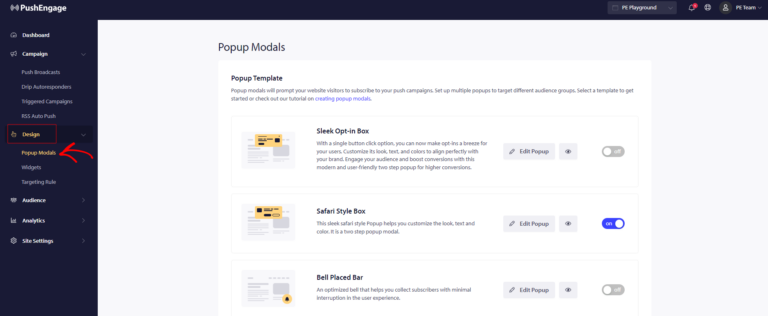
Vous pouvez naviguer vers Design » Style de Popup Choisi » Modifier le Style de Popup
Une fois que vous avez stylisé le popup d'abonnement, vous devez ensuite passer à l'Option d'Affichage, puis faire défiler jusqu'à la section Installation Rapide.
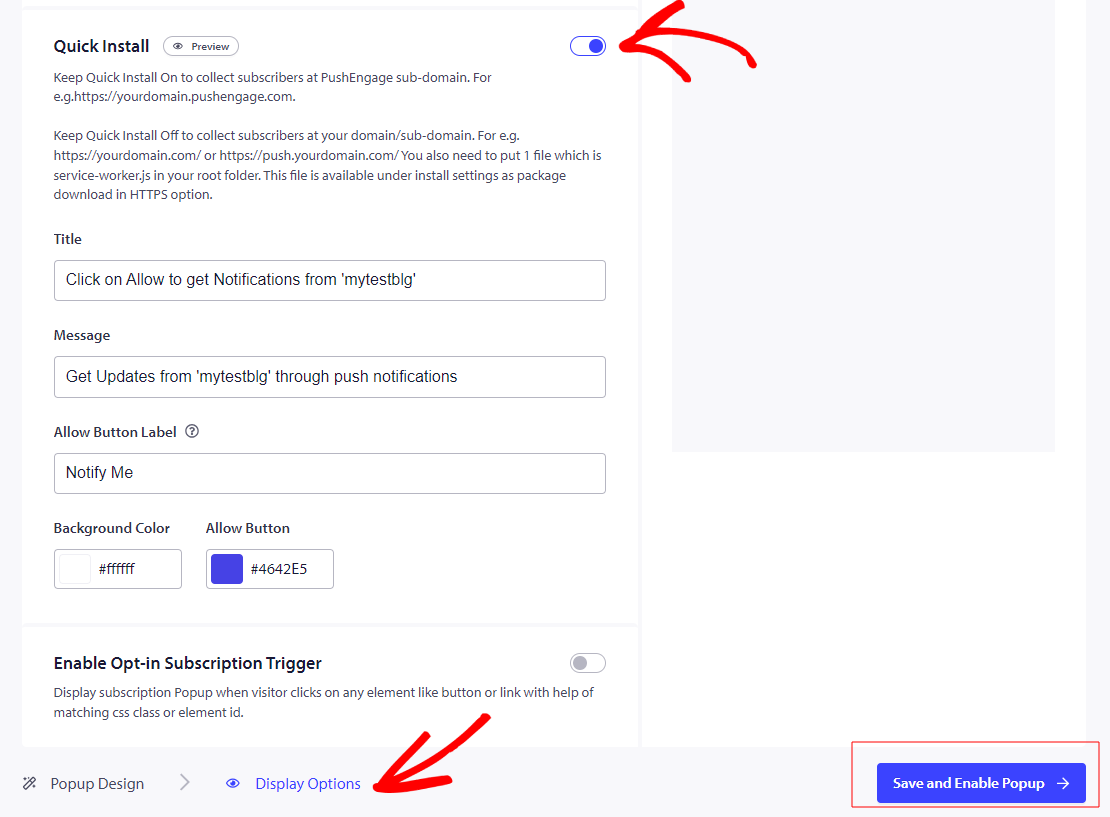
Une fois le bouton activé Activé, nous devons finaliser l'action en cliquant sur «Enregistrer et Activer le Popup»
C'est tout, maintenant que vous avez activé l'installation rapide, vous devez vous assurer que vous avez un fichier de Progressive Web App.
Si vous ne l'avez pas. Naviguez vers Paramètres du Site » Installation
Choisissez N'importe quel Site et passez à la deuxième étape Télécharger le Fichier du Package et enregistrer dans le dossier racine.
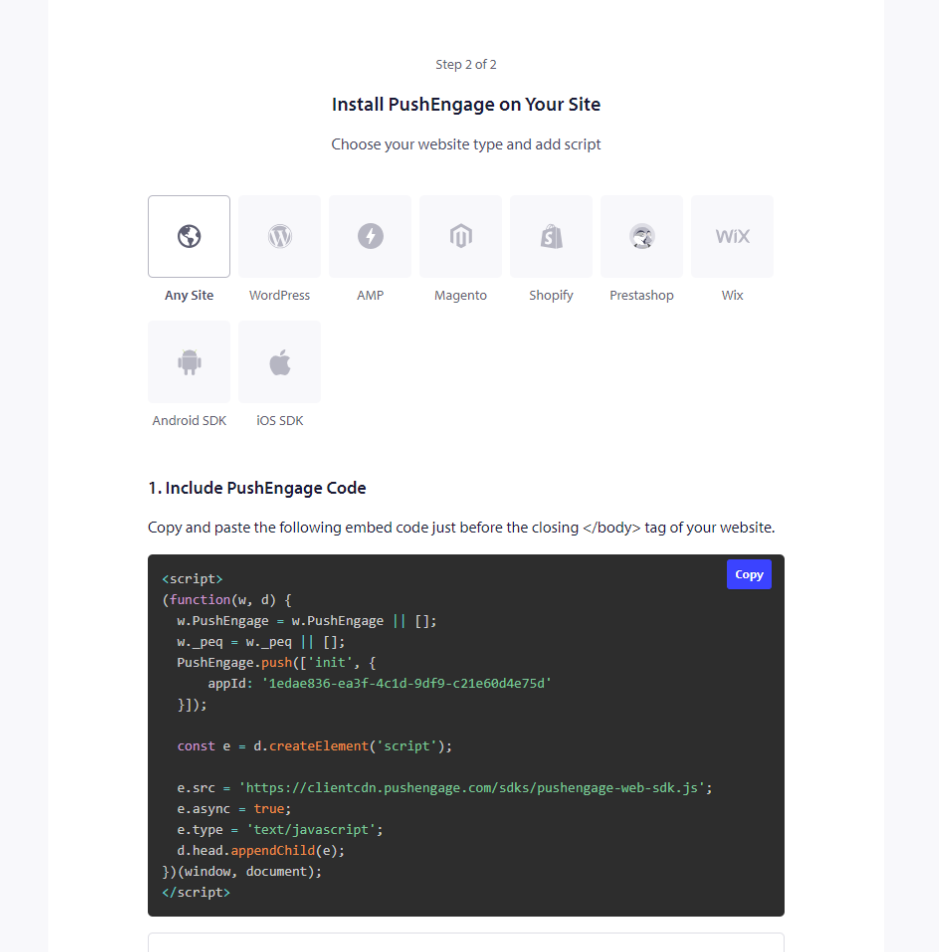
Si vous n'avez pas accès au répertoire racine, vous pouvez suivre ce guide pour l'ajouter via un sous-dossier.
Veuillez noter que sans Progressive Web App, vous ne pourrez pas utiliser l'option d'abonnement en une seule étape, mais vous pourrez utiliser tous les autres styles.
C'est tout, et votre installation est terminée. Vous recevrez une option d'adhésion pour l'abonnement lorsque vous visiterez votre site Web.
Si vous rencontrez des problèmes, n'hésitez pas à nous contacter en cliquant ici. Notre équipe de support pourra vous aider.