Oui, vous pouvez passer de la facturation par carte de crédit à PayPal. Si vous nous avez payé via PayPal mais que vous souhaitez désormais payer via l'option carte de crédit, cela rendra le processus plus pratique avec une option de facturation récurrente.
Vous pouvez le faire en suivant les étapes ci-dessous –
1. Vous pouvez nous envoyer un e-mail à [email protected] pour annuler les factures PayPal programmées.
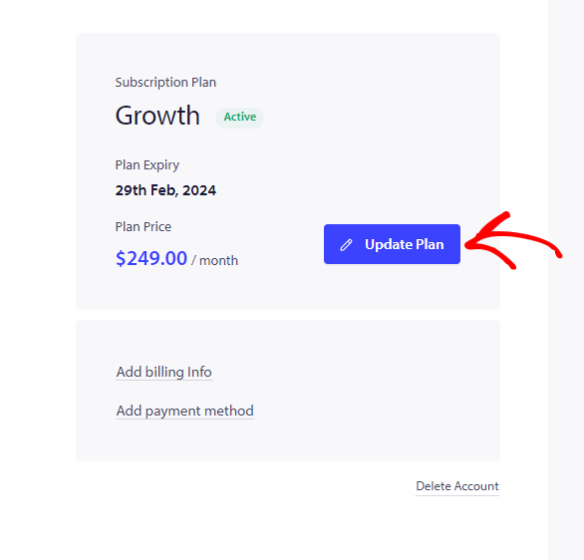
2. Accédez au coin supérieur droit du tableau de bord. Cliquez sur le nom de votre compte et accédez à Mon option de facturation » Cliquez sur Mettre à jour le plan
3. Choisissez le plan que vous aviez chez PayPal. Plus tard, vous pourrez passer à l'onglet Mettre à jour la facturation et le paiement
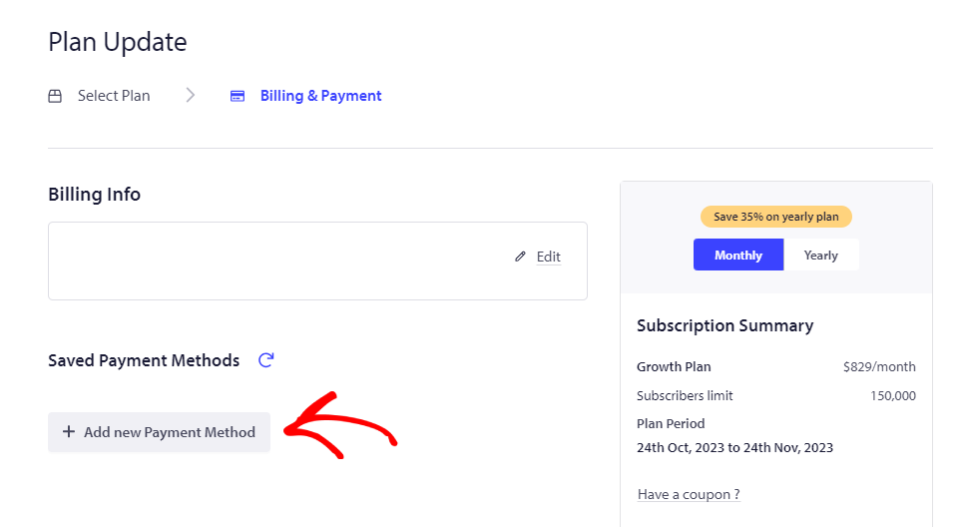
4. Ajoutez les détails de la carte de crédit et cliquez sur « Ajouter un nouveau mode de paiement ».
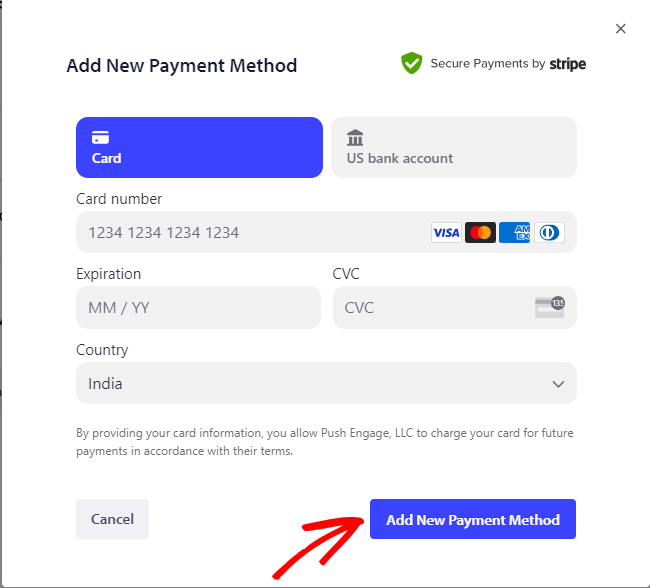
Complétez les étapes suivantes et finalisez votre achat. Votre compte est maintenant en mode de paiement par carte de crédit.
Si vous rencontrez des problèmes, n'hésitez pas à nous contacter en cliquant ici. Notre équipe de support pourra vous aider.