A color picker isn’t
a
brand.
Most chat tools stop at swatches. PushEngage widgets give you custom icons, branded avatars, layouts, gradients, fonts, and full CSS, so the widget reads as part of your site, not a bolt-on.

“PushEngage is quick and easy to implement. It provides results promptly and the analytics presents them in a clear and understandable fashion.” Alex Avery · Database Marketing Executive
75,000+ businesses Set up in minutes, no engineering ticket 14-day money-back guarantee
Trusted by 75,000+ businesses in 150+ countries








Why it works
Blends in like it was built in-house.
Fintech app, fashion brand, or SaaS dashboard: the widget should look like your designer made it. Now it can.
Icons, avatars, and CTAs
Upload custom icons and branded avatars, and write your own CTA button copy, the details that make a widget feel native.
Layouts, colors, and fonts
Vertical or horizontal layouts, full color and gradient control, and font choices that match your type system.
Custom CSS when you want it
Power users get a stylesheet hook for pixel-level control. Everyone else never needs to see it.
How it works
From bolt-on widget to native element.

Design with a live preview
Every change renders instantly in the preview pane, desktop and mobile, so what ships is what you saw.
- Desktop and mobile previews
- Test the widget before publishing
- Change styling without code deploys
Style per page, not per site
Different widgets carry different styling, so the support widget on docs and the sales widget on product pages each fit their context.
- Multiple styled widgets per site
- Page, geo, and device targeting
- Business-hours display schedules
What’s included
Exactly what you’re buying, on one dashboard.
A widget that looks built in-house earns the click, the same brand discipline PushEngage gives your push notifications with custom domains carries into the chat surface.
Custom icons and button styles
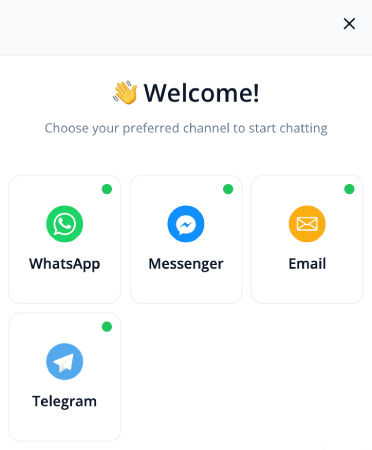
Upload your own icons for each channel button. The widget matches your brand down to the icon set, not just the color.
See custom iconsColors, position, and mobile display
Full color and gradient control, horizontal or vertical layouts, and separate mobile and desktop visibility settings from one configuration panel.
Style configuration optionsPage-level targeting
Different pages can show different button styles and channel sets. A product page gets one look; a support page gets another.
See page targetingMulti-agent
Branded agent avatars alongside custom icons keep the widget feeling like an in-house build across every page it appears.
Multi-agent routingAgent scheduling
The widget only shows channels that are available. Business-hours rules prevent a styled button from leading to an empty thread.
Configure schedulingThe widget itself
Custom styling is one layer of the inboxless chat widget. Routing to 22+ channels, page targeting, and multi-agent routing all sit underneath.
Chat widget overviewBridge: Custom domains for push
The same brand-consistency discipline that drives widget styling applies to push: custom notification domains keep both surfaces on-brand.
See custom domainsSetup and integrations
Installs wherever you run your site. One snippet, any platform.
One-click install on WordPress and WooCommerce. Shopify embed included. Paste one line of JS to add the widget anywhere else.
WordPress plugin
Install the PushEngage plugin and the chat widget is ready in minutes, right from your WordPress admin. No code, no dev ticket, no configuration file to edit.
Get the WordPress plugin
Shopify and Shopify Plus
Native embed, no code required. The widget goes live on your storefront the same afternoon.
Shopify Plus app
WooCommerce
Installed alongside the PushEngage WooCommerce plugin. Chat and push share one setup flow.
WooCommerce setupAny site, one JS snippet
Not on WordPress or Shopify? Paste one line of JS into your site’s head and the widget is live. Works on any CMS or custom build.
See all setup options22+ chat channels
WhatsApp, Messenger, Telegram, Instagram, email, SMS, and 17 more. Visitors pick their channel and your team replies from the inbox they already use.
See all channelsThe numbers
Details make the brand.
“PushEngage is quick and easy to implement. It provides results promptly and the analytics presents them in a clear and understandable fashion.”
Alex Avery
Database Marketing Executive
FAQ
Questions, answered.
How much can we actually customize?
Icons, avatars, CTA copy, layouts, colors, gradients, fonts, and, for power users, custom CSS. If your designer can spec it, the widget can wear it.
Do styling changes need a developer?
No. Everything configures in the dashboard with a live preview, and changes apply without touching your site’s code.
Can different pages carry different looks?
Yes. Run multiple widgets with their own styling and targeting rules, each matched to its page’s job.
Which plans include full styling?
The free WhatsApp widget covers the basics; paid tiers unlock the full design system including custom CSS. Paid plans carry a 14-day money-back guarantee.
Make the widget wear your brand.
Set up in minutes. If PushEngage isn’t the best fit within 14 days, we refund 100%. No questions asked.
Free plan available Set up in minutes Pay only for active subscribers