
Leder du efter en fuld anmeldelse af WP Simple Pay?
At integrere Stripe i dit WordPress-websted er en af de nemmeste måder at acceptere kreditkortbetalinger på. Men hvad hvis du vil have mere? Hvad hvis du har brug for flere valutaer, sprog og betalingstyper?
WP Simple Pay kan hjælpe dig med at få mest muligt ud af Stripe-betalinger.
I denne artikel vil vi sætte pluginnet på prøve og komme til bunds i disse spørgsmål.
Lad os dykke ned.
En hurtig oversigt over WP Simple Pay
WP Simple Pay er præcis, hvad det lyder som. Det gør online betalinger simple på din WordPress-side. Det er nemt at bruge, yderst pålideligt og kræver ingen kodning for at opsætte.
Det bedste? WP Simple Pay hjælper dig med at fokusere på at skabe produkter og sælge dem uden at skulle bekymre dig om at acceptere betalinger fra hele verden.
Alle kunde- og betalingsoplysninger gemmes på din Stripe-konto, ikke på din WordPress-hjemmeside. Som et resultat vil plugin'et ikke belaste din side som andre alternativer. WP Simple Pay tilbyder den simpleste måde at tilføje Stripe-betalinger til din WordPress-side.
Og opsætning af WP Simple Pay er super simpelt.
Lad os tage et hurtigt kig.
Sådan opsætter du WP Simple Pay
WP Simple Pay er ligesom ethvert andet WordPress-plugin. Alt du skal gøre er at installere og aktivere det. Hvis du ikke er sikker på, hvordan du gør det, kan du se denne artikel om hvordan man installerer et WordPress-plugin.
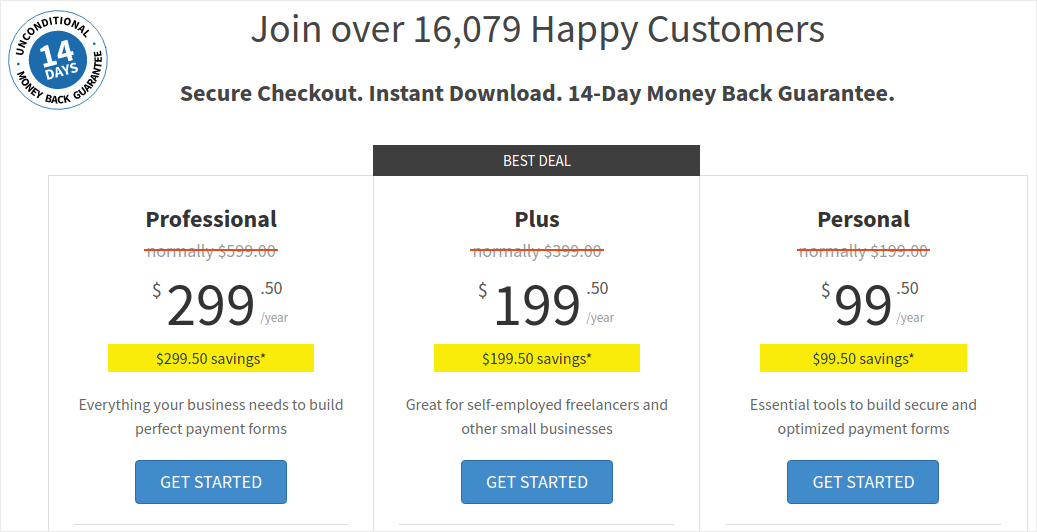
Start med at gå til WP Simple Pay og vælg din plan:
Når du har installeret pluginet, skal du på dit WordPress-dashboard gå til WP Simple Pay » Indstillinger og indsætte din licensnøgle:
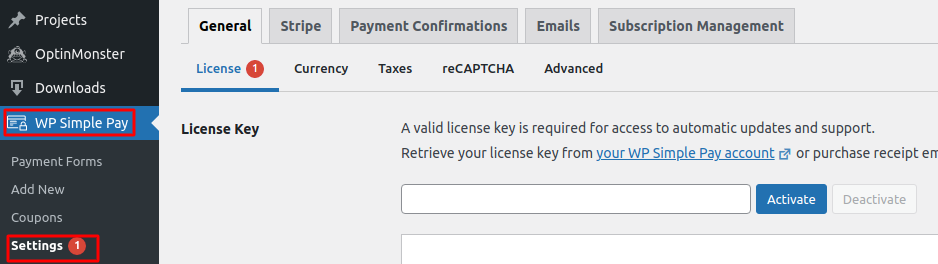
Når du er færdig, skal du klikke på Aktivér.
Gå derefter til fanen Stripe og klik på Opret forbindelse med Stripe:
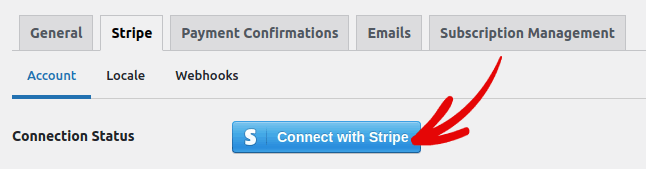
Og det er det. Du er færdig med at opsætte pluginet. Næste gang bør du udforske pluginets forskellige funktioner.
Hvad kan WP Simple Pay gøre for dit brand?
WP Simple Pay hjælper dig med at oprette simple formularer til at acceptere betalinger for dine produkter. Du kan oprette øjeblikkelige betalingsformularer og en masse fleksible betalingstyper til at følge med. Det mest imponerende er, at alt er nemt at opsætte og nemt for dine kunder at bruge.
Lad os gennemgå hver af disse funktioner og nedbryde, hvad der gør pluginet fantastisk.
#1. Betalingsformularbygger
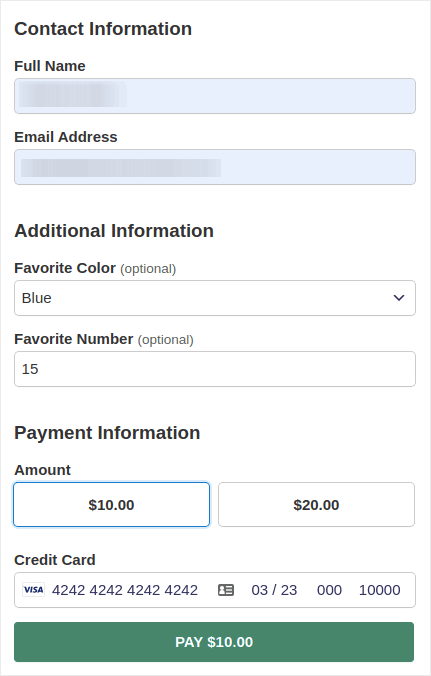
Du kan oprette en brugerdefineret betalingsformular med få klik med WP Simple Pay. Og du kan vælge forskellige formular typer som:
Indlejrede formularer:
Eller en pop-up betalingsformular:
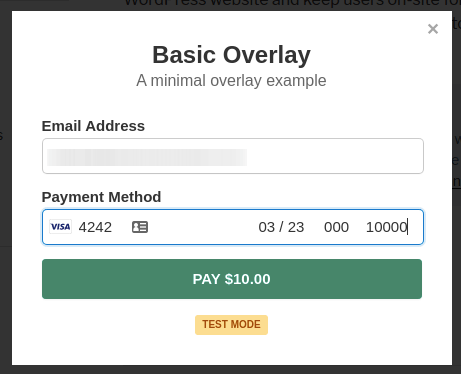
Og det tager bogstaveligt talt 5 minutter at oprette en betalingsformular direkte fra dit WordPress-dashboard.
#2. Stripe Checkout Betalingssider
Hvis du ikke er interesseret i at oprette en brugerdefineret betalingsformular, kan du også bruge den standard Stripe betalingsformular:
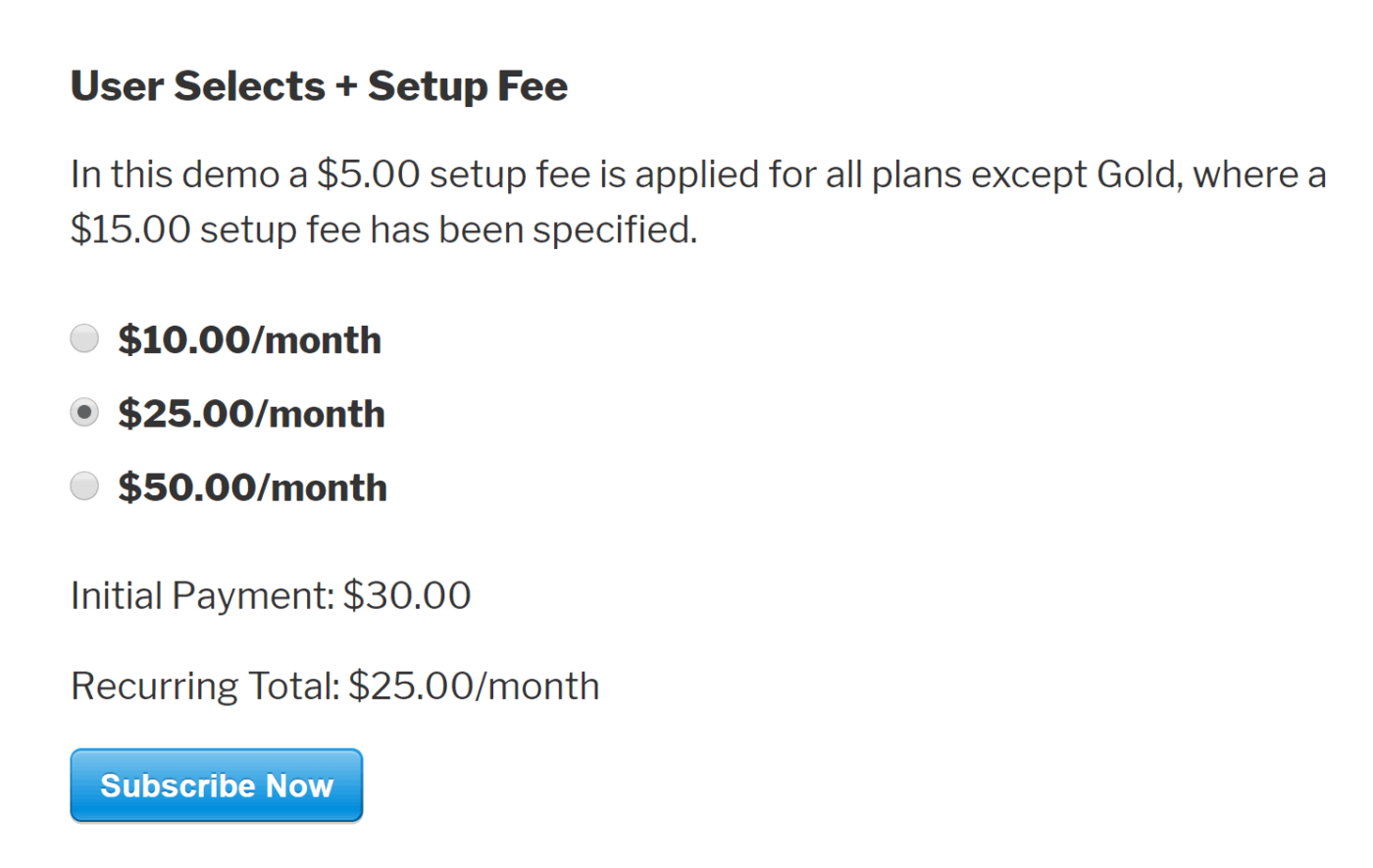
Den er enkel, elegant og du kan opsætte både tilbagevendende og engangsbetalinger ved hjælp af den standard Stripe betalingsformular.
#3. Betalinger med brugerdefineret beløb
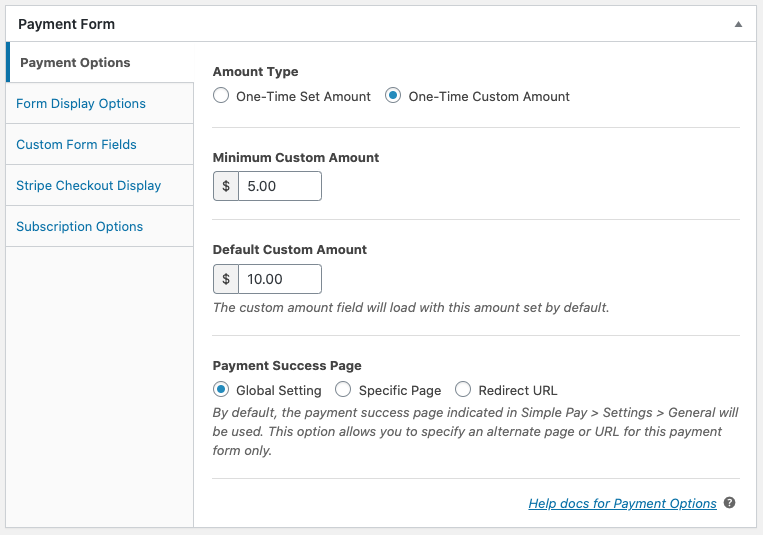
Du kan indstille et engangsbeløb for dine produkter. Eller du kan angive minimums- og standardbeløb for "betal hvad du vil" modeller.
#4. Tilføj og tilpas abonnementsmuligheder
Det er super nemt at opsætte abonnementer med WP Simple Pay. Du kan tilføje en brugerdefineret beløbsmulighed, opkræve et opsætningsgebyr eller tilbyde gratis prøveperioder.
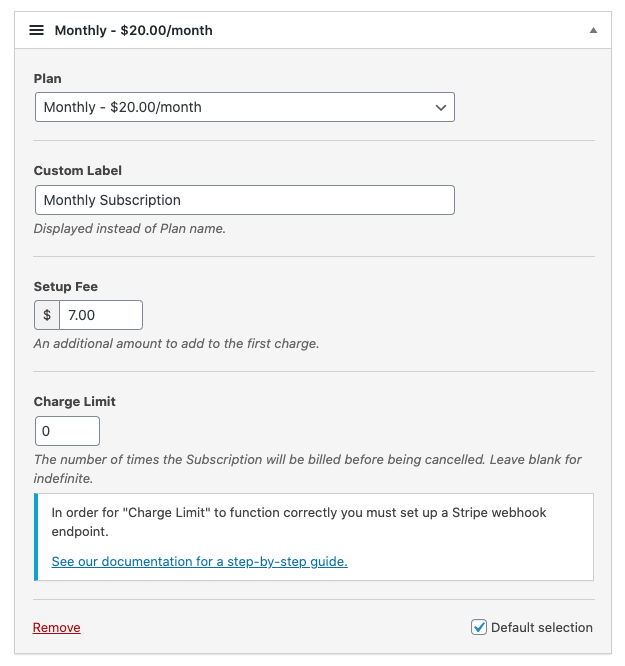
Du kan endda opsætte afdragsordninger for at afslutte abonnementer efter et bestemt antal opkrævninger.
#5. Tilbyd rabatter med kuponkoder
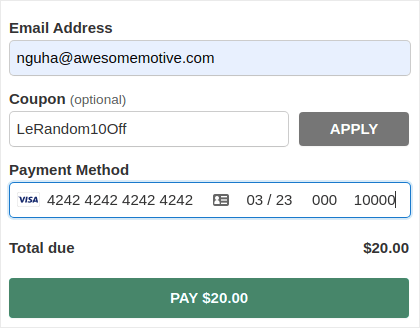
Selvfølgelig kan du oprette rabatter på WooCommerce og Easy Digital Downloads. Men WP Simple Pay gør det super nemt at oprette kuponkoder til abonnementsbetalinger.
#6. Alternative betalingsmetoder
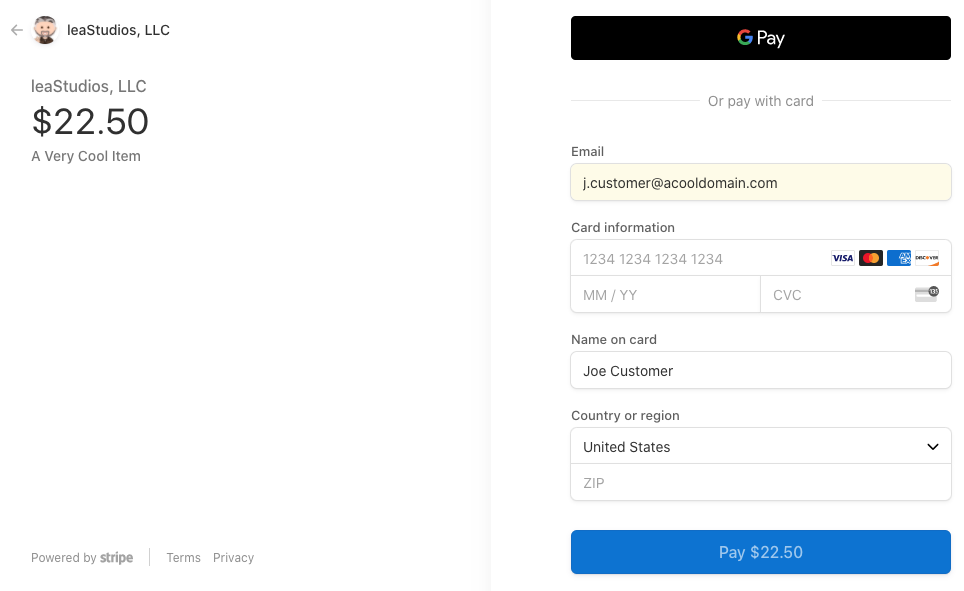
Udover de sædvanlige kreditkortbetalinger kan du også opsætte flere alternative betalingsmetoder. Du kan acceptere betalinger ved hjælp af Apple Pay og Google Pay:
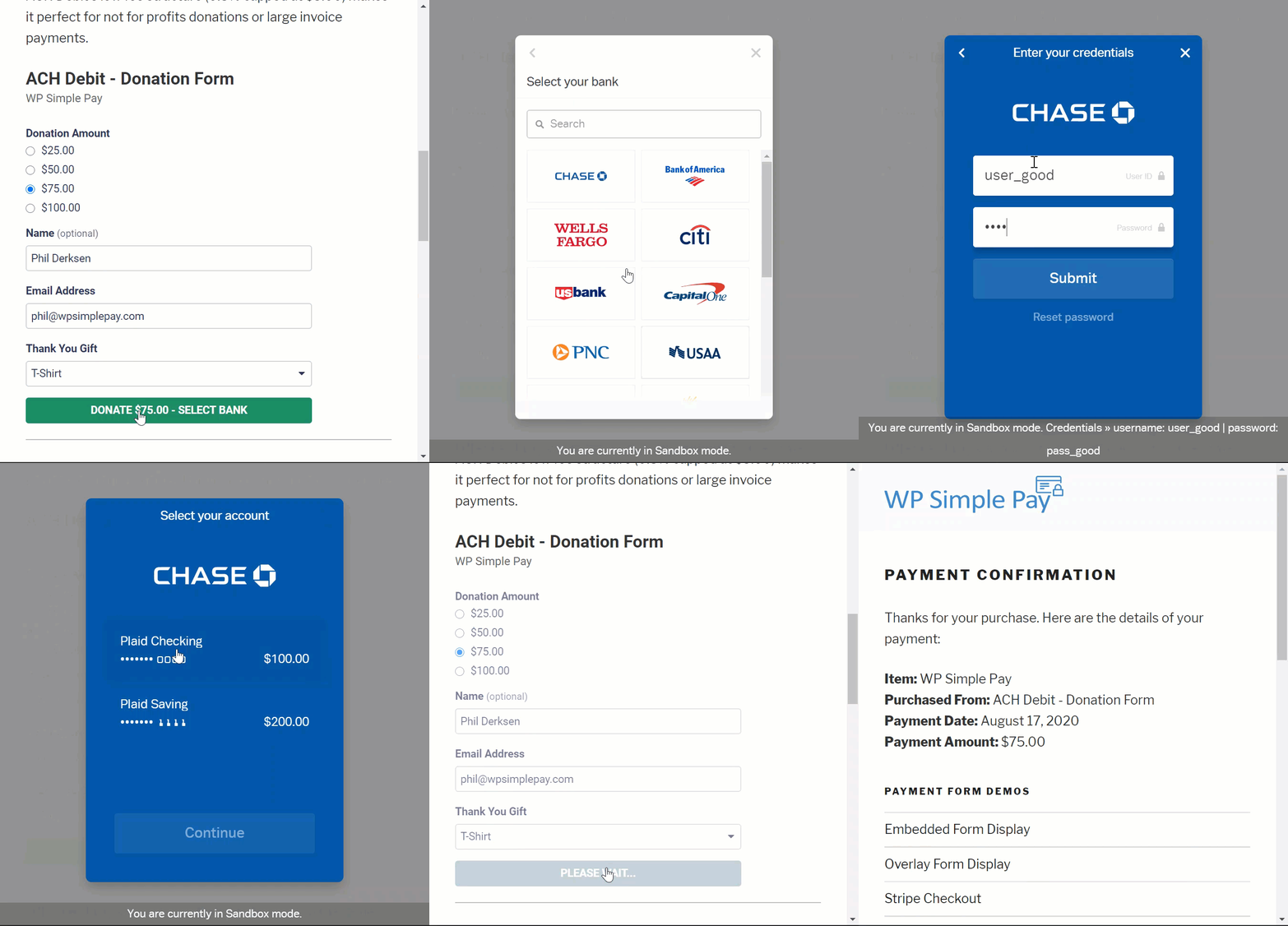
Eller du kan endda acceptere ACH-betalinger via debet:
WP Simple Pay kan også hjælpe dig med at acceptere betalinger ved hjælp af:
- iDEAL
- SEPA Direct Debit
- Alipay
- Bancontact
- giropay
- Przelewy24
Og mere!
#7. Tilpassede detaljer for betalingsbekræftelse
Det værste ved de fleste betalingsbehandlingssoftware er, at de sender forfærdelige skabelonbaserede e-mail-svar. Og der er ikke meget, du kan redigere i den e-mail. Så de e-mails, der sendes ud, føles helt ude af trit med brandet.
Med WP Simple Pay kan du oprette en brugerdefineret skabelon til e-mails med betalingsbekræftelse.
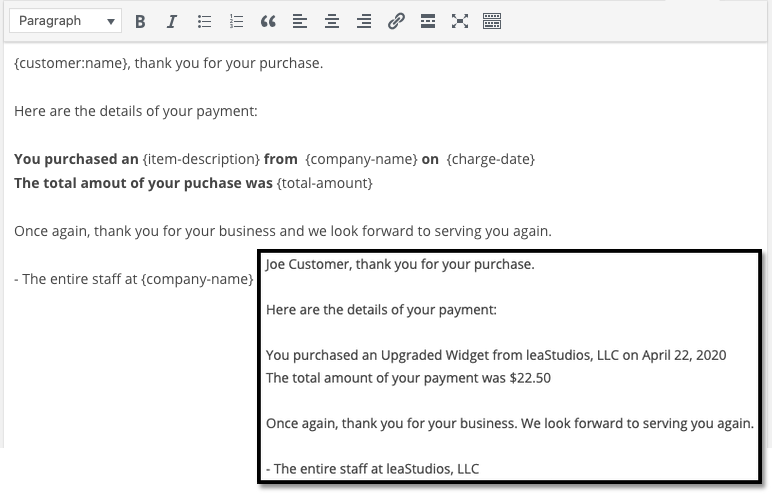
For at forblive i trit med brandet kan du blot oprette en skabelon, der passer til dit brands budskaber og stil. Hvis du vil være fancy, kan du endda sende ekstra information som licensnøgler ved hjælp af brugerdefinerede felter.
#8. Indstillinger for placering og valuta
Et andet stort problem med mange Stripe-plugins er, at du kun kan acceptere betalinger i din lokale valuta. Dette er ikke et problem forårsaget af Stripe. Stripe accepterer over 30 sprog, 45+ lande og 135+ valutaer. Konflikten opstår fra dårligt kodede plugins.
Så hvis du er i Indien, skal du som standard oprette betalingsformularer, der accepterer betalinger i INR, selvom du vil prissætte dit produkt i USD.
Med WP Simple Pay kan du indstille dit lokale sprog og din lokale valuta samt foretrukne valuta.
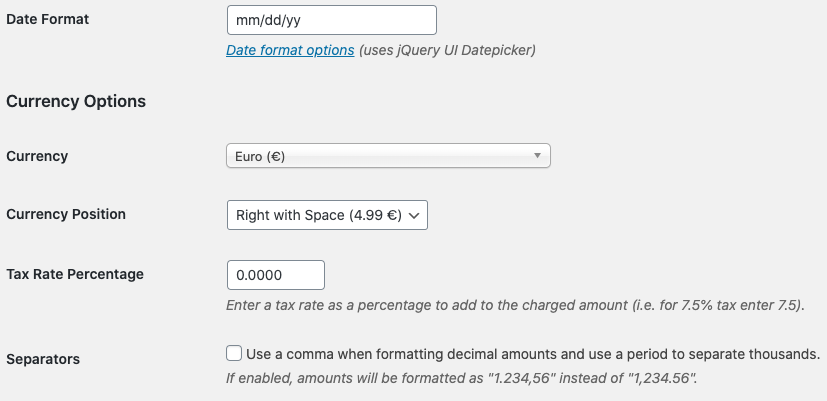
Det er så simpelt!
Priser
Der er kun én sidste overvejelse, før vi giver vores endelige dom.
Hvad koster WP Simple Pay egentlig?
Faktisk er det ret overkommeligt:
Du kan komme i gang med Personal plan til 99,50 USD/år. Og hvis du har brug for flere funktioner, eller hvis du har brug for Stripe-betalinger til flere websteder, skal du vælge Professional plan til 299,50 USD/år eller Plus plan til 199,0 USD/år.
WP Simple Pay har også en Lite-version, som er helt gratis. Så hvis du vil have en fornemmelse af plugin'et, før du køber det, så tjek det ud. Men hvis du er seriøs omkring at vækste din forretning, anbefaler vi at få en af de betalte planer.
Endelig konklusion
Er WP Simple Pay det #1 Stripe-betalingsplugin til WordPress?
Vores dom: Ja, det er det.
Den rene mængde avancerede funktioner, du får, selv med Personal-planen, er fantastisk. Hvis du skulle udvikle det tilpasset til dit websted, ville det koste en formue. Og du får ikke engang mange af abonnementsbetalingsfunktionerne med mange Stripe-plugins derude.
Så hvis du er seriøs omkring at tjene penge på dit websted, anbefaler vi at bruge WP Simple.
Og mens vi taler om at tjene penge, bør du også opsætte push-notifikationer på dit websted. Du kan bruge push-notifikationer til at øge din trafik, engagement og salg automatisk.
Tag bare et kig på disse ressourcer, og du vil se, hvad vi mener:
- 7 beviste måder at tjene penge på din blog i 2021
- Hvornår skal man bruge (og hvornår skal man IKKE bruge) push-notifikationer (2021)
- Sådan tilføjer du web push-meddelelser til dit WordPress-websted
Vi anbefaler PushEngage for at komme i gang med dine push-notifikationskampagner. PushEngage er den #1 push-notifikationssoftware i verden.
Så hvis du ikke allerede har gjort det, så kom i gang med PushEngage i dag.


