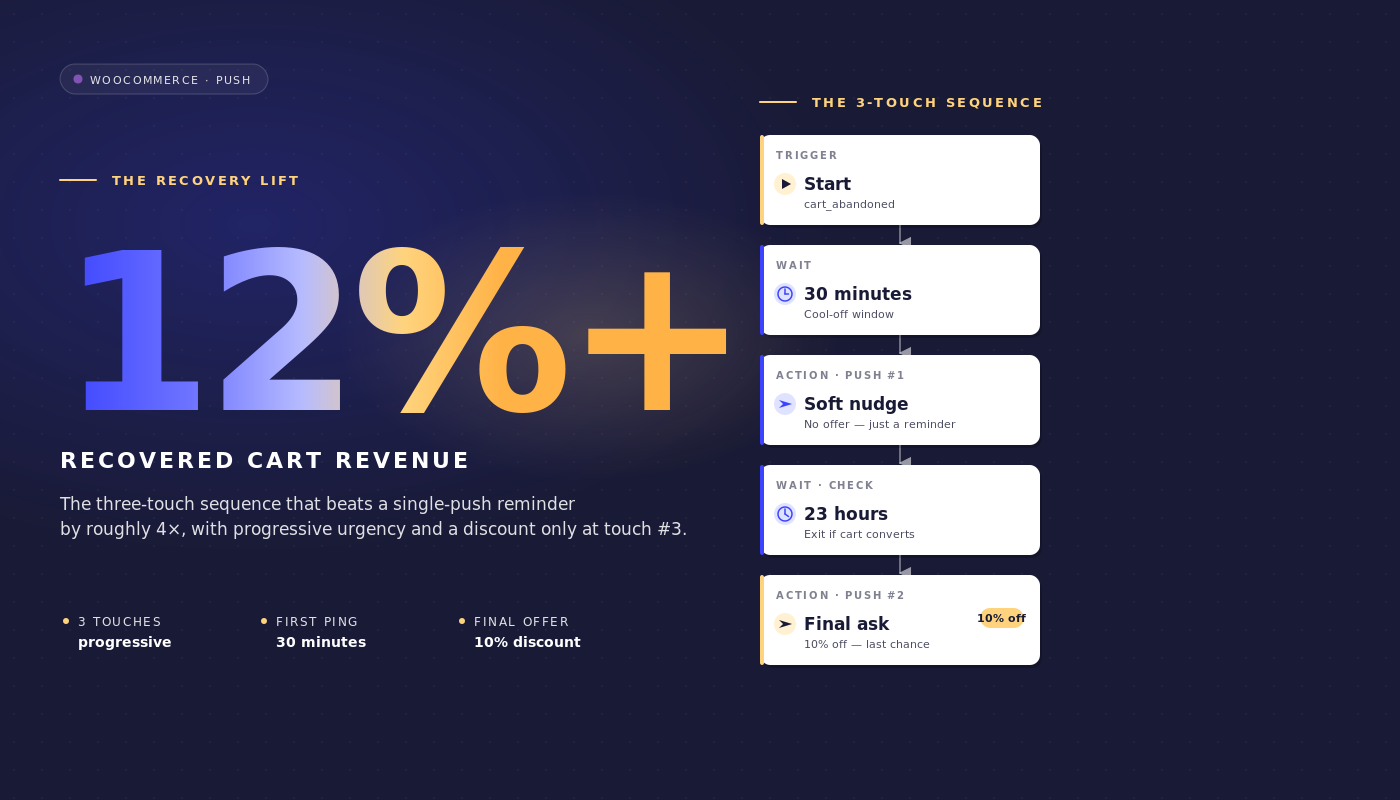
Det er tirsdag kl. 9, og du kigger på WooCommerce-dashboardet for en butik med 35 mio. dollars i GMV. Klaviyo genfandt 4.800 dollars i forladte indkøbskurve i sidste uge. Det ugenfundne beløb er 46.000 dollars. Dette gab er ikke et Klaviyo-problem. E-mail-kadencen er fin. Gabet eksisterer, fordi e-mail slet ikke kan nå omkring en tredjedel af dem, der forlader indkøbskurven: åbningen sker aldrig, forhåndsvisningsruden åbnes aldrig, indbakken forbliver fuld af sidste uges ordrebekræftelser.
WooCommerce-notifikationer om forladte indkøbskurve lukker dette gab, ikke ved at erstatte e-mail-sekvensen, men ved at køre parallelt med den på et andet tidspunkt, i et andet format, mod en anden overflade.
Denne artikel er den arbejdsgangsspecifikation, en WooCommerce-retentionsmanager rent faktisk har brug for: den præcise 3-beskeders push-rejse, de præcise hændelsesnavne, de præcise ventevinduer, rabattrappen, der forsvares i margin dollars, exit-reglen, der stopper arbejdsgangen i det øjeblik, indkøbskurven konverterer, og matematikken for attribution pr. indkøbskurv, som du kan tage med til økonomiafdelingen.
Løft det direkte ind i PushEngage og få det kørende på under en time. Den genfundne indkøbskurv er fundet omsætning, ikke betalt omsætning, og det er hele retentions-/CAC-argumentet i én linje.
- Hvorfor "push i stedet for e-mail" er den forkerte indramning
- Hvorfor WooCommerce er push-venlig (og hvor den ikke er)
- 3-beskeders arbejdsgangen for forladte indkøbskurve, fra start til slut
- Hvorfor 1 time, 25 timer og 73 timer
- Forsvaret med rabattrappen
- Attribution pr. indkøbskurv og matematikken for genfunden omsætning
- Multi-kanal orkestrering: push + e-mail + WhatsApp + live chat
- Sidebjælke: håndtering af indkøbskurvsarbejdsgangen fra din AI-assistent
- Byg det i PushEngage
- Hvad dette ændrer
Hvorfor "push i stedet for e-mail" er den forkerte indramning
De fleste artikler om forladte indkøbskurve opstiller et falsk binært valg. Push versus e-mail. SMS versus push. WhatsApp versus alle tre. Mellemmarkedets WooCommerce-butikker, der genfinder 25-40% af værdien af forladte indkøbskurve, vælger ikke én. De lagrer. E-mail når de brugere, der tjekker e-mail to gange om dagen. Push når desktop- og mobilbrugere, der slet ikke tjekker e-mail, men kigger på notifikationer. SMS når indkøbskurve med høj værdi, hvor beskeden skal leveres inden for de næste tredive sekunder. Retentionsmanagerens job er at sammensætte den lagrede stak, ikke at debattere, hvilken enkelt kanal der vinder.
For en WooCommerce-butik, der i dag kører en e-mail-only sekvens, er spørgsmålet ikke "skal jeg skifte til push". Det er "hvad tilføjer push oven i det, som e-mail allerede gør". Svaret er ligetil. Push udløses hurtigere end e-mail-åbninger (et første touch efter 60 minutter lander en time før den typiske e-mail åbnes). Push er sværere at ignorere (ingen forhåndsvisningsrude). Push afsluttes på købsbegivenheden uanset hvilken kanal der fik kredit for konverteringen. Dette er additive egenskaber, ikke erstatninger.
Resten af denne artikel er bygget på den indramning. 3-beskeders push-arbejdsgangen nedenfor antager, at du allerede har en 3- eller 4-e-mail genopretningssekvens kørende i Klaviyo, Omnisend eller hvilken ESP du nu bruger. Den sammensættes med den sekvens i stedet for at erstatte den.
Hvorfor WooCommerce er push-venlig (og hvor den ikke er)
WooCommerce udløser tre native events, der gør hele denne proces håndterbar. add_to_cart udløses, hver gang et produkt tilføjes. woocommerce_cart_updated udløses, når indkøbskurvens tilstand ændres. woocommerce_payment_complete udløses, når en ordre er betalt.
PushEngage WooCommerce-integrationspluginet mapper disse til en PushEngage brugerdefineret event kaldet cart_abandoned (udløst, når en indkøbskurv forbliver inaktiv forbi forladelsestærsklen) og til et mål kaldet purchase (udløst, når betalingen er gennemført). cart_abandoned event-payloaden indeholder cart_id, cart_value, cart_url (genoprettelseslinket) og en produktliste. Den payload bliver variablens kilde, som workflowets notifikationer bruger.
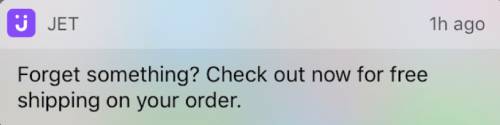
PushEngage-integrationen håndterer også genoprettelse af indkøbskurven. Når en abonnent klikker på en push-notifikation, lander de på indkøbskurven med deres varer allerede udfyldt i stedet for på en tom produktside. Dette er ikke en lille detalje: en gendannet indkøbskurv med et-klik checkout konverterer cirka tre gange så hurtigt som en gendannet indkøbskurv, der kræver, at abonnenten gen-tilføjer varerne.
Genoprettelse af indkøbskurven er en af de WooCommerce-specifikke push-notifikationsfunktioner, som PushEngage-integrationen leverer ud af boksen; på platforme uden integrationen skal retention-teamet bygge genoprettelseslinket manuelt.
Der er en WooCommerce-specifik faldgrube, der skal fremhæves. Butikker, der bruger off-platform checkout (Stripe Checkout, PayPal hosted checkout, Mollie hosted, Klarna hosted), udløser ikke woocommerce_payment_complete, før kunden omdirigeres tilbage til takkesiden. Hvis den omdirigering aldrig sker (kunden lukker browserfanen på Stripes hostede side efter betaling), har workflowet ingen måde at vide, at indkøbskurven blev konverteret. Løsningen er en målsporings-pixel på takke-omdirigeringen, der udløser PushEngage purchase-målet med cart_id. Uden den pixel fortsætter workflowet med at sende påmindelser til abonnenter, der allerede har betalt, og det er den fejltilstand, ethvert retention-team ønsker at undgå. Konfigurer pixlen, før workflowet aktiveres.
To yderligere kontekstnoter. For det første er workflow-vokabularet i resten af denne artikel (START, WAIT, DECISION, ACTION, END) defineret i PushEngage Workflows builder og behandlet i detaljer i den overordnede eCommerce-artikel. For det andet er dette WooCommerce forladte indkøbskurv-workflow et af fem WooCommerce-specifikke push-workflows i denne serie; de andre (browse abandonment, price drop, back-in-stock, post-purchase) linker fra den afsluttende sektion.
3-beskeders arbejdsgangen for forladte indkøbskurve, fra start til slut
Dette er midtpunktet. Den fulde specifikation for workflowet for forladte indkøbskurve.
Trigger- og køretidstype
- Trigger (START): PushEngage CustomEvent med
event_name = cart_abandoned, udløst af WooCommerce-integrationen, når en indkøbskurv forbliver inaktiv forbi forladelsestærsklen (typisk 60 minutters inaktivitet). - Kørselstype: Flere parallelle. En abonnent, der opgiver kurv A tirsdag og kurv B fredag, får to samtidige workflow-instanser, én pr. kurv, hver med sin egen cart_id. Dette er kritisk: en enkelt eller flere sekventielle kørselstyper ville blokere for gendannelse af kurv B, når kurv A's workflow er afsluttet, og en tilbagevendende kunde, der opgiver for anden gang, ville ikke få noget.
- Afslutningskriterier: Mål
purchase, der matcher cart_id fra trigger-begivenheden. I det øjeblik WooCommercepurchase-målet udløses for den pågældende kurv, annulleres workflowet for den pågældende abonnent, uanset hvor de befinder sig i rejsen. - Stilletid: 22:00 til 08:00 i abonnentens tidszone, fallback
reschedule. Indstillingenrescheduleholder notifikationer tilbage indtil kl. 08:01 lokal tid i stedet for at droppe dem, hvilket de fleste retention-teams foretrækker, fordi droppede notifikationer også falder ud af analysen.
Flow
VENT 1 time → Besked 1 (ingen rabat) → VENT 24 timer → BESLUTNING: kurv stadig opgivet? → JA-sti: Besked 2 (10% rabat) → VENT 48 timer → BESLUTNING: kurv stadig opgivet? → JA-sti: Besked 3 (20% rabat + hastværk) → SLUT.
NEJ-stierne på begge beslutningsknudepunkter fører til AFSLUT (kurven blev konverteret mellem ventetiderne, og workflowets opgave er fuldført).
Notifikationskopi
Besked 1 (1 time efter opgivelse, ingen rabat):
- Titel:
Du efterlod noget - Brødtekst:
Din {{event.data.product_name || kurv}} er stadig her. Vil du afslutte din bestilling? - URL:
{{event.data.cart_url}}
Besked 2 (25 timer efter opgivelse, 10% rabat):
- Titel:
Tænker du stadig over det? Her er 10% rabat - Brødtekst:
Din {{event.data.product_name || kurv}} er kun et klik væk. Brug SAVE10 ved kassen. - URL:
{{event.data.cart_url}}?coupon=SAVE10
Besked 3 (73 timer efter opgivelse, 20% rabat, hastværk):
- Titel:
Sidste chance: 20% rabat på din kurv - Brødtekst:
Vi har gemt din {{event.data.product_name || kurv}} i endnu en dag. Koden SAVE20 udløber i aften. - URL:
{{event.data.cart_url}}?coupon=SAVE20
Hver titel forbliver under 50 tegn, og hver brødtekst under 130 tegn, hvilket holder dem synlige uden afkortning på Chrome desktop, iOS Safari 16.4+ og Android Chrome. Syntaksen || giver en fallback, hvis produktnavn-variablen mangler.
Hvorfor 1 time, 25 timer og 73 timer
De tre ventetider er ikke tilfældige. Hvert vindue fanger en forskellig gendannelsespsykologi.
1 time. Den første kontakt fanger den "jeg gik for at tjekke priser andre steder"-opgiveren, før sessionshukommelsen svinder. De fleste kurve, der nogensinde bliver gendannet, gør det inden for den første time. De fleste, der passerer den første time uden konvertering, vil ikke konvertere uden en anden kontakt. En 30-minutters første ventetid er for tidlig: den afbryder den sammenlignende shopping, kunden aktivt foretager. En 4-timers første ventetid er for langsom: kurvkonteksten er væk. En time ligger ved vendepunktet.
25 timer. Det andet touch lander næste dag, bevidst 25 timer frem for præcis 24, så en person, der forlader kurven om aftenen, ikke får den anden besked på samme tidspunkt som den første (hvilket hjernen opfatter som spam). En ventetid på 25 timer flytter det andet touch til næste morgenrutine for dem, der forlader kurven om aftenen, eller til næste aften for dem, der forlader kurven om morgenen, hvilket er det praktiske vindue for et tilbud på 10 % rabat.
73 timer. Sidste forsøg, før kurven bliver kold. Tre dage efter er kundens hensigt enten blevet opfyldt via en anden kanal (i hvilket tilfælde exit-reglen allerede er udløst) eller helt gået i stå. En rabat på 20 % med en følelse af hastværk er det sidste levedygtige skub, før kurven er død. At vente længere end 96 timer giver en faldende genopretningsrate til en garanteret omkostning; kortere end 48 timer efter Besked 2 træner kunderne i at vente på rabatten.
Stilletimer omslutter hele sekvensen. En person, der forlader kurven kl. 23, ville ellers få sit første touch kl. midnat. Med reschedule sat til 8:01, holder beskeden sig til næste morgen. Arbejdsgangen for forladte kurve forbliver leveringsansvarlig i stedet for at sende beskeder lydløst natten over.
Forsvaret med rabattrappen
Rabatstigen er 0 % / 10 % / 20 %. Det oplagte alternativ er en fast rabat på 15 % på alle tre touch. Stigen vinder på netto genvundet omsætning, selvom den flade struktur vinder på rå genopretningsrate. Her er matematikken i en repræsentativ WooCommerce mellemmarkedsskala.
Scenarie. 200.000 push-abonnenter. 70 % frafald af kurve. 145 USD i gennemsnitlig ordre værdi. Cirka 12.000 forladte kurve om ugen sporet gennem push-arbejdsgangen (efter abonnentoverlap med e-mail).
Fast 15 % på alle tre touch. Antag, at dette øger den rå genopretningsrate til 30 %. Det genvinder 3.600 kurve om ugen ved 145 USD AOV = 522.000 USD brutto. Hver genvundet kurv betaler en rabat på 15 %, så netto genvundet omsætning er 522.000 USD × 0,85 = 443.700 USD om ugen.
0/10/20 stige. Antag, at dette giver en rå genopretningsrate på 25 % (lavere, fordi Besked 1 ikke har incitament). Men genopretningen fordeler sig over de tre touch: 12 % konverterer på Besked 1 (ingen rabat), 8 % på Besked 2 (10 %), 5 % på Besked 3 (20 %). Netto pr. kurv: 12 % × 145 USD + 8 % × 145 USD × 0,90 + 5 % × 145 USD × 0,80 = 17,40 USD + 10,44 USD + 5,80 USD = 33,64 USD pr. forladt kurv. På 12.000 kurve er det 403.680 USD om ugen, lidt mindre end fast.
Men den bruttoavance-virkelighed er skarpere. De fleste mellemmarked WooCommerce-butikker kører med 35-45 % bruttoavance. En fast rabat på 15 % reducerer den avance til 20-30 %. En konvertering på 0 % på Besked 1 bevarer den fulde avance. Bevaringsteamet, der kører stigen, opgiver omkring 3 procentpoint af genopretningsraten (28 % vs 31 %) og genvinder en materielt større del af avance-dollars. Netto bidragsavance, ikke brutto genvundet omsætning, er det rigtige tal at forsvare.
Det andet argument for stigen er abonnenttræning. En liste, der konsekvent ser 15% rabat i hver indkøbsvognspåmindelse, lærer at vente på rabatten. Næste kvartals genopretningsrate på flade 15% falder, fordi abonnenter har lært mønsteret. En 0/10/20 stige opretholder muligheden for at konvertere til fuld pris.
Det tredje argument er segmentering. En abonnent, der konverterer på Besked 1, er en kunde med høj hensigt, der er værd at genmålrette anderledes i den næste kampagne. En abonnent, der kun konverterer på Besked 3, er prisfølsom og værd at segmentere ind i en prisdrevet fastholdelsessti. Stigen producerer signal; den flade rabat producerer støj.
Attribution pr. indkøbskurv og matematikken for genfunden omsætning
Push-workflow-analyse i PushEngage sporer tre tal ved hver knude: kø-brugere (venter ved denne knude), gennemførte brugere (passeret igennem) og afsluttede brugere (forlod workflowet ved denne knude, normalt fordi afslutningsreglen blev udløst).
Her er, hvordan knude-niveau analyse ser ud for et aktivt WooCommerce-indkøbsvognsafbrudt workflow, der kører på butikken med 200.000 abonnenter og en gennemsnitlig ordreværdi på 145$:
| Knude | Køet | Gennemført | Afsluttet | Noter |
|---|---|---|---|---|
| START (cart_abandoned) | 0 | 11,940 | 240 | 240 indkøbsvogne konverteret mellem hændelsesudløsning og workflow-scanning |
| VENT 1 time | 220 | 11,720 | 0 | Normal kødybde |
| HANDLING: Besked 1 | 0 | 11,720 | 0 | Notifikation sendt |
| VENT 24 timer | 280 | 9,290 | 2,150 | 2.150 indkøbsvogne konverteret på Besked 1 (højeste hensigtsgenopretning) |
| BESLUTNING: stadig forladt? | 0 | 9,290 | 0 | Resterende indkøbsvogne kontrolleret mod målet |
| HANDLING: Besked 2 (10% rabat) | 0 | 9,290 | 0 | Notifikation sendt med SAVE10 |
| VENT 48 timer | 120 | 7,460 | 1,710 | 1.710 indkøbsvogne konverteret på Besked 2 |
| BESLUTNING: stadig forladt? | 0 | 7,460 | 0 | Endelig kontrol |
| HANDLING: Besked 3 (20% rabat) | 0 | 7,460 | 0 | Notifikation sendt med SAVE20 |
| SLUT | ikke relevant | 7,460 | ikke relevant | 7.460 indkøbsvogne blev ikke genoprettet via push |
Samlet genoprettet via push: 240 (før-berøring) + 2.150 + 1.710 = 4.100 indkøbsvogne. Rå push-genoprettet rate: 4.100 / 12.180 = 33,7%. Genoprettet indkøbsvognsværdi ved 145$ gennemsnitlig ordreværdi = 594.500$ brutto pr. uge. Netto af stigen-rabatten (240 indkøbsvogne til 0%, 2.150 til 0%, 1.710 til 10%), nettoomsætning = 570.795$ pr. uge.
Læs tragten således. De to ventetider (24 timer og 48 timer) er de knudepunkter med flest afslutninger, hvilket er det korrekte mønster: kunder beslutter at købe i venteperioderne, ikke mens de læser notifikationen. Hvis dit workflow viser det omvendte (mange afslutninger ved handlingsknudepunkter, få ved ventetider), er timingen for lang, og du bør forkorte ventetiderne. Hvis START-knudepunktet viser usædvanligt mange afslutninger, er afbrudstærsklen for kort, og du fanger indkøbsvogne, der aldrig rigtig var forladt.
Dette er den genoprettede omsætningspost, som en fastholdelsesmanager kan forsvare ved den næste P&L-gennemgang. WooCommerce push-notifikationer genoprettede 570.795$ netto i sidste uge gennem workflowet for forladte indkøbsvogne, til en pris på nul pr. push-afsendelse og abonnementsgebyret for platformen. Omkostningen pr. genoprettet dollar er lille nok til, at økonomiafdelingen ikke har et opfølgende spørgsmål.
Multi-kanal orkestrering: push + e-mail + WhatsApp + live chat
3-beskeders push-workflowet ovenfor kører parallelt med e-mail-genoprettelsessekvensen. Den samme workflow-arkitektur kan også eskalere på tværs af kanaler baseret på abonnentstatus. Med én workflow-motor sammensættes rejsen således:
- START:
cart_abandonedhændelse med cart_id og cart_value - VENT: 1 time
- BESLUTNING 1: er abonnenten tilmeldt web push? JA: send web push påmindelse; NEJ: fortsæt
- VENT: 30 minutter
- BESLUT 2: blev pushen afsendt og klikket på? JA: AFSLUT; NEJ: fortsæt
- BESLUT 3: er kurv_værdi > 200 kr? JA: send WhatsApp-besked; NEJ: send e-mail via HTTP-anmodning til ESP
- BESLUT 4: er abonnenten i øjeblikket på stedet? JA: udløs live chat ping; NEJ: fortsæt til Besked 2 vent
- AFSLUT ved mål
køb
Fire kanaler, én arbejdsgang, ét sæt afslutningskriterier, én abonnentidentitet. Dette er den orkestrering, som fastholdelsesteams ikke kan sammensætte, når hver kanal sidder i et andet værktøj. Med separate leverandører bliver kurvarbejdsgangen seks synkroniseringer, to segmenteringsmotorer, der er uenige om, hvem der tæller som en VIP, og ingen samlet omsætningsattribuering.
Med én arbejdsgangsmotor er rejsen ét objekt. For mere om, hvordan push og e-mail sammensættes inden for en enkelt fastholdelsesplan, se hovedartiklen om push og e-mail flerkanalsorkestrering.
Sidebjælke: håndtering af indkøbskurvsarbejdsgangen fra din AI-assistent
Med WordPress-plugin 4.2.4 og WordPress Abilities API bliver kurvarbejdsgangen håndterbar fra enhver MCP-bevidst AI-assistent. Pluginnet eksponerer pushengage/list-push-automation-campaigns (returnerer den aktuelle WooCommerce push-automatiseringskonfiguration) og pushengage/update-push-automation-campaign (aktiverer, deaktiverer eller rekonfigurerer en kampagne efter ID). Begge evner kræver, at brugeren har WordPress-evnen manage_options og kræver, at WooCommerce er aktiv på webstedet.
For en fastholdelsesmanager, der kører Claude, ChatGPT eller Cursor med PushEngage MCP eksponeret, betyder dette, at arbejdsgangen for forladte kurve kan sættes på pause under en planlagt nedlukning af webstedet, genaktiveres derefter eller rekonfigureres til at bytte kopivariationer uden overhovedet at åbne WP admin. Mere om dette i PushEngage AI-assistenter-annonceringen.
Byg det i PushEngage
Opsætningsstien er kort. Installer PushEngage-pluginnet på WooCommerce-webstedet (det registrerer automatisk WooCommerce og eksponerer WooCommerce-specifikke begivenheder). Forbind pluginnet til en PushEngage-konto. Importer skabelonen for arbejdsgangen for forladte kurve inde i PushEngage Workflows builder.
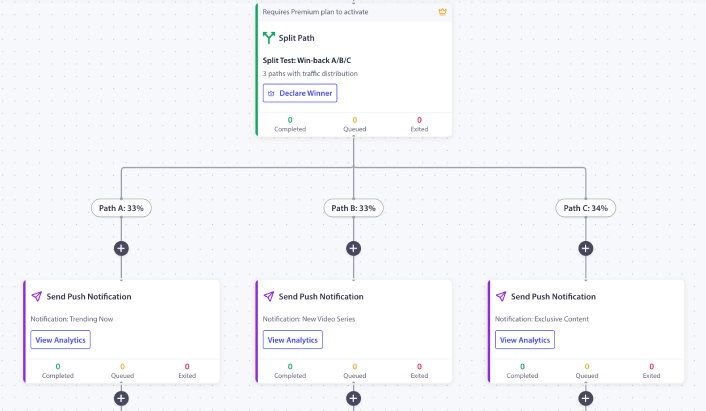
Den leveres med 1t / 25t / 73t timing, pladsholdere for rabattrappen og reglen om afslutning ved køb allerede konfigureret. Byt pladsholderkuponkoderne ud med dine rigtige. Konfigurer afskæringstærsklen (standard 60 minutter er fornuftig for de fleste butikker). Aktiver arbejdsgangen. Se de første 200 forladte kurve rute igennem den, før du skalerer op.
Hvis dette er den første PushEngage-arbejdsgang i butikken, giver gratisplanen dig 200 abonnenter og hele Workflows-motoren, nok til at bevise kanalen på en kontrolleret liste, før du anmoder om budget til en betalt plan. Start på gratisplanen for at køre den første instans i denne uge.
Hvad dette ændrer
Denne artikel er en af fem WooCommerce-specifikke push-workflow-specifikationer. Søskendeposterne dækker WooCommerce-workflow for browse-afbrydelse, prisdråbsalarmer, notifikationer om lagerstatus og WooCommerce-workflow efter køb. For den bredere cross-platform-behandling af afbrudte indkøb, dækker den bredere playbook for afbrudte indkøb emnet på strategisk niveau.
For at se, hvor dette passer ind i et komplet e-handels-fastholdelsesprogram, er hub-indlægget om e-handels push-notifikationer oversigten.
Den fastholdelsesansvarlige, der åbner tirsdagens WooCommerce-dashboard og ser 46.000 USD i uindfriede indkøbskurve, har et valg. Fortsætte med at optimere e-mail-sekvensen, der har plateauet, eller lægge push ovenpå som den anden kanal, der kører på et andet tidspunkt, i et andet format med en anden exit-regel. Workflowet med 3 beskeder ovenfor, der kører parallelt med enhver e-mail-kadence, der allerede er på plads, genvinder de 12–25 % af indkøbskurvens værdi, som e-mail ikke kan nå.
Med 0/10/20 rabattrappen lander den genvundne omsætning med en højere nettoavance end et workflow med fast rabat. Med exit-on-purchase-reglen stopper workflowet med at sende, i det øjeblik indkøbskurven konverterer. Med per-node-analyse er posten forsvarlig over for finansafdelingen i tal, ikke anekdoter. Det er hele argumentet for genvinding af afbrudte indkøb, og hele argumentet for automatisering af genvinding af indkøb, i ét workflow.


