Leder du efter en hurtig måde at tilføje et deep link i push-notifikationer? Det er super nemt.
Et deep link i push-notifikationer er en URL eller URI, der dirigerer brugere til en specifik placering i en mobilapp, i stedet for blot at åbne appen. Dette giver en mere problemfri og målrettet brugeroplevelse ved at føre brugeren direkte til det indhold eller den funktion, der henvises til i push-notifikationen.
Deep links fungerer for Android-apps, iOS-apps og endda iPadOS-apps.
I denne artikel vil jeg vise dig, hvordan du tilføjer et deep link i push-notifikationer. Og som sagt, det er super nemt.
Lad os dykke ned.
Send App Push-notifikationer Med Deep Links på Android & iOS Nu!
Push-notifikationer er et supereffektivt, billigt marketingværktøj, der hjælper dig med at øge din gentagne trafik, engagement og salg automatisk.
Hvorfor tilføje et deep link i push-notifikationer
Tilføjelse af et deep link i en push-notifikation forbedrer brugeroplevelsen, engagementet og konverteringsraterne ved at dirigere brugere til specifikt indhold eller handlinger i appen, i stedet for blot at åbne appens startskærm. Her er nogle eksempler til at illustrere dette:
#1. E-handelsapp
Scenarie: En bruger modtager en push-notifikation om et tidsbegrænset tilbud på elektronik.
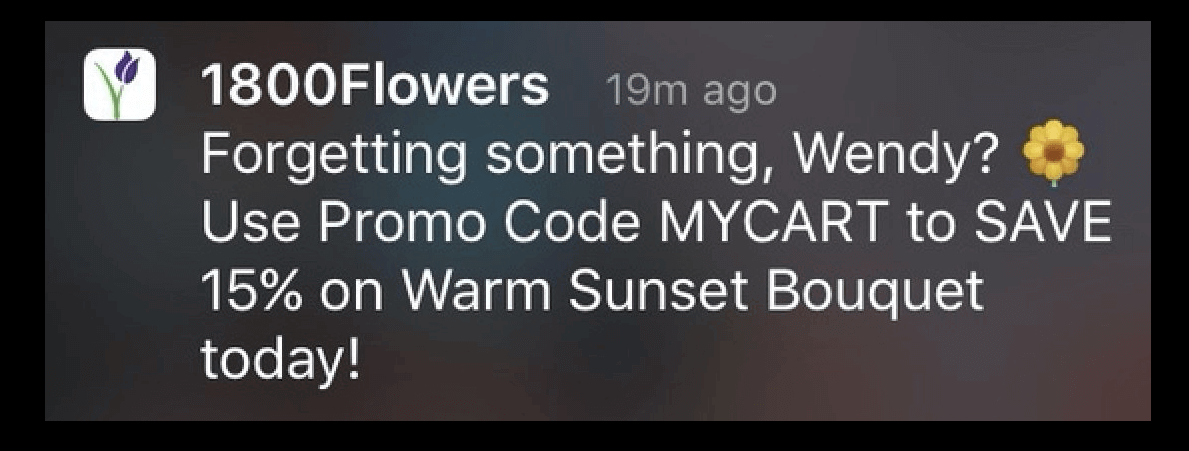
Uden Deep Link: Notifikationen åbner appens startskærm, og brugeren skal navigere manuelt for at finde tilbuddet.
Med Deep Link: Notifikationen åbner direkte til salgssiden for elektronik, hvilket gør det lettere for brugeren at browse og købe varer.
#2. Social medie-app
Scenarie: En bruger får besked om et venners nye opslag eller historie.
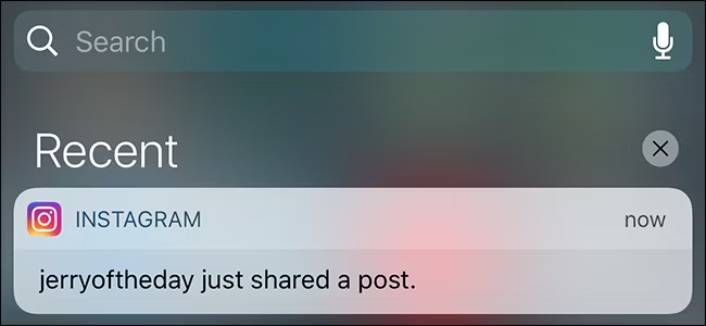
Uden Deep Link: Notifikationen åbner appen, og brugeren skal søge efter vennens profil for at se det nye indhold.
Med Deep Link: Notifikationen åbner direkte til vennens nye opslag eller historie, hvilket giver øjeblikkelig adgang til indholdet.
#3. Bankapp
Scenarie: En bruger modtager en notifikation om en mistænkelig transaktion.
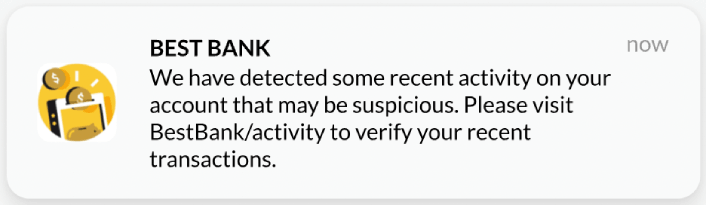
Uden Deep Link: Notifikationen åbner appen, og brugeren skal navigere til transaktionssektionen for at gennemgå den mistænkelige aktivitet.
Med Deep Link: Notifikationen åbner direkte til transaktionsdetaljerne, hvilket giver brugeren mulighed for hurtigt at gennemgå og tage nødvendige handlinger.
#4. Spilapp
Scenarie: En bruger får besked om en særlig begivenhed eller belønning.
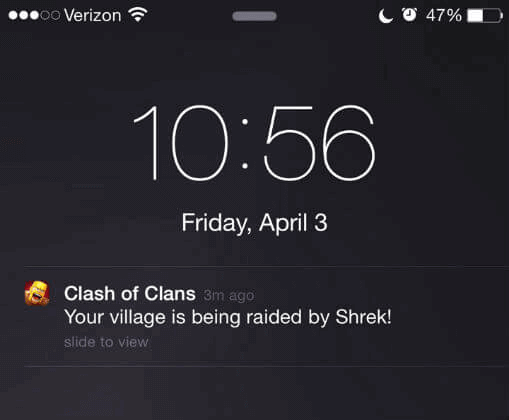
Uden Deep Link: Notifikationen åbner appen, og brugeren skal finde begivenheds- eller belønningssektionen.
Med Deep Link: Notifikationen åbner direkte til begivenheds- eller belønningsskærmen, hvilket giver brugeren mulighed for at engagere sig med det samme.
#5. Nyheds-app
Scenario: En bruger modtager en push-meddelelse om en breaking news-historie.
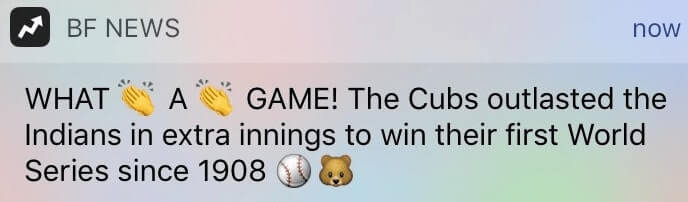
Uden Deep Link: Meddelelsen åbner appens hovednyhedsfeed, og brugeren skal scrolle for at finde historien.
Med Deep Link: Meddelelsen åbner direkte til breaking news-artiklen, hvilket giver øjeblikkelig adgang til den vigtige information.
I disse eksempler sparer deep links brugerne tid og kræfter, hvilket fører til højere tilfredshed og engagement. De sikrer, at brugerne hurtigt og nemt kan få adgang til det mest relevante indhold eller de mest relevante funktioner, hvilket forbedrer den samlede effektivitet af push-meddelelserne.
Sådan tilføjer du et dybt link i push-notifikationer
Nu hvor vi forstår, hvad en deep link i push-meddelelser betyder, og hvorfor du bør tilføje den, lad os se på, hvordan du nemt kan tilføje den uden nogen kodning overhovedet.
Trin #1: Vælg en App Push-notifikationstjeneste
Push-meddelelser er et marketingværktøj, der hjælper dig med at forbinde med webbesøgende, selv efter de forlader dit websted. Du kan sende målrettede meddelelser til dine push-abonnenter og endda personliggøre dine meddelelser til forskellige kundesegmenter. Men hvilken app push notification service skal du vælge?
Jeg anbefaler at bruge PushEngage til at sende push-notifikationskampagner.

PushEngage er den bedste push-notifikationstjeneste i verden. Og vi taler ikke kun om gratisversionen. Den lader dig forbinde med besøgende, efter de har forladt dit websted, med målrettede push-beskeder.
PushEngage er vores førstevalg til push-notifikationstjenester og -værktøjer, fordi det er:
- Super nem at bruge
- Har en visuel kampagnebygger med forudbyggede skabeloner, der kræver lidt eller ingen kodning at sætte op
- Nem at opsætte fuldt automatiserede push-notifikationskampagner for enhver form for hjemmeside
- Fuldstændig udstyret med Android- og iOS SDK'er til hurtigt at udvikle, implementere, analysere og administrere app-push-kampagner
- Bygget med flere muligheder for at sende personaliserede push-notifikationer for højere klikrater
- Udstyret med brugerdefineret målsporing, UTM-parametre og avanceret analyse
- Få kraftfulde push-notifikations A/B-test muligheder
Og dette er kun en lille del af mulighederne. Tjek PushEngages fulde liste over funktioner, før du går videre. Det mest utrolige ved PushEngage er, at den har en evigt gratis plan, som du kan prøve, før du træffer en købsbeslutning.
Pro Tip: Læs vores artikel om analyse af push-notifikationsomkostninger, før du køber nogen service.
Trin #2: Opsæt App Push-notifikationer ved hjælp af PushEngage SDK
Lige indtil nu har du været nødt til at bruge skelet-SDK'er til at sende app-push-notifikationer. Problemet med at bruge disse SDK'er er, at de er ret basale.
Teoretisk set kan du sende enhver form for mobilapp-push-kampagne med dem. Men så skal du også bygge:
- En grænseflade til at administrere dine kampagner
- En analyse-suite til at spore dine kampagners ydeevne
- Bedre understøttelse af rich media og omdirigeringslinks i appen (eller deep links)
- Processer til at koordinere både marketing- og udviklingsteams
Alt sammen for at introducere en enkelt vækstkanal. Brug af de gamle værktøjer til at sende mobilapp-push-notifikationer er kedeligt, dyrt, ressourcekrævende og tidskrævende. Og selvfølgelig kræver det dybe kodningsfærdigheder i dit team at udvikle og administrere alt, hvad du bygger.
Med det nye PushEngage Android SDK kan du sende mobilapp-push ved hjælp af den samme pålidelige software for gode leveringsrater. Men vi har bygget flere lag ovenpå, der gør det super nemt at bygge brugerdefinerede integrationer med din app. Og PushEngage administrerer hele SDK'en. Så du behøver ikke engang at bruge en masse tid og penge på at administrere dine integrationer.
Alt du skal gøre er at bygge!
Du kan sende broadcast-notifikationer direkte fra dit PushEngage-dashboard, når du har konfigureret din app til at sende mobilapp-push-notifikationer ved hjælp af PushEngages SDK. Ja, du skal stadig tilføje kode til din app og udvikle forbindelserne mellem din app og PushEngage API'en.
Men når det er gjort, kan du nemt oprette mobilapp-push-kampagner fra en færdigbygget softwaregrænseflade, der også kommer med:
- Meget engagerende push-kampagnetyper
- Beviste kampagneskabeloner med høje konverteringsrater
- Web- og app-push-kampagner
- Øget publikumsfastholdelse ved hjælp af databaseret personalisering
- Højt konverterende automatiserede kampagner til at promovere dit indhold, når du udgiver
- Flere målretnings- og kampagneplanlægningsmuligheder
- Målsporing og avanceret analyse
- Intelligent A/B-test
- En dedikeret succesmanager
Og meget mere. Vi har lige fjernet besværet med at udvikle Android mobil push-kampagner til din app.
Trin #3: Tilføj eller rediger dit deep link i push-notifikationer
Du kan nemt indstille et ikon til Android mobilapp push-notifikationer. Gå tilbage til dit PushEngage dashboard og gå til Kampagne » Udsendelser og klik på Opret en ny push-udsendelse.

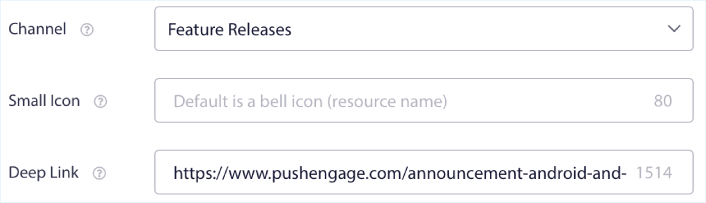
Under Android Options, rediger feltet Deep Link:
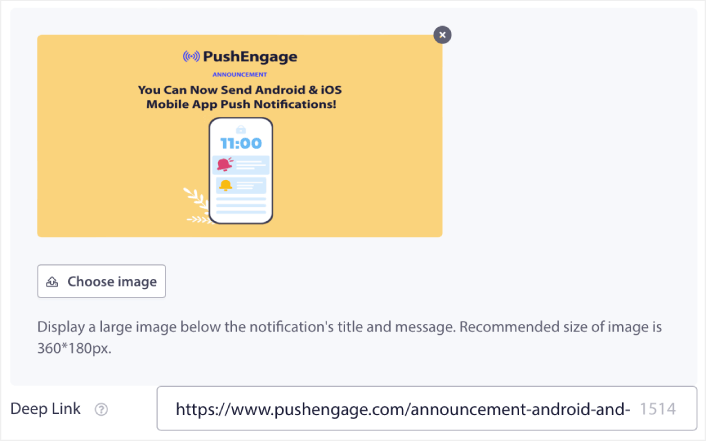
Du kan gøre det samme for iOS. Under iOS Options, rediger feltet Deep Link:
Og alt det, fra en brugervenlig grænseflade, som du aldrig behøver at administrere!
Og det fedeste er, at selv vores gratis brugere får adgang til nogle gratis skabeloner. Selvfølgelig kan du altid opgradere din PushEngage konto og få adgang til alle skabelonerne.
Koble deep links med iOS SDK 1.0
På iOS leverer PushEngage SDK 1.0 kampagnens deep link til en enkelt åben handler — indstil den én gang ved opstart og rute hvert notifikationstryk derfra:
PushEngage.setNotificationOpenHandler { result in
    // actionID is nil when the SDK auto-opened the URL itself
    guard let deepLink = result.notificationAction.actionID else { return }
    DispatchQueue.main.async {
        router.navigate(to: deepLink)   // e.g. myapp://cart
    }
}
Foretrækker du, at SDK'en selv åbner URL'er? Indstil PushEngageAutoHandleDeeplinkURL til YES i din Info.plist og spring routing for weblink over. Den komplette integrationsvejledning findes i vores iOS SDK-guide.
Hvad du skal gøre, efter du har tilføjet et dybt link i push-notifikationer
Nu hvor du ved, hvordan du tilføjer et deep link i push-notifikationskampagner, er det tid til, at du begynder at oprette dine kampagner. Men før du kommer i gang med kampagnerne, bør du først studere nogle gode eksempler på push-notifikationer.
Og hvis du er ny til push-notifikationer, bør du tjekke vores artikel om bedste praksis for push-notifikationer, før du begynder at oprette kampagner. Nogle af de bedste praksisser, som vi aktivt anbefaler, inkluderer:
- Boost klik med nysgerrighed
- Personliggør hver push-notifikation
- Skil dig ud med rigt medieindhold
- Genaktiver inaktive push-abonnenter
- Hold kunderne informeret
- Brug emojis, hvor du kan
- Skab en følelse af hastværk
Vi anbefaler at bruge PushEngage til at oprette dine push-notifikationskampagner. PushEngage er den førende push-notifikationssoftware på markedet, og dine kampagner vil være i sikre hænder.
Så hvis du ikke allerede har gjort det, så kom i gang med PushEngage i dag.


