Leder du efter en ressource til, hvordan du får flere YouTube-abonnenter ved hjælp af push-meddelelser?
At øge dine YouTube-abonnenter kan være svært. Et af de største problemer for din kanals vækst er, at der er meget få måder at kontrollere din abonnentliste på. Og det skyldes, at du ikke har adgang til eller kontrol over din egen abonnentliste.
Derfor råder vi ALLE YouTubere og Twitch-streamere eller indholdsskabere på sociale medier til også at have en hjemmeside til at indsamle en liste over abonnenter separat. Enhver e-mail-liste eller push-meddelelsesabonnentliste, som du indsamler på din hjemmeside, er din til at eje.
I denne artikel vil vi trin for trin vise dig, hvordan du får flere YouTube-abonnenter på en WordPress-hjemmeside ved hjælp af push-meddelelser. Det bedste? Det er super nemt at gøre.
Lad os dykke ned.
- Hvorfor push-meddelelser er essentielle for YouTube-kanaler
- Opsætning af PushEngage til din YouTube-kanal
- Design af effektive push-meddelelser
- #1. Nye video-alarmer
- #2. Teasere til eksklusivt indhold
- #3. Fejringer af abonnentmilepæle
- #4. Annonceringer af live-streams
- #5. Højdepunkter fra samarbejder
- #6. Afstemninger og publikumsengagement
- #7. Tilbud kun for abonnenter
- #8. Opsummeringsmeddelelser
- #9. Glimt bag kulisserne (BTS)
- #10. Promovering af brugergenereret indhold
- Optimering af tidspunkt og frekvens for meddelelser
- Målretning og segmentering af dit publikum
- Sporing og analyse af dine push-meddelelseskampagner
- Sådan får du endnu hurtigere flere YouTube-abonnenter
Hvorfor push-meddelelser er essentielle for YouTube-kanaler
Push-meddelelser er en smart måde at holde din YouTube-kanal voksende. De sikrer, at dine fans ved besked om dine videoer og hjælper med at opbygge et fællesskab omkring din kanal.
Her er grunden til, at du skal begynde at sende push-meddelelseskampagner for din YouTube-kanal:
- Bliv bemærket hurtigt: Når du poster en video, fortæller push-meddelelser dine fans det med det samme. Det betyder, at flere mennesker ser din video hurtigt.
- Bliv set blandt mange: YouTube er virkelig travlt med tonsvis af videoer. Push-meddelelser sikrer, at dine fans ikke går glip af dine videoer.
- Få fans til at vende tilbage: Regelmæssige beskeder til dine seere hjælper dem med at huske at se dine videoer.
- Tal med de rigtige mennesker: Du kan sende beskeder, der matcher, hvad hver fan kan lide. Det gør dem mere interesserede i at se dine videoer.
- Perfekt til vigtige ting: Hvis der sker noget specielt, som en livevideo, får push-notifikationer dine fans til at se med lige med det samme.
- Se hvad der virker: Du kan tjekke, hvilke beskeder der får den bedste respons, og lære, hvad dine seere kan lide.
- Spar penge: Push-notifikationer er en billig måde at fortælle folk om dine videoer på.
- Opbyg et fællesskab af fans: Disse beskeder kan hjælpe med at få dine seere til at føle, at de er en del af en gruppe.
Push-notifikationer kan spille en støttende rolle i at håndtere problemer som shadowbanning, demonetisering og kanalblokeringer på platforme som YouTube. Her er hvordan:
- Mod shadowbanning: Shadowbanning kan gøre dit indhold usynligt for et større publikum uden varsel. Push-notifikationer informerer direkte dine abonnenter om nyt indhold og sikrer, at dine videoer når dit publikum, selv hvis du er shadowbannet.
- Forsikring mod demonetisering: Hvis dine videoer bliver demonetiseret, kan det ødelægge din eneste indtægtskilde. Push-notifikationer kan hjælpe med at fastholde seerengagement og drive trafik, hvilket giver en stabil base af seere, der er uafhængig af monetiseringsstatus.
- Beskyttelse mod kanalblokeringer: I det uheldige tilfælde af en kanalblokering kan en direkte kommunikationslinje via push-notifikationer hjælpe dig med at guide dit publikum til alternative platforme eller indhold, hvilket sikrer kontinuitet i din seerbase.
Dette er ikke hypotetiske problemer.
Live streamere bliver shadowbannet hele tiden. Langvarige YouTubere som MxR Plays bliver masse-demonetiseret og kommer tæt på at få deres kanal lukket ned hele tiden.
Dette er bagsiden af YouTube, og det er hjerteskærende at se langvarige YouTubere blive økonomisk ødelagt. Især i betragtning af at YouTubes retningslinjer er super tvetydige, og det er virkelig svært at forstå begrundelsen bag demonetisering.
Nogle skabere som MxR Plays bruger Patreon og en e-handels-side til at holde kontakten med deres ældste fans. Men at have en hjemmeside er altid meget bedre. Hvis det er dit fuldtidsjob, er der intet værre end at blive revet væk fra det. Faktisk lavede MxR en video, der talte om, hvor ødelæggende det var for dem efter at have fået 279 videoer demonetiseret på 2 uger.
Brug af push-notifikationer kan give et mål af sikkerhed og stabilitet for indholdsskabere mod nogle af de platform-relaterede udfordringer. Ikke at forglemme, du kan sende nogle ret fantastiske push-kampagner for at engagere dig med dine fans.
Selvfølgelig, før du kan begynde at sende push-notifikationer, skal du have en app eller en hjemmeside til at indsamle abonnenter. Hvis du allerede har en app eller en hjemmeside, er det fantastisk. Men hvis ikke, bør du virkelig oprette en hjemmeside til din kanal i dag.
Opsætning af PushEngage til din YouTube-kanal
Før du opretter en push-notifikationskampagne, skal du vælge en push-notifikation abonnementsservice. En push-notifikationstjeneste er en software, der giver dig mulighed for at oprette push-kampagner uden nogen kodning.
Vi anbefaler at bruge PushEngage til at få push-notifikationsabonnenter.

PushEngage er verdens førende plugin til push-notifikationer.
Push-notifikationer hjælper dig med at øge din webtrafik og dit engagement automatisk. Og hvis du driver en onlinebutik, hjælper PushEngage dig også med at øge dit salg ved at hjælpe dig med at oprette automatiserede e-handels-push-notifikationer.
Du kan komme i gang gratis, men hvis du er seriøs omkring at vækste din forretning, bør du købe en betalt plan. Før du køber en push-notifikationstjeneste, bør du også se denne guide til priser på push-notifikationer.
Her er et hurtigt overblik over, hvad du får med PushEngage:
- Højtkonverterende automatiserede kampagner
- Flere push-notifikationsmålretning og kampagneplanlægningsmuligheder
- Målsporing og avanceret analyse
- Smart A/B-test
- Push-notifikationsskabeloner
- Flere push-notifikationspopup-stilarter
- En dedikeret succesmanager
Og meget mere!
Du vil se, at PushEngage uden tvivl er det bedste valg, hvis du vil opbygge trafik, engagement og salg for din virksomhed. Og hvis du har et stramt budget, kan du altid være lidt kreativ med dine push-notifikationer.
BEMÆRK: Hvis du driver et WordPress-websted, bør du installere og aktivere PushEngage WordPress-pluginnet.
Lad os komme i gang!
Trin #1: Opret en gratis PushEngage-konto
Gå til PushEngage og klik på Kom i gang gratis nu.
Du kan komme i gang med gratisplanen. Men hvis du ønsker at sende målrettede push-notifikationer, bør du vælge Growth Plan. Når du ved, hvilken plan du vil have, skal du klikke på Kom i gang for at oprette din PushEngage-konto.
Trin #2: Tilmeld dig PushEngage
Nu er det tid til at oprette din PushEngage-konto. Start med at tilmelde dig med en e-mailadresse eller et Gmail-id:

Udfyld derefter dine kontooplysninger:

Og tilføj dine kreditkortoplysninger for at købe din plan:

Hvis du valgte gratis kontoen, vil dit kreditkort aldrig blive opkrævet penge, før du vælger at opgradere din plan. Og nu er du klar til at få adgang til dit PushEngage-dashboard. Klik blot på Gennemfør registrering og få øjeblikkelig adgang.
Hvis du har brugt OneSignal eller PushAlert før, vil du se, at PushEngage giver dig en meget renere oplevelse fra dashboardet. OneSignal-dashboardet er ikke beregnet til avancerede kampagner. Til det skal du bruge API'en mere end OneSignal-pluginet.
Trin #3: Installer et WordPress Push Notification Subscription Plugin
BEMÆRK: Hvis du ikke kører en WordPress-side, bør du tjekke vores installationsvejledninger for at komme i gang.
Du er færdig med at oprette din konto. Så gå til PushEngage-dashboardet, hvor du kan spore engagementraten for push-notifikationer og følge med:

Klik på Sideindstillinger » Sideoplysninger og klik på knappen Klik her for opsætningsinstruktioner:

Klik på fanen WordPress og klik på knappen Installer PushEngage WordPress Plugin for at installere pluginet på din hjemmeside.

Her er den fede del: Da du oprettede din PushEngage-konto, synkroniserede du allerede din hjemmeside med din PushEngage-konto. Så klik på installationslinket i PushEngage-dashboardet for automatisk at installere PushEngage WordPress-pluginet på din hjemmeside.
Trin #4: Forbind dit WordPress-websted med PushEngage
Når du er færdig med at installere og aktivere PushEngage WordPress-pluginet, vil du se PushEngage-guiden:

Guiden er ret ligetil. Hvis du er ny bruger, skal du klikke på Ny? Gør krav på din gratis konto. Og hvis du allerede har tilmeldt dig, skal du klikke på Forbind din eksisterende konto.
Dernæst kan du vælge din side fra rullemenuen Vælg en side under Forbind en registreret side, hvis du allerede har registreret en side under tilmelding:

Eller du kan klikke på Registrer en ny side for at tilføje en ny side, hvis du har en Premium prisplan eller højere. I næste trin vil guiden bede dig om at installere andre nødvendige WordPress-plugins.

Hvis du fulgte hvert trin korrekt, vil du se denne succesmeddelelse fra guiden:

Du er nu klar til at oprette kampagner og push-underretningspop op-modaler.
Design af effektive push-meddelelser
Hvis du driver en succesfuld YouTube-kanal, forstår du allerede, hvad dit publikum ønsker at se fra dig. Du ved allerede, hvordan du sender personaliserede push-notifikationer, så dine abonnenter føler, at de er skræddersyet til dem. Den bedste del? Vores kunder opnår omkring 8% konverteringsrater for personaliserede kampagner.
Lad os nu starte med det mest basale, du kan gøre for at få flere abonnenter. Og det er at bede folk om at abonnere på din kanal. Derefter vil vi vise dig nogle gode måder at øge din kanals vækst på med hensyn til:
- Kiggetid
- Gentagen trafik
- Affiliate-salg
- Merchandise-salg
Og mere!
Det simpleste, du kan gøre, er at tilføje en 'klik for at abonnere'-knap til alle dine push-notifikationer. Gå til din YouTube-kanal og kopier URL'en. For os er det https://www.youtube.com/@Pushengage.
Tilføj '?sub_confirmation=1' til slutningen af URL'en. Så for vores kanal ville det være: https://www.youtube.com/@PushEngage?sub_confirmation=1.
Brug derefter dette link som din push-notifikationsknap-URL:
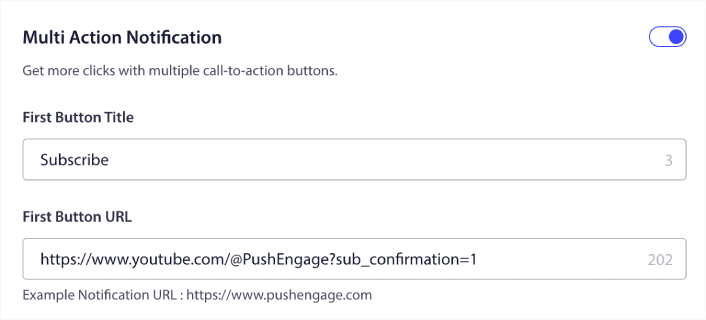
Hvis du er usikker på, hvordan du gør dette, kan du se denne guide om hvordan man tilføjer en knap til en push-notifikation.
Lad os derefter se på nogle seje kampagneidéer til push-notifikationer, som du kan bruge til at udvide din YouTube-kanal.
#1. Nye video-alarmer
Hver gang du uploader en ny video, kan du sende en ny video-advarsel til dine push-notifikationsabonnenter.
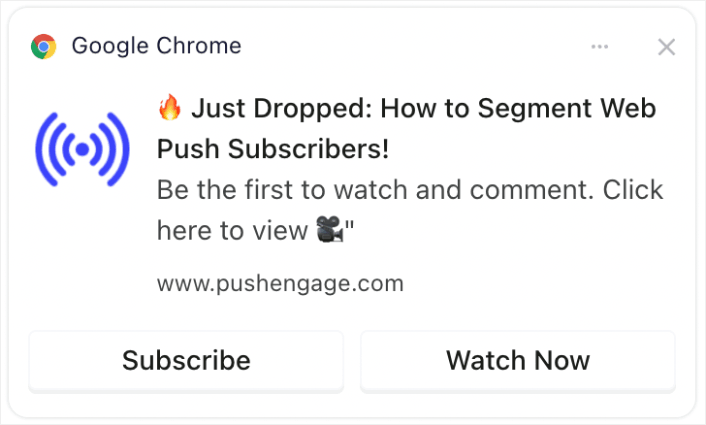
Tidssvarende advarsler om nye videoer kan markant øge de indledende visninger, hvilket er afgørende for YouTubes algoritme. Det hjælper med at fange øjeblikkelig opmærksomhed og forbedrer videoens chance for at blive anbefalet til andre.
Pro Tip: Når du uploader nye shorts eller videoer til YouTube, skal du ALDRIG bruge funktionen 'underret abonnenter' i YouTube. Hvis du gør det, vil YouTube sende videoen eksklusivt til dine mest aktive abonnenter først. Baseret på responsen og klikraterne kan algoritmen begrænse din organiske trafik, hvis du ikke får en god respons i de første par timer.
Ved at bruge dine web- og app-push-abonnenter kan du stadig sende trafik til din video, og på denne måde påvirker det ikke algoritmens beslutning om at rulle din video ud til nye personer.
#2. Teasere til eksklusivt indhold
Del uddrag eller forhåndsvisninger af kommende videoer eksklusivt til push-notifikationsabonnenter.
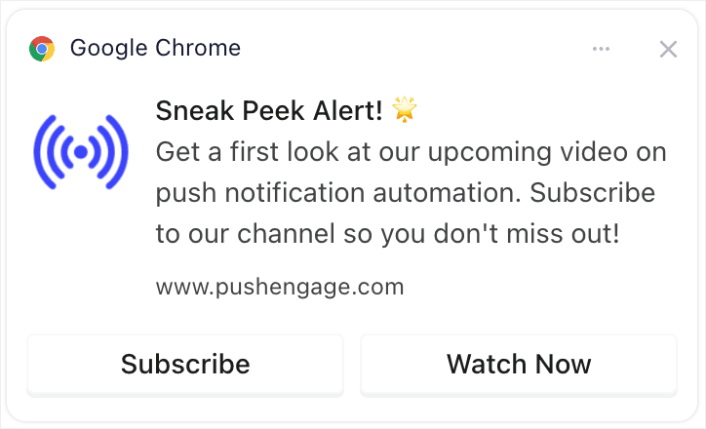
Deling af eksklusive forhåndsvisninger eller uddrag kan skabe forventning og spænding. Dette engagement kan føre til øget deling og diskussioner om dit indhold, hvilket udvider din rækkevidde.
#3. Fejringer af abonnentmilepæle
Skab spænding omkring kanalmilepæle som at nå et bestemt antal abonnenter.
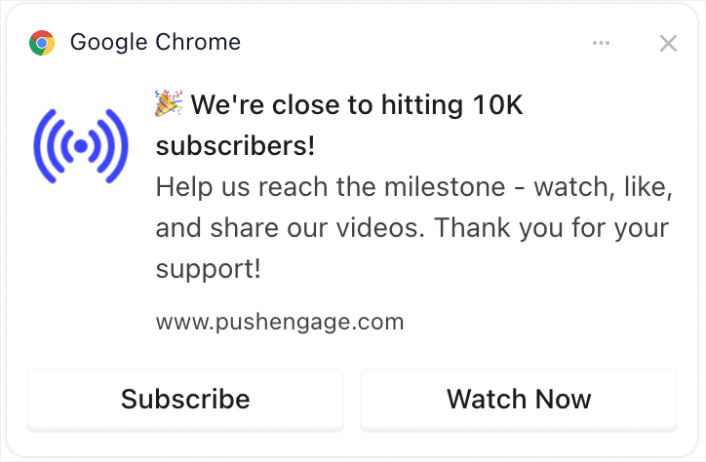
At involvere dit publikum i milepælsfejringer skaber en følelse af fællesskab. Det kan tilskynde til flere abonnementer, da seere kan lide at være en del af en voksende, succesfuld kanal.
#4. Annonceringer af live-streams
Underret abonnenter om kommende live-streams eller Q&A-sessioner.
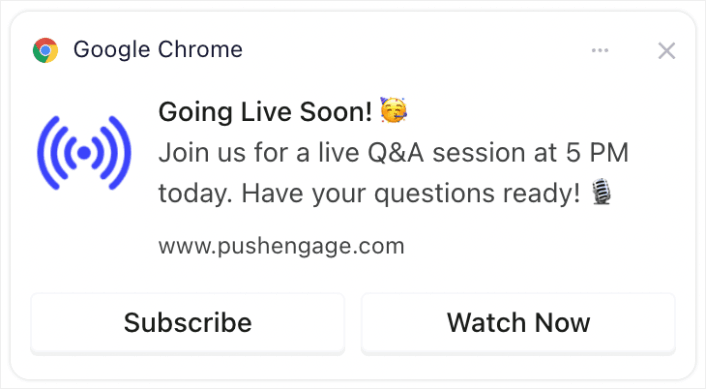
Underretning om live-streams sikrer højere realtidsengagement, hvilket værdsættes af YouTube. Det kan øge live-visninger, kommentarer og interaktioner.
#5. Højdepunkter fra samarbejder
Annoncer samarbejder med andre YouTubere, mærker eller influencere.
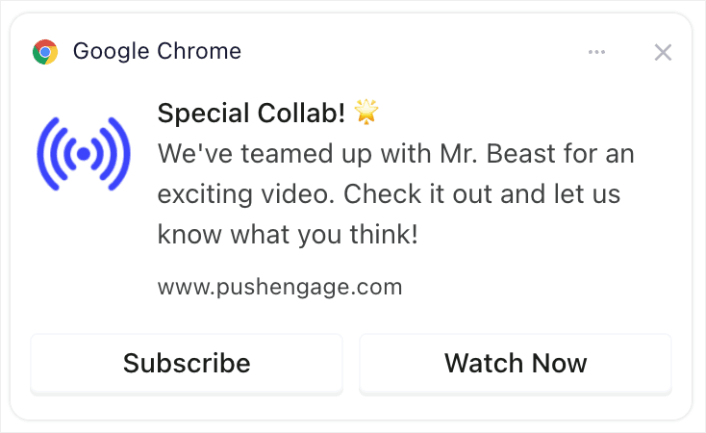
Annoncering af samarbejder kan udnytte samarbejdspartnernes fanbase og potentielt bringe nye abonnenter til din kanal.
#6. Afstemninger og publikumsengagement
Engager abonnenter ved at bede om deres input til fremtidige videoemner eller feedback på tidligere indhold.
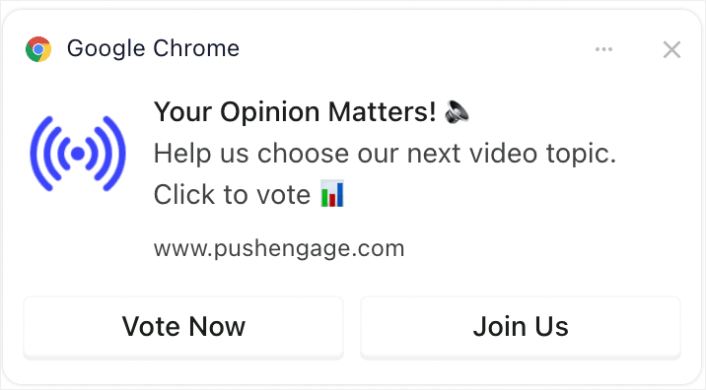
Interaktivt indhold som afstemninger holder dit publikum engageret og giver dem en stemme, hvilket fremmer loyalitet og regelmæssig seertid. Og hvis du aldrig har kørt en afstemning før, kan du tjekke denne guide til oprettelse af en afstemning på WordPress.
#7. Tilbud kun for abonnenter
Tilbyd særlige tilbud eller bonusser (som downloadbart indhold eller eksklusiv adgang) til abonnenter.
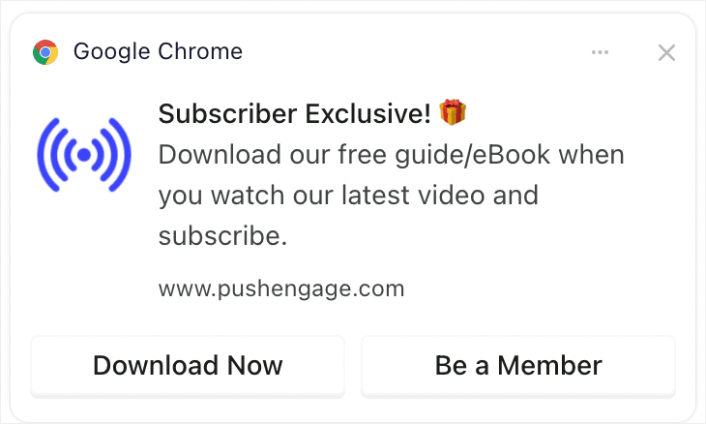
At tilbyde eksklusive tilbud eller indhold kan være et stærkt incitament for seere til at abonnere og forblive engagerede med din kanal.
#8. Opsummeringsmeddelelser
Send ugentlige eller månedlige opsummeringer af de mest populære videoer.
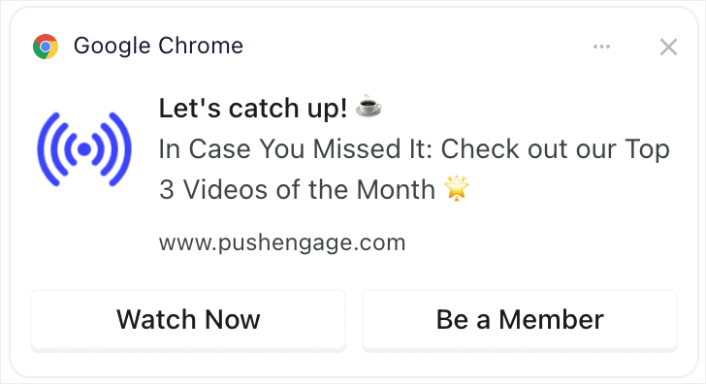
At minde seere om dit mest populære eller seneste indhold kan fange opmærksomheden hos dem, der gik glip af det, hvilket øger visninger og engagement.
Hvis du ikke ønsker at oprette en opsummeringsvideo, kan du blot oprette et opslag, der viser alt dit seneste indhold og sende et link til opslaget. Eller du kan oprette et link på Linktree for at oprette en midlertidig landingsside med en liste over alle dine seneste videoer.
#9. Glimt bag kulisserne (BTS)
Del indhold bag kulisserne eller tilblivelsen af en video.
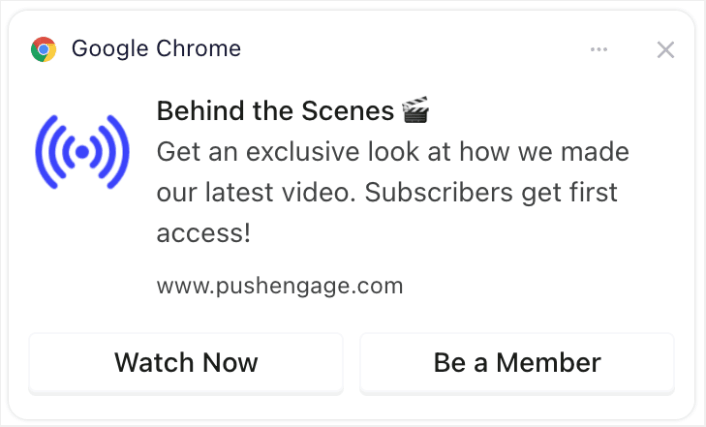
At tilbyde et kig bag kulisserne kan uddybe seernes forbindelse til din kanal, hvilket gør dem mere tilbøjelige til at engagere sig i og dele dit indhold.
#10. Promovering af brugergenereret indhold
Opfordr abonnenter til at oprette deres eget indhold relateret til din kanal og fremvis det.
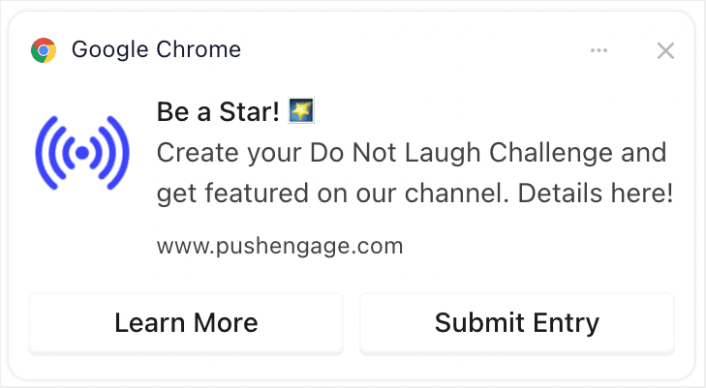
At opfordre seere til at oprette relateret indhold kan føre til fællesskabsopbygning og øget engagement, da seerne føler sig mere forbundne og værdsatte. Og det er super nemt at oprette en formular i WordPress for at indsamle indsendelser fra dine abonnenter.
Optimering af tidspunkt og frekvens for meddelelser
Der findes noget, der hedder for mange push-notifikationer.
Antallet af push-notifikationer, du bør sende, afhænger af din branche. Når det er sagt, er det bedste, du kan gøre, at sende dine kunder højst 2 notifikationer om dagen. Og ikke mere end 5 om ugen.
Et gennemsnit på 1 notifikation om dagen fungerer endnu bedre.
Medmindre du har noget virkelig vigtigt at fortælle dine abonnenter, selvfølgelig:
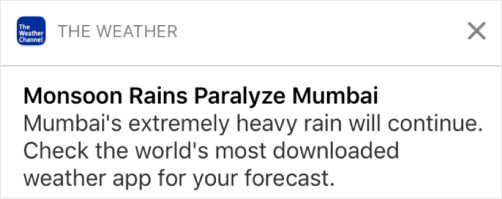
Du kan nemt virke for aggressiv og irritere dine abonnenter. Det er en fantastisk måde at miste abonnenter på push-notifikationer. Men du bliver nødt til at forbinde dig med dine kunder. Og du skal sende dem salgsfremmende og transaktionelle notifikationer.
Se denne artikel om hvor mange push-notifikationer du bør sende for endnu flere tips.
Du kan også planlægge dine push-notifikationer på forskellige måder.

Det er super nemt at planlægge push-notifikationer, der skal sendes:
- Straks
- På en bestemt dato og tid
- Som en tilbagevendende begivenhed
At vide, hvor mange notifikationer du skal sende, og hvornår du skal sende push-notifikationer vil dramatisk reducere dine afmeldingsrater.
Pro Tip: Hvis du når et punkt, hvor dine push-abonnenter ikke engagerer sig med dig, kan du starte en retargeting-kampagne for at genengagere dem. Hvis det ikke virker, kan du altid rense din abonnentliste.
Målretning og segmentering af dit publikum
Målrettede push-meddelelser fører til højere klikrater og lavere afmeldingsrater. Segmentering giver dig mulighed for at tilbyde en brugerdefineret oplevelse til dine web push-abonnenter. Med de fleste push-meddelelsestjenester og -værktøjer har du brug for brugerdefineret kode til at oprette segmenter.
Segmenter er en rigtig god måde at sende målrettede push-kampagner på. Og det bør være en stor del af din push-meddelelsesmarkedsføringsstrategi. Men hvordan kommer du i gang? Hvilke slags segmenter skal du oprette?
Vi skrev en detaljeret forklaring i vores artikel om måder at segmentere push-abonnenter på.
Generelt er der et par forskellige typer segmenter, du kan oprette:
- Lejlighedsbaserede segmenter
- Adfærdsmæssige segmenter
- Dynamiske segmenter
- Geografiske segmenter
- Demografiske segmenter
... For at nævne et par stykker.
Du kan også bruge lejlighedsbetinget segmentering til at sende forskellige typer målrettede push-kampagner. Endnu bedre, du kan bruge disse segmenter til at oprette abonnementswidgets på dit websted:

En abonnementsstyrings-widget giver dine besøgende mulighed for at vælge, hvilken type push-meddelelser de vil modtage fra dig.

Og du kan endda oprette push-meddelelses-popups, der automatisk segmenterer dine abonnenter, når de abonnerer.
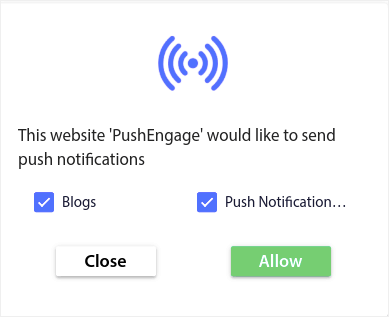
Indholdstemaer giver dig mulighed for kun at sende relevant indhold til dine abonnenter. Dette vil hjælpe dig med at øge dine abonnementsrater og endda dine engagementrater.
Pro Tip: Husk at diversificere dine indholdstemaer. Du kan oprette flere push-meddelelses-optins for at målrette forskellige typer brugere. Oprettelse af flere brugerdefinerede optins er en fantastisk måde at øge dine push-abonnenter fra dit eksisterende indhold.
Sporing og analyse af dine push-meddelelseskampagner
Split-test er en god måde at få push-notifikationsabonnenter til at forblive abonnenter. Men hvad kan du split-teste i en push-notifikation?
De mest almindelige præstationsmålinger for push-notifikationer er:
- Klikrate: Klikraten på en push-meddelelse er, hvor ofte dine abonnenter så din push-meddelelse og derefter klikkede på den.
- Visningsrate: Visningsraten for en push-meddelelse er, hvor ofte en abonnent modtog din push-meddelelse og så den, før den udløb.
- Målkonverteringer: Du kan sætte mål for din kampagne og opsætte målesporing for dine kampagner. Målkonverteringer er et mål for, hvor mange gange du opnåede dit mål.
For at øge dine visningsrater vil du gerne bruge et stort billede i dine push-meddelelser. Brugen af billeder i dine meddelelser gør dem øjeblikkeligt mere tiltalende.
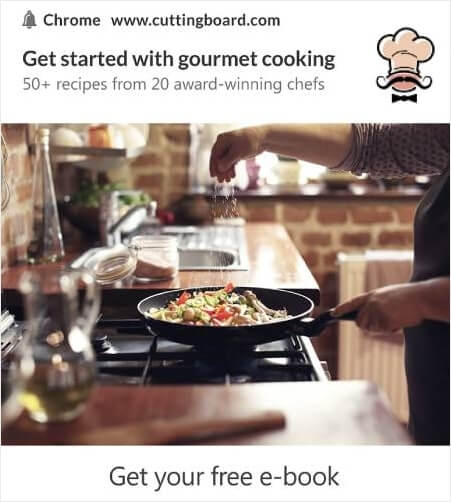
Du kan også eksperimentere med power words i din push-notifikationstitel.
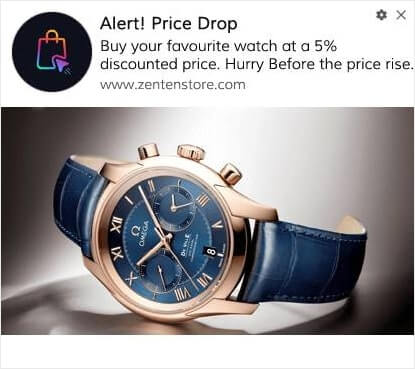
Så du kan A/B-teste notifikationer med billeder og uden. Du kan også teste visningsrater ved at split-teste push-notifikationer med og uden power words i titlen.
Hvis du ønsker at forbedre din klikrate, skal du fokusere på kernemeddelelsen og arbejde på at gøre den yderst relevant. For det meste handler dette om en af to ting:
- Segmentering af dine abonnenter
- Ikke at sende for mange push-notifikationer
Og der er intet at A/B-teste på dette område. Men du kan A/B-teste dine klikrater med Call to Action (CTA) knapperne på dine push-notifikationer. Prøv at A/B-teste push-notifikationer med en eller ingen CTA mod en med to CTA'er.
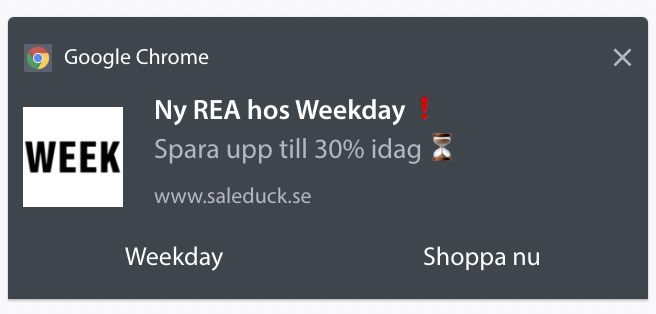
Hvis du ikke er sikker på, hvordan du opretter flere CTA'er, kan du læse denne artikel om hvordan du tilføjer knapper til dine push-notifikationer.
Med målkovertider er det mest et spørgsmål om at opsætte relevante eCommerce push-notifikationer. Så igen, der er ikke meget at split-teste her. Når det er sagt, hvis du kan optimere dine push-notifikationer for bedre klik til et rigtig godt tilbud, vil dine målkovertider stige.
Over tid kan du forbedre optin-raterne for dine push-notifikations-popups. Med enhver god push-notifikationstjeneste får du detaljerede optin-analyser.
Ethvert konverteringsværktøj under solen kommer med sine egne popup-analyser. Så hvorfor skulle push-notifikations-popups være anderledes?
Her er, hvad der er episk...
Du kan få analyser ikke kun for dine push-notifikationskampagner, men også for dine tilmeldinger!
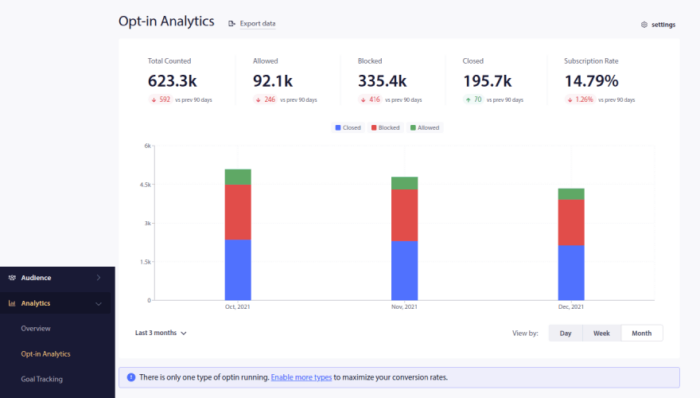
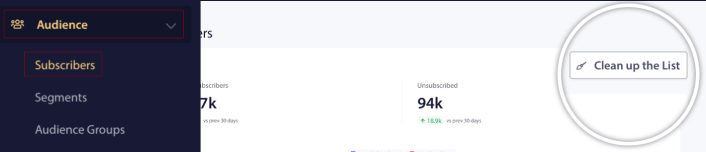
At være opmærksom på din optin-analyse er en god måde at få push-meddelelsesabonnementer på. Du bør også rydde op i dine abonnentlister fra tid til anden og fjerne enhver abonnent, der simpelthen nægter at engagere sig i dine kampagner. På denne måde får du de faktiske engagementstal, og du sender kun push-meddelelser til abonnenter, der ØNSKER at høre fra dig.
Samtidig anbefaler vi også at indhente feedback fra dine abonnenter om dine push-notifikationskampagner.
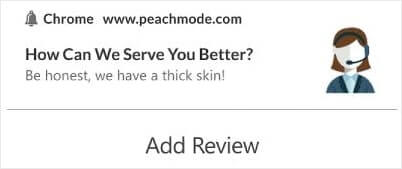
Du kan oprette en simpel landingsside med en formular til at indsamle anmeldelser og feedback om dine kampagner.
Sådan får du endnu hurtigere flere YouTube-abonnenter
Nu hvor du ved, hvordan du får push-notifikationsabonnementer, er det tid til, at du begynder at opbygge dine kampagner. Start med at se på flere eksempler på, hvordan du kan bruge push-notifikationer effektivt:
- 21 bedste eksempler på velkomstbeskeder til hjemmesider, du kan bruge
- 75 episke push-meddelelseseksempler, du kan stjæle lige nu
- 15 eksempler på tekst til push-meddelelser, der kan inspirere dig
- 7 eksempler på push-meddelelser med høj konvertering (2022)
- 11 kreative push-notifikationseksempler, du kan stjæle lige nu!
- Sådan tilføjer du et Web Notifications WordPress-plugin til dit websted
Du bør også tjekke vores artikel om bedste praksis for push-notifikationer for at få mest muligt ud af dine push-notifikationskampagner.
Men intet af dette vil flytte nålen for dit brand, medmindre du begynder at sende push-meddelelser.
Så hvis du ikke allerede har gjort det, så kom i gang med PushEngage i dag!


