现在是周二上午9点,您正在查看一家GMV为3500万美元的商店的WooCommerce仪表板。上周,Klaviyo挽回了4800美元的废弃购物车。未挽回的金额为46000美元。这个差距不是Klaviyo的问题。电子邮件的发送频率是正常的。差距之所以存在,是因为电子邮件根本无法触达约三分之一的购物车放弃者:他们从未打开过邮件,从未打开过预览窗格,收件箱里塞满了上周的订单确认邮件。
WooCommerce购物车放弃推送通知通过与电子邮件序列并行运行来弥补这一差距,而不是取代它,它们具有不同的时间安排、不同的格式、不同的触达界面。
本文是WooCommerce留存经理实际需要的流程规范:确切的3条消息推送流程、确切的事件名称、确切的等待窗口、以利润美元计算的折扣阶梯、在购物车转化时停止流程的退出规则,以及您可以提交给财务部门的每笔购物车归因计算。
直接将其导入PushEngage,一小时内即可运行。挽回的购物车是已发现的收入,而非付费收入,而这正是留存/CAC论证的全部内容,一语道破。
为什么“推送而非电子邮件”的说法是错误的
大多数购物车放弃文章都设置了一个错误的二元对立。推送与电子邮件。短信与推送。WhatsApp与三者。挽回25%-40%废弃购物车价值的中端WooCommerce商店并非只选择一种。它们是分层叠加的。电子邮件触达每天查看两次电子邮件的用户。推送触达那些不查看电子邮件但会浏览通知的桌面和移动用户。短信触达高价值购物车,消息必须在接下来的三十秒内送达。留存经理的工作是构建分层堆栈,而不是争论哪个单一渠道获胜。
对于目前运行仅电子邮件序列的WooCommerce商店来说,问题不是“我应该改用推送吗?”而是“推送在电子邮件已在做的事情之上增加了什么?”答案很简单。推送比电子邮件打开速度更快(首次触达60分钟后,比典型电子邮件打开时间早一小时)。推送更难被忽略(没有预览窗格)。推送无论哪个渠道获得转化功劳,都会在购买事件上退出。这些是附加属性,而非替代品。
本文的其余部分都基于这一思路。下面的3条消息推送流程假定您已经在Klaviyo、Omnisend或您使用的任何ESP中运行了3条或4条电子邮件恢复序列。它与该序列协同工作,而不是取代它。
为什么WooCommerce对推送友好(以及在哪些方面不友好)
WooCommerce 会触发三个原生事件,使整个过程易于处理。add_to_cart 在每次添加产品时触发。woocommerce_cart_updated 在购物车状态更改时触发。woocommerce_payment_complete 在订单支付时触发。
PushEngage WooCommerce 集成插件将这些映射到一个名为 cart_abandoned 的 PushEngage 自定义事件(在购物车闲置超过放弃阈值时触发)和一个名为 purchase 的目标(在付款完成后触发)。cart_abandoned 事件负载包含 cart_id、cart_value、cart_url(恢复链接)和产品列表。该负载成为工作流通知使用的变量源。
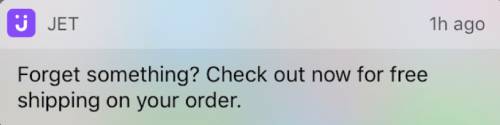
PushEngage 集成还处理购物车恢复。当订阅者点击推送通知时,他们会进入购物车,商品已填充,而不是进入一个空的产品页面。这并非小细节:恢复的购物车通过一次点击结账的转化率,大约是需要订阅者重新添加商品的恢复购物车的转化率的三倍。
购物车恢复是 PushEngage 集成开箱即用的 WooCommerce 推送通知功能之一;在没有集成的平台上,留存团队必须手动构建恢复链接。
有一个 WooCommerce 特有的陷阱需要注意。使用平台外结账(Stripe Checkout、PayPal 托管结账、Mollie 托管、Klarna 托管)的商店,直到客户重定向回感谢页面,woocommerce_payment_complete 才会被触发。如果重定向从未发生(客户在付款后关闭了 Stripe 托管页面上的浏览器标签),工作流将无法知道购物车已转化。解决方法是在感谢重定向上放置一个目标跟踪像素,该像素会触发带有 cart_id 的 PushEngage purchase 目标。没有该像素,工作流将继续向已付款的订阅者发送提醒,这是每个留存团队都想避免的失败模式。在启用工作流之前配置像素。
两个额外的上下文说明。首先,本文档其余部分的工作流词汇(START、WAIT、DECISION、ACTION、END)在 PushEngage Workflows builder 中定义,并在父级电子商务文章中详细介绍。其次,此 WooCommerce 购物车放弃工作流是本系列五种 WooCommerce 特有推送工作流之一;其他工作流(浏览放弃、降价、补货、购后)链接自结尾部分。
端到端的3条消息购物车放弃流程
这是核心。完整的购物车放弃工作流规范。
触发器和运行类型
- 触发器 (START): PushEngage 自定义事件,
event_name = cart_abandoned,由 WooCommerce 集成触发,当购物车闲置超过放弃阈值(通常是 60 分钟无活动)时。 - 运行类型:多个并行。周二放弃购物车 A、周五放弃购物车 B 的订阅者将获得两个并发工作流实例,每个购物车一个,每个实例都有自己的 cart_id。这一点至关重要:单一或多个顺序运行类型会阻止购物车 B 在购物车 A 的工作流完成后进行恢复,而再次放弃的返回客户将一无所获。
- 退出条件:目标
purchase匹配触发事件的 cart_id。当该购物车的 WooCommercepurchase目标触发时,工作流将为该订阅者取消,无论他们当前在旅程中的哪个位置。 - 静默时间:订阅者时区的晚上 10 点到早上 8 点,回退
reschedule。reschedule设置会将通知保留到当地时间早上 8:01,而不是直接丢弃,大多数留存团队更喜欢这样做,因为丢弃的通知也会从分析中消失。
流程
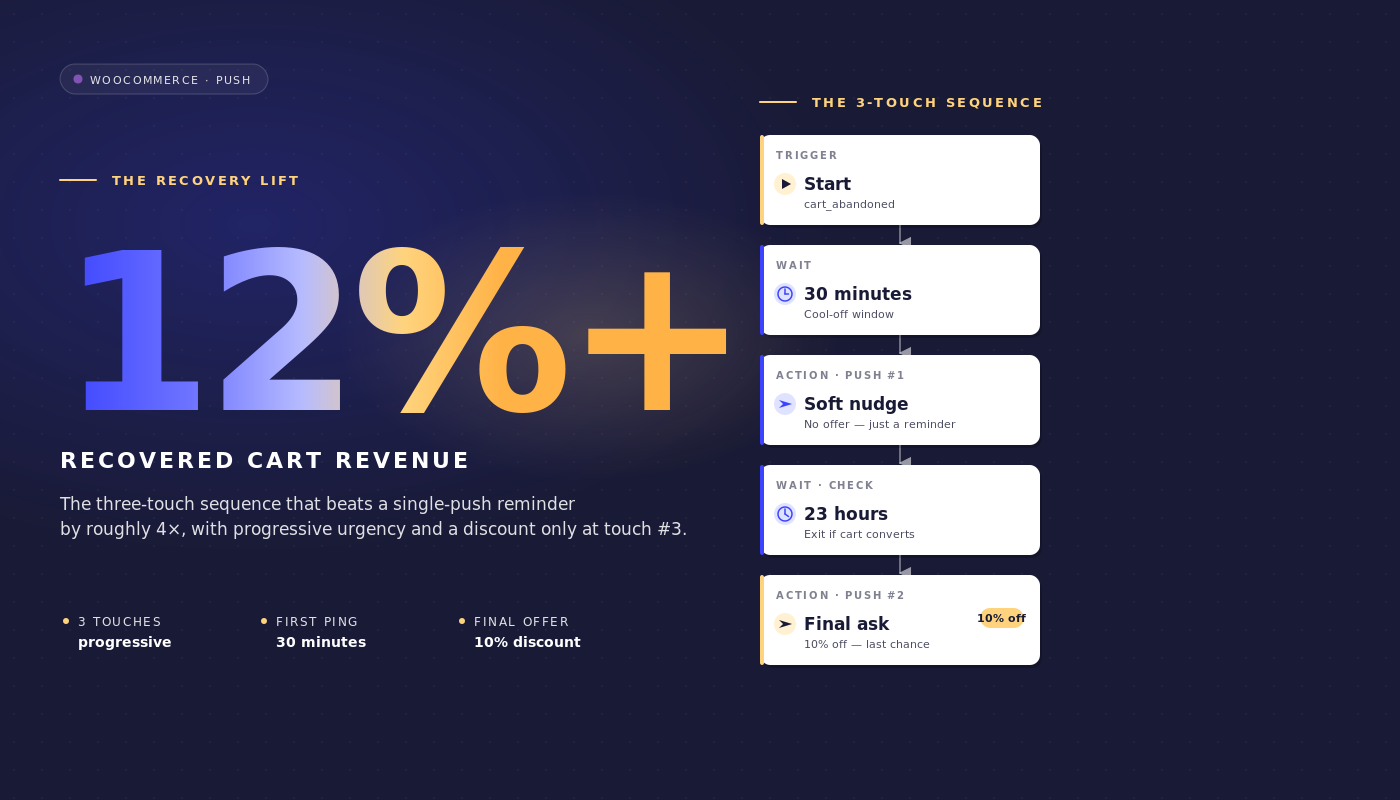
等待 1 小时 → 消息 1(无折扣)→ 等待 24 小时 → 决策:购物车仍被放弃?→ 是路径:消息 2(9 折)→ 等待 48 小时 → 决策:购物车仍被放弃?→ 是路径:消息 3(8 折 + 紧急性)→ 结束。
两个决策节点的否路径都路由到退出(购物车在等待期间已转化,工作流已完成)。
通知文案
消息 1(放弃后 1 小时,无折扣):
- 标题:
您遗漏了东西 - 正文:
您的 {{event.data.product_name || cart}} 还在。想完成结账吗? - URL:
{{event.data.cart_url}}
消息 2(放弃后 25 小时,9 折折扣):
- 标题:
还在考虑吗?这里有九折优惠 - 正文:
您的 {{event.data.product_name || cart}} 仅需一键即可购买。结账时使用 SAVE10。 - URL:
{{event.data.cart_url}}?coupon=SAVE10
消息 3(放弃后 73 小时,8 折折扣,紧急性):
- 标题:
最后机会:您的购物车享受八折优惠 - 正文:
我们为您保留了 {{event.data.product_name || cart}} 一天。代码 SAVE20 今晚到期。 - URL:
{{event.data.cart_url}}?coupon=SAVE20
每个标题保持在 50 个字符以内,每个正文保持在 130 个字符以内,这使得它们在 Chrome 桌面版、iOS Safari 16.4+ 和 Android Chrome 上可见而不被截断。|| 语法在产品名称变量缺失时提供回退。
为什么是1小时、25小时和73小时
三个等待时间并非随意设置。每个时间窗口都捕捉了不同的恢复心理。
1 小时。第一次触达捕捉到“我离开去别处查看价格”的放弃者,在会话记忆消退之前。大多数能够恢复的购物车都在第一个小时内完成。大多数在第一个小时内未转化的购物车,如果没有第二次触达将不会转化。30 分钟的第一次等待过于急切:它会打断客户正在积极进行的比较购物。4 小时第一次等待则太慢:购物车上下文已丢失。一小时处于临界点。
25小时。 第二次触达在第二天进行,故意设置为25小时而非正好24小时,这样可以避免在同一时间点发送第二条消息给在晚上放弃的用户(大脑会将其视为垃圾信息)。25小时的等待时间可以将第二次触达调整到第二天早上,对于晚上放弃的用户,或者调整到第二天晚上,对于早上放弃的用户,这是10%优惠券的实际触达窗口。
73小时。 这是购物车失效前的最后一次尝试。三天后,用户要么已经通过其他渠道完成了购买(这种情况下退出规则已触发),要么完全放弃了购买。在购物车失效前,提供20%的折扣并强调紧迫性是最后有效的推动方式。等待超过96小时会使挽回率急剧下降,并保证利润损失;而距离第二次触达不足48小时则会训练用户等待折扣。
静默时间段覆盖了整个序列。否则,在晚上11点放弃的用户,其1小时后的第一次触达将在午夜发送。当reschedule设置为早上8:01时,消息会推迟到第二天早上发送。购物车放弃工作流将保持可交付性负责,而不是在夜间悄悄发送。
折扣阶梯防御
折扣阶梯为0%/10%/20%。显而易见的替代方案是三次触达均提供15%的固定折扣。尽管固定折扣结构在原始挽回率上占优,但阶梯折扣在净挽回收入上更胜一筹。以下是针对WooCommerce中端市场规模的数学计算。
场景。 200,000个推送订阅用户。70%的购物车放弃率。平均订单价值145美元。每周通过推送工作流跟踪到大约12,000个被放弃的购物车(在与电子邮件订阅用户重叠后)。
三次触达均提供15%的固定折扣。 假设这会将原始挽回率提高到30%。每周可挽回3,600个购物车,按145美元的平均订单价值计算,总收入为522,000美元。每个挽回的购物车需支付15%的折扣,因此净挽回收入为522,000美元 × 0.85 = 443,700美元/周。
0/10/20阶梯折扣。 假设这会产生25%的原始挽回率(较低,因为第一次触达没有折扣)。但挽回分布在三次触达中:12%在第一次触达(无折扣)转化,8%在第二次触达(10%)转化,5%在第三次触达(20%)转化。每次购物车转化的净收益:12% × 145美元 + 8% × 145美元 × 0.90 + 5% × 145美元 × 0.80 = 17.40美元 + 10.44美元 + 5.80美元 = 33.64美元/被放弃的购物车。按每周12,000个购物车计算,为403,680美元/周,略低于固定折扣。
但毛利率的现实更为严峻。大多数中端WooCommerce商店的毛利率在35%–45%之间。统一的15%折扣会将利润率降至20%–30%。第一次触达0%的转化率可以保留全部利润。运行阶梯折扣的留存团队会放弃大约3个百分点的挽回率(28% vs 31%),并挽回实质上更多的利润。净贡献利润,而非总挽回收入,才是应该捍卫的正确指标。
第二个论点是订阅者培训。一个在每次购物车提醒中持续看到15%折扣的列表会学会等待折扣。下一季度的恢复率为15%的平稳下降,因为订阅者已经学会了这种模式。0/10/20的阶梯保留了以全价转换的选项。
第三个论点是细分。在消息1上转化的订阅者是高意向客户,值得在下一次活动中以不同的方式重新定位。只在消息3上转化的订阅者对价格敏感,值得细分为以价格驱动的保留路径。阶梯产生信号;平坦的折扣产生噪音。
每笔购物车归因和挽回收入计算
PushEngage中的推送工作流分析在每个节点跟踪三个数字:排队用户(在此节点等待)、已完成用户(已通过)和已退出用户(在此节点离开工作流,通常是因为触发了退出规则)。
这是在20万订阅者、平均订单价值145美元的商店中运行的WooCommerce购物车放弃工作流的节点级分析:
| 节点 | 排队中 | 已完成 | 已退出 | 备注 |
|---|---|---|---|---|
| 开始(购物车已放弃) | 0 | 11,940 | 240 | 在事件触发和工作流扫描之间有240个购物车已转化 |
| 等待 1 小时 | 220 | 11,720 | 0 | 正常队列深度 |
| 操作:消息1 | 0 | 11,720 | 0 | 已发送通知 |
| 等待 24 小时 | 280 | 9,290 | 2,150 | 2,150个购物车在消息1上已转化(最高意向恢复) |
| 决策:仍然放弃? | 0 | 9,290 | 0 | 剩余购物车根据目标进行检查 |
| 操作:消息2(九折) | 0 | 9,290 | 0 | 发送了带有SAVE10的通知 |
| 等待 48 小时 | 120 | 7,460 | 1,710 | 1,710个购物车在消息2上已转化 |
| 决策:仍然放弃? | 0 | 7,460 | 0 | 最终检查 |
| 操作:消息3(八折) | 0 | 7,460 | 0 | 发送了带有SAVE20的通知 |
| 结束 | 不适用 | 7,460 | 不适用 | 7,460个购物车未通过推送恢复 |
通过推送总共恢复:240(预触达)+ 2,150 + 1,710 = 4,100个购物车。原始推送恢复率:4,100 / 12,180 = 33.7%。按145美元的平均订单价值计算,恢复的购物车价值为每周594,500美元。扣除阶梯折扣(240个购物车0%,2,150个购物车0%,1,710个购物车10%),净收入为每周570,795美元。
像这样阅读漏斗。两个等待(24小时和48小时)是退出率最高的节点,这是正确的模式:客户在等待窗口期间决定购买,而不是在阅读通知时。如果你的工作流显示相反的情况(操作节点退出率高,等待节点退出率低),则时间设置太长,你应该缩短等待时间。如果开始节点显示异常高的退出率,则放弃阈值太短,你捕获了从未真正放弃的购物车。
这是保留经理可以在下一次损益审查中辩护的已恢复收入项目。WooCommerce推送通知上周通过购物车放弃工作流恢复了570,795美元的净收入,每次推送发送成本为零,平台订阅费也为零。每恢复美元的成本足够低,以至于财务部门没有后续问题。
多渠道协调:推送+电子邮件+WhatsApp+实时聊天
上面的三条消息推送工作流与电子邮件恢复序列并行运行。相同的架构也可以根据订阅者状态跨渠道升级。使用一个工作流引擎,旅程的构成如下:
- 开始:
cart_abandoned事件,包含 cart_id 和 cart_value - 等待: 1小时
- 决策1: 订阅者是否订阅了网页推送?是:发送网页推送提醒;否:继续
- 等待: 30 分钟
- 决策 2:推送是否触发并被点击?是:退出;否:继续
- 决策 3:购物车价值是否 > 200 美元?是:发送 WhatsApp 消息;否:通过 HTTP 请求向 ESP 发送电子邮件
- 决策 4:订阅者当前是否在网站上?是:触发实时聊天 ping;否:继续等待消息 2
- 在目标
purchase上退出
四个渠道,一个工作流,一套退出标准,一个订阅者身份。这是留存团队在每个渠道都位于不同工具中时无法组合的编排。通过独立的供应商,购物车工作流将变成六次同步,两个关于谁是 VIP 的分割引擎不一致,并且没有统一的收入归因。
使用一个工作流引擎,旅程就是一个对象。有关推送和电子邮件如何在单个留存计划中组合的更多信息,请参阅关于推送和电子邮件多渠道编排的父文章。
侧边栏:通过AI助手管理购物车流程
通过 WordPress 插件 4.2.4 和 WordPress Abilities API,购物车工作流可以从任何支持 MCP 的 AI 助手进行管理。该插件公开了 pushengage/list-push-automation-campaigns(返回当前的 WooCommerce 推送自动化配置)和 pushengage/update-push-automation-campaign(通过 ID 启用、禁用或重新配置活动)。这两种能力都需要用户拥有 WordPress manage_options 功能,并且需要站点上激活 WooCommerce。
对于运行 Claude、ChatGPT 或 Cursor 并公开了 PushEngage MCP 的留存经理来说,这意味着购物车放弃工作流可以在计划的站点中断期间暂停,之后重新启用,或者重新配置以交换副本变体,而无需打开 WP 管理界面。有关更多信息,请参阅PushEngage AI 助手公告。
在 PushEngage 中构建
设置路径很短。在 WooCommerce 站点上安装 PushEngage 插件(它会自动检测 WooCommerce 并公开特定于 WooCommerce 的事件)。将插件连接到 PushEngage 帐户。在PushEngage Workflows 构建器中导入购物车放弃工作流模板。
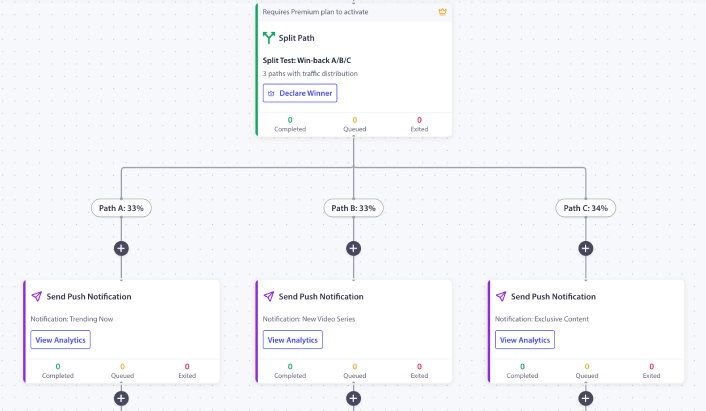
它预先配置了 1 小时 / 25 小时 / 73 小时的时间设置、折扣阶梯占位符和购买退出规则。将占位符优惠券代码替换为您自己的真实代码。配置放弃阈值(大多数商店的默认 60 分钟是合理的)。激活工作流。在扩展之前,观察前 200 个放弃的购物车通过它进行路由。
如果这是商店中的第一个 PushEngage 工作流,免费套餐将为您提供 200 个订阅者和完整的工作流引擎,足以在请求付费套餐的预算之前,在一个受控列表中证明该渠道的有效性。从免费套餐开始,在本周运行第一个实例。
这改变了什么
本文是五篇特定于 WooCommerce 的推送工作流规范之一。同系列文章涵盖了WooCommerce 浏览放弃工作流、价格下降提醒、补货通知以及WooCommerce 购后工作流。有关更广泛的跨平台购物车放弃处理,更广泛的购物车放弃手册在战略层面涵盖了该主题。
有关这在完整的电子商务留存计划中的位置,电子商务推送通知中心帖子是概述。
周二打开 WooCommerce 仪表板,看到 46,000 美元未收回购物车收入的留存经理有一个选择。是继续优化已停滞不前的电子邮件序列,还是在此基础上添加推送作为第二个渠道,以不同的时间、不同的格式、不同的退出规则运行。上面这个 3 条消息的工作流与已有的任何电子邮件节奏并行运行,可以收回电子邮件无法触及的 12-25% 的购物车价值。
通过 0/10/20 的折扣阶梯,收回的收入比统一折扣工作流具有更高的净利润率。通过购买退出规则,工作流在购物车转化时停止触发。通过节点级分析,该明细项目可以用数字而非轶事向财务部门证明其合理性。这就是整个购物车放弃恢复论点,以及整个购物车恢复自动化论点,都包含在一个工作流中。


