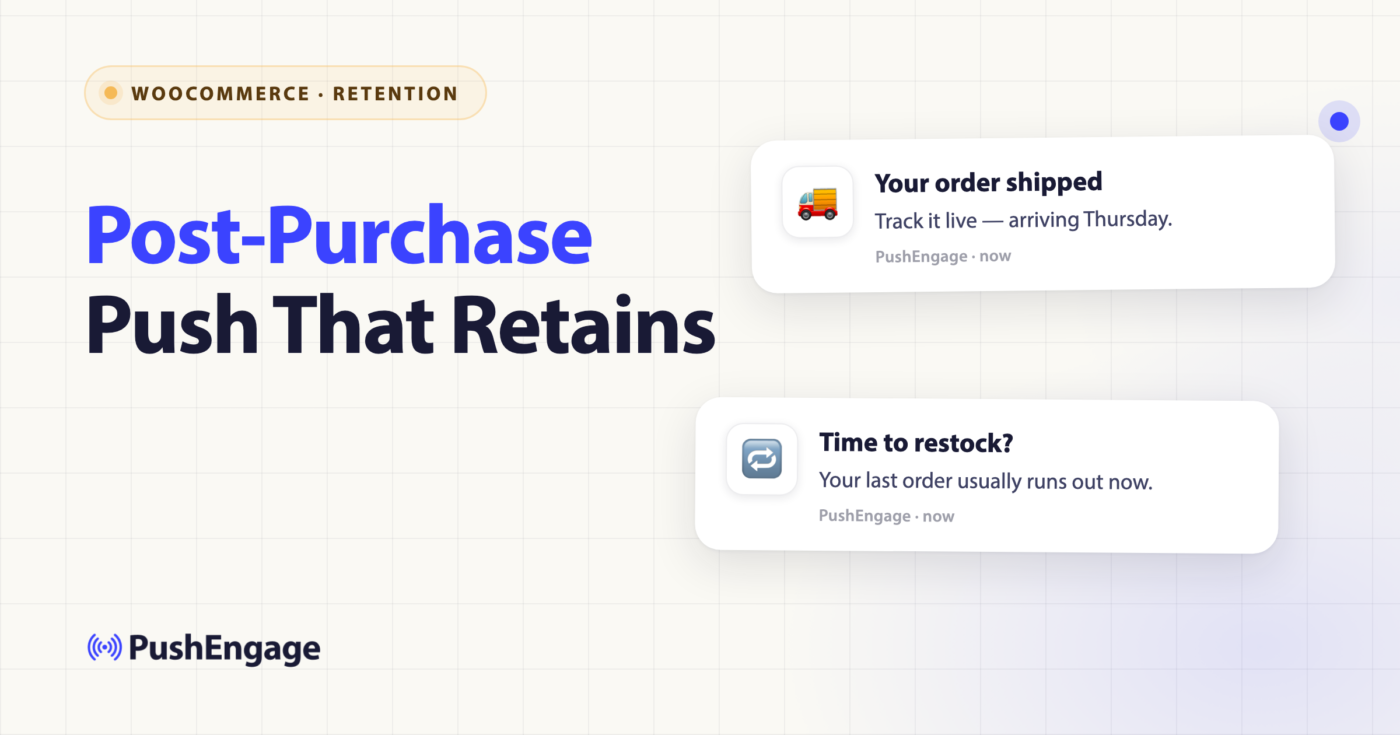
正值第一季度最后一个星期,一家 GMV 为 4000 万美元的 WooCommerce 家居用品店的留存经理打开了仪表板。首次购买量同比增长 12%。获客团队已经完成了他们的工作。复购率,这个决定今年剩余时间是否能实现复利增长的唯一数字,在过去十八个月里一直停滞在 22%。她向下滚动到自动化堆栈的 WooCommerce 购后通知部分。只有一项。订单确认电子邮件。第零天。每笔订单后的前两周内的其他十七天都是沉默的。
这种沉默就是差距。大多数 WooCommerce 购后通知堆栈在结账时发送一封交易邮件,三周后发送一封评论请求,然后就认为工作完成了。工作并未完成。在这两次触达之间,是首次购买者决定是否再次购买、重复购买者决定是否升级、高客单价购买者决定是否推荐的整个窗口期。购后工作流是唯一直接作用于该窗口期的自动化。本文介绍了 14 天、6 次触达的工作流,该工作流在两个季度内将同一家商店的复购率从 22% 提升到 28%。
购后是提升复购率的工作,不是挽回损失的工作
大多数留存文章将购后触达归类于“放弃和挽回”。购物车放弃、浏览放弃、召回、购后。四项内容,一个部分。这种分类是错误的。这四项中有三项是挽回工作流。它们在当前旅程停滞时触发,工作流的职责是使其恢复。购后工作流不挽回任何东西。订阅者已经付款。旅程并未停滞。
购后工作流构建下一次购买。这是不同类别的留存工作。它在不同的层面实现复利增长。购物车放弃可挽回 8% 至 14% 的收入,但仅限于那些首先放弃购物车的订阅者。浏览放弃可提升浏览到购物车的转化率,但仅限于访问过产品页面的订阅者。购后工作流提升复购率,这适用于商店拥有的每一位付费客户。对整个客户群的 5% 的改进产生的增量收入,比对一小部分客户的 20% 的改进产生的增量收入更多。
这就是定义购后工作流在堆栈中位置的留存数学。它是唯一一个复购自动化。其他一切都是挽回工作。
一家中型 WooCommerce 商店,70% 的收入来自重复客户,如果将购后工作流视为一次性的事后想法,那么它最大的收入杠杆就被接错了。结账和下一次购买信号之间的 14 天窗口期是客户生命周期中最具操作性的时期。拥有这个窗口期的复购自动化是留存团队本季度可以实现的成本最低的收入增长,因为客户已经付费。
购后工作流的 6 次触达
六个触点,十四天,一个工作流。本文其余部分使用的词汇(START、WAIT、DECISION、SPLIT_PATH、ACTION、END)是标准的 PushEngage 工作流构建器语法,在 PushEngage 工作流构建器 公告帖中有详细介绍。这里的唯一触发器是订单放置事件,该事件从 WooCommerce woocommerce_payment_complete 钩子映射到一个 PushEngage 自定义事件,其中包含订单 ID、订单金额和载荷中的产品列表。
工作流以“多个顺序”模式运行。一次每个客户只有一个活动实例,但下一个订单会在当前实例完成后触发一个新的实例。工作流永远不会重叠。
触点 1 — 订单确认推送,即时
第一次触达在 woocommerce_payment_complete 触发后几秒钟内发送。这是交易性的,但语气很重要,因为这是新买家在支付金钱后从品牌收到的第一条消息。包含订单摘要和预计送达时间。在此处,推送通知的性能优于订单确认电子邮件,因为电子邮件会在数小时后打开,而推送通知会在买家仍在确认页面时送达。
订单确认推送是发货中最轻量级的触点,但也是最容易出错的触点。一个简单的“感谢您的订单”而没有有用信息会浪费这次展示机会。正确的模式是单行确认,包含订单号和明确的发货日期。
文案示例。标题:您的订单已收到,Maya。周五发货。 正文:订单 #18432,147.00 美元。发货时我们会发送追踪链接。
触点 2 — 发货更新,第 1 至 3 天
第二次触达在 woocommerce_order_status_changed 状态变为 processing 或 completed 时触发。承运商交接是第二次推送的自然时机。此触点的留存策略是“追踪您的订单”链接,该链接会路由回商店,而不是承运商。第二天返回商店追踪发货的买家距离另一次浏览会话只有两次点击。
该链接应指向商店域上托管的追踪页面,该页面会内联显示承运商状态,并附带一个“等待期间”部分,展示同一类别中的两个互补产品。这是整个工作流中回报率最高的一个实际应用。
触点 3 — 送达确认,第 3 至 7 天
第三次触达通过承运商送达网络钩子触发,或者如果承运商网络钩子不可靠,则通过预计送达日期触发。订阅者现在是产品的持有者。这是工作流中产品本身首次落入买家手中的时刻。留存策略是“使用 [产品] 的最初 24 小时”内容,一个指向设置技巧、保养说明或入门指南的简短链接,具体取决于产品类别。
对于家居用品商店,这可能是组装说明或造型指南。对于咖啡店,这是冲泡技巧。对于补充剂品牌,这是日常习惯建议。内容是留存策略;推送是传递载体。

触点 4 — 使用情况签到,第 5 至 9 天
第四次触点是第一次主动签到。此时,订阅者已拥有该产品 48 至 72 小时。留存策略取决于产品类别。咖啡研磨机触发“首次冲泡技巧”推送。护肤品套装触发“您的第 5 天日常”推送。家具触发造型技巧推送。签到被定位为关怀,而非追加销售,但深度链接会路由到与类别相关的交叉销售页面。
此触点也是交叉销售消耗品和配件的自然场所。咖啡研磨机的购买者需要咖啡豆。护肤品套装的购买者需要下一级别的精华液。家具的购买者需要配套的边桌。交叉销售是情境化的,与购买的产品相关,而不是通用的“您可能也喜欢”轮播。
触点 5 — 评论请求,第 7 至 14 天,发送时间带 SPLIT_PATH
第五次触点是典型的购后触点,也是唯一一个内置 A/B 测试的触点。评论请求通知在发货后 7 至 14 天触发,具体取决于产品类别。SPLIT_PATH 节点将 50% 的订阅者在订阅者本地时间上午 9 点发送推送,另外 50% 在订阅者本地时间晚上 7 点发送推送。运行此拆分两周,然后通过工作流的 winner_edge_id 推广获胜的发送时间。
PushEngage 的客户数据显示,咖啡、早餐和补充剂品牌的上午发送效果更好。娱乐、家居用品和生活方式品牌的晚上发送效果更好。拆分是按商店进行的;不要假设另一家商店的数据中的获胜者。
深度链接目标取决于评论平台。原生的 WooCommerce 评论会路由到产品页面的评论部分。Trustpilot 和 Yotpo 集成会路由到托管的评论页面。在启用此触点之前,请确认集成。
文案示例。标题:您的法压壶用得怎么样,Maya?正文:请快速留下评论。我们阅读每一条。
触点 6 — 补货或交叉销售,第 10 至 14 天,带 DECISION 按产品类别
第六次触点是直接提高复购率的触点。DECISION 节点根据购买的产品是消耗品(咖啡豆、补充剂、蜡烛、护肤品、宠物食品)还是耐用品(家具、电子产品、服装、装饰品)来路由订阅者。消耗品会路由到具有特定类别频率的补货推送:咖啡豆在第 14 天,补充剂在第 20 天,蜡烛在第 30 天。耐用品会路由到互补类别的交叉销售推送。
这是为工作流付费的触点。对于 50,000 名买家的客户群来说,补货订单率提高 5% 意味着可观的收入。交叉销售变体在第二次订单的 AOV 上产生较小的但复合的提升。
复制示例,补货。标题:豆子不够了,玛雅?正文:12盎司补充装有货。可一键重新订购。
使此工作流具有情境性而非公式化的决策节点
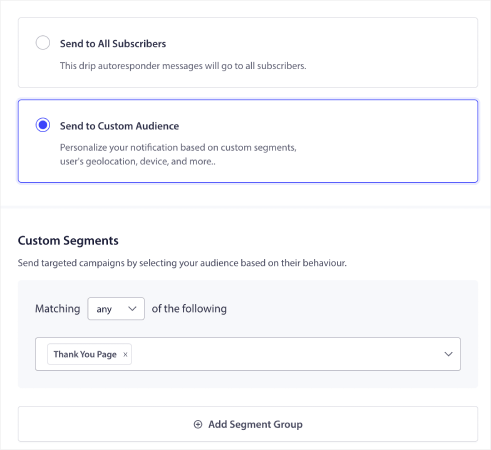
同一个工作流会通过六个触点运行每一位付费客户,但不会让他们经历完全相同的六个触点。三个决策节点会将订阅者路由到同一工作流的不同分支。这正是区分通用购后工作流与情境化工作流的关键所在。
第一个决策在触点 3(发货确认)后触发:是首次购买客户还是重复购买客户?首次购买客户将路由到触点 4 进行更深入的使用情况检查,以入职引导的形式呈现。重复购买客户将路由到以表示感谢为目的的较轻量级的使用情况检查。相同的触点,两种不同的语气,一个决策。
第二个决策在触点 6(补货与交叉销售)之前触发:购买的产品是消耗品还是耐用品?该类别在工作流开始时从 WooCommerce 产品分类法中读取,并存储在订阅者属性last_order_category上。消耗品将路由到补货分支。耐用品将路由到交叉销售分支。
第三个决策在触点 5(评论请求)之前触发:订单价值是高于还是低于商店的平均订单价值?高平均订单价值的订单会稍微延迟评论请求(第 10 天而不是第 7 天),因为产品更具考虑性,买家需要更多时间形成意见。低于平均订单价值的订单将获得标准的第 7 天评论请求。
三个决策节点,一个工作流,多个定制化旅程。同一个购后工作流可以处理 30 美元的蜡烛订单和 400 美元的餐椅订单,而不会为两者产生相同的触点。
用于评论请求发送时间的路径拆分
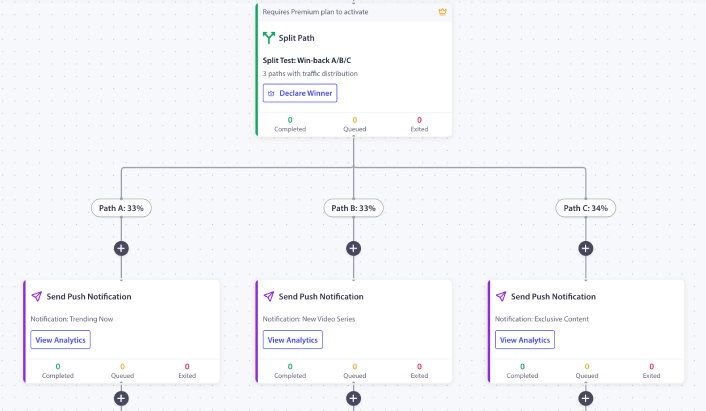
评论请求通知是工作流中唯一内置 A/B 测试的触点,并且该测试被配置为一个工作流节点,而不是作为一个单独的配置附加。路径拆分节点将 50% 分配给上午发送,50% 分配给下午发送,负载均衡处理每个订阅者的路由,以避免小样本噪音扭曲拆分。
指标不是点击率。指标是发送后 72 小时内的评论提交率。点击率偏向于下午发送,因为订阅者更有可能在家中点击通知,但提交率通常偏向于上午发送,因为订阅者实际上会在有几分钟的咖啡时间完成评论,而不是在他们即将开始观看 Netflix 节目时。请根据正确的指标进行优化。
在有意义的数量(粗略经验法则是每个分支至少 800 名订阅者)下运行两周后,通过winner_edge_id推广获胜者。然后,工作流会将 100% 的后续订阅者路由到获胜的发送时间,并且路径拆分节点将从活动使用中消失,但不会从工作流中删除。
退出标准以及此工作流为何不同
大多数工作流在达成目标时退出。购物车工作流在 purchase 时退出。挽回客户工作流在 last_active < 7 days 时退出。购后工作流则不同。它不会在大多数信号时退出。它会在第 14 天自然完成。
原因是工作流的职责。恢复工作流具有二元成功条件:订阅者已恢复或未恢复。工作流的职责是推动订阅者越过终点线。订阅者一旦越过,工作流的职责就完成了,然后触发退出。购后工作流没有二元成功条件。没有“订阅者完成了购后旅程”这样的说法。每个触点都是其自身的留存策略,而只打开触点 3 和 5 的订阅者也从工作流中获得了价值。
确实触发的唯一退出信号是成功退出:目标 next_purchase_within_60d。在首次购买后 60 天内下第二次订单的订阅者,即完成了工作流的实际职责。工作流会优雅地退出,并让下一个购后实例(针对新订单)接管。多次顺序运行类型确保了没有重叠。
订阅者退订会根据标准的 PushEngage 工作流终止规则终止工作流,但降级或流失信号则不会。此工作流每个订单一次性运行,其职责是在任何自然结束之前最大化该付费关系的价值。
静默时间与时区尊重
中端 WooCommerce 商店通常有国际订阅者。晚上 7 点的网站时间评论请求,对于亚太地区的买家来说,相当于当地凌晨 4 点。购后工作流设置静默时间 start_at: "22:00" 和 end_at: "08:00",并带有 reschedule 回退。本应在静默时间内发送的通知将被重新安排到第二天早上 8:01 发送,以订阅者的时区为准,然后回退到网站时区,最后是 UTC。
skip 回退是此工作流的错误选择。skip 会静默丢弃通知并从分析中移除。通知永远不会送达,工作流会完全错过一个触点。对于一个其全部职责是提高复购率的工作流,每个触点都必须送达。reschedule 可确保这一点。
侧边栏:通过您的 AI 助手管理购后工作流
WordPress 插件 4.2.4 及更高版本通过 Abilities API 注册了两个 WooCommerce 限制的功能:list-push-automation-campaigns 和 update-push-automation-campaign。运行支持 MCP 的助手(Claude、ChatGPT 桌面版、Cursor)的留存经理无需打开 WordPress 管理界面,即可列出活动的购后工作流、启用或禁用特定工作流,以及更新管理员或客户配置。工作流本身保留在 PushEngage 中;这些功能将配置界面暴露给团队日常运营所使用的任何助手。有关完整的功能列表,请参阅 PushEngage AI 助手公告 和 WP 插件 4.2.4 发行说明。
每次工作流的分析:阅读复购率漏斗
当分析显示正确的数字时,WooCommerce 推送通知在损益表上很容易证明其价值。工作流级别的分析在每个节点显示三个数字:排队中、已完成和已退出。对于购后工作流,每个触点的表格在 14 天窗口内对 10,000 订单队列的显示如下:
| 触点 | 排队中 | 已完成 | 已退出 | 备注 |
|---|---|---|---|---|
| 开始(订单已放置) | 0 | 10,000 | 0 | 所有条目继续 |
| 触点 1(订单确认) | 0 | 9,920 | 80 | 80 个在结账时退订 |
| 触点 2(发货更新) | 220 | 9,640 | 60 | 60 个退货或取消 |
| 触点 3(送达确认) | 380 | 9,180 | 80 | 80 个标记为送达问题 |
| 触点 4(使用情况签到) | 410 | 8,820 | 350 | 350 个退出目标 next_purchase_within_60d |
| 触点 5(评论请求) | 290 | 8,180 | 640 | 640 个提前再次购买 |
| 触点 6(补货/交叉销售) | 0 | 7,890 | 290 | 290 个窗口中期退订 |
| 结束 | 不适用 | 7,890 | 不适用 | 自然完成 |
此表中最重要的数字是 1,280 名订阅者(350 + 640 + 290),他们在工作流完成前进行了重复购买。这相当于 12.8% 的工作流内复购率,在 60 天的测量窗口内,该比率会与 22% 的基线复合增长。
队列级别的比较是工作流旨在提高的回访 KPI。在第一个季度进行 A/B 测试。一半的新订单将通过购后工作流。另一半则不通过。在首次购买后的 60 天,测量两个队列的重复购买率。
| 队列 | 60 天时的重复购买率 |
|---|---|
| 对照组(无购后工作流) | 22% |
| 工作流队列 | 28% |
每月 10,000 笔订单,平均订单价值 (AOV) 为 145 美元,增加 6 个百分点的提升,每月可带来 87,000 美元的额外重复购买收入。该工作流在运行的第一周就能收回成本。在一个季度内,该项目是留存团队能获得的最便宜的收入。这就是正确衡量的重复购买自动化:不是每次通知的点击率,而是证明工作流旨在提高的指标的提升的队列比较。
在 PushEngage 中构建
PushEngage 工作流构建器提供了一个购后模板,该模板映射到上述六个触点。安装 PushEngage WooCommerce 集成插件(版本 4.2.4 或更高版本支持 Abilities API),将 woocommerce_payment_complete 映射到 order_placed 自定义事件,然后应用该模板。静默时间段和 SPLIT_PATH 节点已预先配置。DECISION 节点需要产品类别分类映射,该映射由集成插件自动从 WooCommerce 读取。
对于更广泛的留存堆栈,此工作流与系列中的其他四个 WooCommerce 推送通知工作流并行运行:WooCommerce 购物车放弃工作流、WooCommerce 浏览放弃工作流、WooCommerce 降价提醒和WooCommerce 补货通知。每个工作流都在客户生命周期的不同层面运行。购后工作流是唯一直接提高重复购买率的工作流。其他四个用于挽回停滞的当前旅程;这个工作流用于构建下一个旅程。
要更全面地了解这些工作流如何融入完整的电子商务留存计划,请参阅电子商务推送通知中心,其中涵盖了这些蓝图所实现的广告系列类型。
PushEngage 免费套餐从第一天起就提供 200 个订阅者、所有渠道以及完整的 Workflows 引擎。这足以在请求预算之前,在受控队列上证明购后工作流的效果。从免费套餐开始,并在不到一小时内启用购后模板。将整个客户群的重复购买率提高 3 个百分点就能为平台带来多倍的回报,并在下次损益表审查时显示为已发现的收入。


