
Mobil uygulama anlık bildirimleri nedir?
Mobil uygulama anlık bildirimleri, çevrimdışı olsalar bile bir abonenin cihazına gönderilen kısa, tıklanabilir mesajlardır. Basit, kullanımı kolay bir kontrol panelinden anlık mesajlar kullanarak işletmenizin herhangi bir bölümünü tanıtmak için herhangi bir bağlantıyı kolayca gönderebilirsiniz.
İşte en harika kısım: Uygulama anlık bildirimleri, siz... çevrimdışıyken bile sitenize otomatik olarak tekrar ziyaretçi çekmenin süper kolay bir yoludur.
- Yeni başlıyor olsanız ve hayran kitleniz hala küçük olsa bile
- Hatta… her ay yüzlerce promosyonla bir e-ticaret mağazası işletiyor olsanız bile
- Zaten tonlarca SEO trafiği üreten mega bir blogunuz olsa bile...
Bu makalede, her yayına bastığınızda anında tekrar ziyaretçi çekmenin yollarını göstereceğiz:

Hemen ücretsiz olarak başlayabilirsiniz. Ücretsiz bir push bildirim yazılımından sonuç almaya başladığınızda, daha hızlı büyümenize yardımcı olacak daha fazla özellik elde etmek için geçiş yapabilir veya yükseltebilirsiniz.
Ancak önce, uygulama anlık bildirimlerini ve nasıl çalıştıklarını biraz daha anlayalım.
- Mobil Uygulama Anlık Bildirimleri Nedir?
- Uygulamanıza Mobil Uygulama Anlık Bildirimleri Nasıl Eklenir
- Adım #1: Ücretsiz Bir PushEngage Hesabı Oluşturun
- Adım #2: PushEngage'a Kaydolun
- 3. Adım: Uygulamanıza PushEngage'i Yükleyin
- 4. Adım: Mobil Uygulama Anlık Bildirimlerini Ayarlayın
- Daha Hedefli ve Kişiselleştirilmiş Mesajlar Gönderin
- Kullanıcılarınızı Uygulamanızın İçindeki Veya Dışındaki Herhangi Bir Bağlantıya Yönlendirin
- Mobil Uygulama Anlık Bildirimleri Gönderdikten Sonra Ne Yapmalı
Bu aşamada tek yatırımınız bir öğleden sonra kurulumu olacak şekilde, en iyi ücretsiz bildirim uygulamalarından biriyle başlayın.
Mobil Uygulama Anlık Bildirimleri Nedir?
Mobil uygulama anlık bildirimleri, bir uygulamadan doğrudan bir kullanıcının mobil cihazına gönderilen, uygulama aktif olarak kullanılmasa bile güncellemeler, hatırlatıcılar veya kişiselleştirilmiş içerikler sağlayan mesajlardır. Kullanıcının parmak uçlarına zamanında ve ilgili bilgileri ileterek kullanıcı etkileşimini artırırlar.
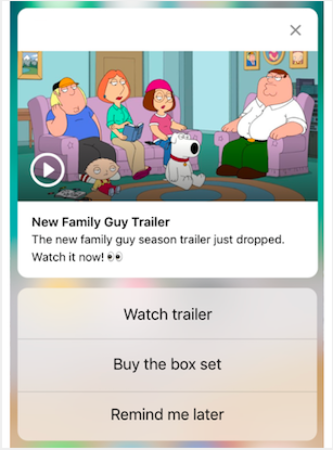
Elbette, bu yalnızca bir uygulamanız varsa veya gelecekte işletmeniz için bir mobil uygulama yayınlama sürecindeyseniz sizin için faydalıdır. İşletmenizi büyütmek için bir uygulama yayınlama konusunda kararsız kaldıysanız, bu sizin için doğru zaman olabilir. Uygulamaların karşılaştığı en büyük zorluklardan biri müşteri etkileşimidir. Ve PushEngage artık bu acıyı tamamen ortadan kaldırmanıza yardımcı olabilir.
Daha derin, daha sık etkileşim için uygulama anlık bildirimleri tercih edilir. Ara sıra güncellemeler veya uyarılar için web anlık bildirimleri etkilidir. Bu amaçla, uygulama bildirim kampanyaları daha iyi zengin medya ve etkileşimli içerik sunar. Uygulama anlık bildirimleri, web anlık bildirimlerinin çoğu zaman kullanamayacağı verilere dayanır.
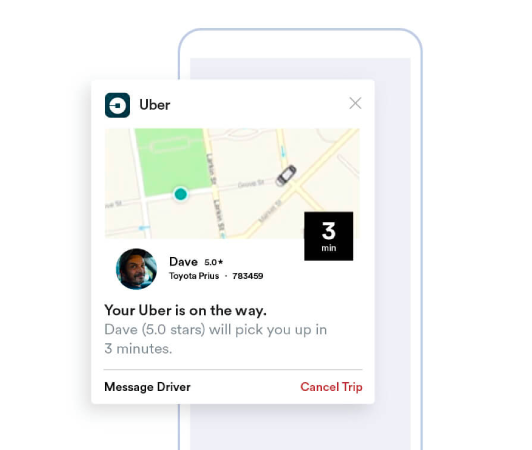
Dürüst olmak gerekirse: Kişiselleştirilmiş web anlık bildirimleri oluşturabilirsiniz. Ancak uygulama anlık bildirimleri kişiselleştirmede ÇOK daha derine inebilir.
Mobil uygulama anlık bildirimleri, iletişimden daha fazlasını sunar; kullanıcı deneyimini iyileştirmek, etkileşimi artırmak ve kullanıcılarla kişiselleştirilmiş bir bağ kurmak için güçlü bir mekanizmadır. En iyi mobil anlık bildirim uygulamaları derlememiz, hangi araçların kurumsal fiyatlandırma olmadan bunu sağladığını gösteriyor.
Bir uygulamanın kullanıcılarını elde tutma ve etkileşimini sağlama etkinliğine önemli ölçüde katkıda bulunabilecek bir etkileşim ve kişiselleştirme düzeyi sağlarlar.
- Gelişmiş Kullanıcı Etkileşimi:
- Bağlamsal Alaka Düzeyi: Uygulama anlık bildirimleri inanılmaz derecede bağlama duyarlı olabilir. Zamanında ve ilgili bildirimler göndermek için konum, davranış ve tercihler gibi kullanıcı verilerini kullanırlar. Örneğin, bir fitness uygulaması, siz genellikle koşuya çıktığınızda motive edici bir mesaj gönderebilir.
- Davranışsal Tetikleme: Bildirimler, belirli kullanıcı eylemleri veya eylemsizlikleri tarafından tetiklenebilir. Bu, bir kullanıcının sepetinde bıraktığı bir satın alma işlemini tamamlama gibi istenen davranışları teşvik etmek için onları oldukça etkili hale getirir.
- Zengin Kullanıcı Deneyimi:
- Multimedya Entegrasyonu: Temel metin mesajlarının aksine, uygulama bildirimleri resimler, ses ve hatta video içerebilir. Bu zengin medya entegrasyonu, onları daha ilgi çekici ve keyifli hale getirir.
- Etkileşimli Öğeler: Bazı bildirimler, kullanıcıların doğrudan kilit ekranından veya bildirim alanından etkileşimde bulunmalarına olanak tanır. Bu, bir mesaja yanıt verme, bir gönderiyi beğenme veya hatta müzik çalmayı kontrol etme gibi eylemleri içerebilir.
- Kişiselleştirilmiş İletişim:
- Kişiye Özel İçerik: Veri analitiği kullanarak, uygulamalar oldukça kişiselleştirilmiş bildirimler gönderebilir. Bu, adınızı kullanmak kadar basit veya göz atma geçmişinize göre ürün önermek kadar karmaşık olabilir.
- Segmentasyon ve Hedefleme: Uygulamalar, kullanıcılarını çeşitli kriterlere göre segmentlere ayırabilir ve hedeflenmiş bildirimler gönderebilir. Bu, kullanıcıların ilgi alanlarına ve ihtiyaçlarına uygun bildirimler almasını sağlar.
- Müşteri Elde Tutma ve Sadakati:
- Düzenli Etkileşim: Kullanıcıları bilgilendirilmiş ve etkileşimde tutarak, uygulama bildirimleri müşteri elde tutmayı önemli ölçüde iyileştirebilir.
- Sadakat Ödülleri: Bildirimler, kullanıcıları sadakat programları, özel teklifler ve ödüller hakkında bilgilendirmek için etkili bir yoldur, böylece müşteri sadakatini artırır.
- Analitik İçgörüler:
- Kullanıcı Yanıt Verileri: Uygulamalar, kullanıcıların bildirimlerle nasıl etkileşimde bulunduğunu izleyerek kullanıcı tercihleri ve davranışları hakkında değerli bilgiler sağlayabilir.
- A/B Testi: Bu veriler, en iyi neyin işe yaradığını görmek için farklı bildirim stratejilerini A/B test etmek için kullanılabilir, bu da daha etkili iletişime yol açar.
- Operasyonel Verimlilik:
- Otomatik İletişim: Bildirimler, belirli kriterlere göre otomatikleştirilebilir, manuel müdahale ihtiyacını azaltır ve zamanında iletişim sağlar.
Kullanıcı verilerinden ve davranışlarından yararlanarak, uygulama anlık bildirimleri, işletmelerin müşterileriyle etkileşim kurma biçimini dönüştürebilir, iletişimi daha ilgili, zamanında ve etkili hale getirebilir.
Bu etkileşim ve kişiselleştirme derinliği, uygulama anlık bildirimlerini öne çıkaran ve herhangi bir mobil uygulamanın dijital iletişim stratejisinde değerli bir varlık haline getiren şeydir.
Uygulamanıza Mobil Uygulama Anlık Bildirimleri Nasıl Eklenir
Mobil uygulama anlık bildirimleriyle başlamadan önce, mobil uygulama anlık bildirimleri göndermek için bir hizmet almanız gerekecek.
PushEngage ile başlamanızı öneririz. PushEngage, WordPress için en iyi push bildirim eklentilerinden biridir. Yalnızca ücretsiz katmanla 200 aboneye kadar anında ulaşın. Siteniz 200 aboneden fazlasına ulaştığında, planınızı yükselterek hızla ölçeklenebilirsiniz.
PushEngage'ın ücretsiz sürümünü kullanarak push mesajları göndermeye nasıl başlayacağınızı inceleyelim.
Adım #1: Ücretsiz Bir PushEngage Hesabı Oluşturun
PushEngage'a gidin ve Başlayın:'a tıklayın

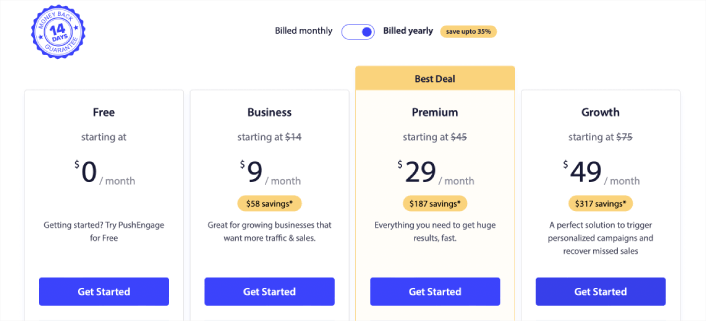
Ardından, PushEngage hesabınız için planı seçin. Ücretsiz olarak başlayabilirsiniz ancak işletmenizi büyütme konusunda ciddiyseniz, daha gelişmiş kampanyaların kilidini açmak için ücretli bir plan almanızı öneririz.
Adım #2: PushEngage'a Kaydolun
Eklenti için kullanıcı bilgilerinizle veya Gmail kimliğinizle veya e-postanız ve şifrenizle kaydolun:
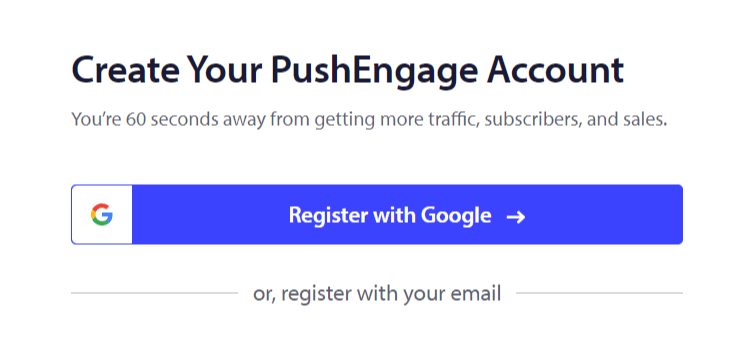
Ve sadece talimatları izleyerek hesabınızı kurmayı tamamlayın.
3. Adım: Uygulamanıza PushEngage'i Yükleyin
Kaydolduktan sonra PushEngage kontrol paneline yönlendirileceksiniz:
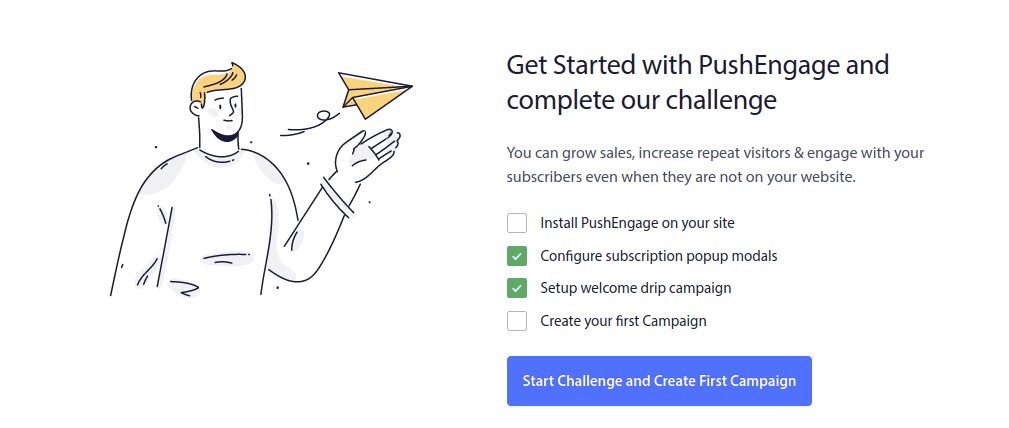
Uygulamanıza anlık mesajlar ekleme süreci, farklı platformlar için farklıdır. Ancak Android uygulamaları için Android SDK'mıza ve iOS uygulamaları için iOS SDK'mıza göz atabilirsiniz.
4. Adım: Mobil Uygulama Anlık Bildirimlerini Ayarlayın
Şimdiye kadar, uygulama anlık bildirimleri göndermek için iskelet SDK'ları kullanmak zorundaydınız. Bu SDK'ları kullanmanın sorunu, oldukça temel olmalarıdır.
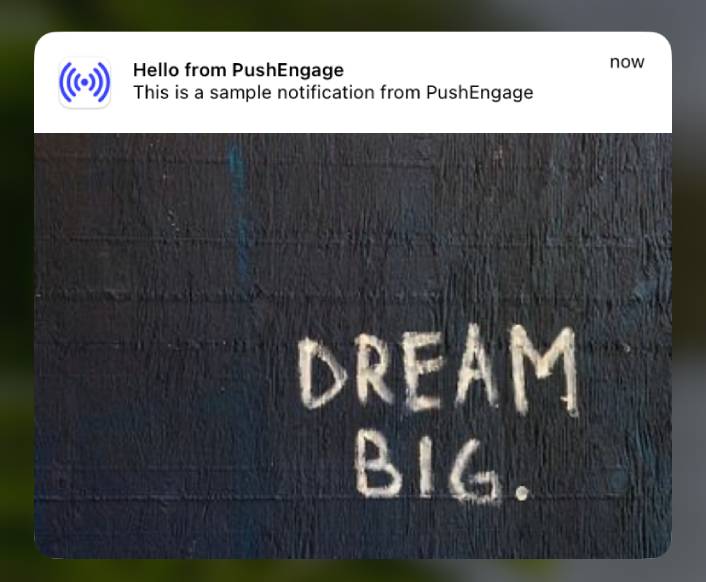
Teorik olarak, onlarla her türlü mobil uygulama anlık bildirim kampanyasını gönderebilirsiniz. Ancak o zaman, şunları da oluşturmanız gerekir:
- Kampanyalarınızı yönetmek için bir arayüz
- Kampanya performansınızı izlemek için bir analiz paketi
- Zengin medya ve uygulama içi yönlendirme bağlantıları (veya derin bağlantılar) için daha iyi destek
- Hem pazarlama hem de geliştirme ekiplerini koordine etmek için süreçler
Tüm bunlar, tek bir büyüme kanalı tanıtmak uğruna. Mobil uygulama anlık bildirimleri göndermek için eski araçları kullanmak sıkıcı, pahalı, kaynak yoğun ve zaman alıcıdır. Ve tabii ki, oluşturduğunuz her şeyi geliştirmek ve yönetmek için ekibinizde derin kodlama becerileri gerektirir.
Yeni PushEngage Android ve iOS SDK'ları ile, harika teslimat oranları için aynı güvenilir yazılımı kullanarak mobil uygulama anlık bildirimleri gönderebilirsiniz. Ancak, uygulamanızla özel entegrasyonlar oluşturmayı çok kolaylaştıran birkaç katman ekledik.
Ve PushEngage tüm SDK'yı yönetir. Bu nedenle, entegrasyonlarınızı yönetmek için çok fazla zaman ve para harcamanıza bile gerek kalmaz.
Tek yapmanız gereken oluşturmak!
Uygulamanızı PushEngage'in SDK'sını kullanarak mobil uygulama anlık bildirimleri gönderecek şekilde ayarladıktan sonra, yayın bildirimlerini doğrudan PushEngage kontrol panelinizden gönderebilirsiniz. Evet, uygulamanıza kod eklemeniz ve uygulamanız ile PushEngage API'si arasındaki bağlayıcıları geliştirmeniz hala gereklidir. Ancak bu yapıldıktan sonra, aşağıdakilere de sahip olan önceden oluşturulmuş bir yazılım arayüzünden kolayca mobil uygulama anlık bildirim kampanyaları oluşturabilirsiniz:
- Yüksek etkileşimli anlık bildirim kampanyası türleri
- Yüksek dönüşüm oranlarına sahip kanıtlanmış kampanya şablonları
- İçeriğinizi yayınladığınızda tanıtmak için otomatik kampanyalar
- Birden fazla hedefleme ve kampanya zamanlama seçeneği
- Tamamlayıcı bir büyüme kanalı olarak web anlık bildirim kampanyaları
- Veriye dayalı kişiselleştirme kullanarak artırılmış kitle tutma
- Hedef takibi ve gelişmiş analizler
- Akıllı A/B testi
- Özel Bir Başarı Yöneticisi
Ve çok daha fazlası. Android ve iOS mobil anlık bildirim kampanyaları geliştirmenin zahmetini uygulamanız için ortadan kaldırdık. Abonelerinizin kişisel ayrıntılarını, onlara bunun gibi kişiselleştirilmiş anlık bildirimler göndermek için kullanabilirsiniz:

Ayrıca PushEngage API'sini kullanarak gelişmiş e-ticaret kampanyaları gönderebilirsiniz.

Daha Hedefli ve Kişiselleştirilmiş Mesajlar Gönderin
Android uygulama anlık bildirimleri için, bildirimlerinizin tam olarak nasıl görüneceğini, hissettireceğini ve ses çıkaracağını özelleştirmek üzere Gruplar ve Kanallar oluşturabilirsiniz. Ne göndereceğinizden emin değil misiniz? Bu mobil uygulama anlık bildirim türleri ana formatları kapsar.
Grup, ortak bir adı olan bildirim türlerinin bir koleksiyonudur.
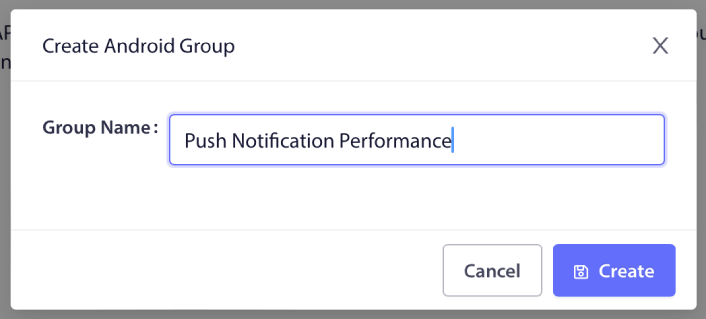
Bunu bir blogdaki kategoriler gibi düşünün. Her Grup içinde Kanallar ekleyebilirsiniz:

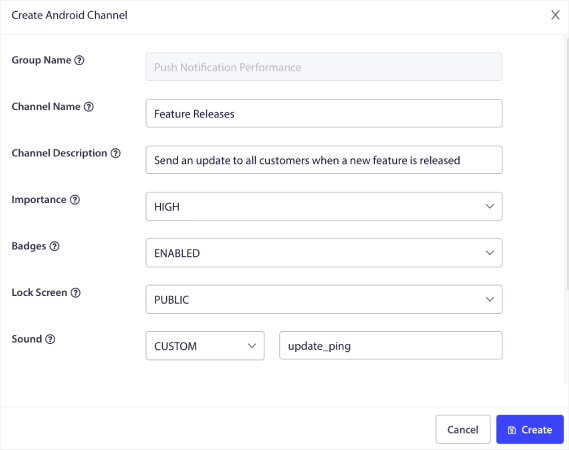
Kanal, kullanıcılarınız bildirimi aldığında uygulama bildirimlerinizin nasıl davranacağını açıklar. Kilit ekranında görünecek mi? Uygulama simgesini rozet olarak göstermeli mi? Kullanıcılarınız için hangi öncelik seviyesine sahip olacak? Kullanıcılarınız aldığında özel bir bildirim sesi çalmasını ister misiniz?
Tüm bu ayarlar bir kanal içinde yapılandırılabilir.
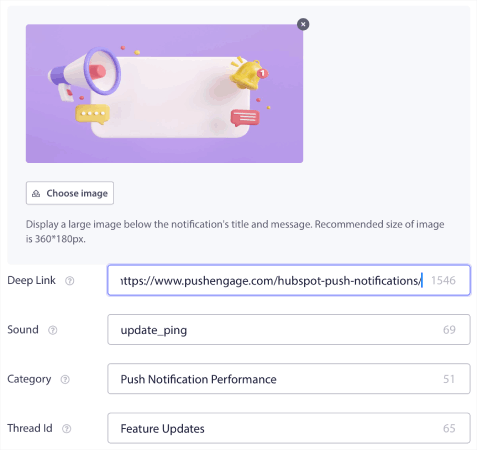
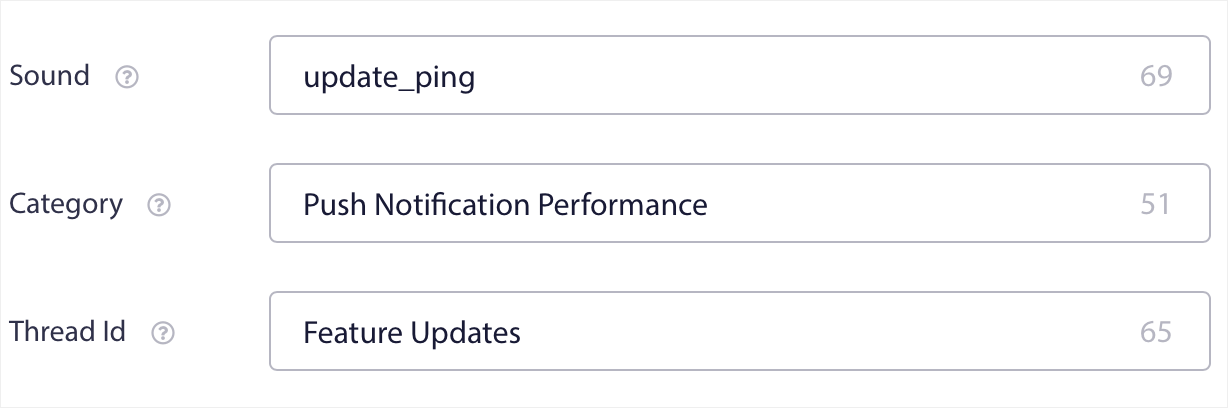
Bir iOS mobil uygulama bildirimi için Grup ve Kanal kavramı yoktur. Ancak, diğer ayarları kullanarak kişiselleştirilmiş bildirimler oluşturabilirsiniz. Bildirimleriniz için bir bildirim sesi, bir kategori ve bunları bir araya getirmek için ortak bir iş parçacığı kimliği ayarlayabilirsiniz.
Hatta kullanıcıdan uygulamanızdan kaç tane okunmamış bildirim aldığını gösteren özel bir rozet ayarlayabilirsiniz.
Kullanıcılarınızı Uygulamanızın İçindeki Veya Dışındaki Herhangi Bir Bağlantıya Yönlendirin
Mobil uygulama anlık bildirimlerinin Derin Bağlantılar (Deep Links) adında benzersiz bir özelliği vardır. Derin bağlantılar URL'lere benzer, ancak uygulamanızın içindeki bir ekrana işaret ederler. Kullanıcılarınızı, PushEngage kontrol panelinden bir Derin Bağlantı kullanarak istediğiniz herhangi bir ekrana gönderebilir veya onları web'deki herhangi bir normal URL'ye yönlendirebilirsiniz.
Bu, kullanıcılarınızı istediğiniz zaman uygulamanızı açmaya ikna edebileceğiniz anlamına gelir.
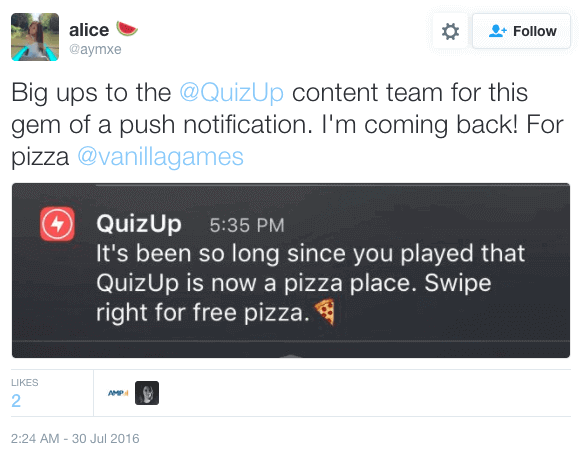
Ya da onları uygulamanız hakkında bir inceleme bırakmaları için Uygulama Mağazasına veya web sitenize yönlendirebilirsiniz.
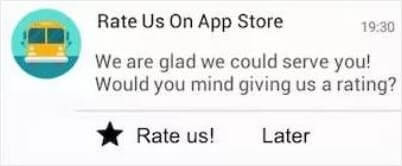
Elbette bunlar yalnızca temel fikirlerdir. Bu bağlantıları, uygulamanızın içinde ve dışında karmaşık, çok adımlı etkileşim kampanyaları yürütmek için kullanabilirsiniz!
Mobil Uygulama Anlık Bildirimleri Gönderdikten Sonra Ne Yapmalı
Bu kadar.
Anlık mesajlaşmaya yeni başlıyorsanız, PushEngage kullanarak ilk hoş geldin mesajınızı nasıl oluşturacağınızı inceleyin. Hoş geldin mesajı, yeniden etkileşim kurmak ve tekrar gelen ziyaretçileri web sitenize getirmek için harikadır.
Kampanya fikirleri bulmanın zor olduğunu mu düşünüyorsunuz? Bu harika kaynaklara göz atın:
- Hemen Kopyalayabileceğiniz 75 Destansı Anlık Bildirim Örneği
- Kayıp Potansiyel Müşterileri Kurtarmak İçin Form Terk Etme Anlık Bildirimlerini Nasıl Kullanırsınız
- Damla Nitelikleri ile Kişiselleştirilmiş Anlık Bildirimler Nasıl Gönderilir
- Push Bildirimlerini İyi Kullanan 10 E-Ticaret Sitesi Örneği
- İşe Yarayan 8 Kişiselleştirilmiş Push Bildirimi [Verilerle Desteklenmiştir]
Yapay zeka asistanınızdan çalıştırın: bu oyun kitabındaki her şey — segmenti oluşturma, kampanyayı zamanlama, sonuçları çekme — PushEngage MCP sunucusu aracılığıyla çalışır. Claude'u (veya MCP uyumlu herhangi bir asistanı) PushEngage hesabınıza bir kez bağlayın, ardından kampanyayı açıklayın ve tıklamayı ona bırakın. Çalıştırılmış bir örnek için yapay zeka asistanınızdan anlık bildirim gönderme bölümüne bakın.
Ve henüz yapmadıysanız, bugün PushEngage ile başlayın!


Çok bilgilendirici bir blog. Paylaştığınız için teşekkürler.
Merhaba Keith! İçeriğimizi beğendiğinize gerçekten çok sevindik. Sırada zengin anlık bildirimler hakkındaki makalemizi okumanızı öneririm.
Bu bilgi çok olumlu. Bu bilgilendirici gönderiyi paylaştığınız için teşekkür ederiz.