
Push mesajları nedir?
Push mesajları, çevrimdışı olsalar bile bir abonenin cihazına gönderilen kısa, tıklanabilir mesajlardır. Basit, kullanımı kolay bir kontrol panelinden push mesajları kullanarak işletmenizin herhangi bir bölümünü tanıtmak için herhangi bir bağlantıyı kolayca gönderebilirsiniz.
İşte en harika kısım: Push mesajları, siz... bile olsanız, sitenize tekrar gelen ziyaretçileri otomatik olarak elde etmenin süper kolay bir yoludur.
- Yeni başlıyor olsanız ve hayran kitleniz hala küçük olsa bile
- Hatta… her ay yüzlerce promosyonla bir e-ticaret mağazası işletiyor olsanız bile
- Zaten tonlarca SEO trafiği üreten mega bir blogunuz olsa bile...
Bu makalede, her yayına bastığınızda anında tekrar ziyaretçi çekmenin yollarını göstereceğiz:

Hemen ücretsiz olarak başlayabilirsiniz. Ücretsiz bir push bildirim yazılımından sonuç almaya başladığınızda, daha hızlı büyümenize yardımcı olacak daha fazla özellik elde etmek için geçiş yapabilir veya yükseltebilirsiniz.
Ancak önce, push mesajları ve nasıl çalıştıkları hakkında biraz daha bilgi edinelim.
Push Mesajları Nedir?
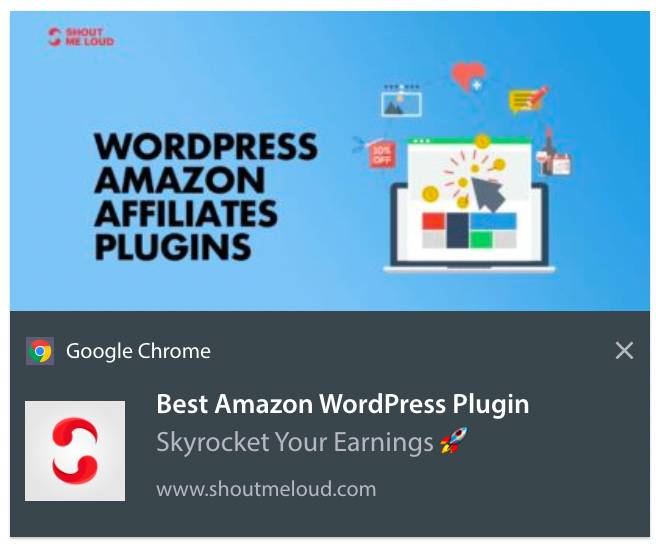
Push mesajı, teklifleri ve diğer içerikleri tanıtmak için bir aboneye gönderebileceğiniz kısa, tıklanabilir bir açılır penceredir:
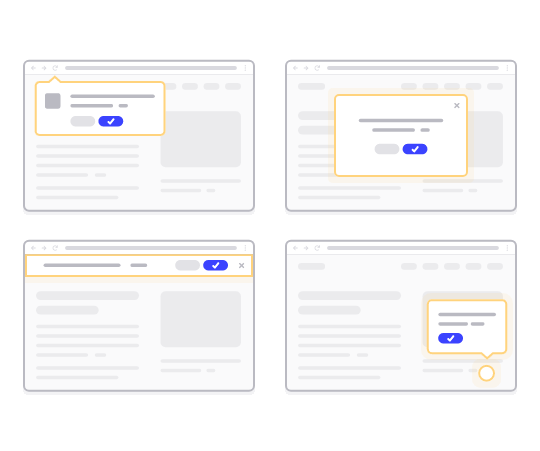
En iyi yanı, aboneniz bir tarayıcı kullanmasa bile mesajların teslim edilecek olmasıdır. E-posta patlaması gibidir, ancak bir web push mesajıyla, abonelerinizin mesajınızı görmek için bir uygulama kullanmaları gerekmez. Ve sosyal medya web sitelerinin aksine, sizi reklamlar için ödeme yapmaya zorlayacak bir erişim azaltma algoritması yoktur.
Web push mesajlarının en havalı yanı, onları potansiyel müşteri mıknatıslarınızı ve e-posta kayıt formlarınızı tamamlamak için kullanabilmenizdir.
Ücretsiz olarak push mesajlarıyla başlamak için PushEngage kullanmanızı öneririz. Ücretsiz olarak gönderebileceğiniz en basit push mesajı bir RSS push mesajıdır. Bir RSS push'unda, her blog gönderisi yayınladığınızda, PushEngage otomatik olarak tüm abonelerinize bir yayın mesajı gönderir.
Web Sitenize Push Mesajları Nasıl Eklenir
Push mesajı kampanyalarına başlamadan önce, push mesajları göndermek için bir hizmet almanız gerekecek.
PushEngage ile başlamanızı öneririz. PushEngage, WordPress için en iyi push bildirim eklentilerinden biridir. Yalnızca ücretsiz katmanla 200 aboneye kadar anında ulaşın. Siteniz 200 aboneden fazlasına ulaştığında, planınızı yükselterek hızla ölçeklenebilirsiniz.
PushEngage'ın ücretsiz sürümünü kullanarak push mesajları göndermeye nasıl başlayacağınızı inceleyelim.
Adım #1: Ücretsiz Bir PushEngage Hesabı Oluşturun
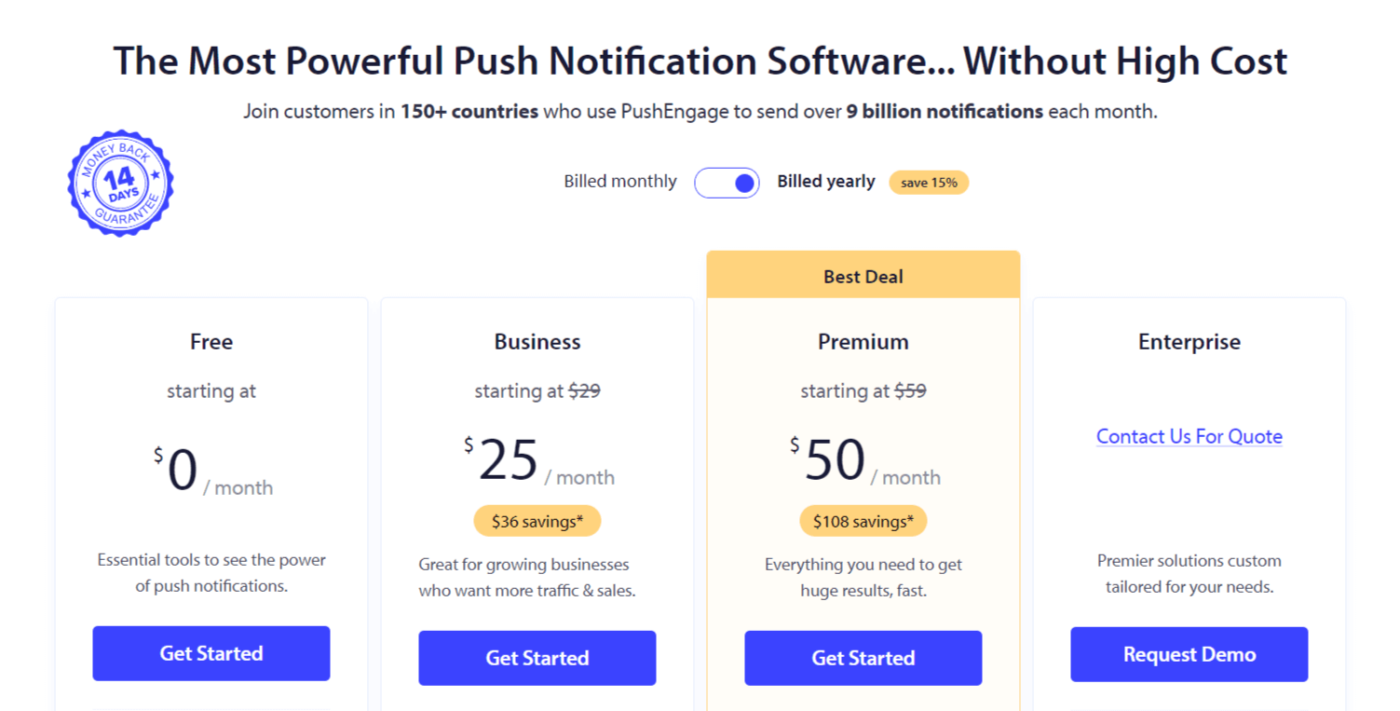
PushEngage'a gidin ve Başlayın:'a tıklayın

Ardından, PushEngage hesabınız için planı seçin. Ücretsiz olarak başlayabilirsiniz ancak işletmenizi büyütme konusunda ciddiyseniz, daha gelişmiş kampanyaların kilidini açmak için ücretli bir plan almanızı öneririz.
Adım #2: PushEngage'a Kaydolun
Eklenti için kullanıcı bilgilerinizle veya Gmail kimliğinizle veya e-postanız ve şifrenizle kaydolun:
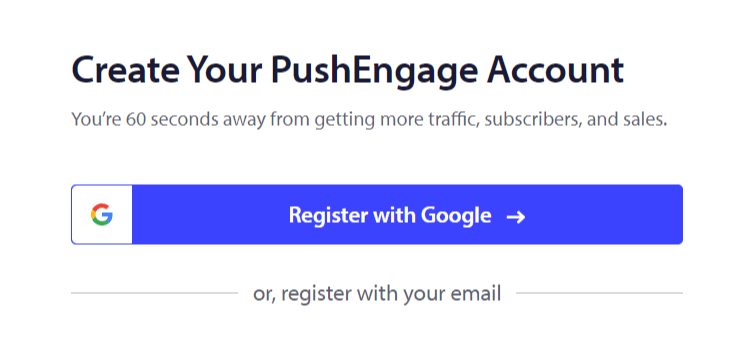
Ve sadece talimatları izleyerek hesabınızı kurmayı tamamlayın.
3. Adım: PushEngage'ı Sitenize Kurun
Kaydolduktan sonra PushEngage kontrol paneline yönlendirileceksiniz:
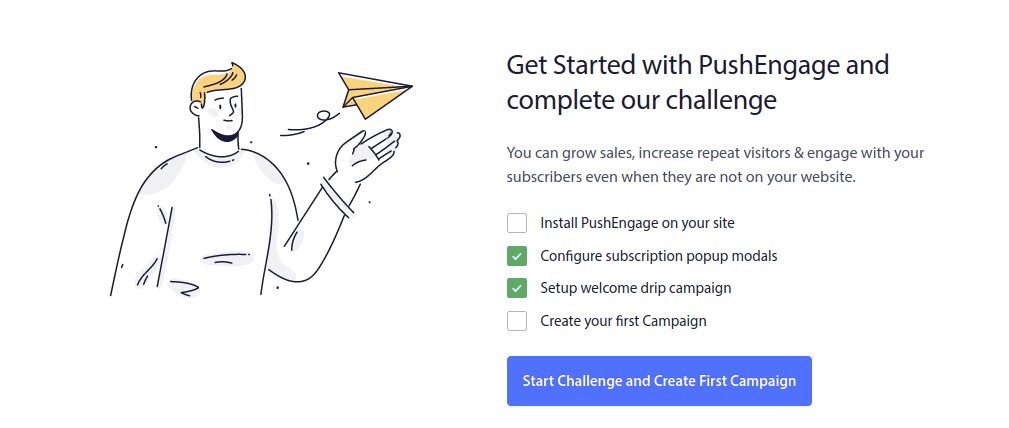
Sitenize push mesajları ekleme süreci platformlara göre farklılık gösterir. Bu nedenle, sizin için en popüler platformlar için ayrıntılı, adım adım kılavuzlar oluşturduk:
- WordPress'e anında iletme bildirimleri yükleyin
- WordPress'e anında iletme bildirimleri yükleyin (eklenti olmadan)
- WooCommerce'e anında iletme bildirimleri yükleyin
- Wix'e anında iletme bildirimleri yükleyin
- Blogger'a anında iletme bildirimleri yükleyin
- Zoho'ya anında iletme bildirimleri yükleyin
- Volusion'a anında iletme bildirimleri yükleyin
- Weebly'ye anında iletme bildirimleri yükleyin
- ClickFunnels'a anında iletme bildirimleri yükleyin
- PrestaShop'a anında iletme bildirimleri yükleyin
- OpenCart'a anında iletme bildirimleri yükleyin
- CS-Cart'ta anlık bildirimleri yükleyin
- Drupal'da anlık bildirimleri yükleyin
- Squarespace'te anlık bildirimleri yükleyin
- X-Cart'ta anlık bildirimleri yükleyin
- BigCommerce'te anlık bildirimleri yükleyin
- Jimdo'da anlık bildirimleri yükleyin
4. Adım: PushEngage Kayıt Formunu Ayarlayın
PushEngage'ı sitenize kurduktan sonra, PushEngage kontrol paneline geri dönün ve Tasarım » Abonelik İzin Kutusu Modelleri bölümüne gidin ve abone toplamak için bir izin kutusu seçin:
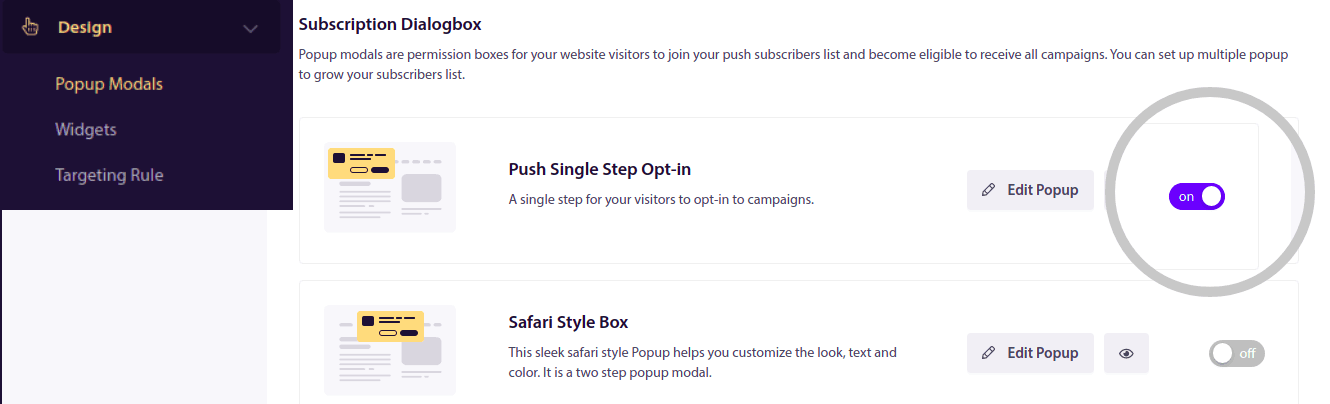
Buradan, push bildirim kayıt formunuzu özelleştirebilirsiniz. Bu konuda yardıma ihtiyacınız varsa, özel bir push bildirim kayıt formu oluşturma hakkındaki bu makaleye göz atmalısınız.
İlham almak isterseniz, bu makaleye göz atabilirsiniz: yüksek dönüşüm sağlayan anlık bildirim izin kutuları.
Unutmayın: Tekli izin kutularını kullanabilmek için web sitenize bir SSL sertifikası yüklemeniz gerekir. Ancak güvenli bir web siteniz olmasa bile ikili izin kutuları yükleyebilirsiniz. Bu nedenle, yüklü bir SSL sertifikanız varsa, tekli izin kutularını kullanın. Yoksa, WordPress web sitelerine SSL sertifikası nasıl yüklenir hakkındaki bu makaleye göz atın.
Ve hepsi bu!
Web sitenizde anlık bildirimleri başarıyla kurdunuz.
Anlık Bildirimler Nasıl Çalışır?
Anlık bildirimlerin nasıl çalıştığını inceleyelim.
Kısacası, web sitenize her yeni ziyaretçi girdiğinde, anlık bildirim abonesi olmaları için bir istem alırlar.
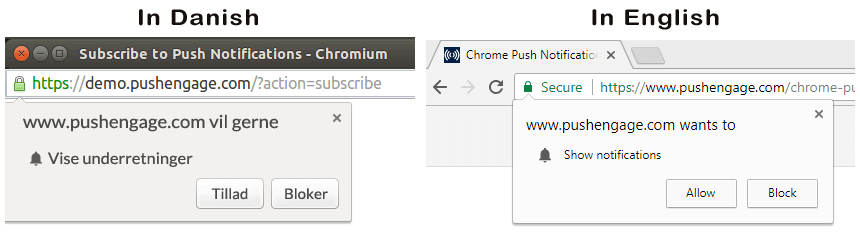
Ardından, abonelerinize göndermek istediğiniz mesajları oluşturmak ve zamanlamak için PushEngage gibi bir web anlık bildirim hizmeti kullanırsınız. Tek bir anlık bildirim mesajını manuel olarak gönderebilir veya otomatik bir anlık bildirim mesajı dizisi ayarlayabilirsiniz:
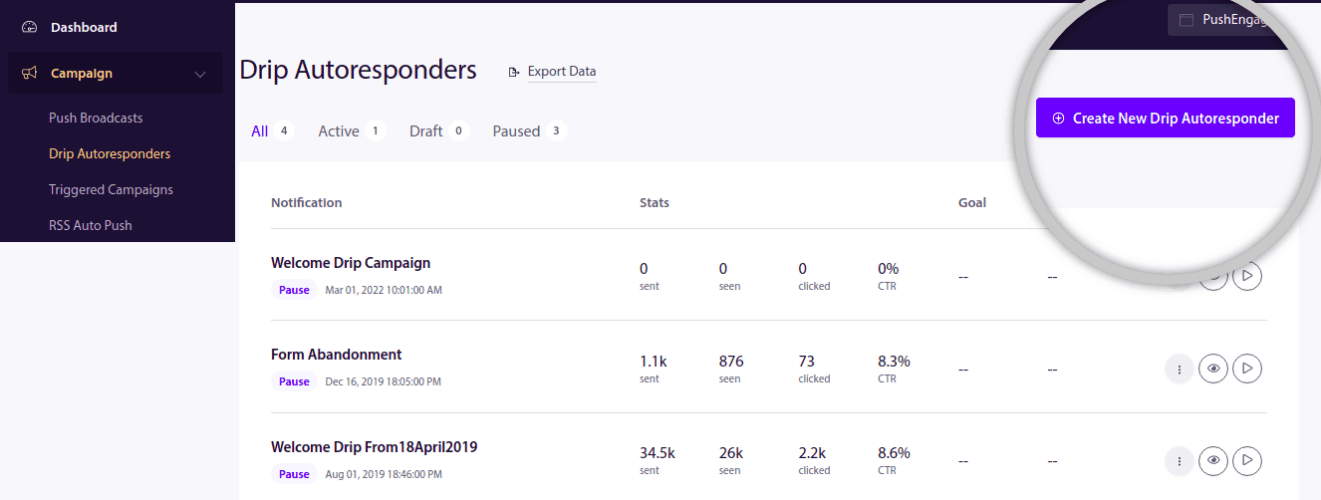
Ayrıca, bunu listenizdeki her aboneye veya abonelerinizin belirli segmentlerine göndermeyi seçebilirsiniz. Son olarak, aboneleriniz cihazları çevrimiçi olduğunda mesajlarınızı alır ve önerilen eylemi gerçekleştirir.
PushEngage ve sunucularımız için aboneleriniz, abonenizin cihazına ve tarayıcısına göre oluşturulmuş benzersiz bir karma numarasıdır. Ayrıca, sunucu abonelerinizin coğrafi konumunu da saklayabilir. Aboneleriniz için hiçbir kişisel veya tanımlayıcı veri saklanmaz.
Tüm bunların güzelliği, kodlama veya orijinal sunucuları nasıl koruyacağınız hakkında hiçbir şey bilmeniz gerekmemesidir. Tüm bunları biz hallediyoruz. Tek endişelenmeniz gereken kampanyalarınızı kurmak ve kar elde etmek!
Şimdi muhtemelen sunucular yalnızca bir karma numarası ve kişisel ayrıntılar saklamıyorsa kişiselleştirilmiş anlık bildirimlerin nasıl çalıştığını merak ediyorsunuzdur. İşte burada hizmet sağlayıcı API'si devreye giriyor. Sizin için bu, PushEngage Javascript API'si olacaktır. Bu API'yi kullanabilir ve sahip olabileceğiniz diğer CRM veya veritabanlarına bağlayabilirsiniz.
Bu, abonelerinizin kişisel ayrıntılarını kullanarak onlara bunun gibi kişiselleştirilmiş anlık bildirimler göndermenize olanak tanır:

Ayrıca, PushEngage API'sini kullanmadan sepet terk etme kampanyaları gibi gelişmiş e-ticaret kampanyaları da gönderebilirsiniz.

Sıradaki Ne?
Bu kadar.
Anlık mesajlaşmaya yeni başlıyorsanız, PushEngage kullanarak ilk hoş geldin mesajınızı nasıl oluşturacağınızı inceleyin. Hoş geldin mesajı, yeniden etkileşim kurmak ve tekrar gelen ziyaretçileri web sitenize getirmek için harikadır.
Kampanya fikirleri bulmanın zor olduğunu mu düşünüyorsunuz? Bu harika kaynaklara göz atın:
- Hemen Kopyalayabileceğiniz 75 Destansı Anlık Bildirim Örneği
- Kayıp Potansiyel Müşterileri Kurtarmak İçin Form Terk Etme Anlık Bildirimlerini Nasıl Kullanırsınız
- Damla Nitelikleri ile Kişiselleştirilmiş Anlık Bildirimler Nasıl Gönderilir
- Push Bildirimlerini İyi Kullanan 10 E-Ticaret Sitesi Örneği
- İşe Yarayan 8 Kişiselleştirilmiş Push Bildirimi [Verilerle Desteklenmiştir]
Ve henüz yapmadıysanız, bugün PushEngage ile başlayın!


