Web sitenizden ayrılan ziyaretçilerin çoğu asla geri dönmez. Çıkış niyeti sohbeti, bir sepeti terk ediyor, fiyatlandırma sayfasından ayrılıyor veya bir ürün karşılaştırmasında tereddüt ediyor olsalar bile, kaybolmadan önce onlarla etkileşim kurmak için size son bir şans verir.
PushEngage'ın sohbet widget'ı ile, ziyaretçi tam ayrılmak üzereyken bir mesaj görüntüleyebilir, dönüşümleri kurtaran yardım, güvence veya teşvikler sunabilirsiniz.
Bu kılavuz, çıkış niyetinin neden işe yaradığını ve PushEngage'da bir dakikadan kısa sürede nasıl ayarlayacağınızı anlatmaktadır.
Çok Kanallı Mesajlar Gönderin Bugün!
Push ve WhatsApp mesajlaşması, tekrar eden trafiğinizi, etkileşiminizi ve satışlarınızı otomatik pilotta büyütmenize yardımcı olacak süper etkili, düşük maliyetli pazarlama araçlarıdır.
- Çıkış Niyeti Nedir?
- Çıkış Niyeti Sohbeti Neden İşe Yarar
- PushEngage Çıkış Niyetini Nasıl Ele Alır
- PushEngage'da Çıkış Niyeti Sohbeti Nasıl Etkinleştirilir (Adım Adım)
- Çıkış Niyeti Sohbeti Nerede Kullanılır (Yüksek Etkili Sayfalar)
- İsteğe Bağlı Geliştirmeler (Yüksek YG)
- Çıkış Niyeti Sohbeti İçin En İyi Uygulamalar
- Sohbet Widget'ları Kurduktan Sonra Ne Yapmalı
Çıkış Niyeti Nedir?
Çıkış niyeti, aşağıdaki gibi davranışları izleyerek bir ziyaretçinin sitenizi terk etme olasılığını algılar:
- Farenin tarayıcının kapat düğmesine veya geri düğmesine doğru hareket ettirilmesi
- Hızlı yukarı doğru imleç hareketi
- Sekmelerin değiştirilmesi
- Sekmeyi kapatma girişimi
Algılandığında, PushEngage sohbet widget'ınızı anında tetikler - mükemmel anda etkileşim yakalar.
Çıkış Niyeti Sohbeti Neden İşe Yarar
Çıkış niyeti sohbeti, kullanabileceğiniz en yüksek etkili tetikleyicilerden biridir çünkü bir ziyaretçi şunları yaparken müdahale eder:
- Kafası karışmış
- Tereddüt ediyor
- Fiyat kontrolü yapıyor
- Alternatifler arıyor
- Ödemesini terk etmeyi planlıyor
Zamanında tetiklenen çıkış niyeti mesajı şunları yapabilir:
- Sepet terkini azaltmak
- Kayıp potansiyel müşterileri kurtarmak
- Son dakika şüphelerini gidermek
- Tereddüt anında yardım sunmak
- Yalnızca terk eden kullanıcılara teşvik sunmak
Bu, dijital ortamda, tam kapıdan çıkarken “Gitmeden önce - size bir konuda yardımcı olabilir miyim?” demenin karşılığıdır.
PushEngage Çıkış Niyetini Nasıl Ele Alır
PushEngage, sohbet penceresi oluşturucusunda davranış tabanlı tetikleyiciler içerir. Bu tetikleyicilerden biri Çıkış Niyetinde Göster'dir.
Etkinleştirildiğinde, pencere ziyaretçi ayrılma belirtisi gösteren bir davranış sergileyene kadar gizli kalır.
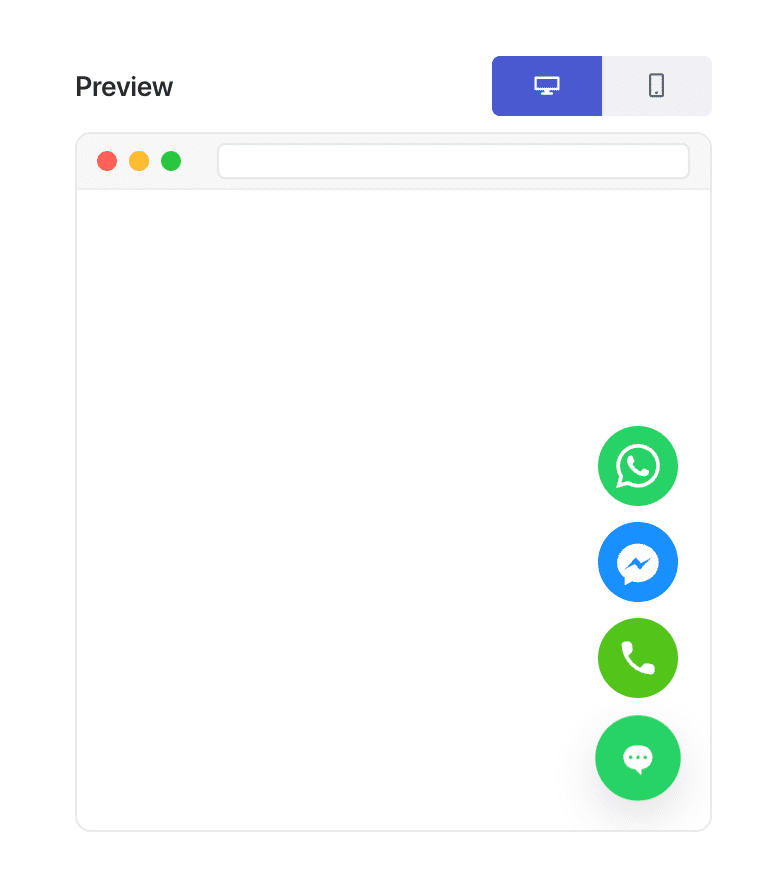
Birkaç not:
- Çıkış niyeti, fare imleci tabanlı ipuçları nedeniyle masaüstünde en iyi sonucu verir.
- Mobil cihazlarda PushEngage, çıkış davranışına yaklaşan yedek tetikleyiciler kullanır.
Özel komut dosyalarına veya eklentilere ihtiyacınız yok - PushEngage tüm algılamayı otomatik olarak halleder.
PushEngage'da Çıkış Niyeti Sohbeti Nasıl Etkinleştirilir (Adım Adım)
Adım 1: Sohbet Widget'ınızı Oluşturun veya Düzenleyin
WordPress kontrol panelinizde:
PushEngage » Sohbet Pencereleri'ne gidin.
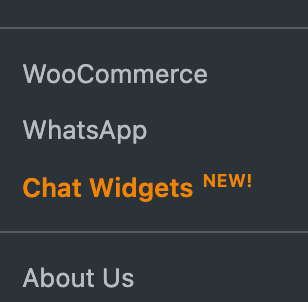
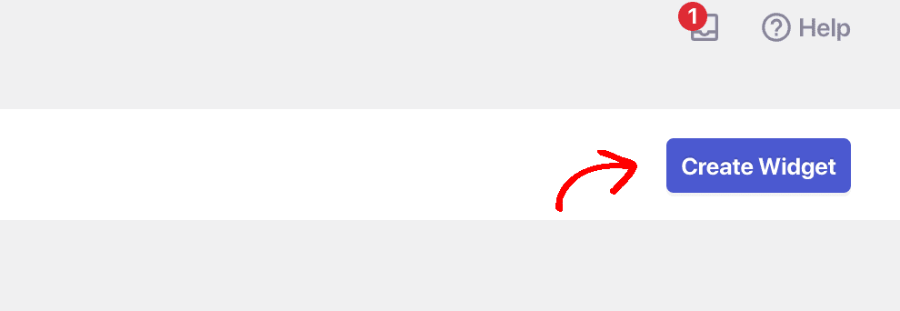
Pencere Oluştur'u seçin veya düzenlemek için mevcut bir pencereyi seçin.
Adım 2: Çıkış Niyetinde Tetikleyin
Kanalları seçip ajan zamanlamanızı ayarladıktan sonra Tetikleyiciler sekmesine gidin. Tetikleyici Türü altında Çıkış niyetinde görüntüle'yi seçin.
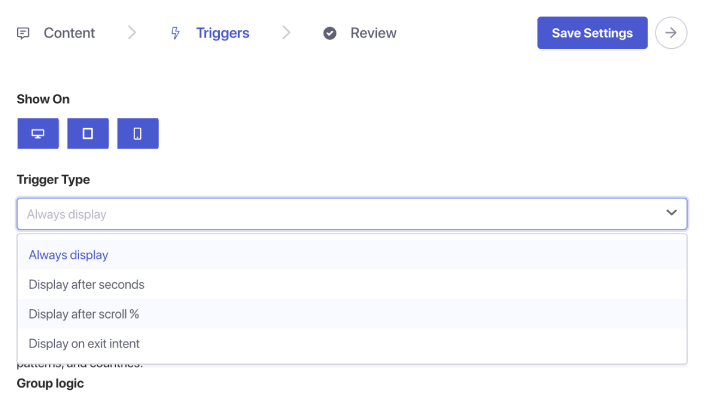
Adım 5: Widget'ınızı Kaydedin ve Yayınlayın
Pencereyi Kaydet'e tıklayın. Pencerenin aktif olduğundan ve doğru sayfalara hedeflendiğinden emin olun. Çıkış niyeti sohbetiniz artık yayında.
Çıkış Niyeti Sohbeti Nerede Kullanılır (Yüksek Etkili Sayfalar)
Çıkış niyeti, ziyaretçinin karar verdiği sayfalarda en iyi sonucu verir:
1. Fiyatlandırma sayfası
Maliyeti ve değeri karşılaştırıyorlar - genellikle ayrılmalarına saniyeler kala.
2. Ödeme sayfası
Nakliye, güven veya ödeme konusunda şüpheleri olabilir.
3. Ürün sayfaları
Satın alma öncesi soruları yanıtlamak için mükemmel an.
4. Blog yazıları
Okuduktan sonra ayrılmadan önce potansiyel müşterileri yakalamak için harika.
5. Demo/danışmanlık sayfaları
İlgilenen ancak tereddüt eden potansiyel müşterilerle yeniden etkileşim kurmak için kullanışlıdır.
Çıkış niyeti sohbetini yalnızca en çok önem taşıyan yerlerde göstermek için sayfa hedeflemesiyle birleştirin.
İsteğe Bağlı Geliştirmeler (Yüksek YG)
1. İndirim veya teklif ekleyin
Yalnızca terk edenlere gösterilir → yüksek niyetli ziyaretçiler için marj kaybı olmaz.
2. Satış temsilcilerine çıkış niyeti sohbetleri gönderin
Kayıp fırsatları anında kurtarın.
3. Tekrar gelen ziyaretçi hedeflemesiyle birleştirin
Tekrarlayan tereddütleri yakalayın.
4. Mesajı sayfaya göre uyarlayın
Ürün sayfası: “Bu ürünle ilgili sorularınız mı var?”
Fiyatlandırma sayfası: “Doğru planı seçmek için yardıma mı ihtiyacınız var?”
Ödeme: “Siparişinizi tamamlamaya yardım mı etmek istersiniz?”
Çıkış Niyeti Sohbeti İçin En İyi Uygulamalar
İnce tutun
Çıkış niyeti, çaresizlik değil, yardım etmektir.
Her yerde agresif indirimlerden kaçının
Ziyaretçileri kasıtlı olarak terk etmeye alıştırmamak için idareli kullanın.
Mesajları kısa tutun
Ziyaretçiler zaten ayrılıyor — isteğinizi minimumda tutun.
Erken sayfa tetikleyicileriyle birleştirmeyin
Çıkış niyeti sohbeti yalnızca son anda görünmelidir.
Masaüstü ve mobilde test edin
Mobil, yedekleme mantığı gerektirir — deneyimin doğal hissettirdiğinden emin olun.
Sohbet Widget'ları Kurduktan Sonra Ne Yapmalı
Çıkış niyeti sohbeti, terk eden ziyaretçileri geri kazanmanın en basit yollarından biridir — ve PushEngage bunu uygulamayı inanılmaz derecede kolaylaştırır.
Bir dakikadan kısa sürede şunları yapabilirsiniz:
- Kullanıcıların ayrılmak üzere olduğunu algılayın
- Doğru zamanda yardımcı bir mesaj gösterin
- Satışları kurtarın, potansiyel müşteriler oluşturun ve terk etmeyi azaltın
Küçük değişiklik, büyük etki.
Programlar ayarlandıktan sonra ekibiniz daha verimli çalışabilir ve müşterileriniz bekledikleri deneyimi yaşar.
Henüz PushEngage'de temsilci profilleri ve programları ayarlamadıysanız, şimdi tam zamanı.
İkna olmadınız mı? Çok kanallı pazarlama kampanyaları hakkında bu harika kaynaklara göz atın:
- Düşük Sezonda Otel Satışlarını Artırma Yolları
- 2026'da Oteller İçin Çok Kanallı Pazarlama Nasıl Yapılır
- Aboneleri Web Anlık Bildirimleri Kullanarak Alıcılara Dönüştürme
- Yeni WordPress Gönderilerinden Aboneleri Haberdar Etme
- Daha Fazla Satış Elde Etmek İçin Stokta Kalmayan Ürün Bildirimleri Gönderme
- Anlık Bildirim Aboneli Listelerini Temizleme (Kolay)
- Otomatik Olarak RSS Anlık Bildirimleri Gönderme
- Bir Haber Sitesini Tanıtmak İçin Anlık Bildirimleri Kullanma
- Satışlarınızı 2 Katına Çıkarmak İçin Çapraz Satış Anlık Bildirimlerini Kullanma
- Göz Atma Terk Etme Anlık Bildirimlerini Kullanma (4 Adım)


