Anlık bildirimleri kullanarak daha fazla YouTube abonesi kazanma hakkında bir kaynak mı arıyorsunuz?
YouTube abone sayınızı artırmak zor olabilir. Kanalınızın büyümesindeki en büyük sorunlardan biri, abone listenizi kontrol etmenin çok az yolu olmasıdır. Bunun nedeni, kendi abone listenize erişiminizin veya kontrolünüzün olmamasıdır.
Bu nedenle, her YouTuber'a ve Twitch yayıncısına veya sosyal medya içerik üreticisine, ayrı bir abone listesi toplamak için bir web sitesine de sahip olmalarını tavsiye ediyoruz. Web sitenizde topladığınız herhangi bir e-posta listesi veya anlık bildirim abone listesi size aittir.
Bu makalede, anlık bildirimleri kullanarak bir WordPress web sitesinde nasıl daha fazla YouTube abonesi kazanacağınızı adım adım göstereceğiz. En iyi yanı? Yapması çok kolay.
Hadi başlayalım.
- YouTube Kanalları İçin Neden Anlık Bildirimler Önemlidir
- YouTube Kanalınız İçin PushEngage Kurulumu
- Etkili Anlık Bildirimler Tasarlama
- #1. Yeni Video Uyarıları
- #2. Özel İçerik Tanıtımları
- #3. Abone Kilometre Taşı Kutlamaları
- #4. Canlı Yayın Duyuruları
- #5. İşbirliği Vurguları
- #6. Anketler ve Kitle Etkileşimi
- #7. Yalnızca Abonelere Özel Teklifler
- #8. Özet Bildirimleri
- #9. Kamera Arkası (BTS) Görüntüleri
- #10. Kullanıcı Tarafından Oluşturulan İçerik Tanıtımları
- Bildirim Zamanlamasını ve Sıklığını Optimize Etme
- Hedef Kitlenizi Belirleme ve Segmentlere Ayırma
- Anlık Bildirim Kampanyalarınızı İzleme ve Analiz Etme
- YouTube Abone Sayısını Daha da Hızlı Artırma Yolları
YouTube Kanalları İçin Neden Anlık Bildirimler Önemlidir
Anlık bildirimler, YouTube kanalınızın büyümesini sürdürmek için akıllı bir yoldur. Hayranlarınızın videolarınızdan haberdar olmalarını sağlar ve kanalınız etrafında bir topluluk oluşturmaya yardımcı olur.
İşte YouTube kanalınız için neden anlık bildirim kampanyaları göndermeye başlamanız gerektiği:
- Hızlıca Fark Edilin: Bir video yayınladığınızda, anlık bildirimler hayranlarınıza hemen haber verir. Bu, daha fazla insanın videonuzu hızla görmesi anlamına gelir.
- Çoğunluğun Arasında Görünün: YouTube, tonlarca video ile çok meşgul. Anlık bildirimler, hayranlarınızın videolarınızı kaçırmamasını sağlar.
- Hayranları Geri Getirin: İzleyicilerinize düzenli mesajlar, videolarınızı izlemeyi hatırlamalarına yardımcı olur.
- Doğru Kişilerle İletişim Kurun: Her hayranın hoşlandığı şeylere uyan mesajlar gönderebilirsiniz. Bu, videolarınızı izlemeleriyle daha fazla ilgilenmelerini sağlar.
- Önemli Şeyler İçin Mükemmel: Canlı bir video gibi özel bir etkinliğiniz olduğunda, anlık bildirimler hayranlarınızı hemen izlemeye çeker.
- Nelerİn İşe Yaradığını Görün: Hangi mesajların en iyi yanıtı aldığını kontrol edebilir ve izleyicilerinizin nelerden hoşlandığını öğrenebilirsiniz.
- Para Tasarrufu Yapın: Anlık bildirimler, insanlara videolarınız hakkında bilgi vermenin ucuz bir yoludur.
- Hayran Topluluğu Oluşturun: Bu mesajlar, izleyicilerinizin bir grubun parçası olduklarını hissetmelerine yardımcı olabilir.
Anlık bildirimler, YouTube gibi platformlarda gölge yasaklama, para kazanmadan çıkarma ve kanal yasakları gibi sorunların çözümünde destekleyici bir rol oynayabilir. İşte nasıl:
- Gölge Yasaklamaya Karşı: Gölge yasaklama, içeriğinizi bildirim olmaksızın daha geniş bir kitleye görünmez hale getirebilir. Anlık bildirimler, abonelerinizi yeni içerik hakkında doğrudan bilgilendirerek, gölge yasaklaması durumunda bile videolarınızın kitlenize ulaşmasını sağlar.
- Para Kazanmadan Çıkarılmaya Karşı Sigorta: Videolarınız para kazanmadan çıkarılırsa, bu tek gelir akışınızı mahvedebilir. Anlık bildirimler, izleyici etkileşimini sürdürmeye ve trafik çekmeye yardımcı olarak, para kazanma durumundan bağımsız istikrarlı bir izleyici tabanı sağlayabilir.
- Kanal Yasaklarına Karşı Koruma: Bir kanal yasağı durumunda, anlık bildirimler aracılığıyla doğrudan bir iletişim hattına sahip olmak, izleyici kitlenizin sürekliliğini sağlayarak izleyicilerinizi alternatif platformlara veya içeriklere yönlendirmenize yardımcı olabilir.
Bunlar varsayımsal sorunlar değil.
Canlı yayıncılar sürekli olarak gölge yasağına maruz kalıyor. MxR Plays gibi uzun süredir YouTube kullananlar sürekli olarak toplu para kazanmadan çıkarılıyor ve kanallarının kapatılmasına yaklaşıyor.
Bu YouTube'un karanlık yüzü ve uzun süredir YouTube kullananların maddi olarak mahvolduğunu görmek yürek burkucu. Özellikle YouTube yönergelerinin süper belirsiz olduğu ve para kazanmadan çıkarılma gerekçelerini anlamanın gerçekten zor olduğu düşünüldüğünde.
MxR Plays gibi bazı içerik üreticileri, en eski hayranlarıyla iletişimde kalmak için Patreon ve bir e-ticaret sitesi kullanıyor. Ancak bir web sitesine sahip olmak her zaman çok daha iyidir. Eğer tam zamanlı işinizse, ondan koparılmaktan daha kötü bir şey yoktur. Aslında MxR, 2 hafta içinde 279 videonun para kazanmadan çıkarılmasının kendileri için ne kadar yıkıcı olduğu hakkında bir video çekti.
Anlık bildirimleri kullanmak, platformla ilgili bazı zorluklara karşı içerik üreticileri için bir ölçüde güvenlik ve istikrar sağlayabilir. Ayrıca, hayranlarınızla etkileşim kurmak için oldukça harika anlık bildirim kampanyaları gönderebilirsiniz.
Elbette, anlık bildirimler göndermeye başlamadan önce, aboneleri toplamak için bir uygulamaya veya web sitesine ihtiyacınız olacaktır. Zaten bir uygulamanız veya web siteniz varsa, harika. Ama yoksa, kanalınız için bugün gerçekten bir web sitesi oluşturmalısınız.
YouTube Kanalınız İçin PushEngage Kurulumu
Bir anlık bildirim kampanyası oluşturmadan önce, bir anlık bildirim abonelik hizmeti seçmeniz gerekir. Anlık bildirim hizmeti, kodlama gerektirmeden anlık bildirim kampanyaları oluşturmanıza olanak tanıyan bir yazılımdır.
Anlık bildirim aboneleri almak için PushEngage kullanmanızı öneririz.

PushEngage, dünyadaki 1 numaralı anlık bildirim eklentisidir.
Anlık bildirimler, web sitesi trafiğinizi ve etkileşiminizi otomatik olarak artırmanıza yardımcı olur. Ve bir çevrimiçi mağaza işletiyorsanız, PushEngage ayrıca otomatik e-ticaret anlık bildirimleri oluşturmanıza yardımcı olarak satışlarınızı artırmanıza da yardımcı olur.
Ücretsiz başlayabilirsiniz, ancak işletmenizi büyütme konusunda ciddiyseniz, ücretli bir plan satın almalısınız. Ayrıca, herhangi bir anlık bildirim hizmeti satın almadan önce, anlık bildirim maliyetleri hakkındaki bu kılavuza göz atmalısınız.
PushEngage ile nelerin geldiğine hızlı bir bakış:
- Yüksek dönüşüm sağlayan otomatik kampanyalar
- Birden fazla anında bildirim hedefleme ve kampanya zamanlama seçeneği
- Hedef takibi ve gelişmiş analizler
- Akıllı A/B testi
- Anında bildirim şablonları
- Birden fazla anında bildirim açılır pencere stili
- Özel Bir Başarı Yöneticisi
Ve çok daha fazlası!
İşletmeniz için trafik, etkileşim ve satış oluşturmak istiyorsanız, PushEngage'in tartışmasız en iyi seçenek olduğunu göreceksiniz. Ve bütçeniz kısıtlıysa, anlık bildirimlerinizle biraz yaratıcı olabilirsiniz.
NOT: WordPress sitesi kullanıyorsanız, PushEngage WordPress eklentisini yüklemeli ve etkinleştirmelisiniz.
Hadi gidelim!
Adım #1: Ücretsiz Bir PushEngage Hesabı Oluşturun
Şuraya gidin: PushEngage ve Şimdi Ücretsiz Başlayın'a tıklayın.
Ücretsiz planla başlayabilirsiniz. Ancak hedefli anlık bildirimler göndermek istiyorsanız, Büyüme Planını seçmelisiniz. Hangi planı istediğinizi bildiğinizde, PushEngage hesabınızı oluşturmak için Başla'ya tıklayın.
Adım #2: PushEngage'a Kaydolun
Şimdi PushEngage hesabınızı oluşturma zamanı. Bir e-posta adresi veya Gmail kimliği ile kaydolarak başlayın:

Ardından, hesap bilgilerinizi doldurun:

Ve planınızı satın almak için kredi kartı bilgilerinizi ekleyin:

Ücretsiz hesabı seçtiyseniz, planınızı yükseltmeyi seçene kadar kredi kartınızdan hiçbir ücret alınmayacaktır. Ve şimdi, PushEngage kontrol panelinize erişmek için hazırsınız. Sadece Kaydı Tamamlayın ve Anında Erişim Sağlayın'a tıklayın.
Daha önce OneSignal veya PushAlert kullandıysanız, PushEngage'ın kontrol panelinden çok daha temiz bir deneyim sunduğunu göreceksiniz. OneSignal kontrol paneli gelişmiş kampanyalar için tasarlanmamıştır. Bunun için OneSignal eklentisinden çok API'ye ihtiyacınız olacak.
Adım #3: Bir WordPress Anlık Bildirim Abonelik Eklentisi Yükleyin
NOT: WordPress sitesi kullanmıyorsanız, başlamak için kurulum kılavuzlarımıza göz atmalısınız.
Hesabınızı oluşturdunuz. Şimdi, anlık bildirim etkileşim oranlarını takip edebileceğiniz ve ilerleyebileceğiniz PushEngage kontrol paneline gidin:

Site Ayarları » Site Detayları'na tıklayın ve Kurulum Talimatları İçin Buraya Tıklayın düğmesine tıklayın:

WordPress sekmesine tıklayın ve eklentiyi web sitenize yüklemek için PushEngage WordPress Eklentisini Yükle düğmesine tıklayın.

İşte harika kısım: PushEngage hesabınızı oluşturduğunuzda, web sitenizi zaten PushEngage hesabınızla senkronize ettiniz. Bu nedenle, PushEngage WordPress eklentisini web sitenize otomatik olarak yüklemek için PushEngage kontrol panelindeki kurulum bağlantısına tıklayın.
Adım #4: WordPress Sitenizi PushEngage ile Bağlayın
PushEngage WordPress eklentisini yükleyip etkinleştirmeyi bitirdiğinizde, PushEngage karşılama sihirbazını göreceksiniz:

Sihirbaz oldukça basittir. Yeni bir kullanıcıysanız, Yeni mi? Ücretsiz Hesabınızı Talep Edin'e tıklayın. Zaten kaydolduysanız, Mevcut Hesabınızı Bağlayın'a tıklayın.
Ardından, kayıt sırasında bir site kaydettiyseniz, Kayıtlı bir site bağla altında Bir Site Seçin açılır menüsünden sitenizi seçebilirsiniz:

Veya, Premium fiyatlandırma planınız veya daha üstü varsa yeni bir site eklemek için Yeni bir site kaydet'e tıklayabilirsiniz. Bir sonraki adımda, karşılama sihirbazı sizi diğer mutlaka sahip olunması gereken WordPress eklentilerini yüklemeniz için yönlendirecektir.

Her adımı doğru bir şekilde takip ettiyseniz, sihirbazdan bu başarı mesajını göreceksiniz:

Artık kampanyalar oluşturmaya ve anlık bildirim açılır pencereleri göndermeye hazırsınız.
Etkili Anlık Bildirimler Tasarlama
Başarılı bir YouTube kanalını yönetiyorsanız, kitlenizin sizden ne görmek istediğini zaten anlıyorsunuzdur. Abonelerinize özel olarak hazırlanmış gibi hissettiren kişiselleştirilmiş anlık bildirimler göndermeyi zaten biliyorsunuzdur. En iyi yanı mı? Müşterilerimiz kişiselleştirilmiş kampanyalar için yaklaşık %8 dönüşüm oranı elde ediyor.
Şimdi, daha fazla abone kazanmak için yapabileceğiniz en temel şeyle başlayalım. Ve bu, insanlardan kanalınıza abone olmalarını istemektir. Ardından, kanalınızın büyümesini şu açılardan artırmanın harika yollarını göstereceğiz:
- İzlenme süresi
- Tekrarlayan trafik
- Satış ortaklığı satışları
- Ürün satışları
Ve daha fazlası!
Yapabileceğiniz en basit şey, tüm anlık bildirimlerinize abone olmak için bir tıklama düğmesi eklemektir. YouTube kanalınıza gidin ve URL'yi kopyalayın. Bizim için bu https://www.youtube.com/@Pushengage.
URL'nin sonuna sadece ‘?sub_confirmation=1‘ ekleyin. Yani, kanalımız için bu şöyle olur: https://www.youtube.com/@PushEngage?sub_confirmation=1.
Ardından, bu bağlantıyı anlık bildirim düğmesi URL'niz olarak kullanın:
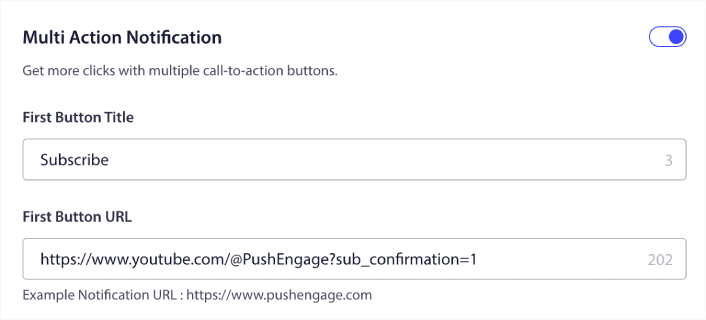
Bunu nasıl yapacağınızdan emin değilseniz, bir anlık bildirime nasıl düğme eklenir hakkındaki bu kılavuza göz atın.
Sonra, YouTube kanalınızı büyütmek için kullanabileceğiniz anlık bildirimler için bazı harika kampanya fikirlerini inceleyelim.
#1. Yeni Video Uyarıları
Yeni bir video yüklediğinizde, anlık bildirim abonelerinize yeni video uyarısı gönderebilirsiniz.
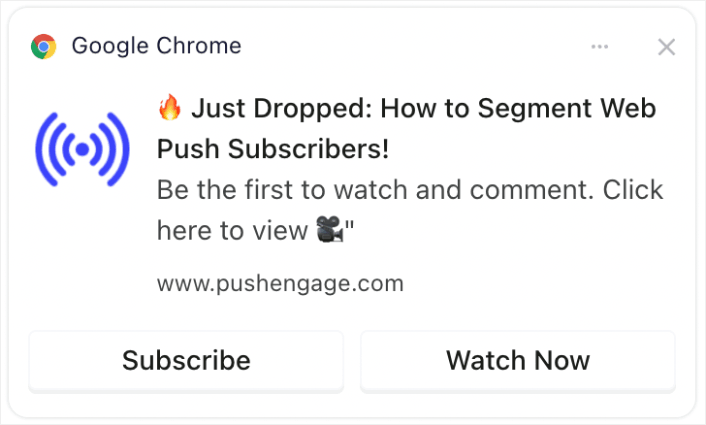
Yeni videolar hakkındaki zamanında yapılan uyarılar, ilk görüntülemeleri önemli ölçüde artırabilir, bu da YouTube'un algoritması için çok önemlidir. Anında dikkat çekmeye yardımcı olur, videonun başkalarına önerilme şansını artırır.
Profesyonel İpucu: YouTube'a yeni kısa videolar veya videolar yüklediğinizde, YouTube'daki aboneleri bilgilendir özelliğini ASLA kullanmayın. Yaparsanız, YouTube videoyu önce yalnızca en aktif abonelerinize gönderir. Yanıt ve tıklama oranlarına bağlı olarak, ilk birkaç saat içinde harika bir yanıt alamazsanız algoritma organik trafiğinizi kısıtlayabilir.
Web ve uygulama anlık bildirim abonelerinizi kullanarak videonuza hala trafik gönderebilirsiniz ve bu şekilde, algoritmanın videonuzu yeni insanlara sunma kararını etkilemez.
#2. Özel İçerik Tanıtımları
Yaklaşan videoların önizlemelerini veya küçük kesitlerini yalnızca anlık bildirim abonelerine paylaşın.
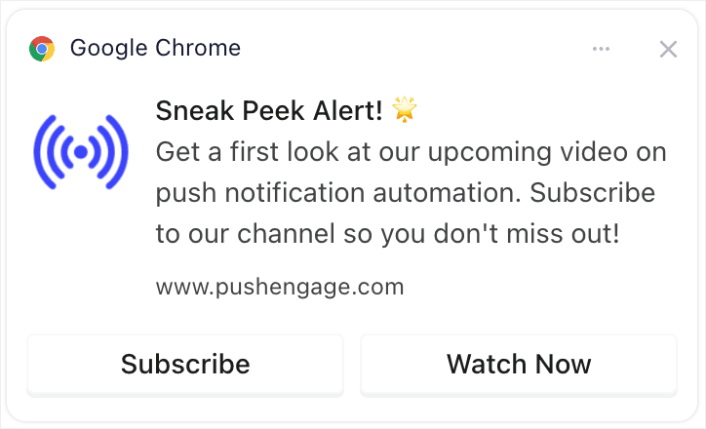
Özel önizlemeler veya küçük kesitler paylaşmak beklenti ve heyecan yaratabilir. Bu etkileşim, içeriğiniz hakkında daha fazla paylaşım ve tartışmaya yol açabilir, erişiminizi genişletebilir.
#3. Abone Kilometre Taşı Kutlamaları
Belirli sayıda aboneye ulaşmak gibi kanal kilometre taşları etrafında heyecan yaratın.
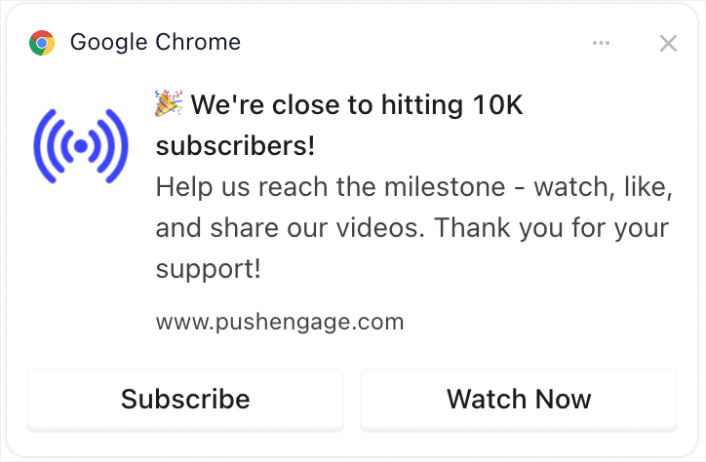
Kitlenizi kilometre taşı kutlamalarına dahil etmek bir topluluk hissi yaratır. Görüntüleyenler büyüyen, başarılı bir kanalın parçası olmayı sevdikleri için daha fazla aboneliği teşvik edebilir.
#4. Canlı Yayın Duyuruları
Yaklaşan canlı yayınlar veya Soru-Cevap oturumları hakkında aboneleri bilgilendirin.
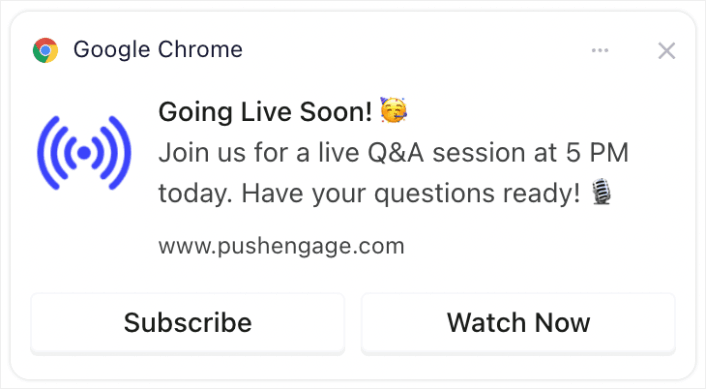
Canlı yayınlar hakkında bilgilendirme yapmak, YouTube tarafından değer verilen daha yüksek gerçek zamanlı etkileşim sağlar. Canlı izlenme, yorum ve etkileşimleri artırabilir.
#5. İşbirliği Vurguları
Diğer YouTuber'lar, markalar veya etkileyicilerle yapılan işbirliklerini duyurun.
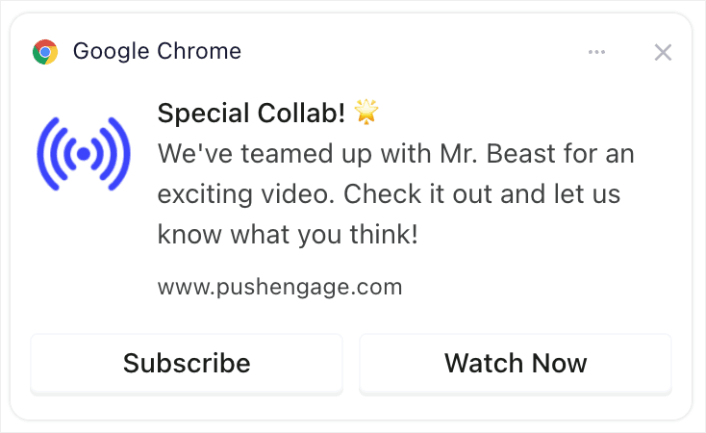
İşbirliklerinin duyurulması, işbirlikçilerin hayran kitlesinden yararlanarak kanalınıza potansiyel olarak yeni aboneler getirebilir.
#6. Anketler ve Kitle Etkileşimi
Gelecekteki video konuları hakkındaki görüşlerini veya geçmiş içerikler hakkındaki geri bildirimlerini sorarak aboneleri etkileşime geçirin.
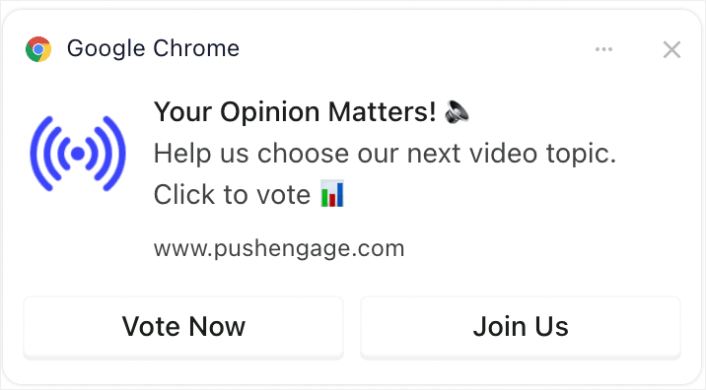
Anketler gibi etkileşimli içerikler, kitlenizi etkileşimde tutar ve onlara bir ses vererek bağlılığı ve düzenli izleyici sayısını artırır. Ve daha önce hiç anket yapmadıysanız, WordPress'te anket oluşturma hakkındaki bu kılavuza göz atabilirsiniz.
#7. Yalnızca Abonelere Özel Teklifler
Abonelere özel teklifler veya bonuslar (indirilebilir içerik veya özel erişim gibi) sağlayın.
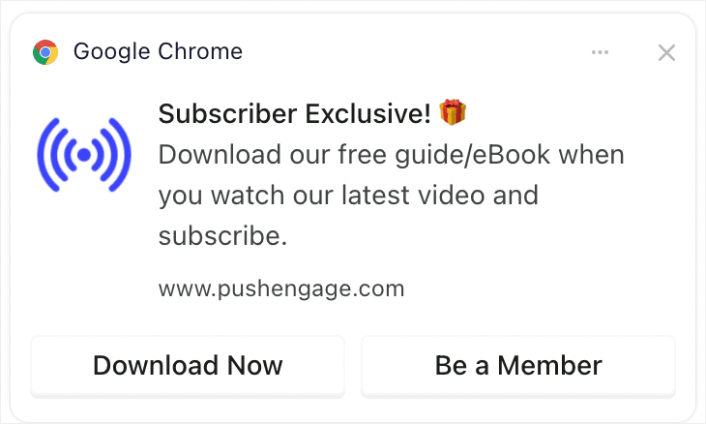
Özel teklifler veya içerikler sunmak, izleyicilerin abone olmaları ve kanalınızla etkileşimde kalmaları için güçlü bir teşvik olabilir.
#8. Özet Bildirimleri
En popüler videoların haftalık veya aylık özetlerini gönderin.
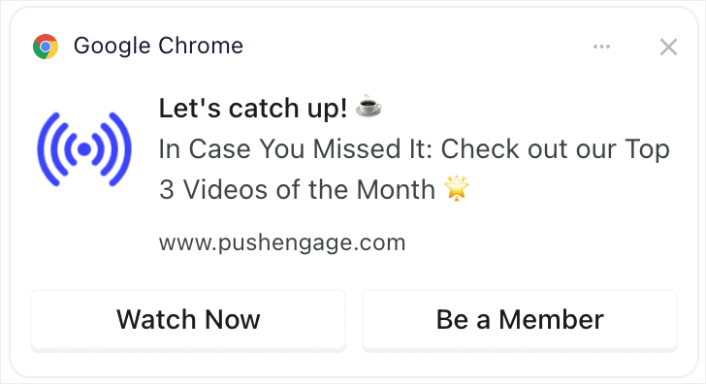
İzleyicilere en popüler veya en son içerikleriniz hakkında hatırlatma yapmak, kaçıranların dikkatini çekebilir, görüntülenme ve etkileşimi artırabilir.
Bir özet videosu oluşturmak istemiyorsanız, tüm son içeriklerinizi listeleyen bir gönderi oluşturup gönderiye bir bağlantı gönderebilirsiniz. Veya tüm son videolarınızın bir listesiyle geçici bir açılış sayfası oluşturmak için Linktree'de bir bağlantı oluşturabilirsiniz.
#9. Kamera Arkası (BTS) Görüntüleri
Sahne arkası içeriğini veya bir videonun yapım aşamasını paylaşın.
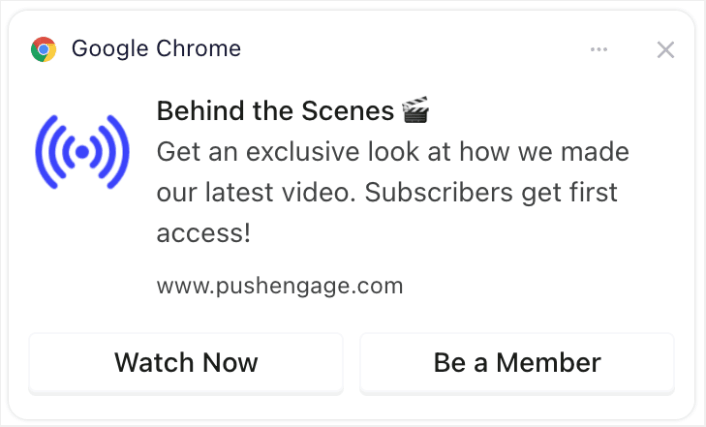
Sahne arkasına bir göz atmak, izleyicilerin kanalınızla olan bağını derinleştirebilir, içeriklerinizle etkileşim kurma ve paylaşma olasılıklarını artırabilir.
#10. Kullanıcı Tarafından Oluşturulan İçerik Tanıtımları
Aboneleri kanalınızla ilgili kendi içeriklerini oluşturmaya teşvik edin ve bunları öne çıkarın.
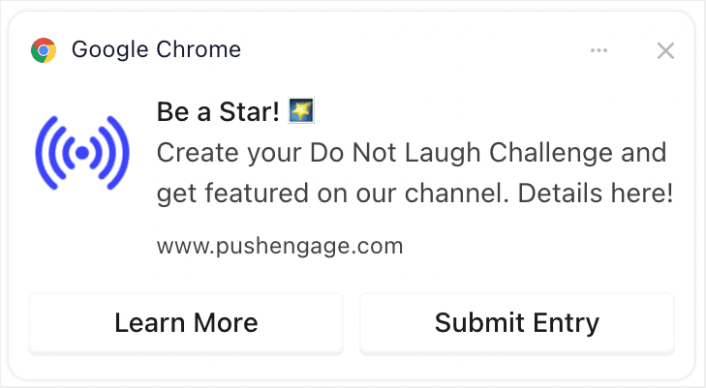
İzleyicileri ilgili içerik oluşturmaya teşvik etmek, izleyicilerin daha bağlı ve değerli hissetmeleriyle topluluk oluşturmaya ve etkileşimi artırmaya yol açabilir. Ve abonelerinizden giriş toplamak için WordPress'te bir form oluşturmak çok kolaydır.
Bildirim Zamanlamasını ve Sıklığını Optimize Etme
Çok fazla anlık bildirim göndermenin bir sınırı vardır.
Göndermeniz gereken anlık bildirim sayısı sektörünüze bağlıdır. Bununla birlikte, yapabileceğiniz en iyi şey müşterilerinize günde en fazla 2 bildirim göndermektir. Ve haftada 5'ten fazla değil.
Günde ortalama 1 bildirim daha iyi çalışır.
Tabii ki abonelerinize gerçekten önemli bir şey söylemediğiniz sürece:
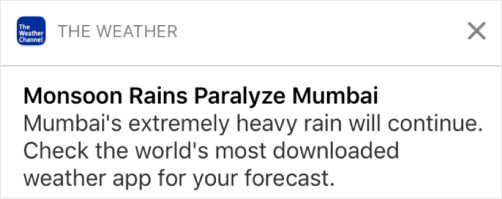
Çok agresif görünebilir ve abonelerinizi rahatsız edebilirsiniz. Bu, anlık bildirim abonelerini kaybetmenin harika bir yoludur. Ancak müşterilerinizle bağlantı kurmanız gerekecek. Ve onlara promosyon ve işlem bildirimleri göndermeniz gerekiyor.
Daha fazla ipucu için kaç anlık bildirim göndermeniz gerektiği hakkındaki bu makaleye göz atın.
Ayrıca anlık bildirimlerinizi farklı şekillerde zamanlayabilirsiniz.

Anlık bildirimlerin gönderilmesini zamanlamak çok kolaydır:
- Hemen
- Belirli bir tarih ve saatte
- Tekrarlayan bir etkinlik olarak
Kaç bildirim göndereceğinizi ve anlık bildirimleri ne zaman göndereceğinizi bilmek, abonelikten çıkma oranlarınızı önemli ölçüde azaltacaktır.
Uzman İpucu: Anlık bildirim aboneleriniz sizinle etkileşim kurmuyorsa, onlarla yeniden etkileşim kurmak için bir yeniden hedefleme kampanyası başlatabilirsiniz. Bu işe yaramazsa, her zaman abone listenizi temizleyebilirsiniz.
Hedef Kitlenizi Belirleme ve Segmentlere Ayırma
Hedeflenmiş anlık bildirimler daha yüksek tıklama oranları ve daha düşük abonelikten çıkma oranları sağlar. Segmentasyon, web anlık bildirim abonelerinize özel bir deneyim sunmanıza olanak tanır. Çoğu anlık bildirim hizmeti ve aracıyla, segmentler oluşturmak için özel koda ihtiyacınız vardır.
Segmentler, hedeflenmiş anlık bildirim kampanyaları göndermenin gerçekten harika bir yoludur. Ve bu, anlık bildirim pazarlama stratejinizin büyük bir parçası olmalıdır. Peki nasıl başlarsınız? Ne tür segmentler oluşturmalısınız?
Anında iletilebilir bildirim abonelerini segmentlere ayırmanın yolları hakkındaki makalemizde ayrıntılı bir açıklama yazdık.
Genel olarak, oluşturabileceğiniz birkaç farklı segment türü vardır:
- Duruma dayalı segmentler
- Davranışsal segmentler
- Dinamik segmentler
- Coğrafi segmentler
- Demografik segmentler
...Sadece birkaçını saymak gerekirse.
Ayrıca, farklı türlerde hedeflenmiş anında iletilebilir bildirim kampanyaları göndermek için duruma dayalı segmentasyonu kullanabilirsiniz. Daha da iyisi, bu segmentleri sitenizde abonelik widget'ları oluşturmak için kullanabilirsiniz:

Bir abonelik yönetimi widget'ı, ziyaretçilerinizin sizden ne tür anında iletilebilir bildirimler almak istediklerini seçmelerini sağlar.

Ve hatta abone olduklarında abonelerinizi otomatik olarak segmentlere ayıran anında iletilebilir bildirim pop-up'ları oluşturabilirsiniz.
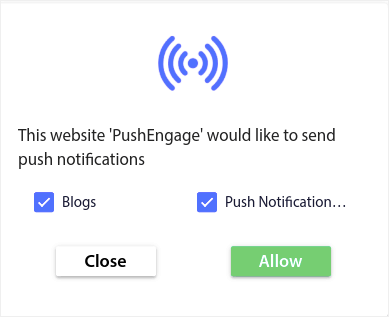
İçerik temaları, abonelerinize yalnızca ilgili içeriği göndermenizi sağlar. Bu, abonelik oranlarınızı ve hatta etkileşim oranlarınızı artırmanıza yardımcı olacaktır.
İpucu: İçerik temalarınızı çeşitlendirmeyi unutmayın. Farklı türdeki kullanıcıları hedeflemek için birden fazla anında iletilebilir bildirim kayıt seçeneği oluşturabilirsiniz. Birden fazla özel kayıt seçeneği oluşturmak, mevcut içeriğinizden anında iletilebilir bildirim abonelerinizi artırmanın harika bir yoludur.
Anlık Bildirim Kampanyalarınızı İzleme ve Analiz Etme
Bölünmüş test, anlık bildirim abonelerinin abone kalmasını sağlamak için iyi bir yoldur. Peki bir anlık bildirimin nesi test edilebilir?
Anında bildirimler için en yaygın performans metrikleri şunlardır:
- Tıklama oranı: Bir anlık bildirimin tıklama oranı, abonelerinizin anlık bildiriminizi ne sıklıkla gördüğü ve ardından tıkladığıdır.
- Görüntülenme oranı: Bir anlık bildirimin görüntülenme oranı, bir abonenin anlık bildiriminizi ne sıklıkla aldığı ve süresi dolmadan önce gördüğüdür.
- Hedef dönüşümleri: Kampanyalarınız için hedefler belirleyebilir ve kampanyalarınız için hedef takibi kurabilirsiniz. Hedef dönüşümleri, hedefinize kaç kez ulaştığınızın bir ölçüsüdür.
Görüntülenme oranlarınızı artırmak için push bildirimlerinizde büyük bir resim kullanmak istersiniz. Bildirimlerinizde görseller kullanmak, onu anında daha çekici hale getirir.
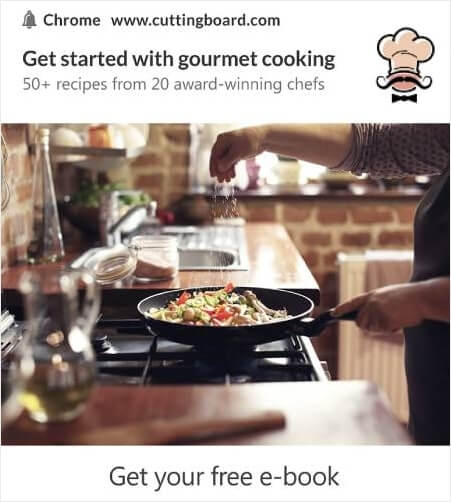
Ayrıca anında bildirim başlığınızdaki güçlü kelimelerle deneyler yapabilirsiniz.

Yani, resimli ve resimsiz bildirimleri A/B testi yapabilirsiniz. Ayrıca başlıkta güçlü kelimeler olan ve olmayan anında bildirimleri bölünmüş test ederek görüntülenme oranlarını test edebilirsiniz.
Tıklama oranınızı iyileştirmek istiyorsanız, ana mesaja odaklanmalı ve onu süper alakalı hale getirmek için çalışmalısınız. Çoğunlukla bu, iki şeyden biridir:
Ve bu alanda A/B testi yapılacak bir şey yok. Ancak push bildirimlerinizdeki Harekete Geçirici Mesaj (CTA) düğmeleriyle tıklama oranlarınızı A/B testi yapabilirsiniz. Bir veya hiç CTA olmayan push bildirimlerini, iki CTA'lı olanlarla A/B testi yapmayı deneyin.
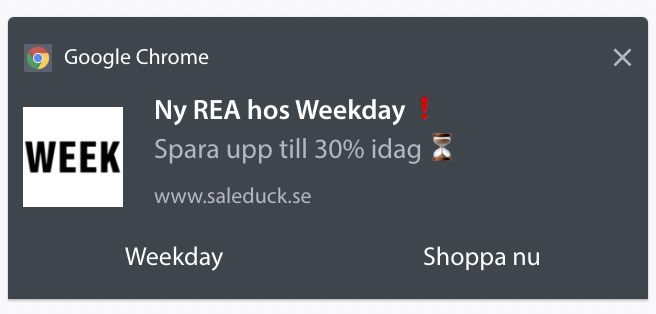
Birden fazla CTA oluşturacağınızdan emin değilseniz, push bildirimlerinize düğme ekleme hakkındaki bu makaleye göz atın.
Hedef dönüşümleriyle, ilgili eCommerce push bildirimleri kurmakla ilgilidir. Yani, yine, burada bölerek test edecek ÇOK fazla şey yok. Bununla birlikte, push bildirimlerinizi gerçekten iyi bir teklife daha iyi tıklamalar için optimize edebilirseniz, hedef dönüşümleriniz artacaktır.
Zamanla, push bildirim açılır pencereleriniz için kayıt oranlarını iyileştirebilirsiniz. Herhangi bir iyi push bildirim hizmeti ile ayrıntılı kayıt analitikleri elde edersiniz.
Güneşin altındaki her dönüşüm araç seti kendi açılır pencere analitikleriyle birlikte gelir. Öyleyse, neden push bildirim açılır pencereleri farklı olsun ki?
İşte destansı olan şey...
Yalnızca anlık bildirim kampanyalarınız için değil, aynı zamanda kaydolmalarınız için de analizler alabilirsiniz!
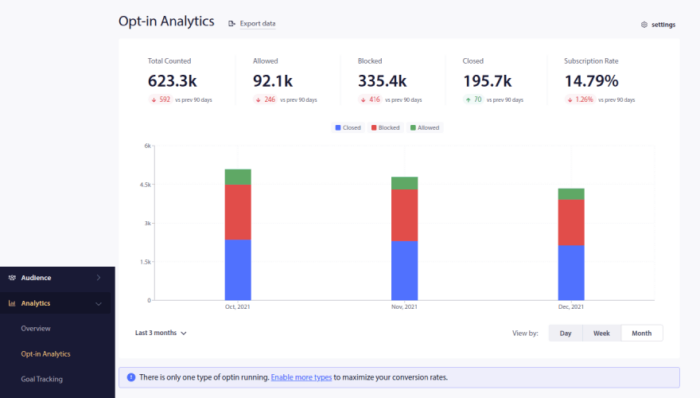
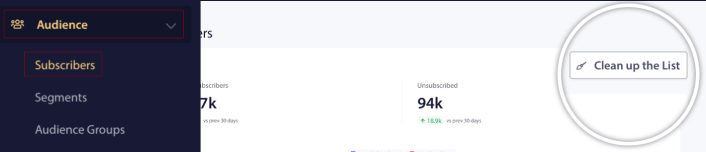
Opt-in analizlerinize dikkat etmek, anlık bildirim abonelikleri elde etmenin iyi bir yoludur. Ayrıca, zaman zaman abone listelerinizi temizlemeli ve kampanyalarınızla etkileşim kurmayı reddeden tüm aboneleri kaldırmalısınız. Bu şekilde, gerçek etkileşim sayılarını elde edersiniz ve yalnızca sizden haber almak isteyen abonelere anlık bildirimler gönderirsiniz.
Aynı zamanda, push bildirim kampanyalarınız hakkında abonelerinizden geri bildirim almanızı da öneririz.
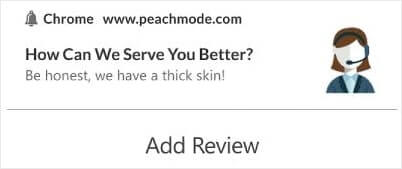
Kampanyalarınız hakkında incelemeler ve geri bildirim toplamak için basit bir formlu açılış sayfası oluşturabilirsiniz.
YouTube Abone Sayısını Daha da Hızlı Artırma Yolları
Artık anlık bildirim aboneliklerini nasıl alacağınızı bildiğinize göre, kampanyalarınızı oluşturmaya başlama zamanı. Anlık bildirimleri etkili bir şekilde nasıl kullanabileceğinize dair daha fazla örnek inceleyerek başlayın:
- Kullanabileceğiniz 21 En İyi Web Sitesi Karşılama Mesajı Örneği
- Hemen Kopyalayabileceğiniz 75 Destansı Anlık Bildirim Örneği
- Size İlham Verecek 15 Anında İletme Bildirimi Metin Örneği
- 7 Dönüşüm Sağlayan Anlık Bildirim İzin Alma Örneği (2022)
- Hemen Çalabileceğiniz 11 Yaratıcı Anlık Bildirim Örneği!
- Sitenize Bir Web Bildirimleri WordPress Eklentisi Nasıl Eklenir
Anlık bildirim kampanyalarınızdan en iyi şekilde yararlanmak için anlık bildirim en iyi uygulamaları hakkındaki makalemize de göz atmalısınız.
Ancak anlık bildirim göndermeye başlamadığınız sürece bunların hiçbiri markanız için fark yaratmayacaktır.
Bu nedenle, henüz yapmadıysanız, bugün PushEngage ile başlayın!


