
Looking for the best Stripe WordPress plugin to accept online payments on your site?
Stripe allows you to accept credit card payments on any site. Whether you’re running a service site, an eCommerce store, or a membership platform, you need to allow credit card payments on your WordPress site. And Stripe is one of the best payment gateways to add multiple payment options on your site.
In this article, we’re going to go over the best Stripe WordPress plugin on the market. Then, we’re going to give you our top recommendation.
Давайте начнем.
Why Use a Stripe WordPress Plugin on Your Website?
Stripe allows credit card payments on your WordPress site. The best part is that the payment gateway allows multiple payment formats including recurring payments.
To be clear: Your customers don’t need a Stripe account to pay using credit cards. They can simply buy from your site as they would with any credit card processor.
It’s also used by some of the biggest names in the world including Target, Lyft, and UNICEF. So, you know that you can trust your payments to always get processed.
But the #1 reason why we like Stripe so much is their transparency. There are no hidden fees. If you’ve used PayPal to accept payments before, you know how much of a problem hidden fees can be with other payment processors and gateways.
Stripe is also really easy to set up on a WordPress site (more on this later). The only technical requirement for your site is that you’ll need to install an SSL certificate on your website. Check out how to get a free SSL certificate to learn more.
The Best WordPress Stripe Plugin to Accept Online Payments
Now that we understand why you should be using a Stripe WordPress plugin and the benefits of using Stripe, it’s time to check out the best options in the market. There are multiple WordPress plugins to integrate Stripe into your site. But which one’s the best for you? Let’s start with a list of the most popular options.
Then, we’ll give you our top recommendation.
#1. WP Simple Pay Pro

WP Simple Pay is exactly what it sounds like. It makes online payments simple on your WordPress site. It’s easy to use, highly reliable and requires zero coding to set up.
Самое лучшее? WP Simple Pay помогает вам сосредоточиться на создании продуктов и их продаже, не беспокоясь о приеме платежей со всего мира.
Вся информация о клиентах и платежах хранится в вашей учетной записи Stripe, а не на вашем веб-сайте WordPress. В результате плагин не будет раздувать ваш сайт, как другие альтернативы. WP Simple Pay предлагает самый простой способ добавить платежи Stripe на ваш сайт WordPress.
And setting up WP Simple Pay is super simple.
Here’s a quick look at the top features in WP Simple Pay Pro:
- Payment Form Builder
- Stripe Checkout Payment Pages Builder
- Custom Amount Payments
- Custom Subscription Options
- Discounts with Coupon Codes
- Alternative Payment Methods
- Customized Payment Confirmation Flow
And more! You can get a closer look at the features in our review of WP Simple Pay Pro.
#2. WPForms Pro
WPForms is the most powerful drag-and-drop WordPress form builder. It’s super easy to build a fully custom form for your WordPress site in a few minutes using the plugin.
WPForms can help you create any type of contact form, payment form, survey form, registration form, and newsletter optin form you can think of.
They have over 300 templates in the Pro version that are proven to work. You can instantly import these templates and launch the form in minutes. WPForms is completely beginner-friendly. Anyone can use it to create powerful forms.
The plugin comes only with core essentials. So, if you need more functionality in your forms, you can always install an addon. This keeps the plugin lightweight and simple to use.
With WPForms, you get:
- A Beginner-Friendly Form Builder
- Многошаговые формы
- Email Marketing Integrations
- Conditional Field Logic
- Кампании по брошенным формам
- Целевые страницы форм
- Popup Contact Forms
And more. The best part is that you can directly create WordPress payment forms that accept payments using Stripe. All you need is a Stripe account and the WPForms plugin to get started.
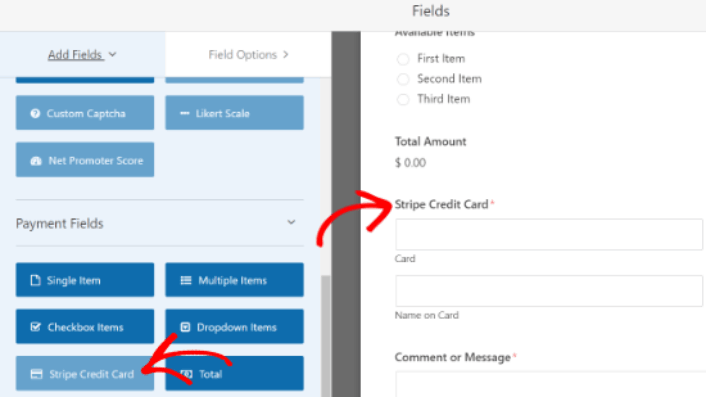
Using WPForms to accept credit card payments is a really great option if you’re not running an eCommerce site with a cart. It’s perfect for agencies and freelancers.
#3. Easy Digital Downloads

Easy Digital Downloads (EDD) is a WordPress plugin that’s designed to sell digital goods. So, if you’re looking to sell any digital product and want to set it up quickly, Easy Digital Downloads is your safest bet.
One of the most difficult things to do when you’re just starting a new business is dealing with technical issues. This becomes especially hard when the technical issues are related to how you accept money for your goods.
With Easy Digital Downloads, that’s never an issue.
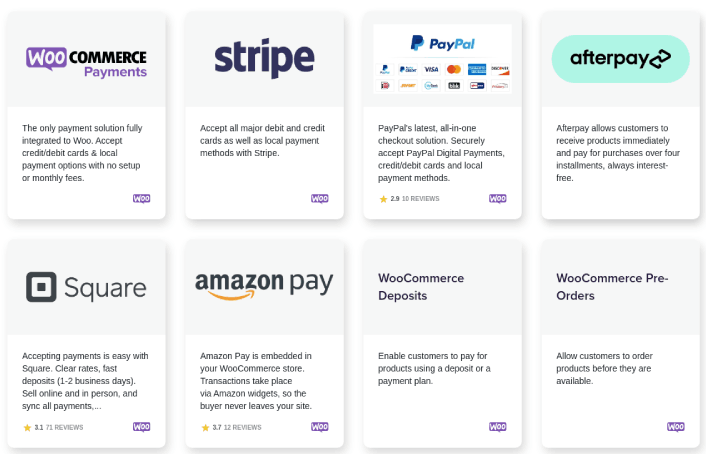
Right out of the box, you get integrations for Stripe, PayPal, and Amazon Pay. But that’s not all.
You can install extensions for a lot of different payment gateways:

Here’s what you get with EDD:
- Payment Gateway Integrations
- Software License Creator
- Recurring Payments
- Multi-Vendor Platform
- Email Marketing Integrations
- Custom Deliverables for Freelancers
- Commissions for Affiliates and Vendors
- Instant Product Comparisons
And more. If you need a closer look at the features, you should check out our review of Easy Digital Downloads.
#4. WooCommerce

WooCommerce is free and open-source software built on top of WordPress, which is also free and open-source. WooCommerce was designed to build robust online stores for digital and physical products. So, naturally, you get a ton of great features such as:
- Creating an instant online store
- Accepting payments easily
- Managing your inventory
И многое другое!
WooCommerce offers PayPal and Stripe payments right out of the box. It also supports all major payment gateways through plugins and addons.
#5. MemberPress

MemberPress is one of the easiest WordPress membership site plugins to use. It also comes with an entire suite of great features to help you grow and monetize your members’ community. The coolest part is that you can monetize any community using MemberPress because it supports payments through Stripe.
Чтобы начать, все, что вам нужно сделать, это:
- Установить плагин
- Настройте свой платежный шлюз
- Создать различные уровни членства
- Добавить преимущества к каждому уровню членства
- Добавить несколько продуктов
И вы готовы к работе! После этого останется только пригласить людей присоединиться к вашей программе членства.
Вы также можете ограничить доступ к различным страницам, типам записей, тегам и категориям на основе ваших уровней членства. Лучше всего то, что у вас также есть конструктор курсов. Так что, если вы думаете о создании курсов для своих участников, вы можете сделать это, не устанавливая никаких других плагинов.
#6. LearnDash

LearnDash is probably the world’s most advanced learning management software. It’s also a tool to build a paid community around digital courses. You get complete control over who gets access to your courses and for how long.
The cool bit is that you can use Stripe to monetize your courses instantly.
You can even curate courses and exclusive perks to create packaged deals and membership plans. So, as soon as someone signs up as a member, they’ll instantly get access to every course that’s associated with the membership plan.
And if you want to take your membership to a whole new level, you can even integrate LearnDash with other membership plugins such as MemberPress to unlock even more powerful features.
#7. WP Full Stripe
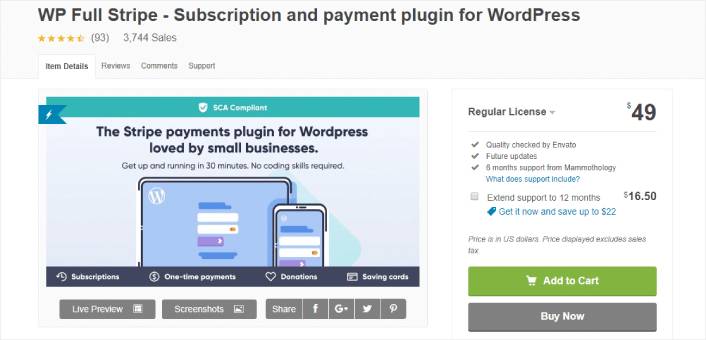
WP Full Stripe offers an easy and secure way to accept Stripe on your website. It’s an alternative to WP Simple Pay which also offers recurring payments and subscriptions using Stripe.
Популярные функции включают:
- Save Credit Card Info to Charge Customers Later
- Integration with Pricing Tables
- PCI-DSS Compliant Plugin to Store Credit Card Information
- Custom Payment Forms
- Fully Customizable Payment Confirmation Page
- Accepts 100+ Currencies
If you’re setting up a Stripe WordPress plugin for the first time, WP Full Stripe is a fine choice. It’s beginner-friendly and easy to set up.
#8. Stripe Payments

Stripe Payments is exactly what it sounds like. It’s a WordPress plugin to process payments using Stripe. You get a one-click payment via Stripe with a “remember me” feature. So, it’s a really great match for membership sites and LMS platforms.
Some of the best features include:
- Responsive Designs for Payment Forms
- Shortcodes for Buy Now Buttons
- Easy and Quick Setup and Installation
- Strong Customer Authentication (SCA) Compliant
- “Authorize Only” Payment Options
And if you’re looking for a free payment gateway plugin for WordPress, this could be an excellent choice for you.
#9. YITH WooCommerce Stripe
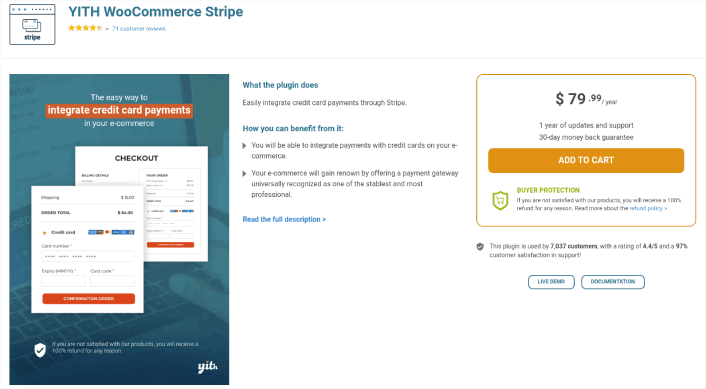
YITH WooCommerce Stripe is the last WordPress Stripe plugin on our list. It’s a super popular choice and YITH is an extremely well-known and trusted WooCommerce addon developer. As the name suggests, you can use the plugin on any WooCommerce site. So, it’s mostly focused on eCommerce businesses.
Unlike the other plugins on this list, this one comes with one-click refunds. As with Stripe Payments, you can authorize payment on a card and collect it later on. You can also enable subscription renewals with another credit card if the existing credit card fails.
YITH WooCommerce Stripe is a pretty sophisticated plugin for bigger eCommerce brands. So, you can set up custom actions such as partial or full refunds using webhooks. This means that you can customize the functionality of the plugin even further if you have a developer to support you.
It’s also SCA compliant.
What’s the Best Stripe WordPress Plugin for You?
We recommend using WP Simple Pay. Hands down, it’s the best Stripe WordPress plugin for any business. With multiple payment options and a beginner-friendly plugin, WP Simple Pay helps you accept credit card payments on your site quickly.
If you’re ready to accept payments on your site, the next thing you should focus on is bringing traffic, engagement, and sales to your site. Push notifications are a great way to do that.
Here, check out these epic resources to get started with push notifications right away:
- Как настроить push-уведомления о брошенной корзине (простое руководство)
- Как легко запланировать push-уведомления [Руководство за 5 минут]
- Как создать кампании уведомлений о снижении цен менее чем за 10 минут.
- Как добавить плагин веб-уведомлений WordPress на ваш сайт
PushEngage — это лучшее в мире программное обеспечение для push-уведомлений. Поэтому мы рекомендуем использовать PushEngage для создания push-уведомлений и развития вашего eCommerce бизнеса.


