
Looking for WordPress SEO plugins to grow your site’s traffic?
コーディングについて何も知らない場合でも、SEOプラグインは主要な技術タスクを非常に簡単に実行できます。サイトマップの作成やrobots.txtファイルの編集などの小規模な技術タスクでさえ、優れたプラグインを使用して自動化できます。
But which one should you choose? There are so many SEO plugins out there and they all claim to be the best. Some of them are only good for specific tasks.
どのプラグインが必要かどうすればわかりますか?そのまま購入すべきですか?しかし、そのアプローチの問題は、これらのプラグインの多くがかなり高価になる可能性があることです。
In this article, we’re going to give you the best WordPress SEO plugins in the market and if you read all the way through, we’ll even give you our top choice!
さあ、始めましょう。
How to Choose WordPress SEO Plugins
When choosing a WordPress SEO plugin, there are several factors you should consider. Here are some tips to help you make the right decision:
- Features: Look for a plugin that offers a comprehensive set of features to optimize your website for search engines. Some essential features to consider include XML sitemap generation, meta tags optimization, keyword analysis, content optimization suggestions, and social media integration.
- Compatibility: Ensure that the plugin is compatible with your version of WordPress. Check the plugin’s documentation or reviews to see if users have reported any compatibility issues.
- Ease of use: Choose a plugin with an intuitive and easy-to-use interface. It should provide clear instructions and make it simple to configure and optimize your website’s SEO settings.
- Performance: Consider the plugin’s impact on your website’s loading speed and overall performance. Opt for a lightweight and well-coded plugin that won’t slow down your site.
- Support and Updates: Look for a plugin that is actively supported and regularly updated by its developers. This ensures that any bugs or compatibility issues are addressed promptly and that the plugin stays up to date with the latest SEO practices.
- Reputation and Reviews: Check user reviews and ratings for the plugin you’re considering. Look for feedback from reputable sources or other WordPress users to get an idea of the plugin’s effectiveness and reliability.
- Premium vs. Free: Decide whether you’re willing to invest in a premium SEO plugin or prefer to stick with a free one. Premium plugins often offer more advanced features and dedicated support, but there are also many free plugins that can fulfill basic SEO requirements.
Ultimately, the best SEO plugin for your WordPress site will depend on your specific needs and preferences. Consider your budget, desired features, and the level of support you require before making a decision.
Best WordPress SEO Plugins
Now that we understand what to look for in WordPress SEO plugins, let’s dive right into the list.
PushEngageは世界No.1のプッシュ通知プラグインです。無料で入手!
Before we get into it, you should know that no plugin in the market takes care of absolutely everything SEO. Sometimes, you’ll need to mix and match plugins to get the most use out of them. And if you’re on a budget, prioritize buying the plugins according to your strategy and actual SEO needs.
That said, let’s check out the plugins.
#1. All in One SEO

All in One SEO is one of the best SEO content optimization tools you’ll ever find.
AIOSEOは最新のSEOベストプラクティスを実装するのに十分強力であるだけでなく、特定のSEOの問題をすぐに解決するための高度なオプションも利用できます。これには以下が含まれます:
- ローカルオーディエンスを持つ中小企業向けのローカルSEOモジュール
- オンラインストア向けのWooCommerce SEO
- WordPressエディター内のSEOオプティマイザー
- 検索エンジンでの即時インデックス作成のためのスマートサイトマップ
- リッチスニペットでコンテンツをランク付けするためのスキーマプラグイン
And a lot more! Check out our full review of All in One SEO for a closer look at the features.
To top things off, AIOSEO allows you to build SEO content every time using TruSEO.
TruSEO is an SEO advisor built into your WordPress editor. It’s completely Gutenberg-friendly and it provides actionable insights to improve the SEO on anything you publish.
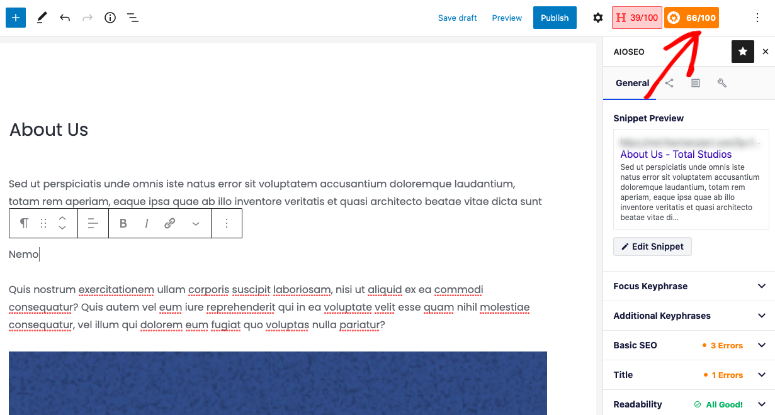
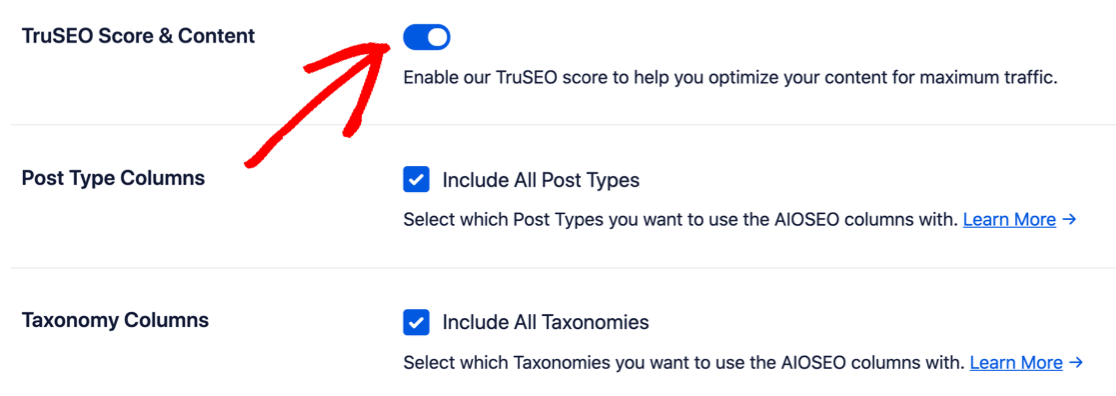
デフォルトでは、TruSEOは無効になっています。プラグインの 一般設定 ページで有効にしたいはずです。
TruSEOは次に基づいてコンテンツをスコアリングします。
- キーワードの関連性
- 基本的なSEO
- タイトルの最適化
- 読みやすさ
そして、それを改善するための実用的な方法を提供します。
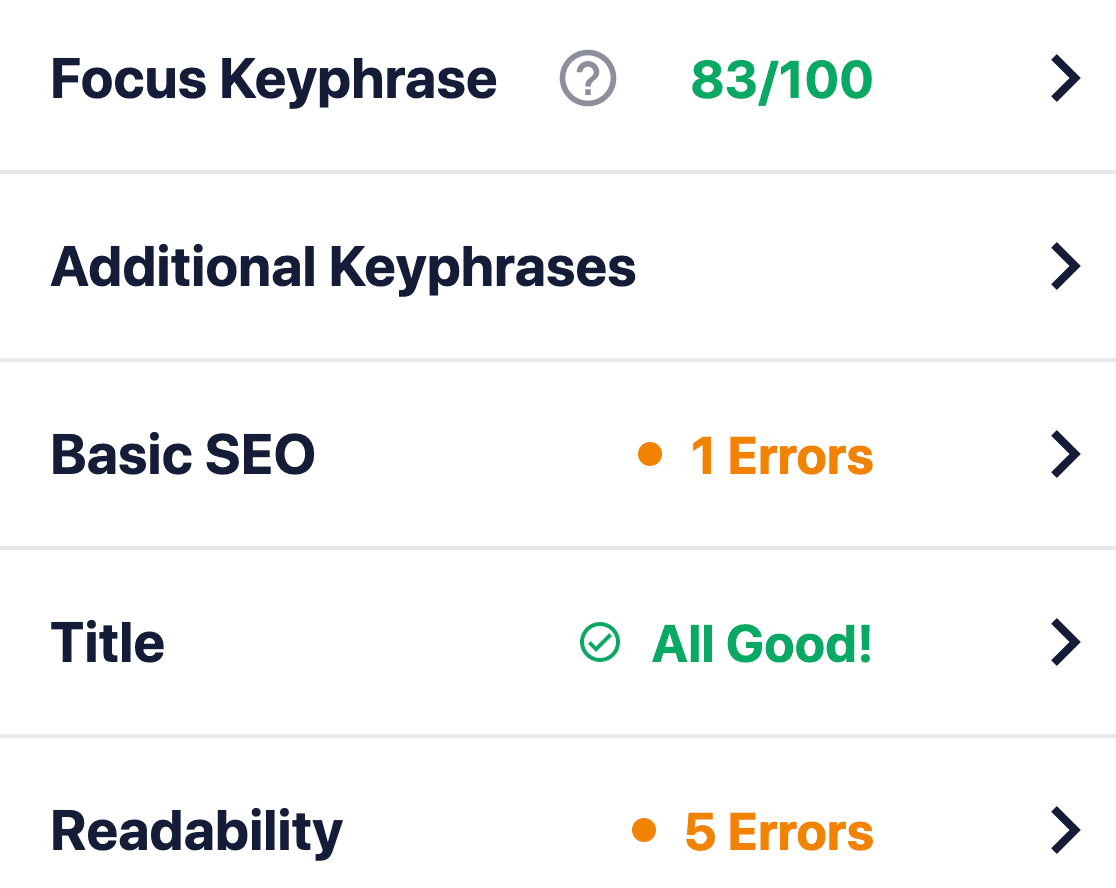
TruSEO is more sophisticated than other SEO plugins and it takes many more factors into account to create a score. Of course, there is “one single rule” to SEO because Google’s search algorithm is constantly changing. But over time, the fundamental idea behind creating SEO content is based on these four critical factors.
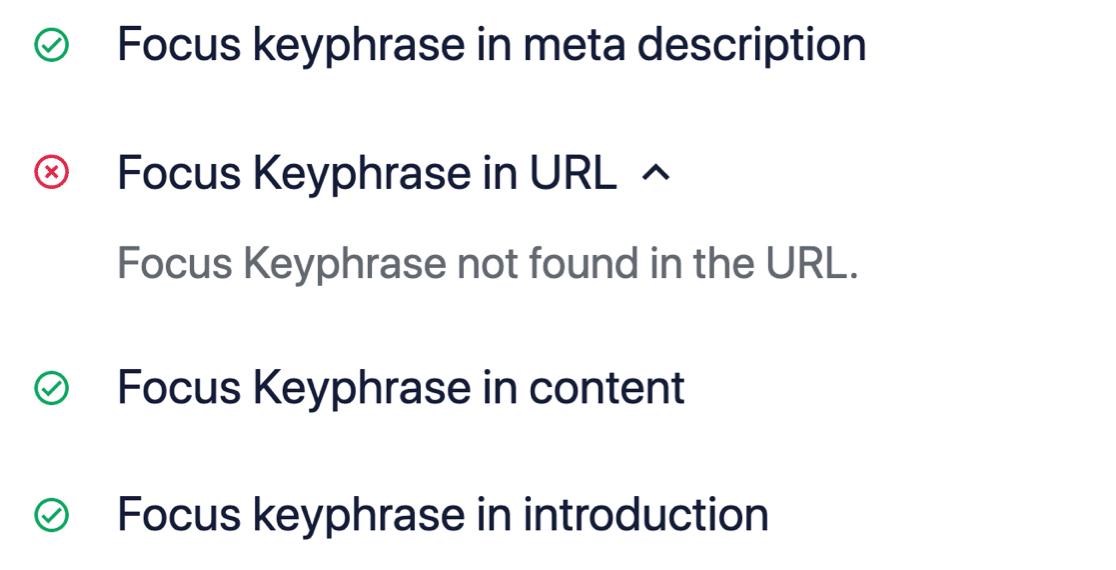
If we expand the Basic SEO box, you can get suggestions to optimize your content further:
補足:TruSEOはMonsterInsightsと100%互換性があります。MonsterInsights Headline Analyzerを使用している場合、コンテンツスコアとヘッドラインスコアを一度に確認できるようになりました。
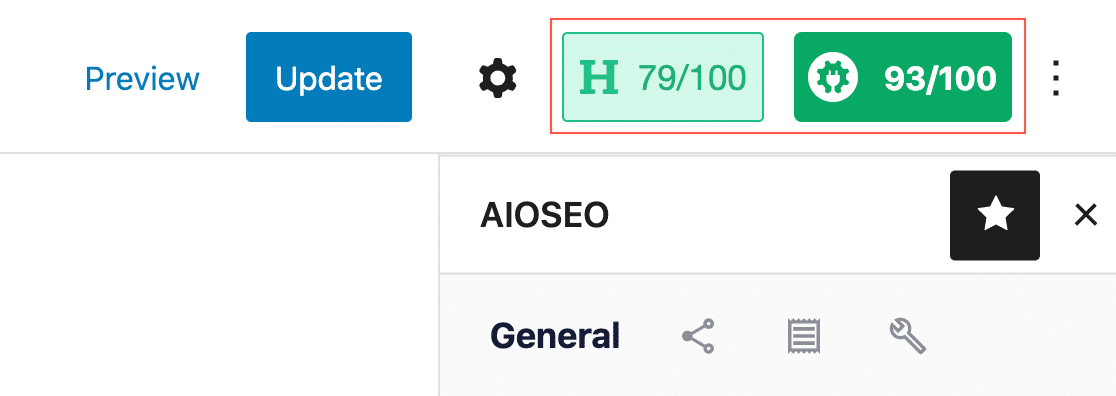
Check out our review of All in One SEO for a closer look its features. Or, get started with AIOSEO today!
#2. Yoast SEO Premium
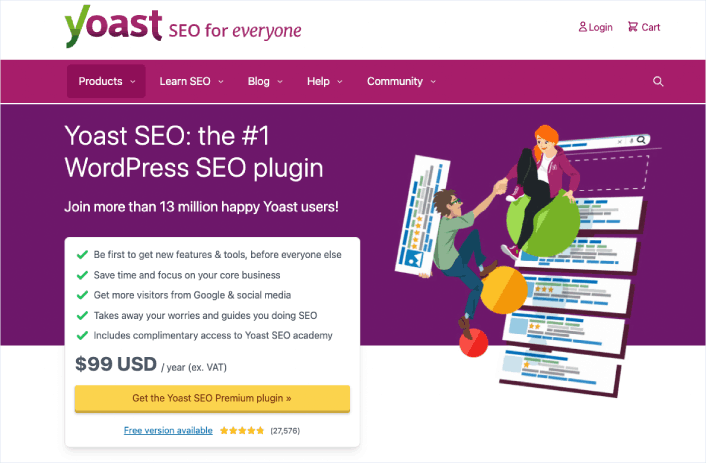
Yoast SEO has to be one of the most popular SEO plugins in the WordPress industry. Even the free version of Yoast is fairly good. But you have to get the premium version to access more technical features such as its redirect manager.
Like AIOSEO, Yoast SEO is a complete SEO toolkit for WordPress sites. But we really prefer AIOSEO for a lot of different reasons. Check out this comparison between Yoast and AIOSEO and you’ll see what we mean.
You can edit page and post titles, meta descriptions, alt tags for images, and other content optimization tools. The pro version can also help you add Schema to your website and manage your internal links easily.
Short version: Yoast is a premium plugin that was built to be a full SEO suite. In that way, it’s a lot like AIOSEO. But All in One SEO is just better at helping WordPress users with their SEO issues. So, if you have to pick an SEO suite, you might as well pick the best in the business.
#3. Schema Pro
Schema Pro comes with 20+ Schema markup types and you can add all these markup types to your site without writing a single line of code. It’s also one of the best Schema plugins for WordPress. You don’t have to add any code manually. The plugin will automatically generate the code for you.
Schema Pro even maps organizational data such as page title, featured image, author, and data. You can simply edit these defaults to suit your content, and Schema Pro will add error-free code across your website.
If you want to create Custom Schema for your custom post types, you can do that as well! Of course, you’ll need to learn JSON-LD to create custom code, but you have the option just in case you have in-house developers.
The plugin also integrates with the Google Structured Data Testing Tool to test your Schema and check if you’re likely to get a rich snippet. Schema Pro is a paid plugin, but it’s well worth the money it charges.
Get started with Schema Pro today!
#4. Rank Math
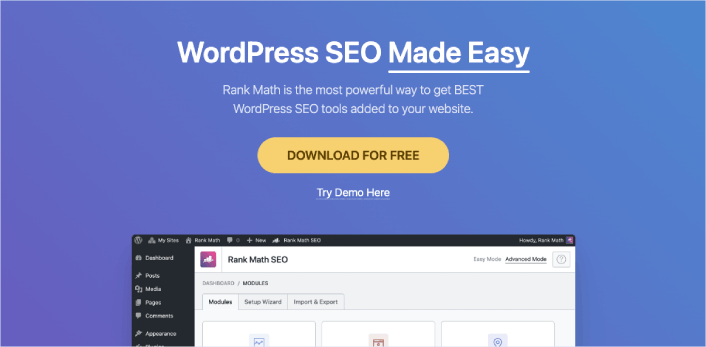
If you’re looking for a user-friendly WordPress SEO plugin for your website, Rank Math is a fantastic option. It’s designed to help you optimize your site for both search engines and social media platforms. The best part is, it’s really easy to use!
Rank Math comes with a setup wizard that guides you through the process, making it a breeze to get started. Plus, if you’ve been using other SEO plugins, you can easily import your data into Rank Math during the setup. It’s all about making your life easier!
With Rank Math, you can effortlessly add important elements like meta titles, descriptions, and Open Graph metadata to your blog posts. These elements play a key role in how your content appears in search engine results and on social media. So, it’s crucial to have them optimized, and Rank Math makes it super simple.
But that’s not all! This plugin also helps you generate an XML sitemap, which is like a roadmap for search engines, making it easier for them to discover and index your website. It even allows you to connect with Google Search Console, giving you valuable insights and data about your site’s performance in search.
One more cool feature of Rank Math is its ability to control access to plugin features based on user roles. This means you can decide who gets to use specific SEO settings and tools on your site. It’s all about maintaining control and keeping things organized.
Now, it’s worth mentioning that Rank Math is a great alternative to AIOSEO, another popular WordPress SEO plugin. But remember, you don’t need to use multiple SEO plugins on your site. Just pick the one that suits your needs the best and stick with it.
Get started with Rank Math today.
#5. Frase

Frase is an AI content optimization tool that helps you research, write, and optimize your content. Of all three offerings, we only recommend using Frase to optimize your existing content.
We don’t recommend using their AI-based content writer at all. The results look and feel like a bot. And it tries too hard to please a search engine rather than helping your customers. Not to mention, a general writing AI won’t have your industry expertise and knowledge.
You can also autogenerate an outline for your content. The AI scrapes the top 20 Google search results for your keyword and compiles what you should cover in your content. This includes headlines, specific sections, and keywords to include in your content.
The content optimization tool is pretty good, though. You can import your articles using their URLs into a browser-based editor. Then, the AI suggests what keywords to insert into your content, how many times you should insert them, and how many pages in the top 20 Google search results include that keyword.
#6. SEMrush

SEMrushはもう1つの強力なSEOツールです。しかし、それはまた、世界で最高のウェブサイト分析ツールの1つとしても機能します。
SEMrushを使用すると、キーワードとトピックがどれだけのトラフィックを獲得しているかについての洞察を得ることができます。そのような分析インテリジェンスを使用して、オーガニックトラフィックを構築するために何に焦点を当てるかを決定できます。
SEMrushはあなたに以下を提供します:
- 130か国の210億以上のキーワードを取得
- 130以上のチェックポイントで詳細なウェブサイト監査を実行
- 検索ランキングを向上させるためのコンテンツ改善の推奨事項を取得
- 競合他社のウェブサイトとマーケティング戦略を追跡および分析
- PPCキャンペーンを作成および追跡
- ソーシャルコンテンツのドラフト作成、スケジュール設定、投稿
- ホワイトラベルまたはブランドレポートを作成およびスケジュール設定
SEMrushの最もクールな点の1つは、キーワードのランキングを向上させる方法に関するAI駆動のインサイトが得られることです。既存の記事に含めるキーワードの提案さえ得られます。
#7. Ahrefs

Ahrefsは、SEOプロフェッショナル向けのSEOコンテンツ最適化ツールです。コンテンツ監査、SEOリサーチ、競合分析において、これまでに見た中で最高のSEOツールの1つです。また、コンテンツへのバックリンクを構築するための優れたツールでもあります。
Ahrefsはスタンドアロンツールですが、WordPressプラグインを使用することもできます。
Ahrefsを使用すると、次のことができます:
- サイトのコンテンツを監査する
- ターゲットにする新しいキーワードを見つける
- ダッシュボードからキーワードランクを追跡
- 顧客がオンラインで検索しているものを調査する
- ニッチ市場で最もパフォーマンスの高いコンテンツを分析する
そして、すべて使いやすいダッシュボードから行えます。SEO初心者の方は、トレーニング資料を確認することもできます。しかし、すでにSEOにある程度経験がある場合は、適切なSEOプロセスに従えば、Ahrefsを使用して爆発的な成長を得ることができます。
Which of These WordPress SEO Plugins is Best for You?
Hands down, the best WordPress SEO plugin is All in One SEO. Penny for a penny, you get the best features you could ever need for your site’s SEO without any of the bloated codebase of a poorly coded plugin. If you need a tool exclusively for keyword research and analysis, SEMrush is the way to go.
新しいトラフィックを獲得することは、新しいリードと売上を獲得するための最良の方法です。しかし、ビジネスを拡大するには、他にもいくつかの要素が必要です。プッシュ通知を使用して、サイトでのリピートトラフィック、エンゲージメント、および売上を生成してください。
これらの素晴らしいリソースをご覧ください。そうすれば、私たちの意味がわかります。
- Webプッシュ通知用のドリップキャンペーンと自動応答
- カート放棄プッシュ通知キャンペーンを使用する5つのメリット
- Webプッシュ通知を使用して購読者を購入者に転換する方法
- Web通知WordPressプラグインをサイトに追加する方法
また、プッシュ通知を使い始めたばかりの場合は、PushEngageの使用をお勧めします。PushEngageは世界No.1のプッシュ通知ソフトウェアです。したがって、キャンペーンは安全な手に委ねられます。


Your information is exactly what I was looking for, so thank you very much for providing it. Would you mind telling me what program you use to create your amazing, fast website? For my business, I also want to create a simple website, but I need help deciding on a name and hosting provider. Asphostportal is reputed to have a stellar reputation. Exist any other options? If so, what would you suggest?
I’d recommend getting PHP hosting and installing WordPress to build a site for your business. ASP websites usually require some serious technical skills. If you’re not sure where to begin, you should check out this article on How to Create a Website .