
開発者を雇わずにサイトをカスタマイズできるWordPressコードスニペットプラグインをお探しですか?
WordPressには多くの組み込み機能があります。特にプレミアムテーマを購入してサイトを構築する場合はそうです。しかし、自分でコーディングする必要があるカスタム機能や、それらの機能を得るためにプラグインを購入する必要がある機能はまだたくさんあります。
しかし、FacebookピクセルやGoogleアナリティクストラッキングコードの追加など、依然として追加が難しい一般的なタスクがいくつかあります。また、サイトをより洗練させることができるコードスニペットをオンラインで見つけた場合はどうなりますか?そのコードはどこに貼り付けますか?
幸いなことに、開発者を雇わずにサイトにコードを配置するのに役立つWordPressコードスニペットプラグインがあります。
どのプラグインが必要かどうすればわかりますか?そのまま購入すべきですか?しかし、そのアプローチの問題は、これらのプラグインの多くがかなり高価になる可能性があることです。
この記事では、市場で最高のWordPressコードスニペットプラグインを紹介し、最後まで読んでいただければ、私たちのおすすめの選択肢もご紹介します!
さあ、始めましょう。
WordPressコードスニペットプラグインの選び方
WordPressコードスニペットプラグインを選択する際には、ニーズに合った適切なプラグインを見つけるために、いくつかの要因を考慮する必要があります。適切なWordPressコードスニペットプラグインを選択するためのステップバイステップガイドを以下に示します。
- 要件を定義する: コードスニペットプラグインに何を期待するかを明確に理解することから始めます。次のような質問を検討してください。
- どのような種類のコードスニペットを追加する予定ですか?(例:PHP、CSS、JavaScript)
- シンタックスハイライトやコードフォーマット機能が必要ですか?
- スニペットの管理と整理機能は重要ですか?
- サイトにスニペットを表示するためにショートコードまたはウィジェットが必要になりますか?
- 互換性を確認する: プラグインが使用しているWordPressのバージョンと互換性があることを確認してください。互換性情報は、プラグインのドキュメントまたはWordPressリポジトリのプラグインのページを確認してください。
- ユーザー評価とレビュー: 肯定的な評価とレビューのあるプラグインを探してください。アクティブなインストール数と更新頻度に注意してください。これらはプラグインの人気と継続的なメンテナンスを示しています。
- 使いやすさ: 各プラグインが提供する機能を評価し、それらが要件に合っているかどうかを検討してください。シンタックスハイライト、コードの整理、インポート/エクスポートオプション、スニペット実行設定などの機能を探してください。さらに、プラグインのインターフェイスと使いやすさを検討して、直感的であることを確認してください。
- 開発者のサポートを確認する: プラグインのサポートフォーラムまたはドキュメントページにアクセスして、ユーザーの質問や問題に対する開発者の応答性を評価してください。問題が発生した場合、アクティブなサポートがあるプラグインは有益です。
- Compare Documentation and Resources: Go through the documentation, tutorials, and user guides provided by the plugin’s developer. These resources can be valuable in helping you understand and make the most of the plugin’s features.
If the free plugins don’t meet your needs, explore premium code snippet plugins available in the market. Premium plugins often offer additional features, dedicated support, and regular updates.
Best WordPress Code Snippet Plugin
Now that we understand what to look for in WordPress code snippet plugins, let’s dive right into the list.
PushEngageは世界No.1のプッシュ通知プラグインです。無料で入手!
Before we get into the list, you should know that a lot of the plugins on our list are positioned as “headers and footers plugins” rather than code snippet plugins. The reason for this is simple. Most code snippets that affect the visual components of a website go into the HTML header or footer. While this might be a good place to start, it’s also pretty limited.
The reality is that not a lot of code snippet plugins for WordPress are all that powerful. That said, let’s check out the plugins.
#1. WPCode
WPCode is a fully free WordPress plugin that allows you to insert code snippets on your site without any coding knowledge.
It allows you to easily add code snippets like Google Analytics, custom CSS, and Facebook Pixel to your WordPress site’s header and footer without having to edit your theme’s functions.php file.
You can also use WPCode to insert custom PHP, JavaScript, CSS, HTML, and text snippets with full conditional logic and code priority support. If you’ve ever managed a WordPress site before, you’ll know how incredibly useful this plugin is. You can use the plugin for:
- Google Search Console verification
- Google Analytics tracking
- Custom CSS code
- Adding push notifications
- Inserting Facebook tracking pixel
And any code snippet you can think of inserting into your website’s header and footer. The best part about WPCode is that there’s an involved developer community to prepare a code library for you. All you have to do is find the right code snippet for you from a verified developer and click on the recipe. The plugin will automatically install everything for you.
#2. Headers Footer Code Manager
Header Footer Code Manager is a great WordPress code snippet plugin for beginners. This handy plugin lets you effortlessly add scripts and styles to any page or post without any limitations holding you back.
With this plugin, you have complete control over where your scripts are loaded. You can easily manage which pages or posts the scripts appear on, and it even supports custom post types. So whether you want to load your scripts on specific posts or pages or display them on your latest posts, this plugin has got you covered.
Here are some key features that make the Header Footer Code Manager plugin a must-have:
- Add scripts and styles to any page or post without any restrictions. No more limitations holding you back!
- Take control of where your scripts load by managing which pages or posts they appear on.
- Enjoy support for custom post types, giving you the flexibility to tailor your scripts to specific content.
- Load your scripts on specific posts or pages, or even on the latest posts to keep things dynamic.
- Decide where your scripts load on the page, whether it’s in the head, footer, before content, or after content.
- Fine-tune your script loading by choosing to load them only on desktops or mobile devices. Enable or disable either as per your needs.
- Have the freedom to manually add code anywhere using shortcodes.
- Label each snippet for easy identification, making it a breeze to manage and organize your scripts.
- The plugin track of the changes you make.
The Header Footer Code Manager plugin is your all-in-one solution for seamlessly integrating scripts and styles into your website. It simplifies the process, allowing you to enhance your site’s functionality without breaking a sweat. So why wait? Try it out and elevate your website to new heights!
#3. Header Footer Code
Header Footer Code is your ultimate tool for effortlessly incorporating scripts and styles into any page or post without limitations. This plugin gives you complete control over where your scripts load, supporting custom post types for added flexibility. Load scripts on specific posts, pages, or even the latest posts with ease.
Take charge of script positioning on the page, whether it’s in the head, footer, before content, or after content. Customize script loading for desktop or mobile devices, enabling or disabling them as needed. The plugin offers shortcodes for manual code insertion, making it convenient to add code anywhere you desire. Each snippet can be labeled for easy identification, keeping your scripts organized.
The Header Footer Code Manager plugin offers a free version for basic needs. If you require advanced features and premium support, you can upgrade to the Premium version starting from $35 per year.
Key features include:
- Add scripts and styles without limitations.
- Manage script loading on specific pages or posts.
- Supports custom post types.
- Load scripts on specific posts, pages, or the latest posts.
- Control script position: head, footer, before content, or after content.
- Enable or disable script loading on desktop or mobile devices.
- Use shortcodes for manual code insertion.
- Label each snippet for easy identification.
- User logging tracks snippet addition and edits.
The Header Footer Code Manager plugin empowers you to enhance your website’s functionality and appearance effortlessly. Experience seamless integration of scripts and styles like never before. Try it today and take full control of your website’s code management.
#4. Post Snippets
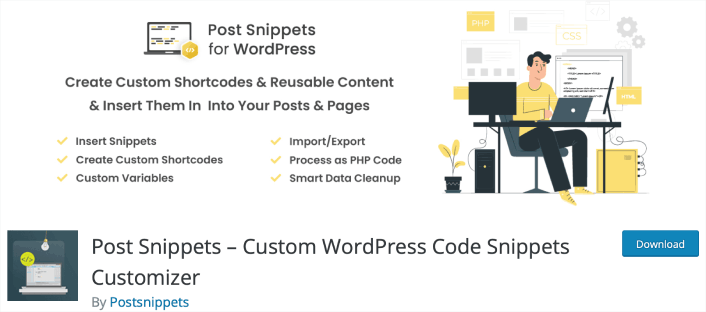
Post Snippets は、HTML、PHP コード、または頻繁に使用されるテキスト スニペットのライブラリを作成できる強力なツールです。これらのスニペットは、投稿やページに簡単に挿入でき、時間と労力を節約できます。このプラグインは、スニペットを効果的に管理できるユーザーフレンドリーなインターフェイスを提供します。
Post Snippets プラグインを使用すると、投稿エディターのビジュアル モードからスニペットに直接簡単にアクセスできます。ボタンをクリックするだけで、目的のスニペットが挿入されます。スニペットはそのまま、またはショートコードとして追加でき、将来の更新が簡単になります。スニペットをショートコードとして挿入することを選択した場合、PHP コードとして処理するオプションもあります。
Post Snippets プラグインの主な機能は次のとおりです。
- 簡単なスニペット挿入: 投稿エディター内のボタンを使用して、スニペットをすばやく便利に挿入します。
- カスタム ショートコード: このプラグインを使用して独自のカスタム ショートコードを作成し、スニペットの機能と柔軟性をさらに強化できます。
- PHP コード サポート: ショートコード スニペットは、必要に応じて PHP コードとして処理でき、高度なカスタマイズ オプションを提供します。
- 両方のエディターでのアクセス: ビジュアル エディターと HTML エディターの両方で利用可能なボタンを通じてスニペットにアクセスでき、好みの編集モードに関係なくシームレスな統合を保証します。
- スニペット管理ページ: このプラグインは、スニペットを簡単に追加、編集、削除できる専用の「スニペット管理」ページを提供し、簡単な管理のための集中管理された場所を提供します。
- カスタム変数: カスタム変数を挿入に含めることでスニペットをカスタマイズし、動的なコンテンツ統合を可能にします。
- インポートおよびエクスポート機能: サイト間でスニペットをシームレスにインポートおよびエクスポートし、複数のインストール間でスニペットを簡単に転送および共有できます。
- 包括的なドキュメント: プラグインのヘルプ パネルから完全なドキュメントにアクセスでき、機能の最大限の活用に必要なすべての情報が確実に得られます。
- クリーン アンインストール: プラグインは、アンインストール時に WordPress データベースから作成されたデータをすべて自動的に削除し、クリーンで手間のかからない削除プロセスを保証します。
Post Snippets プラグインは、基本的なニーズを満たす無料バージョンを提供しています。高度な機能とプレミアム サポートについては、年間わずか 29 ドルから始まるプレミアム バージョンにアップグレードできます。
Post Snippets プラグインを使用して、コンテンツ作成プロセスを合理化し、生産性を向上させます。再利用可能なコード スニペットのライブラリを作成し、投稿やページに簡単に挿入します。今日試して、WordPress ワークフローにもたらされる利便性と効率を体験してください。
#5. シンプルカスタムCSS
Simple Custom CSS は、管理者がプラグインやテーマのデフォルト スタイルをオーバーライドするカスタム CSS スタイルを簡単に組み込むことができる、ユーザーフレンドリーなツールです。
このプラグインは、WordPressサイトの所有者が独自のCSSを追加したいというニーズに応えるために特別に設計されており、テーマを変更した場合でも作成したスタイルがそのまま維持されることを保証します。
Simple Custom CSSプラグインを際立たせる主な機能は次のとおりです。
- AMPサポート: AMPとのシームレスな互換性を楽しんで、カスタムCSSスタイルが高速モバイルページと調和して機能することを保証します。
- ライブプレビュー付きカスタマイザーコントロール: カスタマイザー内でカスタムCSSスタイルのリアルタイムプレビューを取得し、変更を加えながら確認できます。
- コード構文ハイライター: コード構文ハイライターのおかげで、CSSコードのさまざまな要素を簡単に区別でき、可読性が向上し、編集が簡単になります。
- エラーチェックのためのコードリンティング: 内蔵のコードリンティング機能を使用して、CSSコードのコーディングエラーやタイポをキャッチし、スタイルにエラーがないことを確認します。
- ユーザーフレンドリーなインターフェイス: ネイティブWordPress UI上に構築されたこのプラグインは、WordPressダッシュボードにシームレスに統合されるシンプルで直感的なインターフェイスを提供します。
- 複雑なデータベースクエリなし: プラグインの使用に複雑なデータベースクエリを調べる必要がないことを安心してください。物事を合理化し、手間のかからないものに保ちます。
Simple Custom CSSプラグインを使用すると、カスタムCSSスタイルを簡単に追加して、Webサイトの外観を制御できます。初心者でも経験豊富なユーザーでも、このプラグインはWordPressサイトの視覚的な側面を強化するためのシームレスで効率的な方法を提供します。ぜひ試して、カスタマイズの無限の可能性を解き放ちましょう!
どのWordPressコードスニペットプラグインが最適ですか?
間違いなく、最高のWordPressコードスニペットプラグインはWPCodeです。 penny for a penny、あなたは、不十分にコーディングされたプラグインの肥大化したコードベースなしで、ワークフローを最適化するために必要な最高の機能を手に入れることができます。そして、ユーザーエクスペリエンスは素晴らしいです。
サイトでリピートトラフィック、エンゲージメント、セールスを生成するためにプッシュ通知の使用を開始できる最もクールなことの1つ。
これらの素晴らしいリソースをご覧ください。そうすれば、私たちの意味がわかります。
- Webプッシュ通知用のドリップキャンペーンと自動応答
- カート放棄プッシュ通知キャンペーンを使用する5つのメリット
- Webプッシュ通知を使用して購読者を購入者に転換する方法
- Web通知WordPressプラグインをサイトに追加する方法
また、プッシュ通知を使い始めたばかりの場合は、PushEngageの使用をお勧めします。PushEngageは世界No.1のプッシュ通知ソフトウェアです。したがって、キャンペーンは安全な手に委ねられます。


