PushEngageの機能をご確認いただき、高度な機能をご利用いただくためにアカウントのアップグレードをご検討ください。これにより、リピートトラフィックとエンゲージメントを向上させることができます。
この記事では、アカウントをアップグレードする方法について説明します。
開始する前に
開始する前に知っておくべきこと:
- サポートに連絡せずにアカウントをダウングレードすることはできません。
- PushEngageアカウントのアップグレードは、アカウントを更新する際に日割り計算されます。
PushEngageアカウントのサブスクリプションプランに関するすべての詳細は、ダッシュボードの「請求」の下にあります。購読者数、サイトアドオン、自動化機能、請求モードなどを確認してプランをアップグレードできます。
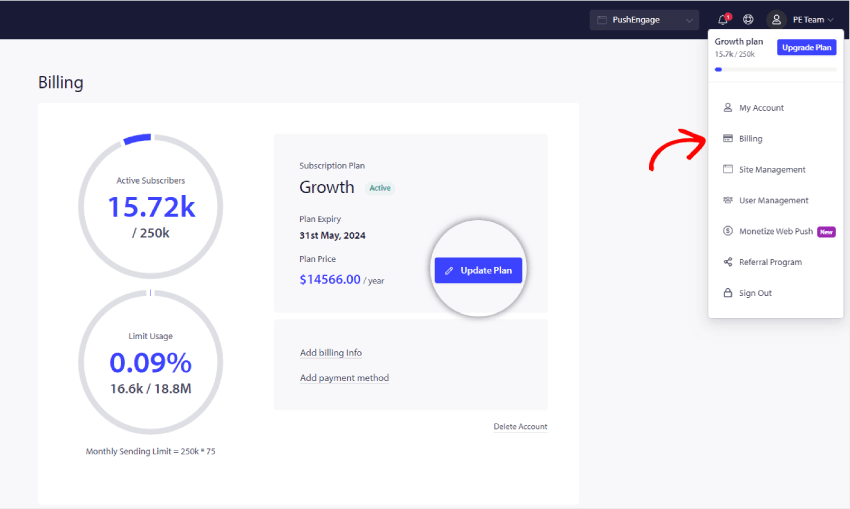
右上隅のプロフィールアイコンに移動し、「請求」をクリックしてください。
次に、「請求詳細」ページで、以下のスクリーンショットに示すように「プランの更新」をクリックします。
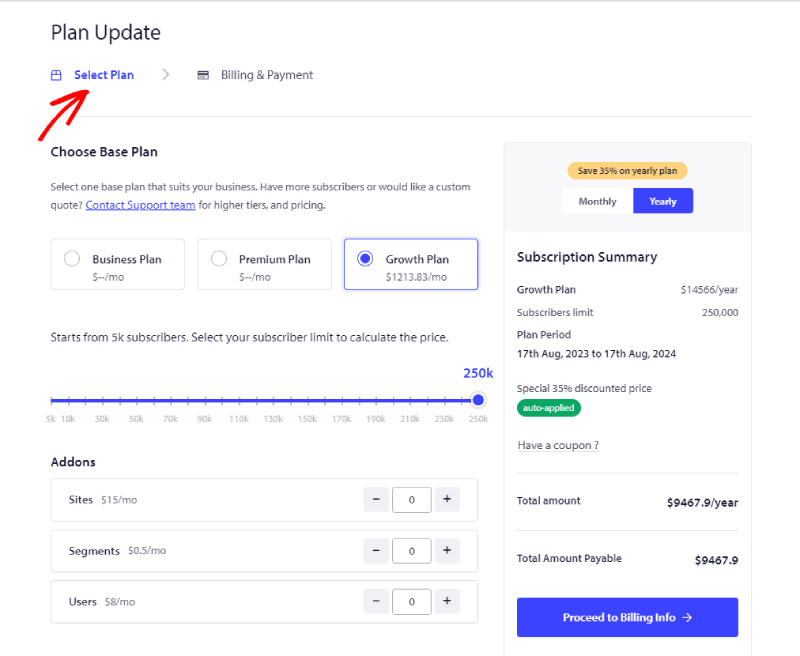
ビジネス要件に応じた適切なプランを選択してください。アップグレードしたい購読者の区分とプランを選択します。次に、「請求情報に進む」をクリックできます。
これで、請求情報ページに進むことができます。
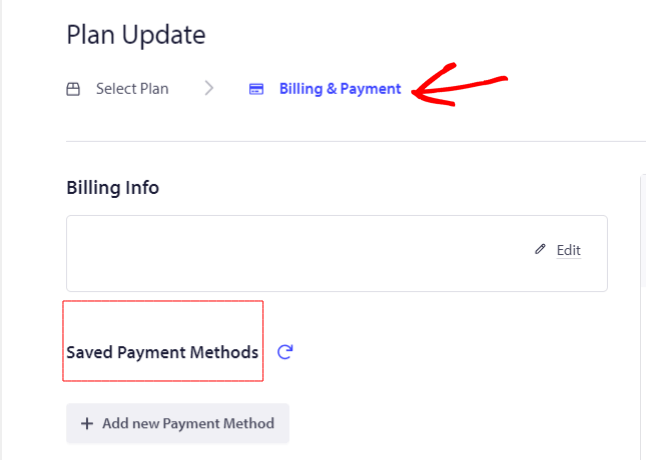
請求詳細とカード詳細を追加して、チェックアウトに進むことができます。
これで完了です。アカウントがアップグレードされました。
問題が発生した場合は、ここをクリックしてお気軽にお問い合わせください。サポートチームがお手伝いします。