Vous pouvez intégrer les notifications push du navigateur sur votre site Weebly en utilisant PushEngage en seulement cinq étapes simples :
1) Allez sur PushEngage et inscrivez-vous. Si vous avez déjà un compte, veuillez vous connecter en utilisant ce lien.
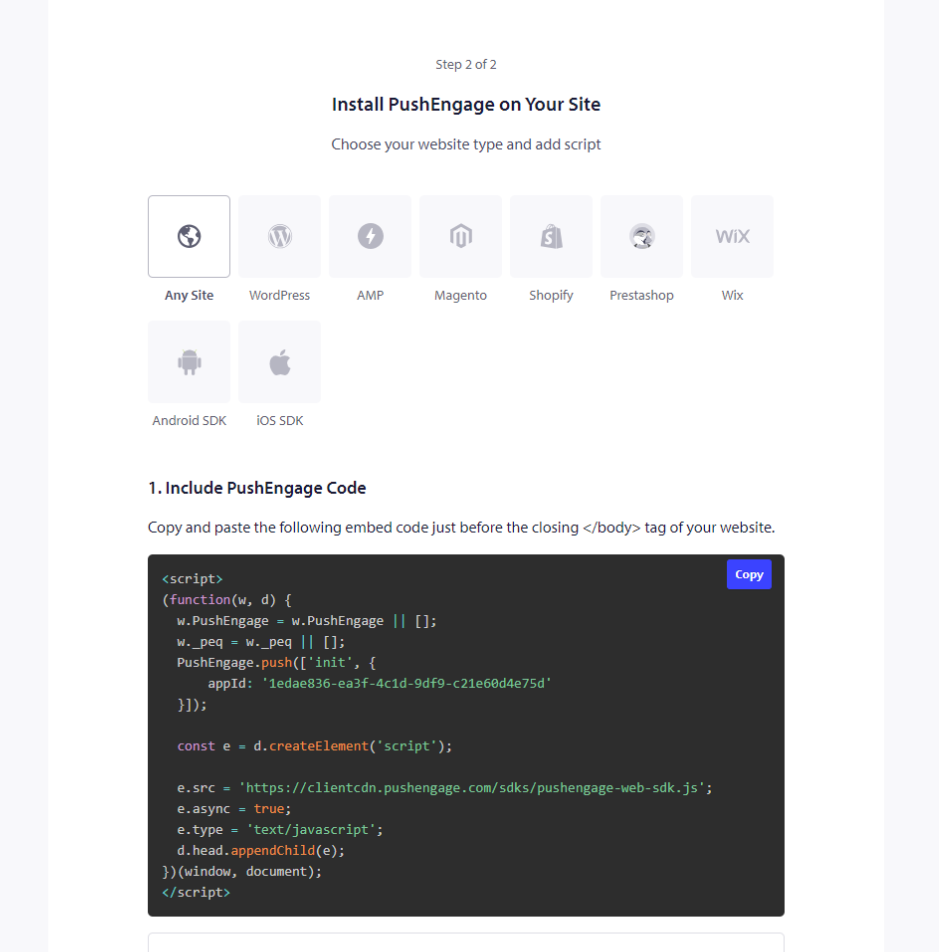
2) Vous devez obtenir votre code d'installation PushEngage qui doit être ajouté à votre site Web. Ci-dessous se trouve le code javascript PushEngage que vous devez ajouter à votre site Weebly. Paramètres du site » Détails du site » Faites défiler jusqu'à « Cliquez ici pour les instructions de configuration ». Choisissez n'importe quel site Web
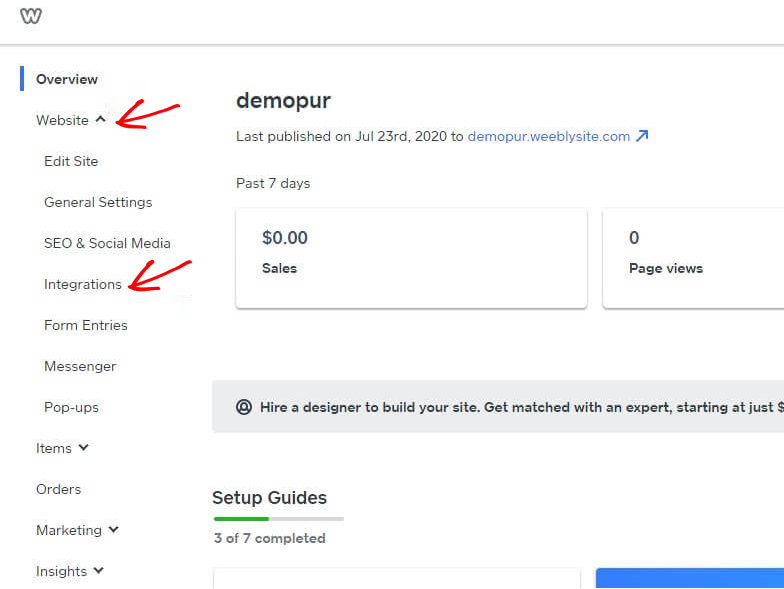
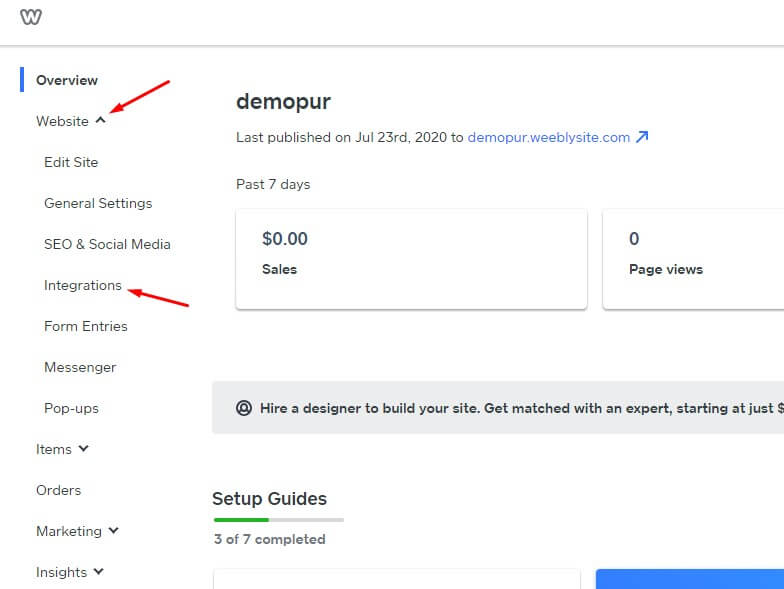
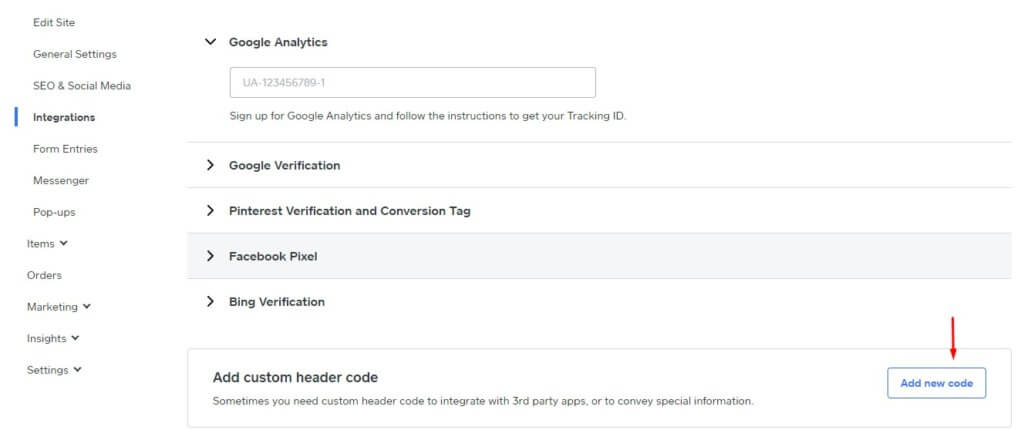
3) Connectez-vous au tableau de bord Weebly et sélectionnez Site » Intégrations.
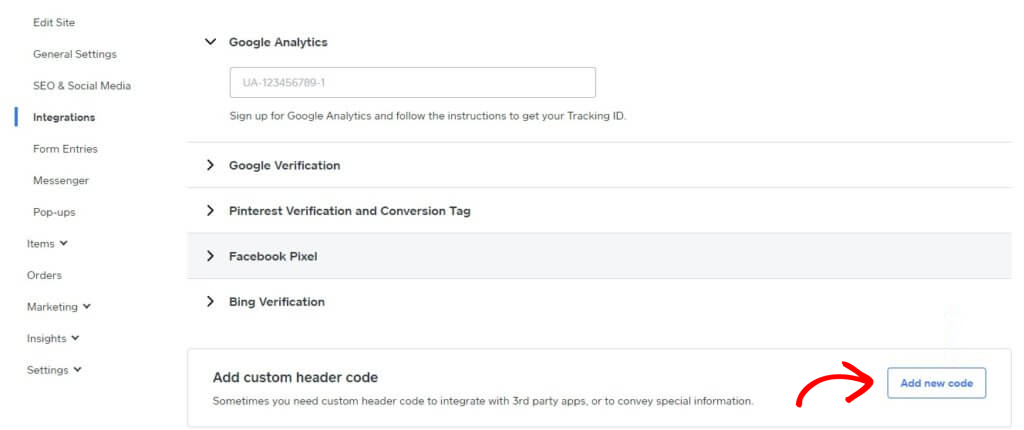
4) Sur la page d'intégration, ajoutez le code d'en-tête personnalisé en bas. Cliquez sur Ajouter un nouveau code.
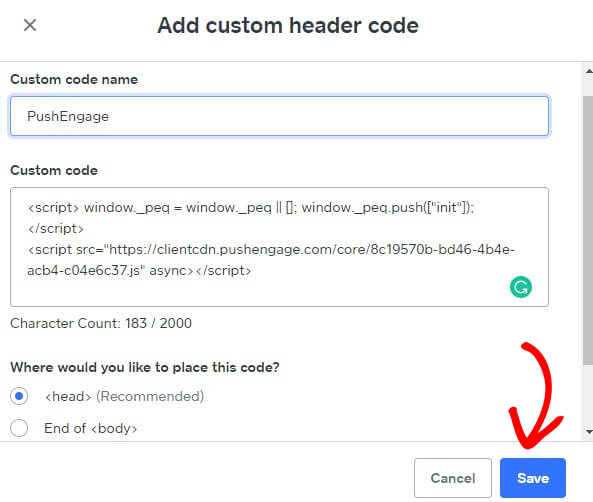
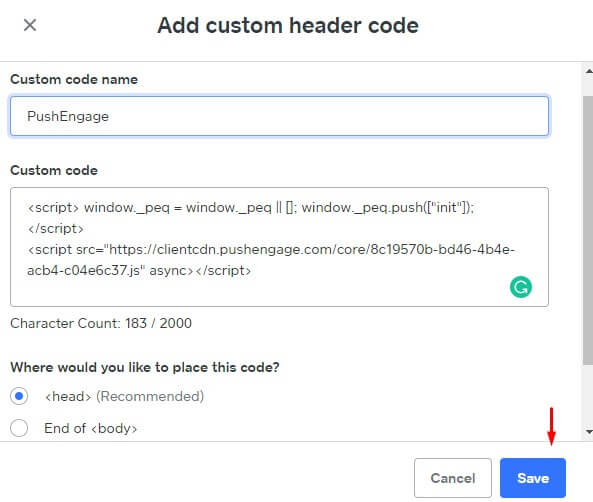
5) Collez le code PushEngage dans l'en-tête. Vous pouvez également sélectionner la fin de la balise <body> pour coller le code. Dans l'écran ci-dessous, nous avons collé le code javascript PushEngage dans la section du pied de page. Une fois terminé, cliquez sur Enregistrer.
Cela complète l'intégration de PushEngage sur le site Weebly. Vous pouvez maintenant commencer à collecter des abonnés et envoyer des notifications push depuis le site Weebly.
Si vous rencontrez des problèmes, n'hésitez pas à nous contacter en cliquant ici. Notre équipe de support pourra vous aider.