Hos PushEngage tror vi på gennemsigtighed og ønsker at sikre, at der er INGEN leverandørlåsning, når du tilmelder dig. Vi har endda Hvis du ønsker at aktivere web push-notifikationer på Safari, og dine abonnenter skal være portable, skal du oprette dit eget Safari web push-certifikat og konfigurere det i PushEngage. Dette trin ligner oprettelsen af din egen FCM-nøgle til Chrome.
Her er den trin-for-trin oversigt, som du kan følge for at oprette dit eget certifikat.
Før du opretter certifikatet, skal du bruge et par ting –
- En aktiv Apple Developer Account – Denne udviklerkonto koster i øjeblikket $99/år.
- Unikt Push ID til din hjemmeside (kan oprettes via udviklerkonto)
Ved at følge de fire trin kan du oprette dit eget safari web push-certifikat
Trin 1 – Opret en certifikatanmodning
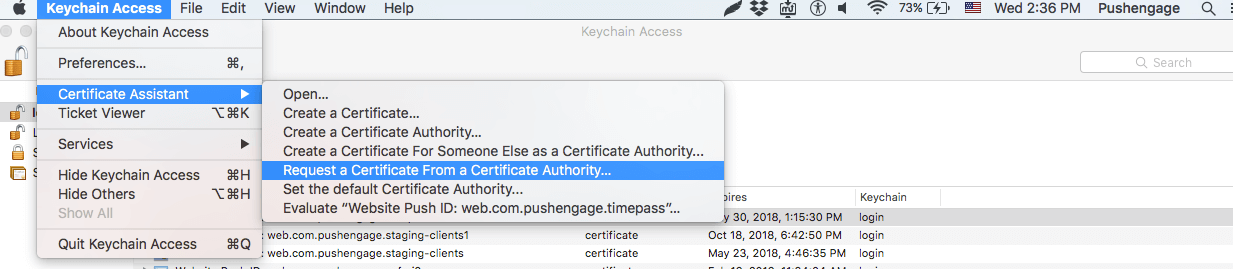
- Åbn Keychain Access App og naviger til Keychain Access > Certificate Assistant > Request certificate from Certificate Authority
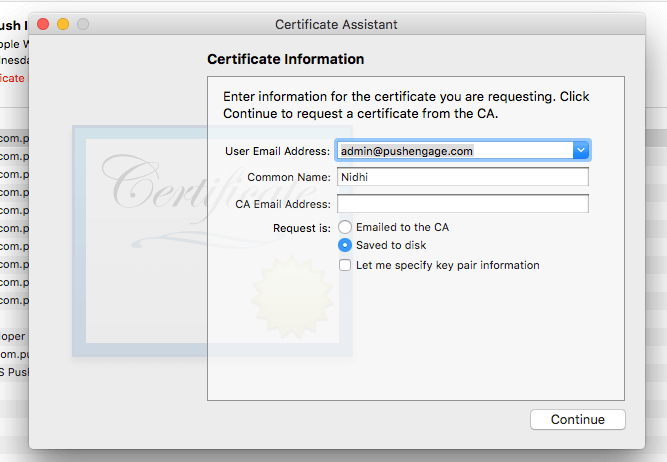
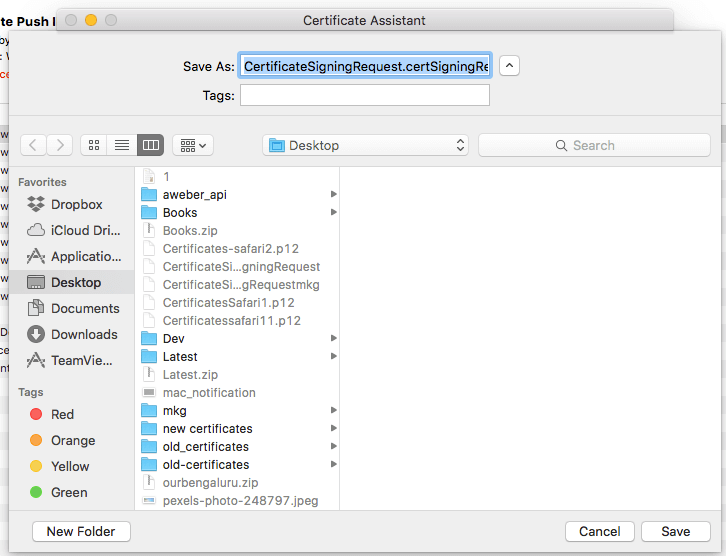
- I certifikatinformationen skal du tilføje en e-mailadresse og et navn og derefter klikke på Gem.
Trin 2 – Opsæt Web Push Id til APNS
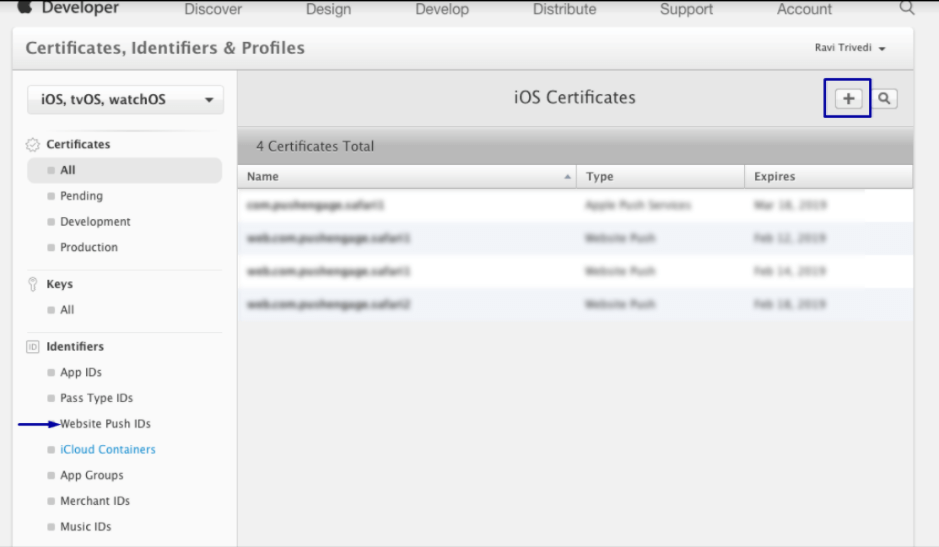
- Log ind på Apple Developer Console > Identifiers > Website Push IDs og klik øverst til højre på +
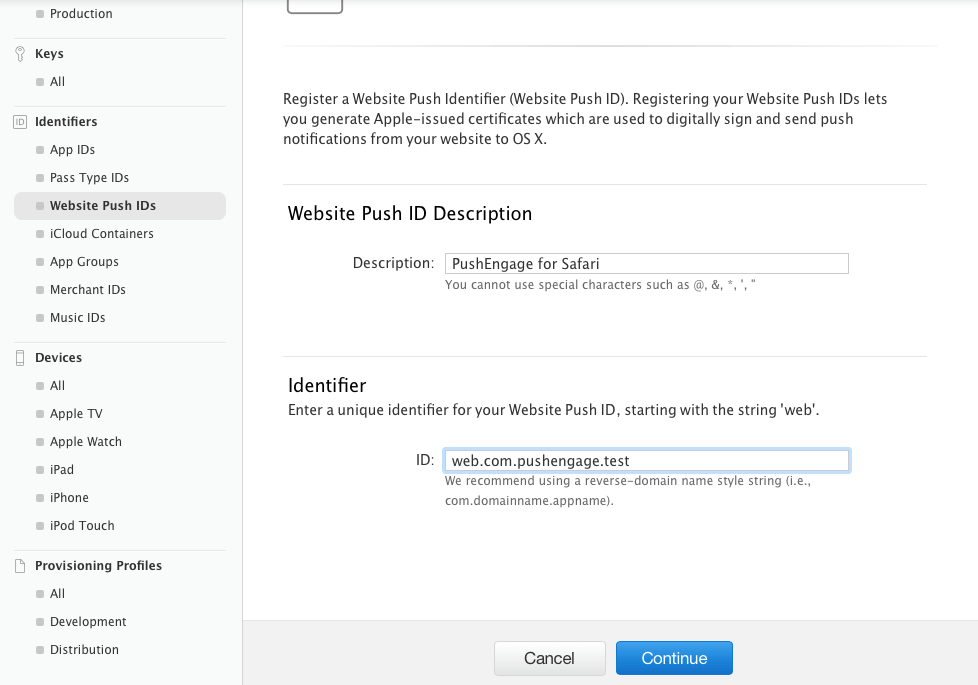
- Du vil blive omdirigeret til det næste vindue, og der skal du tilføje en website Push ID-beskrivelse og et unikt id. Når du er færdig, skal du klikke på Fortsæt.
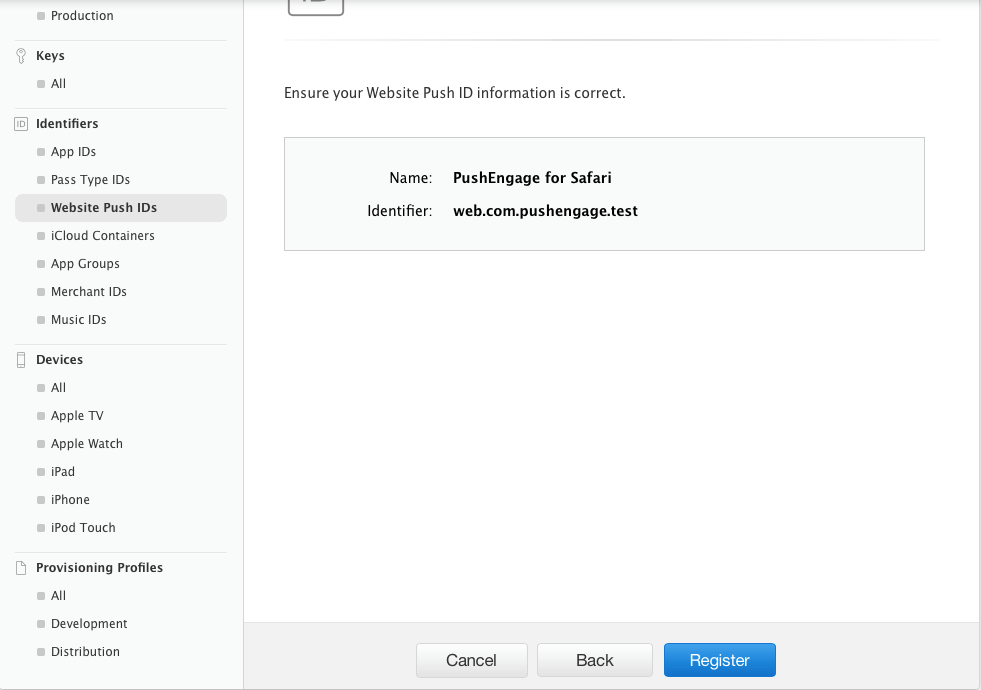
- I det næste vindue skal du sikre dig, at dit website Push ID er korrekt, og derefter klikke på Registrer
Trin – 3 Generer Web Push-certifikat
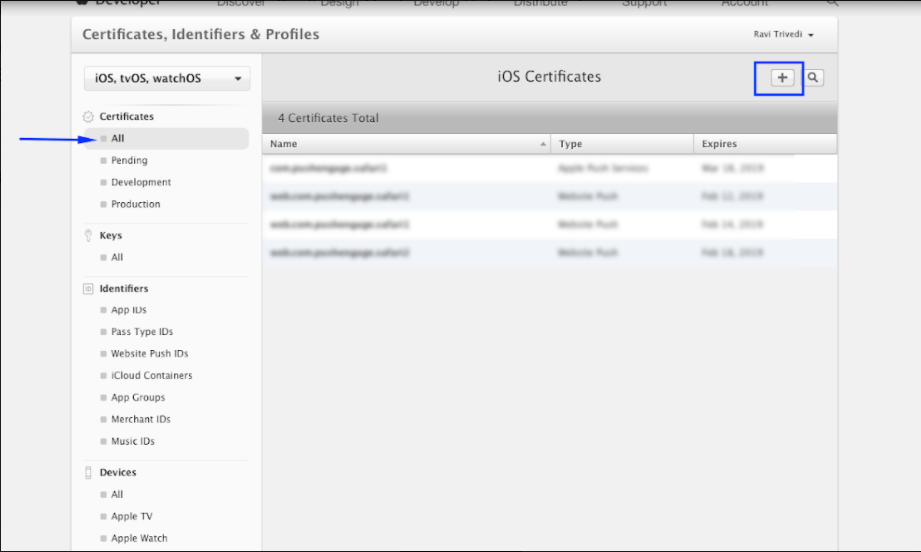
- Naviger til Certificate > All > klik på +
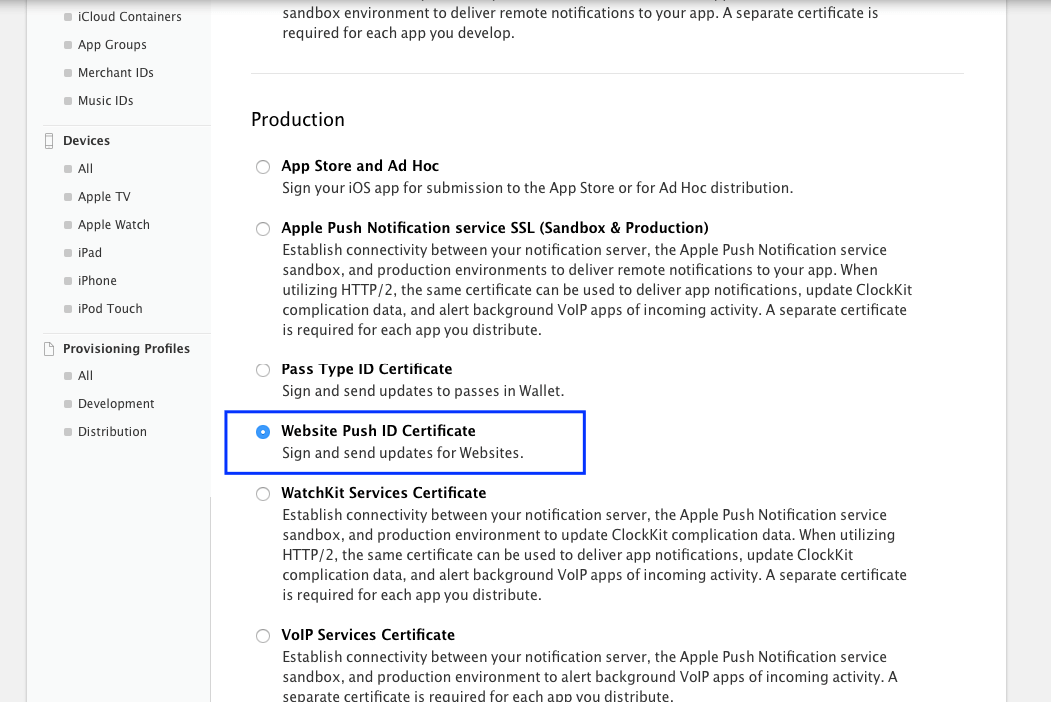
- Vælg Website Push Id Certificate > Fortsæt
- Vælg det Website Push ID, som du oprettede i Trin 2, og klik på Fortsæt
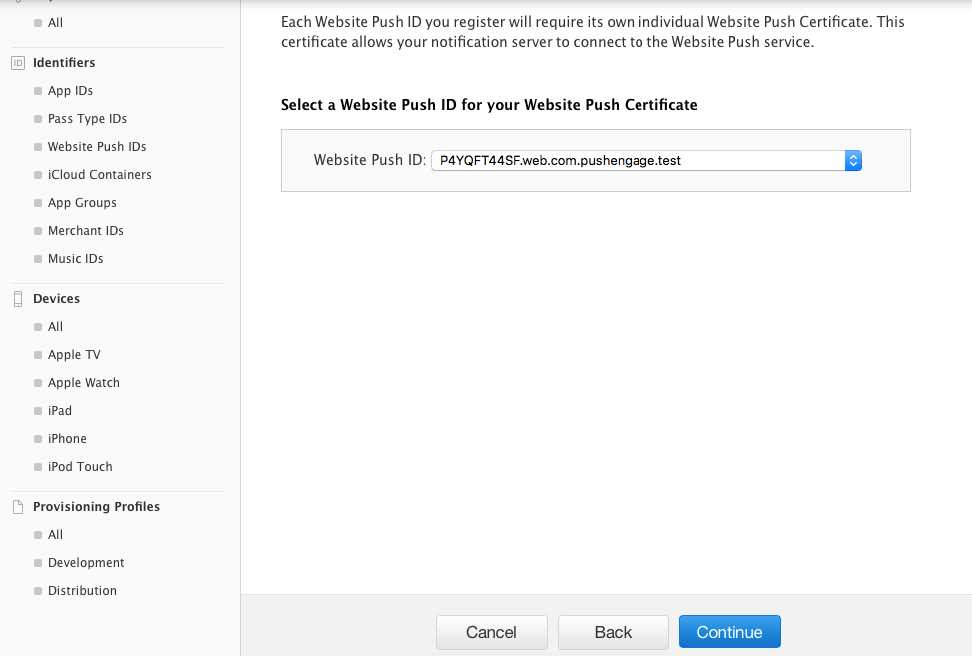
- Tilføj nu CSR-certifikatet, som du oprettede i Trin 1, og klik på Fortsæt
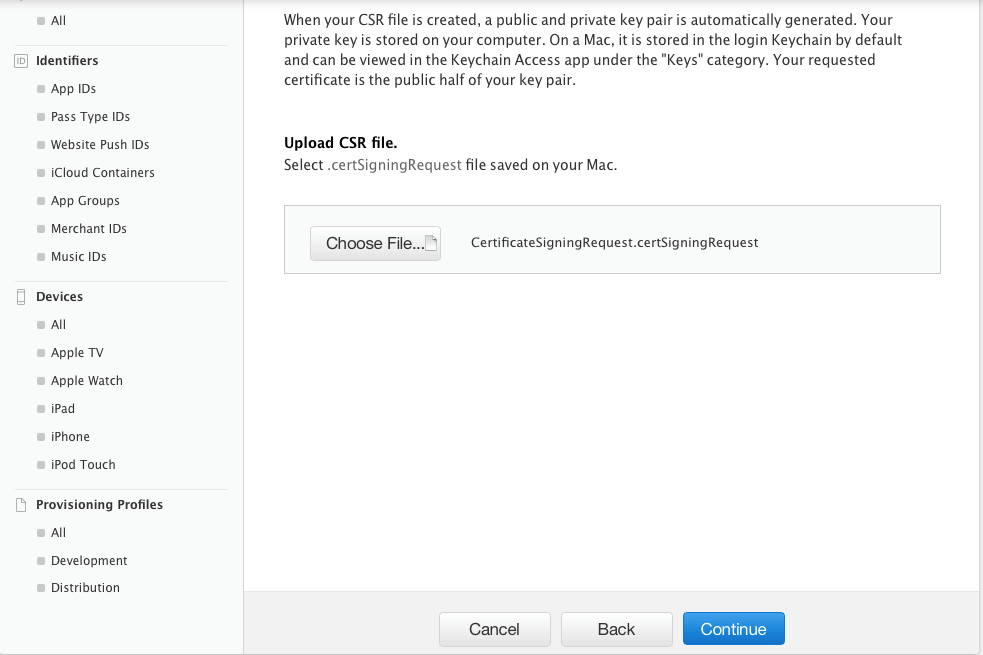
- I næste vindue får du beskeden "Dit certifikat er klar". Download det, da det vil blive brugt til at sende notifikationer til dine abonnenter.
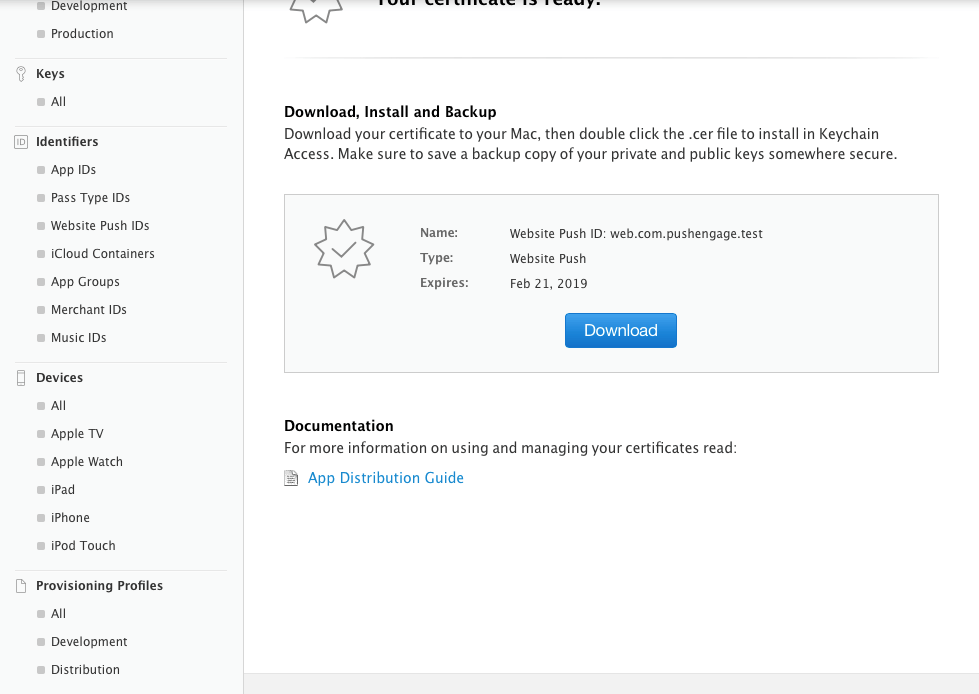
- Nu skal du installere og eksportere certifikatet. Så dobbeltklik på Downloaded Certificate, og dit certifikat vil blive installeret i keychain Access App
- For at eksportere certifikatet – Gå til Keychain App > Certificate > Højreklik på certifikatet > vælg det Website Push ID, som certifikatet blev oprettet til > klik derefter på Eksporter
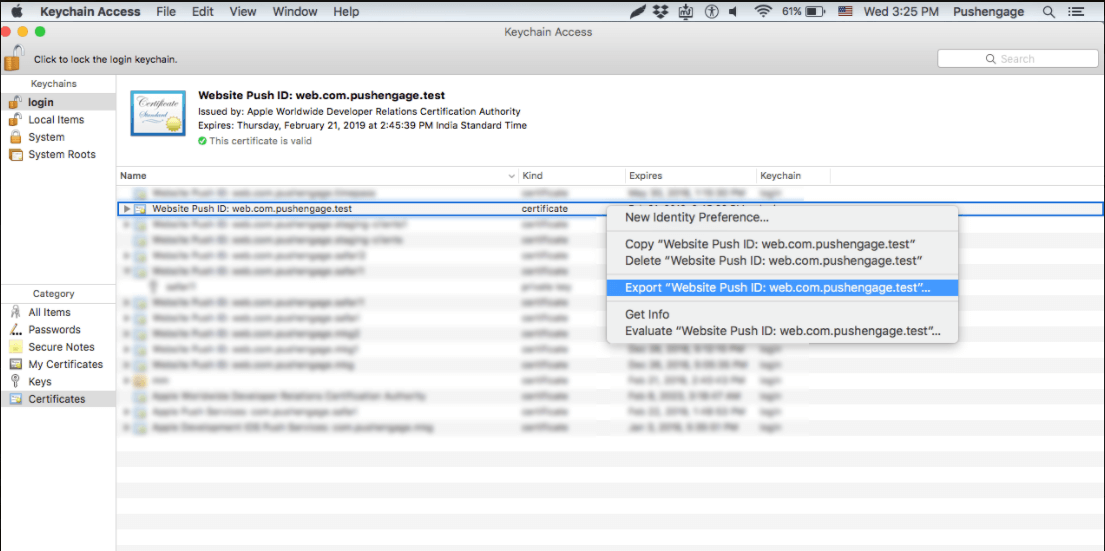
- Brug Personal Information Exchange (.p12) format, når du gemmer certifikatet
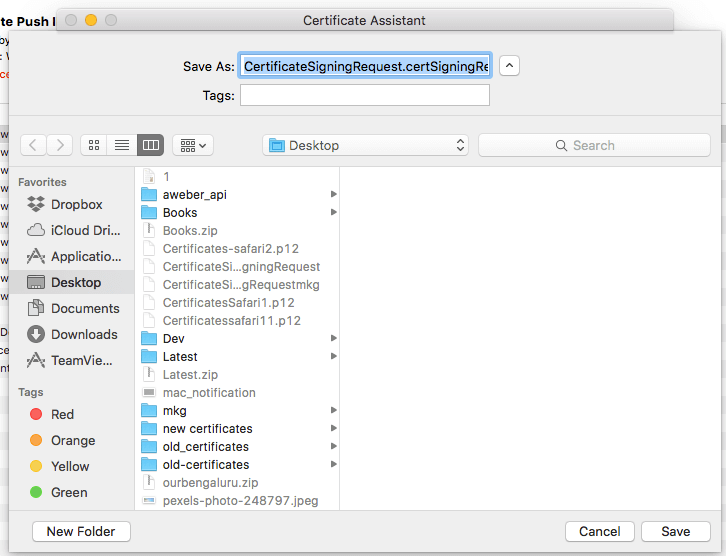
- I det næste vindue kan du vælge at oprette en adgangskode eller lade den stå tom og derefter klikke på OK
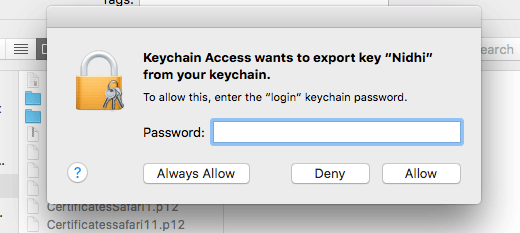
- Klik Tillad for at eksportere certifikatet til MAC
Trin 4 – Upload dit certifikat til PushEngage
- Naviger til Indstillinger > Safari web Push Settings > Indtast Website Push Id > Private key file og adgangskode. Når du er færdig, skal du klikke på Opdater.
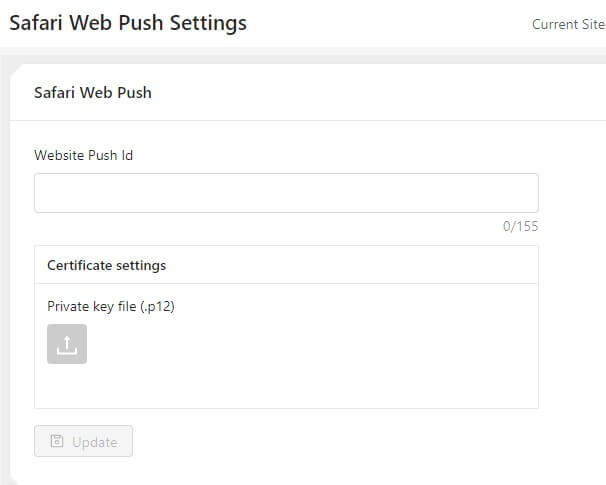
- Hvis indstillingerne er udført korrekt, får du beskeden "Indstillinger opdateret succesfuldt"
Det var det, og du kan nu sende notifikationer til dine abonnenter ved hjælp af Safari. Vi understøtter også push-notifikationer på Chrome og Firefox-browseren.



Hos PushEngage tror vi på gennemsigtighed og ønsker at sikre, at der ikke er nogen leverandørlåsning, når du tilmelder dig.
Bør være:
Hos PushEngage tror vi på gennemsigtighed og ønsker at sikre, at der IKKE er nogen leverandørlåsning, når du tilmelder dig.