这是一个价值2500万美元GMV的WooCommerce服装店的周一上午,留存经理正在启动季度清仓促销。团队已经发送了全店邮件:八折,周五到期,周一上午一次性发送。在接下来的七天里,这封邮件将挽回8400美元的可归属收入。另一个挽回渠道则比较安静。
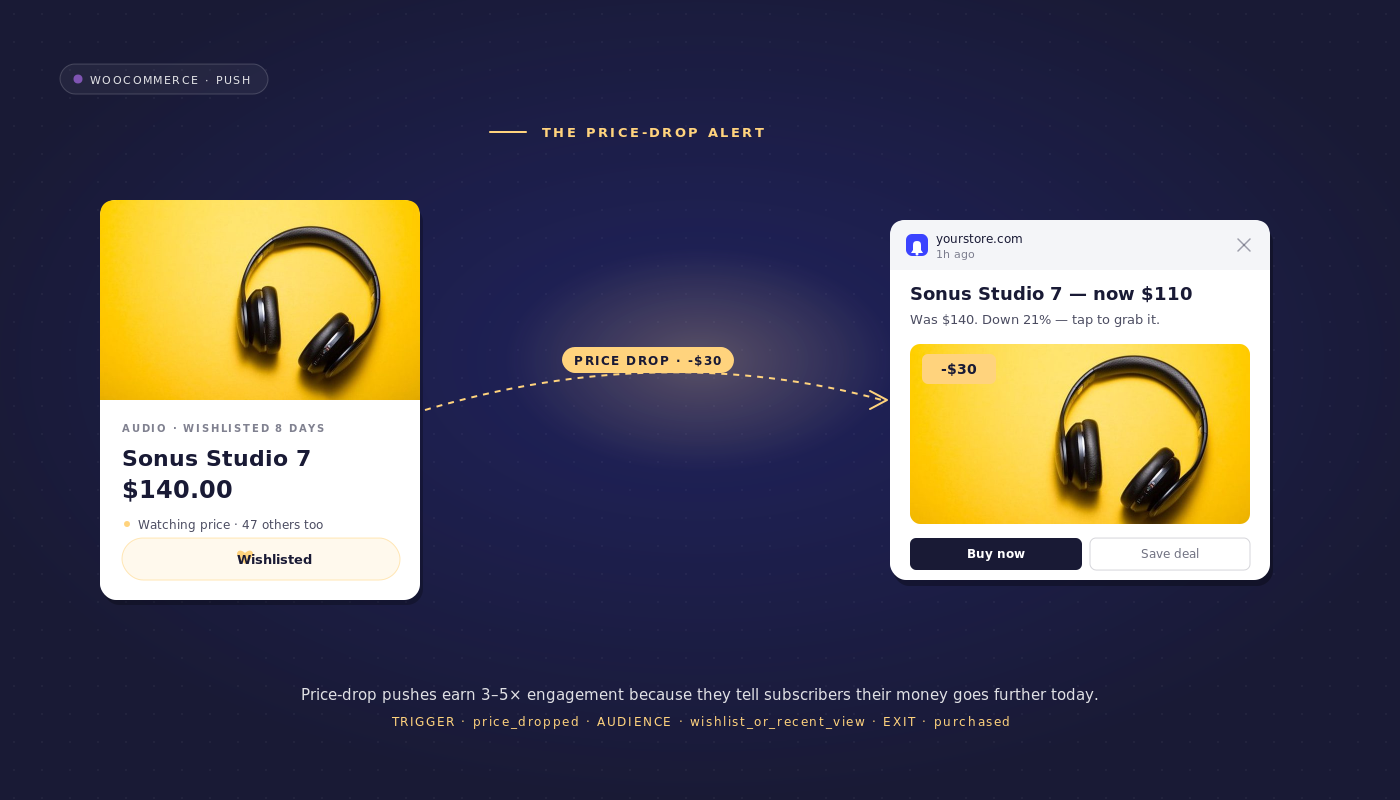
每次商家在WooCommerce后台设置促销价时,一个自动工作流就会向专门关注该SKU的订阅者发送WooCommerce降价提醒。在相同的72小时窗口内,降价工作流挽回了19,200美元。同样的商店,同样的促销,自动化挽回的金额是前者的两倍半。
这两个渠道是不可互换的。全店邮件是广播,降价工作流是按SKU的渠道。它们是叠加关系而非竞争关系,并且在大多数中端WooCommerce商店中,按SKU的渠道是明显被低估的工具。
本文将介绍降价工作流的端到端流程,为什么三受众级联是正确的架构,如何避免频率上限训练出折扣猎人用户群,以及如何按SKU归因挽回的收入,以便财务部门能够清晰地阅读明细。
为什么降价是转化率最高的挽回触发器
大多数留存工作流针对的是单一受众。购物车放弃工作流针对的是放弃购物车的用户。浏览放弃工作流针对的是放弃浏览的用户。欢迎系列针对的是新订阅者。降价提醒则不同。两个受众汇聚于同一个触发器:浏览了产品但未加入购物车的浏览放弃者,以及专门因为价格原因放弃购物车的购物车放弃者。两者都表现出对特定产品的意向。两者都可以通过一个工作流、一个触发器和一个退出标准来触达。
降价之所以能带来比任何单独提醒高出数倍的转化率,还有第三个原因。触发信号比单独的受众信号更具体。浏览放弃提醒要求订阅者相信商家所说的产品仍然值得他们关注。降价通知本身就带有证据:价格确实变动了,这是新的数字。订阅者同时看到提醒和价格,这就是为什么即使是冷门受众在收到降价通知时,转化率也比收到通用再互动提醒时更高。
价格提醒的opt-in时刻
产品详情页上的“降价时通知我”按钮是中端电子商务中最高质量的选择加入之一。订阅者指定他们想要跟踪的具体产品。与通用的全站选择加入相比,PDP降价提醒选择加入产生的订阅者基础在价格下跌工作流上的转化率是冷门订阅者的数倍。订阅者质量的复合论证在关于触发式订阅提示的姊妹文章中有更详细的介绍;简而言之,选择加入来源预测的每个订阅者的下游收入,与保留中的任何信号一样清晰。
对于WooCommerce商店,PDP选择加入通过PushEngage JS SDK的subscribeToProduct(productId)方法实现。该按钮将产品ID写入订阅者属性,该属性成为价格下跌工作流可以路由的细分。已经运行YITH或TI WooCommerce Wishlist插件的商店可以通过愿望清单价格跟踪获得并行路线:每个愿望清单产品实际上都是客户明确的价格提醒选择加入。
降价工作流,端到端
这是完整的工作流规范。直接将其放入PushEngage工作流构建器中。
- 触发器(开始):自定义事件
price_dropped,当product_meta._sale_price字段更新且小于_regular_price时,由WooCommerce触发。事件负载包括product_id、old_price、new_price和percent_off。 - 运行类型:多个并行。每个订阅者每个产品一个工作流实例。跟踪三个产品的订阅者将获得三个并发实例;每个实例在其产品被购买时独立退出。
- 频率上限(工作流级别):如果订阅者属性
last_price_drop_alert_at在过去14天内,则退出。此上限可防止训练折扣猎人受众,并在下一节中进行辩护。 - 决策1:订阅者是否明确订阅了该产品的提醒(细分
price_alert_subs_{product_id}或愿望清单匹配)?是:发送明确订阅者的降价提醒。否:继续决策2。 - 决策2:订阅者是否在过去30天内在该产品的浏览遗漏细分中?是:发送浏览遗漏者的降价提醒。否:继续决策3。
- 决策3:订阅者是否在过去14天内在该产品的购物车遗漏细分中?是:发送购物车遗漏者的降价提醒。否:静默退出。
- 等待:首次发送后24小时。
- 决策4:订阅者是否购买了该产品?是:退出(成功,匹配退出条件)。否:发送库存不足的第二次触达。
- 结束。
每个分支的通知文案:
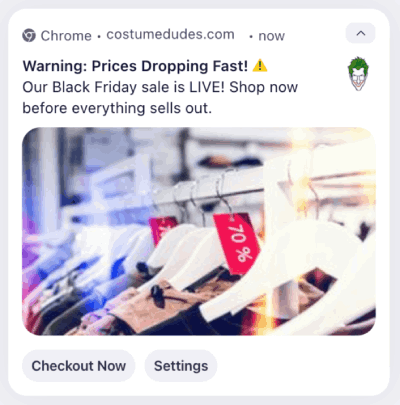
- 明确订阅者:“您跟踪的商品价格已下降。{{product_name}} 现在价格为 {{new_price}},优惠 {{percent_off}}%。立即选购。”
- 浏览放弃者:“时机正好。您上周查看的 {{product_name}} 现在价格为 {{new_price}},优惠 {{percent_off}}%。
- 购物车放弃者:“您将 {{product_name}} 留在了购物车中。价格刚刚降至 {{new_price}}。您的购物车还在那里。”
- 库存告急二次触达:“请注意。{{product_name}} 以 {{new_price}} 的价格库存告急。促销商品库存变化很快。”
价格提醒工作流有一个触发器、三个发送分支和一个退出条件。对于已经运行购物车和浏览工作流的读者来说,他们已经拥有了受众细分和订阅者属性。在此基础上,价格提醒工作流可以在一小时内组装完成。
为什么受众级联是正确的架构
大多数留存营销工具会构建三个独立的价格下降活动。一个针对明确的愿望清单订阅者,由忠诚度经理负责。一个针对浏览放弃者,由生命周期营销人员负责。一个针对购物车放弃者,由 CRM 负责人负责。三个活动意味着三个活动负责人,三套在第三季度开始出现差异的文案,以及三个容易被遗忘退出条件的环节。级联工作流将这些合并为一个工作流,包含三个决策节点,对无意向的订阅者静默退出,并且从不重复发送。
| 概念 | 三个独立活动 | 一个级联工作流 |
|---|---|---|
| 负责人 | 三个(忠诚度、生命周期、CRM) | 一个(留存经理) |
| 文案变体 | 三个,出现差异 | 每个分支一个规范变体 |
| 退出条件 | 三个规则,单独设置 | 一个工作流规则 |
| 频率上限 | 无(活动不协调) | 一个上限,工作流级别 |
| 归因 | 三个明细项 | 一个明细项,三个分支小计 |
| 重复发送风险 | 高(愿望清单订阅者也可能是购物车放弃者) | 零(级联按意图排序) |
级联顺序很重要。明确订阅者首先被评估,因为选择加入是最高意图信号。浏览放弃者其次,因为对于大多数商店来说,产品浏览比购物车放弃更近期且更具体。购物车放弃者最后,因为购物车放弃工作流已经用 0/10/20 的折扣阶梯向他们发送了消息;价格下降提醒是针对同一订阅者的不同角度,应该最后发送,以避免与购物车工作流自身的升级叠加。
定价策略整合:避免训练折扣猎人
每两周收到一次降价通知的订阅者会学会等待。这是不受限制的价格下降计划的隐性成本:通过提醒进行转化的用户群体也会推迟后续购买,等待下一次降价。四个季度后,这种训练出来的“折扣猎人”行为会完全侵蚀留存率的计算基础。为挽回而付出的 5% 利润损失是可以接受的。但十二个月内整个用户群体的 25% 的训练行为损失是不可接受的。
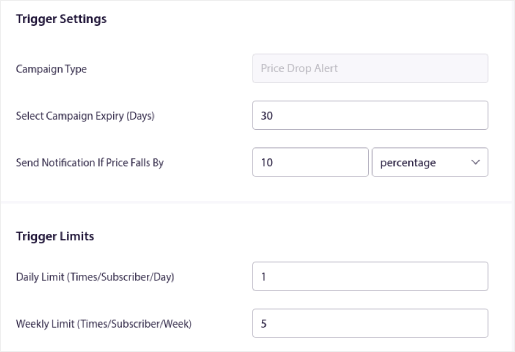
此防御机制是一种工作流级别的频率上限。每个订阅者每14天最多收到1次降价通知,该通知在工作流内部作为退出条件检查订阅者属性last_price_drop_alert_at来强制执行。每次成功发送都会通过UpdateAttribute操作节点更新该属性。下一次针对同一订阅者触发的price_dropped事件会检查该属性;如果距离上次发送在14天内,工作流将在任何三个DECISION分支进行评估之前退出。
上限窗口可以调整。每周进行促销的商店可能需要将上限调整为7天以保持相关性。每季度进行清仓促销的商店可以保持14天或延长至21天。关键在于,此上限是工作流规则,由引擎强制执行,而不是活动负责人日历提醒。当活动负责人更换职位时,工作流规则不会被遗忘。
有一个推论。频率上限也保护了那些不处于降价狩猎状态的订阅者的关系。上周以全价购买了某产品的客户不希望本周收到同一产品的降价提醒。退出条件受众过滤器(购买此产品30天内)将这种情况作为单独的规则处理,但14天的上限是普遍的底线。
WooCommerce堆栈整合
数据输入是特定的。WooCommerce在产品元数据表中将促销价存储为_sale_price,将原价存储为_regular_price。WooCommerce-PushEngage集成插件挂钩到save_post_product操作,并在每次保存产品时读取元数据;如果_sale_price非空且小于_regular_price,则插件会触发price_dropped自定义事件,并附带SKU、旧价格、新价格和折扣百分比。这是降价工作流START节点监听的事件。
动态定价插件(Advanced Dynamic Pricing for WooCommerce, WooCommerce Dynamic Pricing & Discounts)在它们的规则生效并触发相同钩子时写入相同的元数据层。降价工作流无需知道价格变动是来自手动促销价编辑还是来自自动动态定价规则。它会监听事件,而不管来源如何。
对于明确选择加入的用户,PushEngage JS SDK公开了subscribeToProduct(productId)。PDP价格提醒按钮在点击时调用此方法;订阅者会被添加到名为price_alert_subs_{product_id}的每个产品细分中。使用YITH或TI WooCommerce Wishlist插件的商店可以编写一个并行钩子,将每个心愿单产品映射到同一个每个产品细分,以便心愿单价格跟踪和明确的价格提醒选择加入功能输入到同一个受众群体。
先实施什么。按销量排名前100的SKU覆盖了大部分收入。首先将save_post_product钩子连接起来,为这些SKU触发price_dropped。在同一批产品上添加PDP价格提醒按钮。针对这个范围受众建立工作流,进行衡量,然后扩展。完整的目录可以稍后处理。
按工作流归因
每次降价活动、每个SKU、每个渠道的已恢复收入。这是留存中最清晰的收入归因,因为触发事件(价格变动)有时间戳,转化事件(购买相同SKU)也有时间戳。两者相减,差值即为每次提醒的已恢复收入。
PushEngage Workflows 会跟踪每个节点上的排队、已完成和已退出用户。以下是针对季度清仓周内,针对20万订阅者列表的实际降价工作流的节点级分析:
| 节点 | 排队中 | 已完成 | 已退出 | 备注 |
|---|---|---|---|---|
| 开始(降价,40个SKU) | 0 | 18,400 | 0 | 18,400个订阅者-产品对符合条件 |
| 频率上限退出 | 0 | 17,100 | 1,300 | 1,300个因最近的提醒而被设限 |
| 决策1:明确的订阅者 | 0 | 4,200(是) | 0 | 路由到明确订阅者发送 |
| 决策2:浏览放弃者 | 0 | 7,800(是) | 0 | 路由到浏览放弃者发送 |
| 决策3:购物车放弃者 | 0 | 2,300(是) | 0 | 路由到购物车放弃者发送 |
| 决策3否路径:退出 | 0 | 0 | 2,800 | 无意向订阅者静默退出 |
| 操作:首次发送 | 0 | 14,300 | 0 | 通过三个分支发送 |
| 等待 24 小时 | 1,800 | 9,400 | 3,100 | 3,100人在24小时内购买,退出 |
| 决策4:已购买? | 0 | 9,400 | 0 | 所有未购买者继续 |
| 操作:库存告急第二次触达 | 0 | 9,400 | 0 | 第二次发送 |
| 结束 | 不适用 | 9,400 | 不适用 | 其中1,200人在接下来的48小时内转化 |
在此漏斗中,有4,300名订阅者(3,100加1,200)在降价活动后的72小时内购买了所提醒的SKU。以平均58美元的购物车价值计算,这大约是本周恢复的249,400美元收入,而发送次数为14,300次,并且推送渠道的每次发送成本为零。按SKU汇总,每SKU的收入将与折扣实现指标一起显示在商品经理的仪表板上。该工作流不再是营销活动成本,而是价格实现项目。
对财务部门的正确解读是,降价工作流是已发现的收入。这些订阅者在正常价格下不会购买,但在收到提醒后以促销价格购买了。商店本来就要对这些SKU进行降价。该工作流将计划中的降价转化为已恢复的需求。
在 PushEngage 工作流中构建
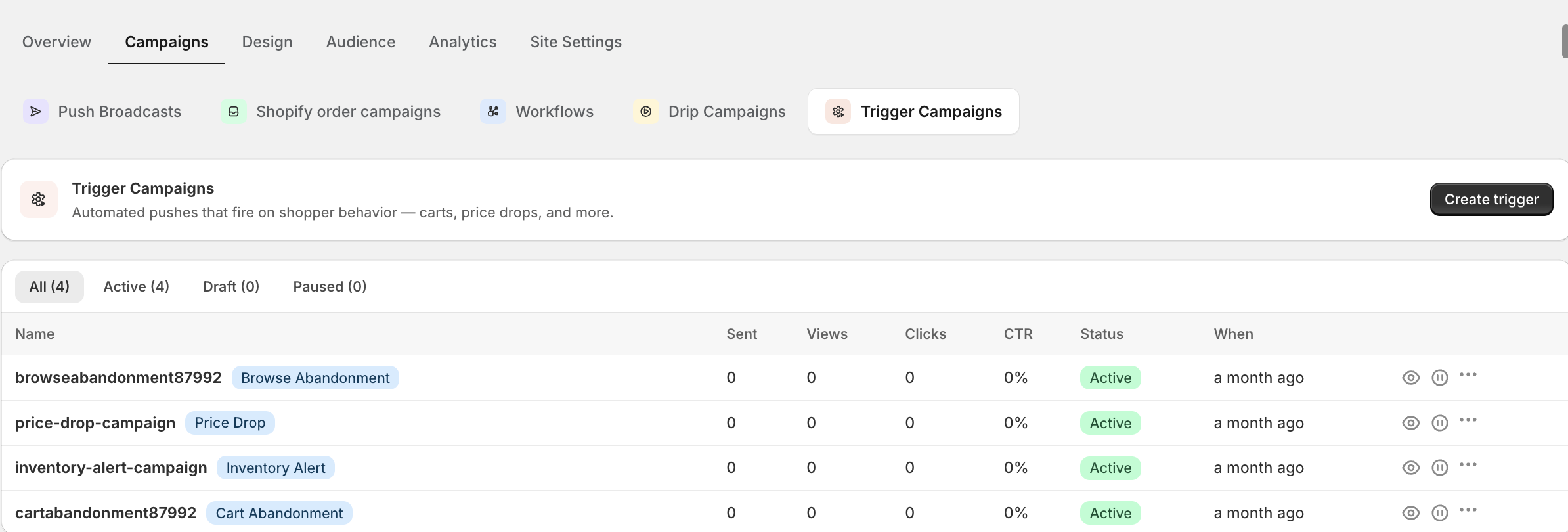
降价工作流直接映射到PushEngage Workflows组件。
| 工作流片段 | PushEngage元素 |
|---|---|
| 触发器 | 以 CustomEvent price_dropped 开始,多重并行运行类型 |
| 频率上限 | 以订阅者属性 last_price_drop_alert_at 上的受众过滤器作为退出条件 |
| 受众级联 | 3 次决策,带有基于细分会员资格的受众过滤器 |
| 发送 | 操作 发送推送通知 x4(三个分支加上第二次触达) |
| 属性更新 | 操作 在每次发送后更新 last_price_drop_alert_at 属性 |
| 等待 | 等待 24 小时 |
| 购买退出 | 以匹配产品 ID 的 purchase 事件上的 Goal.Tracked 过滤器进行决策 |
| 终端 | 结束 |
Workflows 引擎附带 60 多个预制模板,涵盖降价提醒以及支持的购物车和浏览流程。已经上线购物车和浏览工作流的留存经理可以在一小时内,在现有受众细分的基础上,为 WooCommerce 推送通知降价提醒层添加功能。
这改变了什么
对于运行多渠道留存计划的商店,推送和电子邮件编排方法将电子邮件作为已取消推送通知订阅的客户的备用方案。更广泛的 电子商务推送通知中心涵盖了降价提醒层与之结合的周边工作流,包括与此工作流共享受众细分的 WooCommerce 购物车放弃工作流和浏览放弃恢复工作流。
降价提醒并非营销活动。它是一个工作流,通过单一触发器、单一退出条件,在两个现有受众加上一个明确选择加入的群体中进行叠加。商家在 WooCommerce 管理后台不断标记促销价格。工作流会针对每个 SKU 持续触发。留存经理会持续阅读每个 SKU 的收入明细。三个营销活动变成一个。训练有素的折扣猎人风险被控制在工作流级别的上限。挽回的收入将在下一个损益表中作为意外之财入账。这种计算方式会随着商店进行的每一次促销而累加。
免费套餐为您提供 200 位订阅者、所有四个渠道(网页推送、应用推送、WhatsApp 和实时聊天)以及第一天即可使用的完整 Workflows 引擎。这足以对您排名前 10 的 SKU 进行降价提醒工作流的配置,并在请求预算之前,在真实订阅者身上验证挽回收入的计算结果。
本周从免费套餐开始,在您现有的工作流之上部署降价提醒层。


