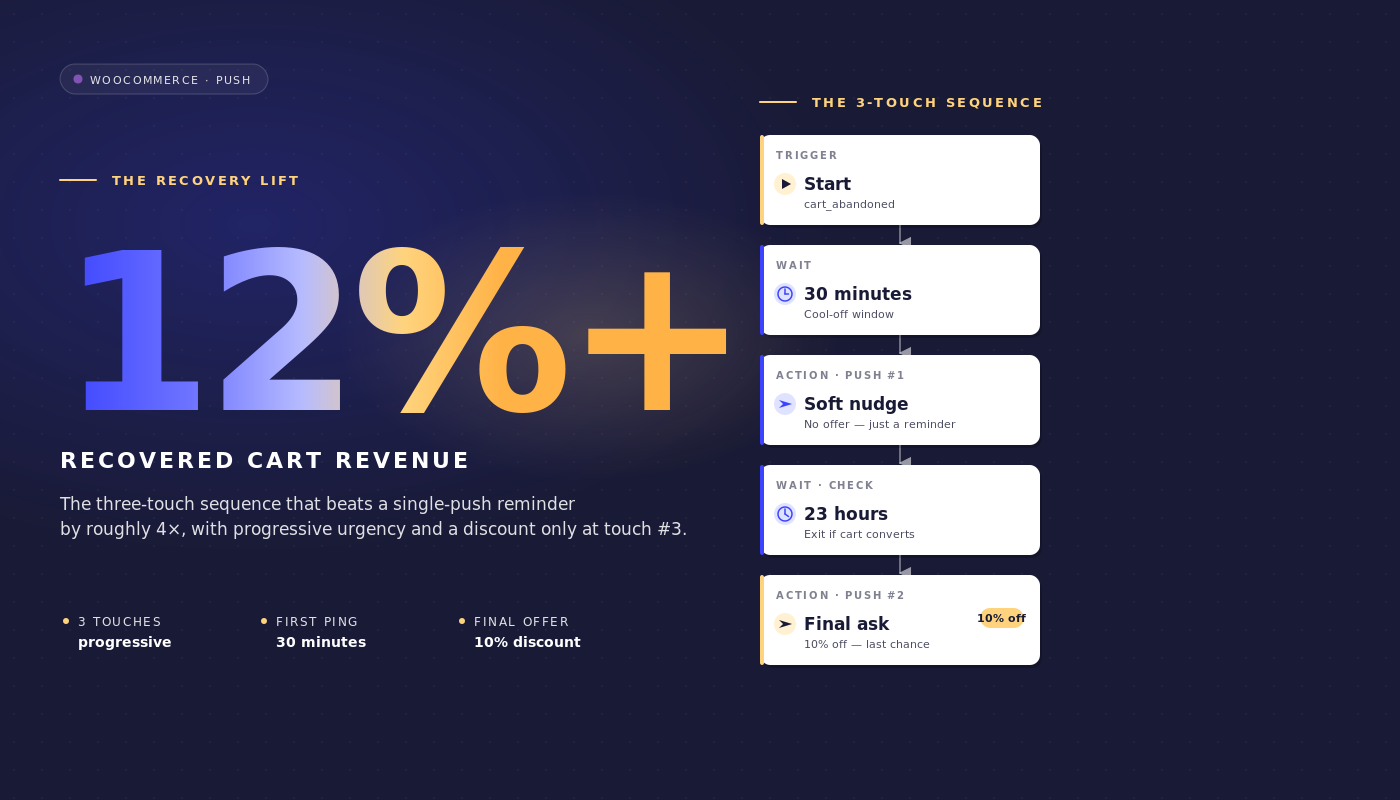
Det är tisdag klockan 09:00 och du tittar på WooCommerce-instrumentpanelen för en butik med 35 miljoner dollar i GMV. Klaviyo återfann 4 800 dollar i övergivna varukorgar förra veckan. Den återfunna delen är 46 000 dollar. Den luckan är inte ett Klaviyo-problem. E-postkadensen är bra. Luckan finns eftersom e-post inte kan nå ungefär en tredjedel av de som överger varukorgen alls: öppningen sker aldrig, förhandsgranskningsfönstret öppnas aldrig, inkorgen förblir full av förra veckans orderbekräftelser.
WooCommerce-aviseringar för övergivna varukorgar stänger den luckan inte genom att ersätta e-postsekvensen utan genom att köras parallellt med den vid en annan tidpunkt, i ett annat format, mot en annan yta.
Den här artikeln är arbetsflödesspecifikationen som en WooCommerce-behållningsansvarig faktiskt behöver: den exakta 3-meddelandeskursen för push, de exakta händelsenamnen, de exakta väntetiderna, rabattstegen som försvaras i marginaldollar, utgångsregeln som stoppar arbetsflödet i det ögonblick varukorgen konverteras, och matematik för attribuering per varukorg som du kan ta till finansavdelningen.
Lyft den direkt in i PushEngage och ha den igång på under en timme. Den återfunna varukorgen är hittad intäkt, inte betald intäkt, och det är hela argumentet för behållning/CAC i en enda mening.
- Varför "push istället för e-post" är fel inramning
- Varför WooCommerce är push-vänligt (och var det inte är det)
- 3-meddelandeskursen för övergivna varukorgar, från början till slut
- Varför 1 timme, 25 timmar och 73 timmar
- Rabattstegsförsvaret
- Attribuering per varukorg och matematiken för återfunnen intäkt
- Orkestrering av flera kanaler: push + e-post + WhatsApp + livechatt
- Sidofält: hantera varukorgsflödet från din AI-assistent
- Bygg det i PushEngage
- Vad detta förändrar
Varför "push istället för e-post" är fel inramning
De flesta artiklar om övergivna varukorgar sätter upp en falsk binär. Push kontra e-post. SMS kontra push. WhatsApp kontra alla tre. Mellanmarknadens WooCommerce-butiker som återfår 25–40 % av värdet av övergivna varukorgar väljer inte en. De lagerlägger. E-post når inboxanvändarna som kontrollerar e-post två gånger om dagen. Push når desktop- och mobilanvändarna som inte kontrollerar e-post alls men tittar på aviseringar. SMS når varukorgar med högt värde där meddelandet måste landa inom de närmaste trettio sekunderna. Behållningsansvariges jobb är att komponera den lagerlagda stacken, inte att debattera vilken enskild kanal som vinner.
För en WooCommerce-butik som kör en e-post-enkel sekvens idag är frågan inte "ska jag byta till push". Det är "vad lägger push till ovanpå det som e-post redan gör". Svaret är enkelt. Push avfyras snabbare än e-postöppningar (en första kontakt efter 60 minuter landar en timme innan det typiska e-postmeddelandet öppnas). Push är svårare att ignorera (ingen förhandsgranskningsruta). Push avslutas vid köphändelsen oavsett vilken kanal som fick kredit för konverteringen. Dessa är additiva egenskaper, inte substitut.
Resten av den här artikeln bygger på den inramningen. 3-meddelandeskursen för push nedan förutsätter att du redan har en 3- eller 4-meddelandes återhämtningssekvens igång i Klaviyo, Omnisend eller vilken ESP du än använder. Den komponerar med den sekvensen snarare än att ersätta den.
Varför WooCommerce är push-vänligt (och var det inte är det)
WooCommerce avfyrar tre inbyggda händelser som gör hela detta hanterbart. add_to_cart avfyras varje gång en produkt läggs till. woocommerce_cart_updated avfyras när kundvagnens status ändras. woocommerce_payment_complete avfyras när en beställning är betald.
PushEngage WooCommerce-integrationspluginet mappar dessa till en PushEngage anpassad händelse som kallas cart_abandoned (avfyras när en kundvagn ligger inaktiv förbi övergivningströskeln) och till ett mål som kallas purchase (avfyras när betalningen slutförs). cart_abandoned-händelsens nyttolast innehåller cart_id, cart_value, cart_url (återställningslänken) och en produktlista. Den nyttolasten blir variabelkällan som arbetsflödets aviseringar använder.
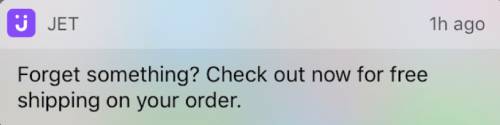
PushEngage-integreringen hanterar även återställning av kundvagnen. När en prenumerant klickar på en pushavisering landar de i kundvagnen med sina varor redan ifyllda istället för på en tom produktsida. Detta är ingen liten detalj: en återställd kundvagn med en-klicksutcheckning konverterar ungefär tre gånger snabbare än en återställd kundvagn som kräver att prenumeranten lägger till varorna igen.
Återställning av kundvagnen är en av PushEngage-integreringens funktioner för WooCommerce-pushaviseringar som levereras direkt ur lådan; på plattformar utan integrationen måste retentionsteamet bygga återställningslänken manuellt.
Det finns en WooCommerce-specifik hake att påpeka. Butiker som använder utcheckning utanför plattformen (Stripe Checkout, PayPal-hanterad utcheckning, Mollie-hanterad, Klarna-hanterad) avfyrar inte woocommerce_payment_complete förrän kunden omdirigeras tillbaka till tack-sidan. Om den omdirigeringen aldrig sker (kunden stänger webbläsarfliken på Stripes hanterade sida efter betalning), har arbetsflödet inget sätt att veta att kundvagnen konverterade. Lösningen är en pixel för målföljning på tack-omdirigeringen som avfyrar PushEngage purchase-målet med cart_id. Utan den pixeln fortsätter arbetsflödet att skicka påminnelser till prenumeranter som redan har betalat, och det är det felaktiga läge som varje retentionsteam vill undvika. Konfigurera pixeln innan du aktiverar arbetsflödet.
Två ytterligare kontextuella anmärkningar. För det första definieras arbetsflödesvokabulären i resten av den här artikeln (START, VÄNTA, BESLUT, HANDLING, SLUT) i PushEngage Workflows-byggaren och behandlas utförligt i den överordnade e-handelsartikeln. För det andra är detta WooCommerce-arbetsflöde för övergiven kundvagn ett av fem WooCommerce-specifika push-arbetsflöden i den här serien; de andra (webbläsarövergivning, prisnedgång, lagerpåfyllning, efterköp) länkar från avslutande avsnittet.
3-meddelandeskursen för övergivna varukorgar, från början till slut
Detta är mittpunkten. Hela specifikationen för arbetsflödet för övergiven kundvagn.
Utlösare och körningstyp
- Utlösare (START): PushEngage anpassad händelse med
event_name = cart_abandoned, avfyrad av WooCommerce-integreringen när en kundvagn ligger inaktiv förbi övergivningströskeln (vanligtvis 60 minuters inaktivitet). - Körningstyp: Flera parallella. En prenumerant som överger kundvagn A på tisdag och kundvagn B på fredag får två samtidiga arbetsflödesinstanser, en per kundvagn, var och en med sitt eget `cart_id`. Detta är kritiskt: en körningstyp, Enkel eller Flera sekventiella, skulle blockera återställningen av kundvagn B när kundvagn A:s arbetsflöde slutförs, och en återkommande kund som överger en andra gång skulle inte få något.
- Avslutningskriterier: Målet
purchasesom matchar `cart_id` från utlösarhändelsen. I samma ögonblick som WooCommerce-måletpurchaseutlöses för den kundvagnen, avbryts arbetsflödet för den prenumeranten, oavsett var de befinner sig i resan. - Tyst tid: 22:00 till 08:00 i prenumerantens tidszon, fallback
reschedule. Inställningenreschedulehåller kvar aviseringar till 08:01 lokal tid istället för att släppa dem, vilket de flesta retentionsteam föredrar eftersom släppta aviseringar också försvinner från analysen.
Flöde
VÄNTA 1 timme → Meddelande 1 (ingen rabatt) → VÄNTA 24 timmar → BESLUT: kundvagnen fortfarande övergiven? → JA-väg: Meddelande 2 (10 % rabatt) → VÄNTA 48 timmar → BESLUT: kundvagnen fortfarande övergiven? → JA-väg: Meddelande 3 (20 % rabatt + brådska) → SLUT.
NEJ-vägarna vid båda beslutsknapparna leder till AVSLUT (kundvagnen konverterades mellan väntetiderna och arbetsflödets jobb är klart).
Aviseringskopia
Meddelande 1 (1 timme efter övergivande, ingen rabatt):
- Titel:
Du lämnade något kvar - Brödtext:
Din {{event.data.product_name || kundvagn}} finns fortfarande kvar. Vill du slutföra utcheckningen? - URL:
{{event.data.cart_url}}
Meddelande 2 (25 timmar efter övergivande, 10 % rabatt):
- Titel:
Tänker du fortfarande? Här är 10 % rabatt - Brödtext:
Din {{event.data.product_name || kundvagn}} är bara ett klick bort. Använd SAVE10 vid utcheckningen. - URL:
{{event.data.cart_url}}?coupon=SAVE10
Meddelande 3 (73 timmar efter övergivande, 20 % rabatt, brådska):
- Titel:
Sista chansen: 20 % rabatt på din kundvagn - Brödtext:
Vi har sparat din {{event.data.product_name || kundvagn}} i ytterligare en dag. Koden SAVE20 går ut ikväll. - URL:
{{event.data.cart_url}}?coupon=SAVE20
Varje titel är under 50 tecken och varje brödtext under 130 tecken, vilket håller dem synliga utan trunkering i Chrome desktop, iOS Safari 16.4+ och Android Chrome. Syntaxen || ger en fallback om produktnamnsvariabeln saknas.
Varför 1 timme, 25 timmar och 73 timmar
De tre väntetiderna är inte godtyckliga. Varje fönster fångar en annan återhämtningspsykologi.
1 timme. Den första kontakten fångar den som överger kundvagnen med "Jag gick för att kolla priser någon annanstans" innan sessionsminnet försvinner. De flesta kundvagnar som någonsin återhämtas gör det inom den första timmen. De flesta som passerar den första timmen utan att konvertera kommer inte att konvertera utan en andra kontakt. En 30-minuters första väntetid är för ivrig: den avbryter jämförelseköpet som kunden aktivt gör. En 4-timmars första väntetid är för långsam: kundvagns kontext är borta. En timme ligger vid vändpunkten.
25 timmar. Den andra kontakten landar nästa dag, avsiktligt 25 timmar snarare än exakt 24 så att en kvällsabandonerare inte får det andra meddelandet vid samma tidpunkt som de fick det första (vilket hjärnan uppfattar som spam). En väntan på 25 timmar flyttar den andra kontakten till nästa morgonrutin för kvällsabandonerare, eller till nästa kväll för morgonabandonerare, vilket är det praktiska räckviddsfönstret för ett erbjudande om 10 % rabatt.
73 timmar. Sista försöket innan kundvagnen blir kall. Tre dagar senare har prenumerantens avsikt antingen materialiserats via någon annan kanal (i vilket fall avslutningsregeln redan har utlösts) eller helt stannat av. En rabatt på 20 % med brådskande formulering är den sista livskraftiga knuffen innan kundvagnen är död. Att vänta längre än 96 timmar ger en försvinnande återhämtningsgrad till en garanterad marginalkostnad; kortare än 48 timmar efter meddelande 2 tränar prenumeranter att vänta på rabatten.
Tysta timmar omsluter hela sekvensen. En 11 PM-abandonerare skulle annars få sin 1-timmars första kontakt vid midnatt. Med reschedule inställt på 08:01 landar meddelandet först nästa morgon. Arbetsflödet för övergivna kundvagnar förblir leveransansvarigt snarare än att tyst släppa iväg sändningar över natten.
Rabattstegsförsvaret
Rabattstegen är 0 % / 10 % / 20 %. Det uppenbara alternativet är en fast 15 % över alla tre kontakterna. Stegen vinner på nettoåtervunnen intäkt, även om den fasta strukturen vinner på rå återhämtningsgrad. Här är matematiken i en representativ WooCommerce mellanklasskala.
Scenario. 200 000 push-prenumeranter. 70 % kundvagnsövergivningsgrad. 145 USD genomsnittligt ordervärde. Cirka 12 000 övergivna kundvagnar per vecka spårade genom push-arbetsflödet (efter överlappning av prenumeranter med e-post).
Fast 15 % över alla tre kontakterna. Anta att detta höjer den råa återhämtningsgraden till 30 %. Det återhämtar 3 600 kundvagnar per vecka vid 145 USD AOV = 522 000 USD brutto. Varje återvunnen kundvagn betalar en rabatt på 15 %, så nettoåtervunnen intäkt är 522 000 USD × 0,85 = 443 700 USD per vecka.
0/10/20-stege. Anta att detta ger en rå återhämtningsgrad på 25 % (lägre, eftersom meddelande 1 inte har någon incitament). Men återhämtningen fördelas över de tre kontakterna: 12 % konverterar på meddelande 1 (ingen rabatt), 8 % på meddelande 2 (10 %), 5 % på meddelande 3 (20 %). Netto per kundvagn: 12 % × 145 USD + 8 % × 145 USD × 0,90 + 5 % × 145 USD × 0,80 = 17,40 USD + 10,44 USD + 5,80 USD = 33,64 USD per övergiven kundvagn. Över 12 000 kundvagnar är det 403 680 USD per vecka, något mindre än fast.
Men bruttomarginalverkligheten är skarpare. De flesta mellanklass WooCommerce-butiker drivs med 35–45 % bruttomarginal. En fast 15 % rabatt skär den marginalen till 20–30 %. En konvertering på 0 % för meddelande 1 behåller hela marginalen. Retentionsteamet som kör stegen ger upp cirka 3 procentenheter av återhämtningsgraden (28 % vs 31 %) och återhämtar en materiellt större del av marginaldollar. Netto bidragmarginal, inte bruttoåtervunnen intäkt, är det rätta numret att försvara.
Det andra argumentet för stegen är prenumerantträning. En lista som konsekvent ser 15% rabatt i varje varukorgspåminnelse lär sig att vänta på rabatten. Nästa kvartals återhämtningsgrad på platta 15% sjunker eftersom prenumeranter har lärt sig mönstret. En 0/10/20-stege bibehåller möjligheten att konvertera till fullt pris.
Det tredje argumentet är segmentering. En prenumerant som konverterar på Meddelande 1 är en kund med hög avsikt som är värd att återinrikta sig annorlunda i nästa kampanj. En prenumerant som bara konverterar på Meddelande 3 är priskänslig och värd att segmentera in i en prisdriven retentionsväg. Stegen producerar signal; den platta rabatten producerar brus.
Attribuering per varukorg och matematiken för återfunnen intäkt
Push-arbetsflödesanalys i PushEngage spårar tre siffror vid varje nod: köade användare (väntar vid denna nod), slutförda användare (passerade) och avslutade användare (lämnade arbetsflödet vid denna nod, vanligtvis för att utgångsregeln utlöstes).
Här är hur nodnivåanalys ser ut för ett aktivt WooCommerce-arbetsflöde för övergivna varukorgar som körs på butiken med 200 000 prenumeranter och 145 USD i genomsnittligt ordervärde:
| Nod | Köad | Slutförd | Avslutad | Anteckningar |
|---|---|---|---|---|
| START (cart_abandoned) | 0 | 11,940 | 240 | 240 varukorgar konverterade mellan händelseutlösning och arbetsflödesgenomsökning |
| VÄNTA 1 timme | 220 | 11,720 | 0 | Normal ködjup |
| ÅTGÄRD: Meddelande 1 | 0 | 11,720 | 0 | Avisering skickad |
| VÄNTA 24 timmar | 280 | 9,290 | 2,150 | 2 150 varukorgar konverterade på Meddelande 1 (återhämtning med högst avsikt) |
| BESLUT: fortfarande övergiven? | 0 | 9,290 | 0 | Återstående varukorgar kontrollerade mot målet |
| ÅTGÄRD: Meddelande 2 (10% rabatt) | 0 | 9,290 | 0 | Avisering skickad med SAVE10 |
| VÄNTA 48 timmar | 120 | 7,460 | 1,710 | 1 710 varukorgar konverterade på Meddelande 2 |
| BESLUT: fortfarande övergiven? | 0 | 7,460 | 0 | Slutlig kontroll |
| ÅTGÄRD: Meddelande 3 (20% rabatt) | 0 | 7,460 | 0 | Avisering skickad med SAVE20 |
| SLUT | ej | 7,460 | ej | 7 460 varukorgar återhämtades inte via push |
Totalt återhämtade via push: 240 (före-kontakt) + 2 150 + 1 710 = 4 100 varukorgar. Rå push-återhämtningsgrad: 4 100 / 12 180 = 33,7%. Återhämtat varukorgsvärde vid 145 USD genomsnittligt ordervärde = 594 500 USD brutto per vecka. Netto av stegrabatten (240 varukorgar till 0%, 2 150 till 0%, 1 710 till 10%), nettointäkt = 570 795 USD per vecka.
Läs tratten så här. De två väntetiderna (24h och 48h) är de noder med högst avslut, vilket är det korrekta mönstret: kunder bestämmer sig för att köpa under väntetiderna, inte medan de läser aviseringen. Om ditt arbetsflöde visar det omvända (höga avslut vid åtgärdsnoder, låga vid väntetider), är tidpunkten för lång och du bör förkorta väntetiderna. Om START-noden visar ovanligt höga avslut är övertröskeln för kort och du fångar varukorgar som aldrig riktigt övergavs.
Detta är den återhämtade intäktsraden som en retentionschef kan försvara vid nästa resultat- och förlustgranskning. WooCommerce push-aviseringar återhämtade 570 795 USD netto förra veckan genom arbetsflödet för övergivna varukorgar, till en kostnad av noll per push-sändning och prenumerationsavgiften för plattformen. Kostnaden per återhämtad dollar är tillräckligt liten för att finansavdelningen inte ska ha någon uppföljningsfråga.
Orkestrering av flera kanaler: push + e-post + WhatsApp + livechatt
Ovanstående 3-meddelandepush-arbetsflöde körs parallellt med e-poståterhämtningssekvensen. Samma arbetsflödesarkitektur kan också eskalera över kanaler baserat på prenumerantstatus. Med en enda arbetsflödesmotor komponeras resan så här:
- START:
cart_abandoned-händelse med cart_id och cart_value - VÄNTA: 1 timme
- BESLUT 1: är prenumeranten prenumererad på web push? JA: skicka web push-påminnelse; NEJ: fortsätt
- VÄNTA: 30 minuter
- BESLUT 2: avfyrades pushmeddelandet och klickades det? JA: AVSLUTA; NEJ: fortsätt
- BESLUT 3: är cart_value > 200 USD? JA: skicka WhatsApp-meddelande; NEJ: skicka e-post via HTTP-begäran till ESP
- BESLUT 4: är prenumeranten för närvarande på webbplatsen? JA: utlös livechatt-ping; NEJ: fortsätt till Meddelande 2 vänta
- AVSLUT vid mål
purchase
Fyra kanaler, en arbetsflöde, en uppsättning avslutningskriterier, en prenumerantidentitet. Detta är orkestreringen som retentionsteam inte kan komponera när varje kanal sitter i ett annat verktyg. Med separata leverantörer blir kundvagnsarbetsflödet sex synkroniseringar, två segmenteringsmotorer som inte är överens om vem som räknas som en VIP, och ingen enhetlig intäktsattribuering.
Med en arbetsflödesmotor är resan ett objekt. För mer om hur push och e-post komponeras inom en enda retentionplan, se huvudartikeln om push och e-post multikanalsorkestrering.
Sidofält: hantera varukorgsflödet från din AI-assistent
Med WordPress-plugin 4.2.4 och WordPress Abilities API blir kundvagnsarbetsflödet hanterbart från vilken MCP-medveten AI-assistent som helst. Pluginet exponerar pushengage/list-push-automation-campaigns (returnerar den aktuella WooCommerce push-automationskonfigurationen) och pushengage/update-push-automation-campaign (aktiverar, inaktiverar eller konfigurerar om en kampanj efter ID). Båda förmågorna kräver att användaren har WordPress manage_options-behörighet och kräver att WooCommerce är aktivt på webbplatsen.
För en retentionchef som kör Claude, ChatGPT eller Cursor med PushEngage MCP exponerat, innebär detta att arbetsflödet för övergivna kundvagnar kan pausas under ett planerat webbplatsavbrott, återaktiveras efteråt, eller konfigureras om för att byta kopieringsvarianter utan att öppna WP admin alls. Mer om detta i PushEngage AI-assistenter-meddelandet.
Bygg det i PushEngage
Installationsvägen är kort. Installera PushEngage-pluginet på WooCommerce-webbplatsen (det upptäcker automatiskt WooCommerce och exponerar WooCommerce-specifika händelser). Anslut pluginet till ett PushEngage-konto. Importera mallen för övergivna kundvagnar inuti PushEngage Workflows builder.
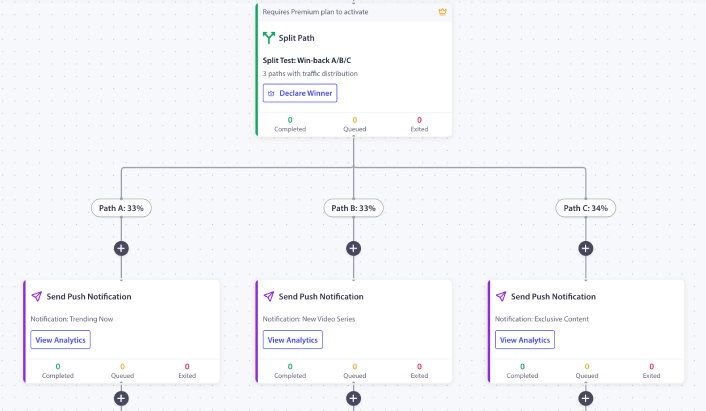
Den levereras med 1h / 25h / 73h-tidsinställningen, platshållarna för rabattstegen och regeln för avslutning vid köp redan konfigurerad. Byt ut platshållarkupongkoderna mot dina riktiga. Konfigurera övergivningströskeln (standard 60 minuter är vettigt för de flesta butiker). Aktivera arbetsflödet. Se de första 200 övergivna kundvagnarna flöda igenom det innan du skalar upp.
Om detta är det första PushEngage-arbetsflödet i butiken, ger gratisplanen dig 200 prenumeranter och hela Workflows-motorn, tillräckligt för att bevisa kanalen på en kontrollerad lista innan du begär budget för en betald nivå. Börja med gratisplanen för att köra den första instansen denna vecka.
Vad detta förändrar
Den här artikeln är en av fem WooCommerce-specifika push-arbetsflödesdefinitioner. Syskontitlarna täcker arbetsflöde för WooCommerce-kundvagnstömning, prisuppgiftsmeddelanden, meddelanden om lagerpåfyllning och arbetsflöde efter köp i WooCommerce. För den bredare plattformsoberoende behandlingen av kundvagnstömning täcker den bredare handboken för kundvagnstömning ämnet på strategisk nivå.
För att förstå var detta passar in i ett komplett program för e-handelsbehållning är navet för push-meddelanden för e-handel översikten.
Återförsäljningschefen som öppnar tisdagens WooCommerce-instrumentpanel och ser 46 000 USD i ej återvunna kundvagnar har ett val. Fortsätta optimera e-postsekvensen som har planat ut, eller lägga till push som en andra kanal som körs vid en annan tidpunkt i ett annat format med en annan avslutningsregel. Arbetsflödet med 3 meddelanden ovan, som körs parallellt med vilken e-postfrekvens som helst som redan finns på plats, återhämtar de 12–25 % av kundvagns värdet som e-post inte kan nå.
Med 0/10/20 rabattstegen landar den återvunna intäkten med högre nettomarginal än ett arbetsflöde med fast rabatt. Med regeln för avslut vid köp slutar arbetsflödet att köras i det ögonblick kundvagnen konverterar. Med analys per nod är radposten försvarbar för finansavdelningen i siffror, inte anekdoter. Det är hela argumentet för återhämtning av övergiven kundvagn, och hela argumentet för automatisering av kundvagnsåterhämtning, i ett arbetsflöde.


