Squarespace — это универсальное решение для всех, кто хочет создать красивый веб-сайт. PushEngage поддерживает веб-сайты на платформе Squarespace. Если вы хотите отправлять веб-push-уведомления с Squarespace, вы можете установить PushEngage менее чем за десять минут.
Вот шаги, которые вам нужно будет выполнить:
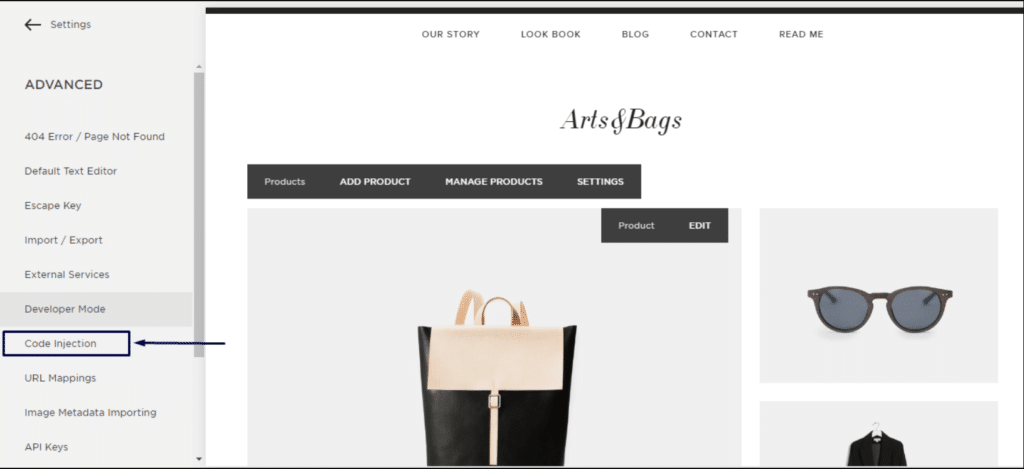
1. Войдите в свою учетную запись Squarespace. Перейдите в настройки » Дополнительно » режим разработчика » Вставка кода.
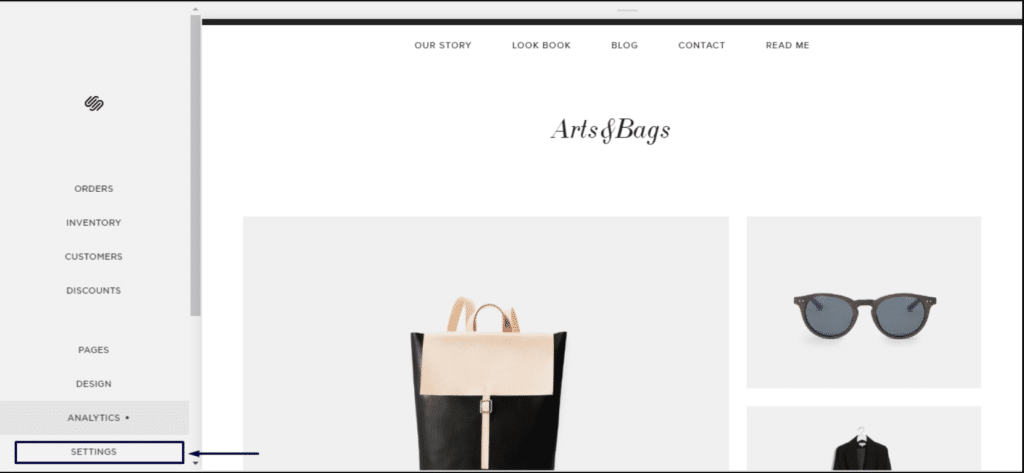
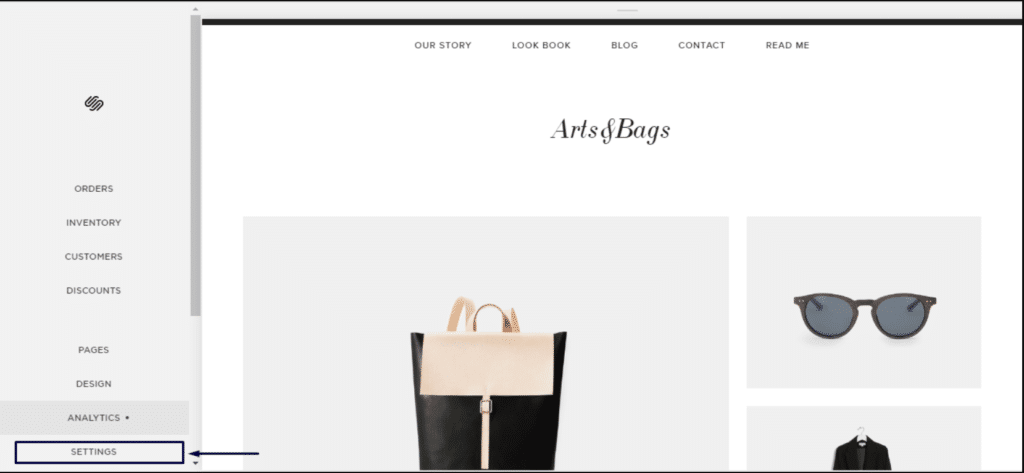
2. Нажмите «Дополнительные настройки».
3. Нажмите «Вставка кода».
4. Затем войдите в свою панель управления PushEngage и перейдите в раздел Настройки сайта » Установка
Выберите любой сайт
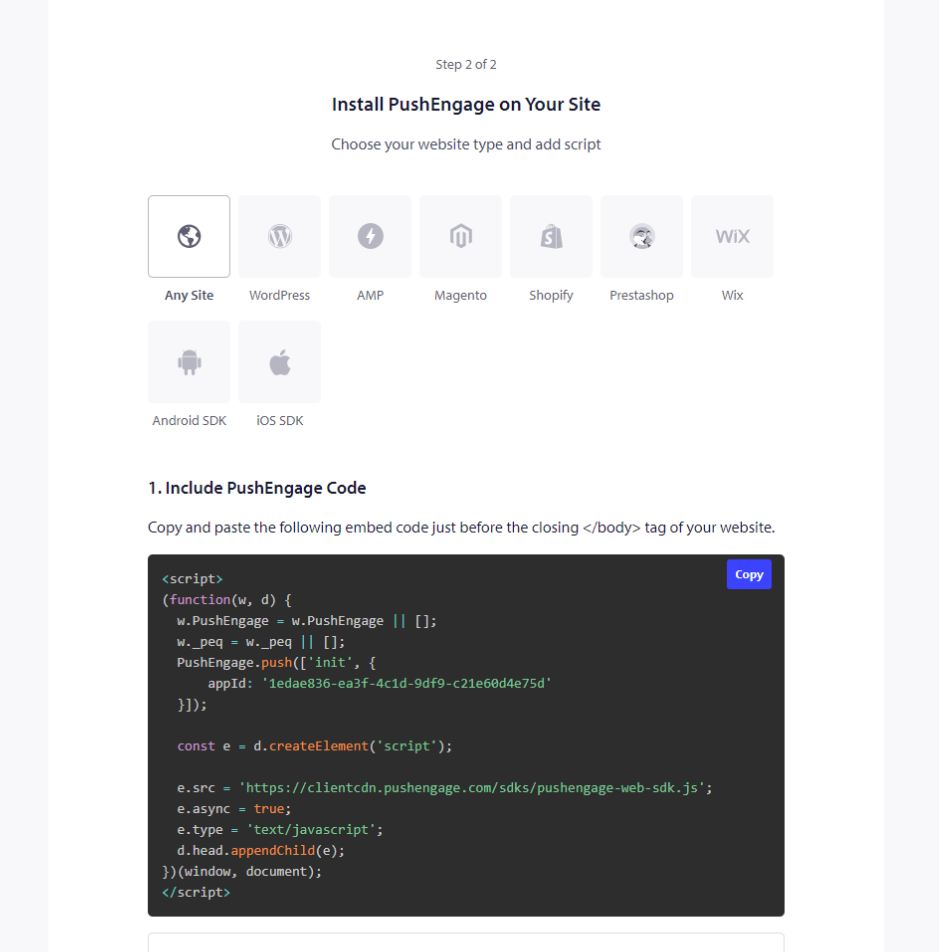
5. Скопируйте код и вставьте его в раздел заголовка Squarespace.
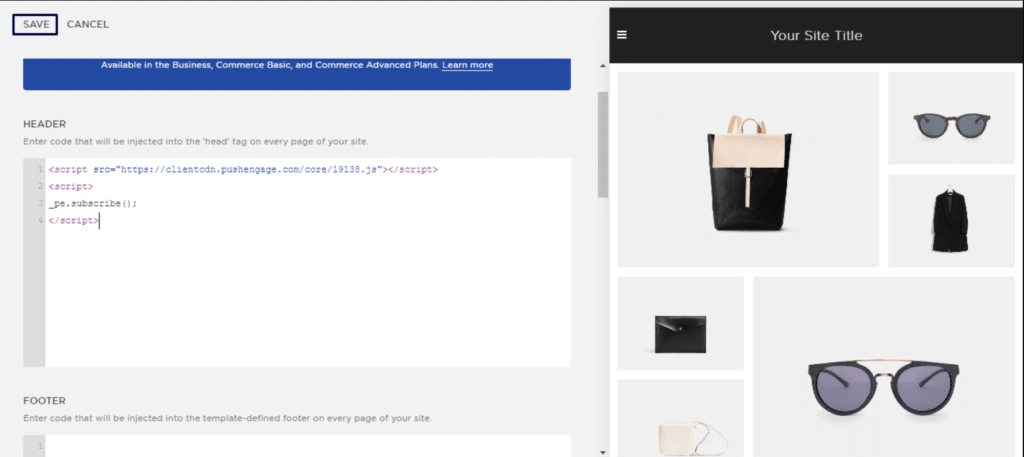
Это завершит установку PushEngage на Squarespace.
Если у вас возникнут какие-либо проблемы, пожалуйста, свяжитесь с нами , нажав здесь. Наша служба поддержки сможет вам помочь.