С помощью этого руководства вы можете интегрировать Push-уведомления в браузере на свой сайт Weebly, используя PushEngage.
Войдите в панель управления PushEngage и получите ваш код установки PushEngage, который необходимо добавить на ваш сайт. Ниже приведен JavaScript-код PushEngage, который вы должны добавить на свой сайт Weebly; перейдите в раздел Настройки сайта » Установка.
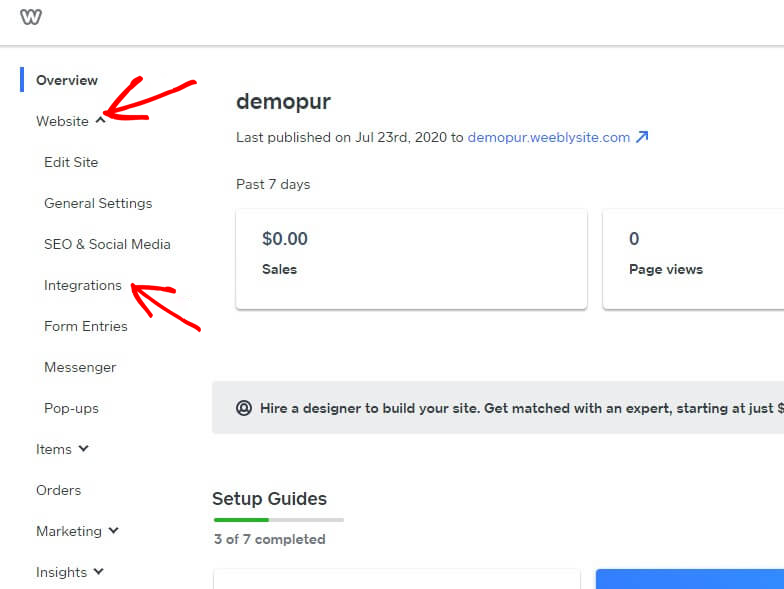
Войдите в панель управления Weebly и выберите Сайт » Интеграции.
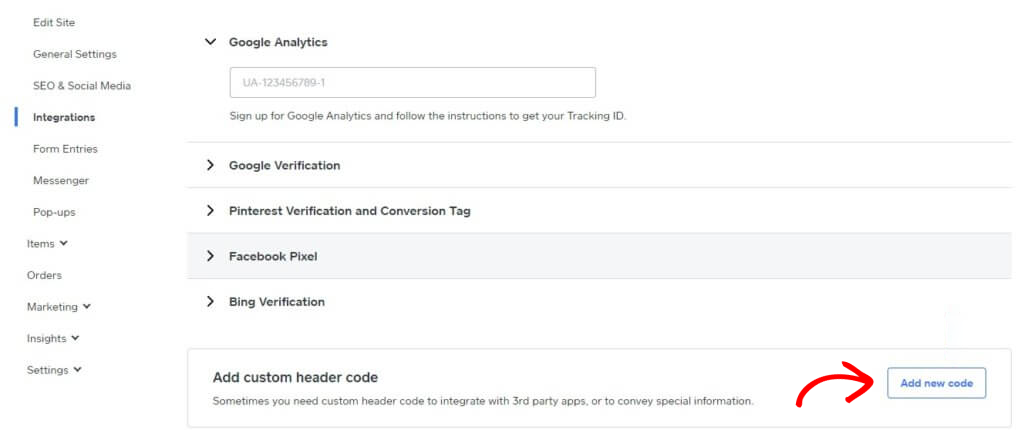
Добавьте пользовательский код заголовка в нижней части страницы интеграции. Нажмите «Добавить новый код».
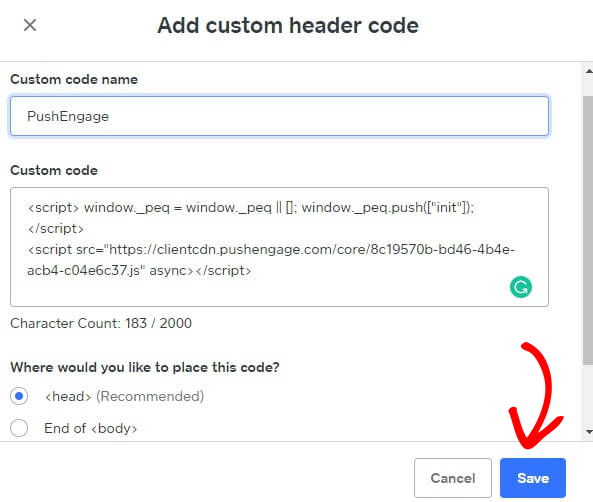
Вставьте код PushEngage в заголовок. Вы также можете выбрать «Конец <body>», чтобы вставить код. На приведенном ниже экране мы вставили JavaScript-код PushEngage в раздел нижнего колонтитула. После завершения нажмите «Сохранить».
Это завершает интеграцию PushEngage на сайте Weebly. Теперь вы можете начать собирать подписчиков и отправлять push-уведомления с сайта Weebly.
Если у вас возникнут какие-либо проблемы, пожалуйста, свяжитесь с нами, нажав здесь. Наша служба поддержки сможет вам помочь.