Всплывающее окно или форма подписки теперь могут быть настроены и включать флажок сегмента, чтобы посетитель веб-сайта мог решить, хочет ли он получать уведомления обо всех кампаниях или только о выбранных сегментах.
Различные стили форм подписки
Существуют различные стили всплывающих окон подписки, которые могут превратить ваших посетителей в подписчиков веб-пуш-уведомлений и клиентов.
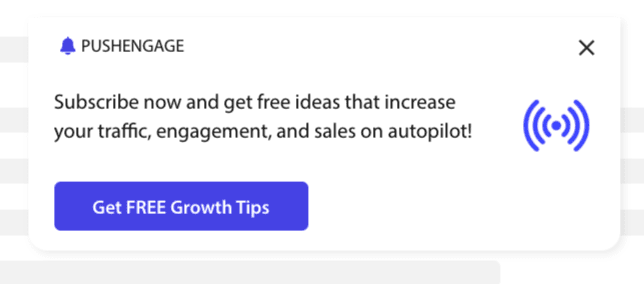
Элегантная форма подписки: Этот стиль имеет элегантный дизайн и только одну кнопку вместо двух.
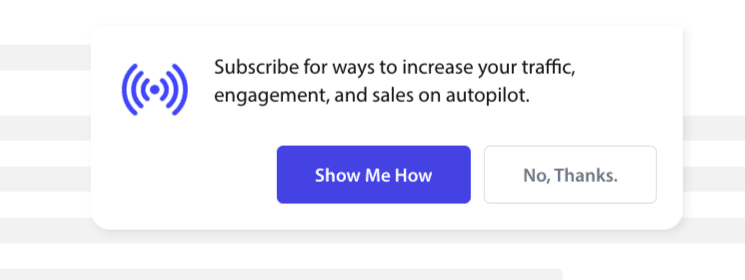
Стиль Safari: Это классическая двухэтапная форма подписки с двумя кнопками «Разрешить» или «Отклонить», которую можно настроить.
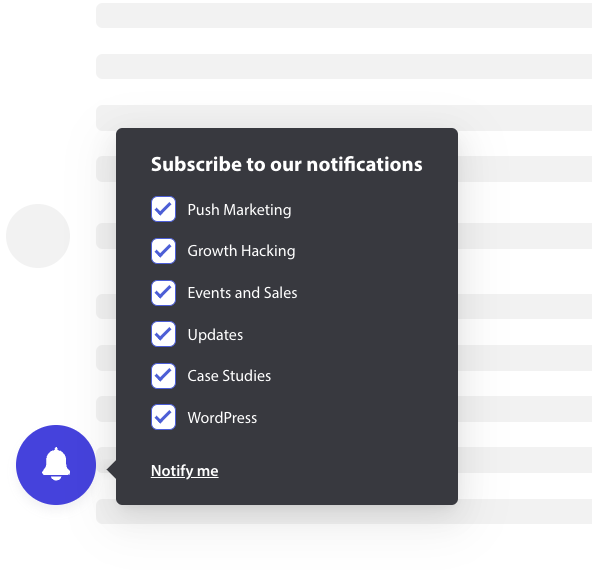
Колокольчик в панели: Этот маленький колокольчик предлагает подписаться или заблокировать. Маленький значок колокольчика в нижнем углу можно настроить, но он занимает меньше места на экране, позволяя людям подписываться на push-уведомления.
Плавающая панель: Этот стиль всплывающего окна занимает весь экран и располагается внизу. Вы можете добавить более длинный текст в дизайн всплывающего окна.

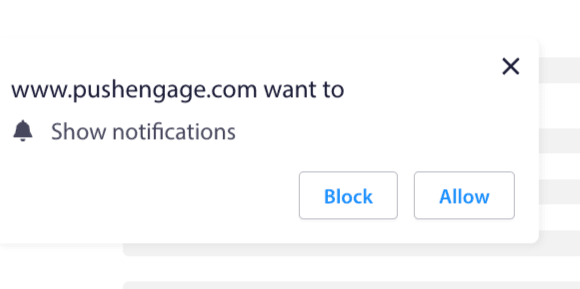
Одноэтапная подписка: Одноэтапное окно запроса разрешения, которое не позволяет настраивать или добавлять персонализированные сообщения.
Большая форма в стиле Safari: Окно, которое появляется в центре экрана и позволяет добавлять сегменты.
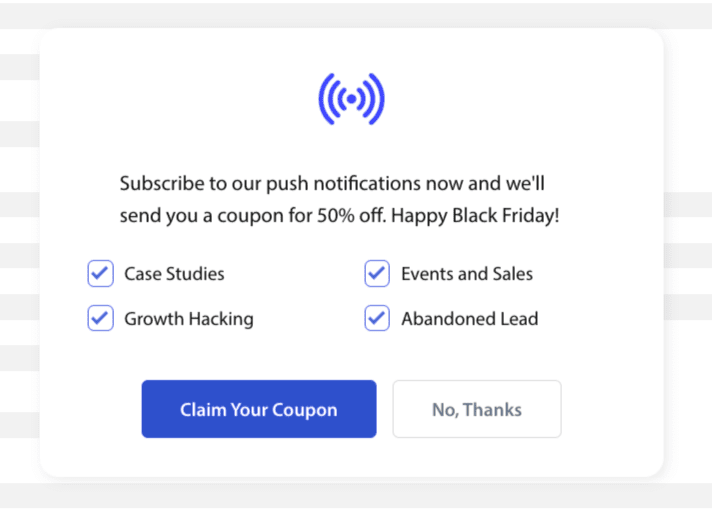
Примечание: Все стили всплывающих окон подписки можно редактировать или настраивать, кроме одноэтапной подписки. Одноэтапная подписка — это стиль браузера по умолчанию, который нельзя редактировать или настраивать.
Добавление сегментов в форму подписки
Вы можете выбрать желаемый стиль подписки и нажать «Редактировать». В разделе «Дизайн всплывающего окна» вы должны включить все сегменты.
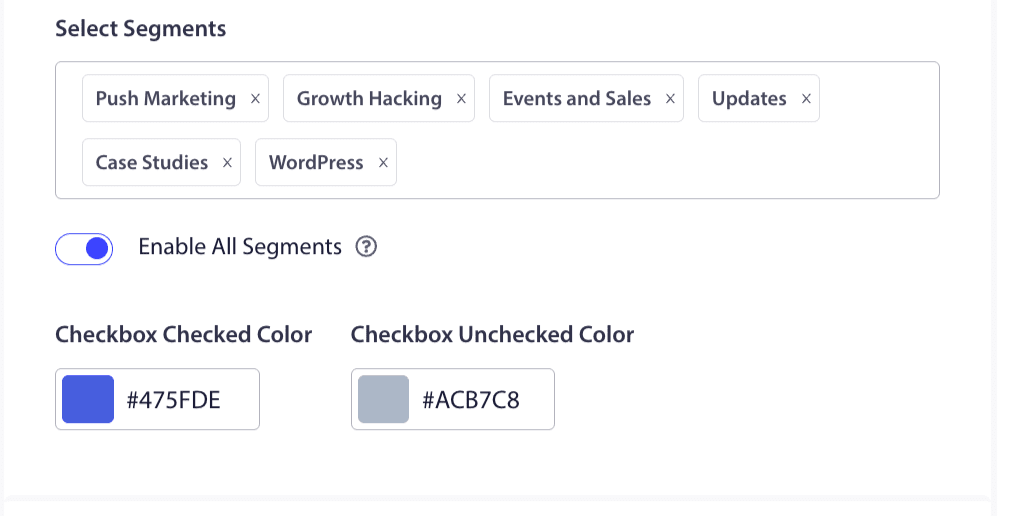
Вы можете выбрать сегменты из раскрывающегося списка и проверить, соответствует ли предварительный просмотр вашим ожиданиям. У вас также есть возможность настроить цвет флажков, чтобы они соответствовали цветам вашего бренда. Вот как будет выглядеть ваш предварительный просмотр –
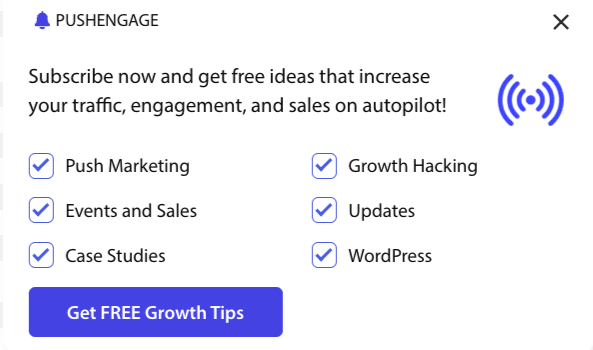
Понимание параметров для улучшения функциональности
Включить подпискуРулес
Это всплывающее окно будет отображаться на всех страницах, разрешенных правилом глобального таргетинга. Однако при желании вы можете добавить эти всплывающие окна на конкретные веб-страницы.
Включить оверлей подписки
Оверлей — это опция, которая побуждает людей нажать «Разрешить», указывая пользователям нажать кнопку «Разрешить», чтобы получать push-уведомления.
Включить напоминание:
Браузеры, такие как Chrome и Edge, основываются на предыдущем поведении посетителей веб-сайта, если они часто нажимают «Блокировать». Они включают более тихий интерфейс — значок колокольчика в адресной строке. Это оптимизированная версия всплывающего окна подписки для людей, которые обычно отклоняют уведомления. Это напоминание может отображаться только на рабочем столе. Оно предназначено для того, чтобы пользователи все же подписывались на веб-push-кампании.
Всплывающее окно подписки:
Это переключатель для отключения или включения отображения формы подписки на страницах, где установлен код. Если вы отключите этот переключатель, вы прекратите собирать подписчиков.
Параметры отображения
Этот экран поможет вам оптимизировать отображение всплывающего окна подписки.
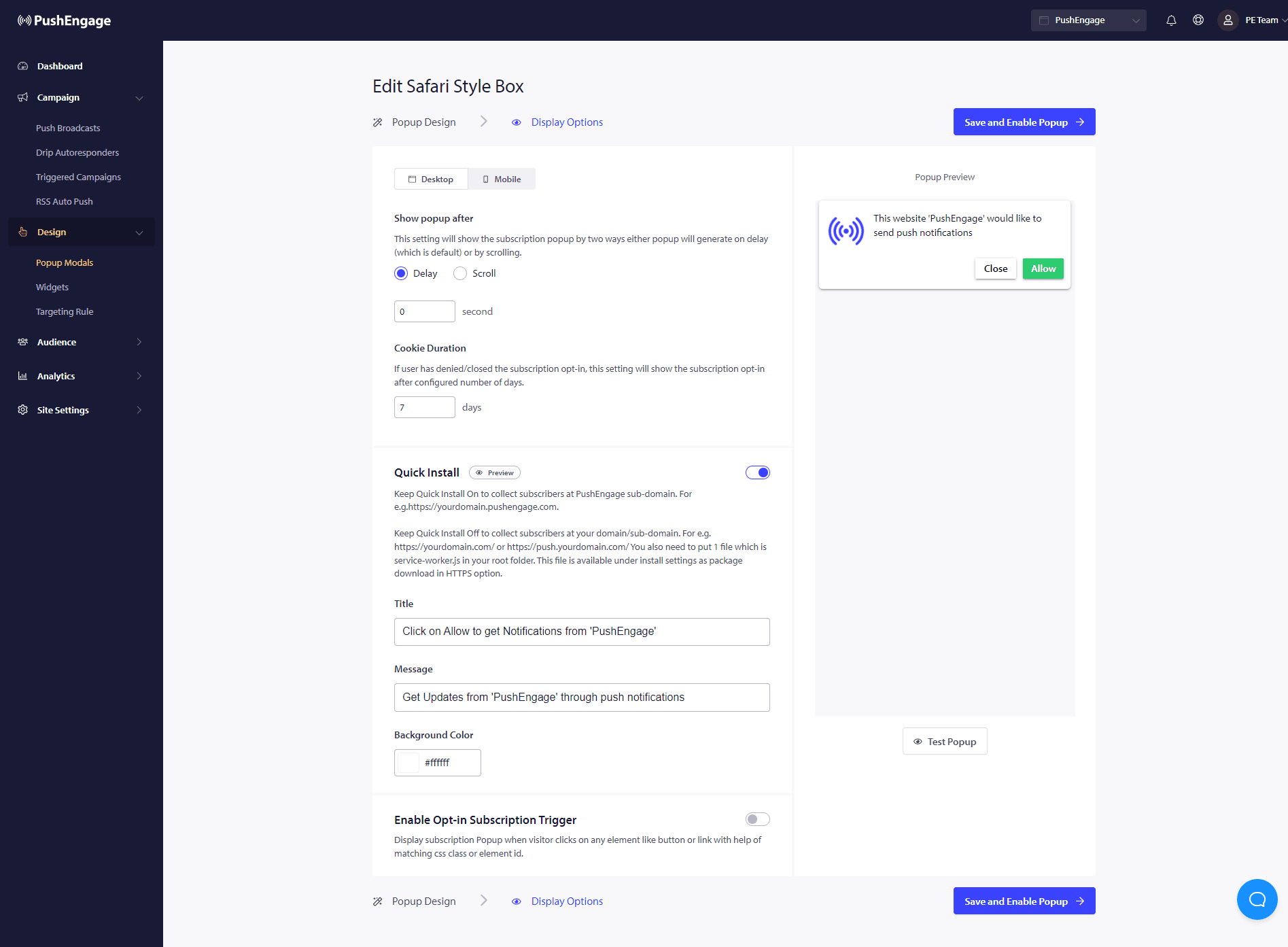
Быстрая установка :
Мы рекомендуем всегда оставлять эту опцию выключенной. Таким образом, подписчики собираются в вашем домене. Эта опция только для тех, кто не может добавить service workers на свой веб-сайт и собирать подписки в своем домене.
Включить триггер подписки:
Помимо загрузки страницы, всплывающее окно может быть вызвано любым другим событием, например, когда посетитель нажимает на любую кнопку или ссылку с помощью соответствующего CSS-класса или идентификатора элемента. Всплывающее окно может быть вызвано без внесения изменений в кодовую базу.
Показать форму подписки:
Здесь вы можете установить правило, чтобы показывать форму подписки либо с задержкой, либо после прокрутки определенного процента страницы.
- Задержка – через какое время должно появиться всплывающее окно подписки? Мы рекомендуем лучшую практику — менее 5 секунд или максимум 10 секунд.
- Прокрутка – Вы можете решить, что всплывающее окно подписки будет срабатывать, если посетитель прокрутил X процентов экрана.
- Продолжительность действия cookie – Если пользователь отменяет подписку и решает не разрешать/блокировать всплывающее окно подписки, вы можете определить продолжительность сброса cookie. Через столько дней посетитель снова сможет увидеть всплывающее окно.
Вот и все. После того как вы настроили всплывающее окно подписки в соответствии с вашими потребностями, вы можете сохранить изменения.
Теперь вы готовы видеть, как посетители вашего сайта становятся подписчиками веб-push-уведомлений.
Если у вас возникнут какие-либо проблемы, пожалуйста, свяжитесь с нами нажав здесь. Наша служба поддержки поможет вам.