صل إلى عملائك في اللحظة المناسبة عبر رسائل واتساب آلية. من تحديثات الطلبات إلى تذكيرات سلة التسوق، سنساعدك في إعداد رسائل شخصية وفي الوقت المناسب تعزز التفاعل وتزيد من التحويلات دون الحاجة إلى إرسالها يدويًا بعد كل حدث.
قبل البدء
يفترض هذا الدليل أن لديك تطبيق WhatsApp Business تم إنشاؤه مع Meta وأنك قمت بإنشاء الرموز المطلوبة. إذا لم يكن لديك حساب عمل Meta مُعد بالفعل، يمكنك إنشاء واحد وإنشاء الرموز اللازمة باتباع هذا الدليل.
تمكين حملات الأتمتة
بمجرد الانتهاء من الإعداد وربط حساب واتساب للأعمال الخاص بك. يمكنك الانتقال إلى الإضافات المثبتة.
انتقل إلى PushEngage وانقر على WhatsApp
يمكنك التبديل إلى علامة تبويب الأتمتة هنا.
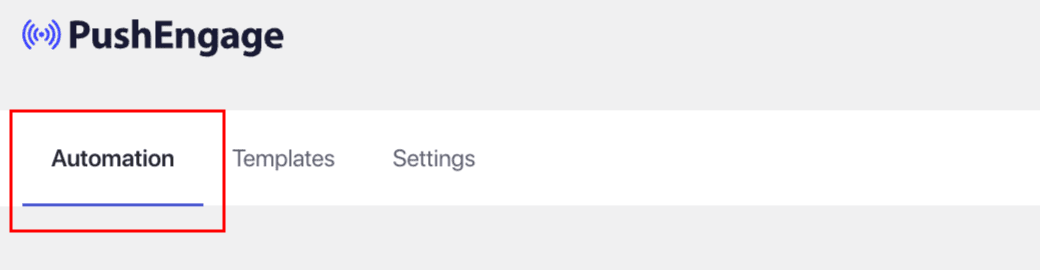
في علامة تبويب الأتمتة هذه، سترى العديد من مسارات العمل قيد التنفيذ والتي ستحتوي على قوالب مدرجة ومشغلات ممكّنة بالفعل.
بناءً على حالة الاستخدام الخاصة بك، يمكنك اختيار مسارات عمل الأتمتة التي يجب تمكينها على موقعك.
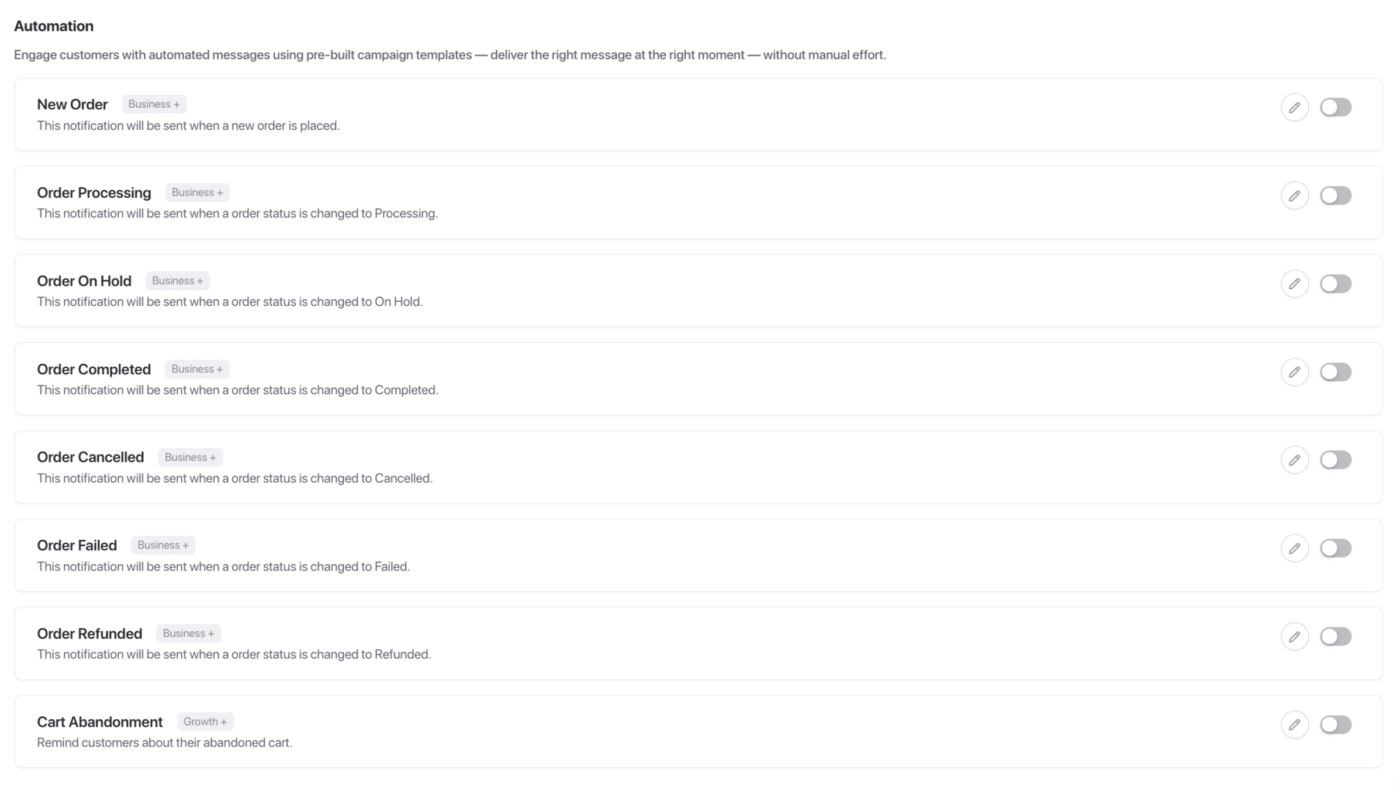
كل هذه الحملات مفيدة إذا كان لديك متجر تجارة إلكترونية. يمكنك تمكين هذه الحملات أو تعديلها.
على سبيل المثال، نقوم بتحرير حملة وضع طلب جديد. في كل مرة يضع فيها المستخدم حملة، سيتم إرسال هذه الحملة.
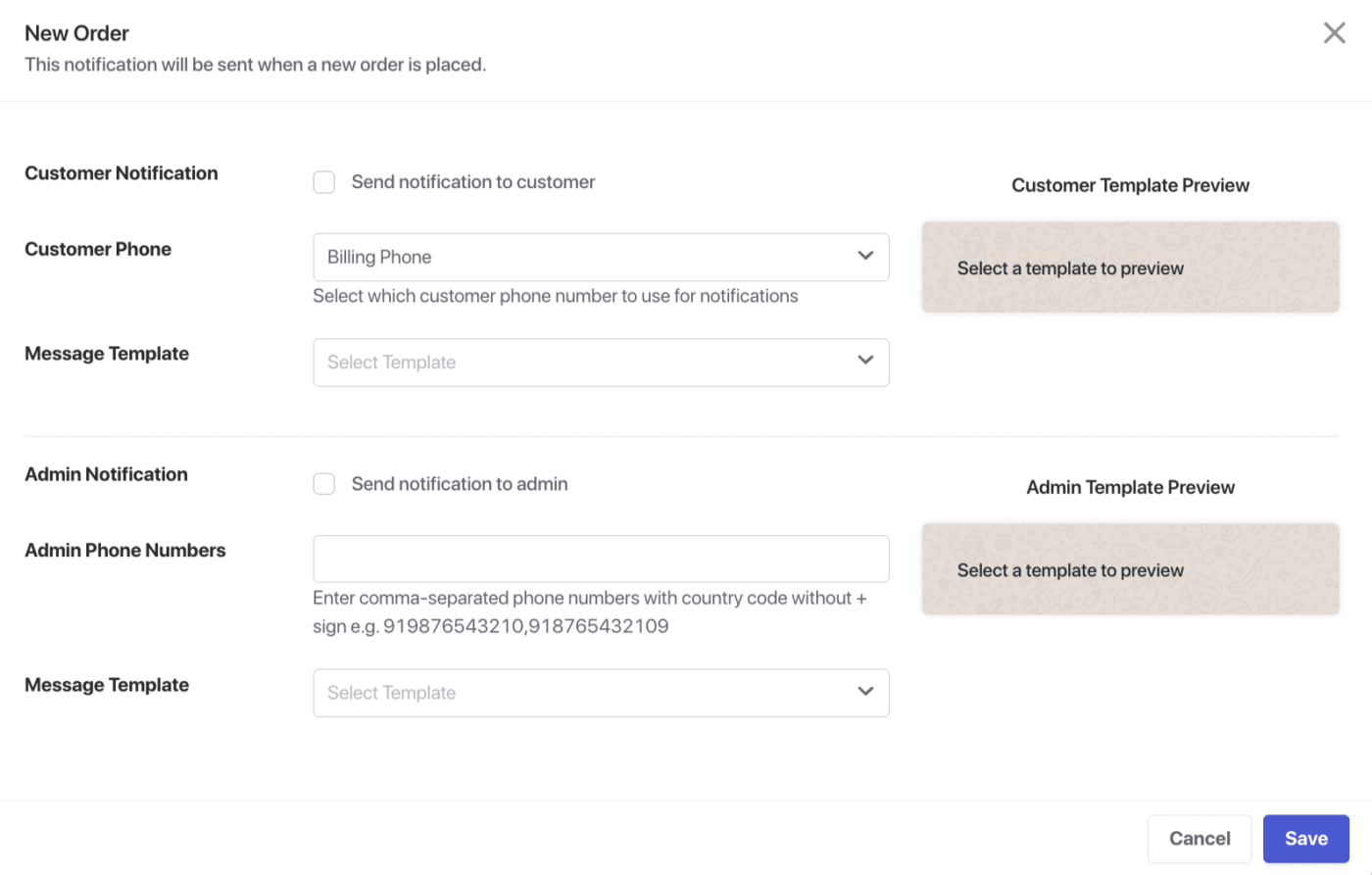
يمكنك إرسال حملات إلى العميل أو المسؤول واختيار رقم الهاتف الذي سيتم استخدامه.
هناك مجموعة متنوعة من القوالب المعتمدة داخل حساب Meta الخاص بك والتي يمكن اختيارها لإرسالها إلى عملائك.
قائمة مسارات عمل الأتمتة المتاحة
هذه الحملات متاحة لكل من العميل ومسؤول متجرك.
طلب جديد – احصل على إشعار فوري عند وضع طلب جديد في متجرك.
معالجة الطلب – ابق على اطلاع عند انتقال الطلب إلى مرحلة المعالجة.
الطلب قيد الانتظار – تلقي تنبيه عند وضع طلب قيد الانتظار.
اكتمل الطلب – احصل على إشعار عند اكتمال الطلب بنجاح.
تم إلغاء الطلب – كن على علم عند إلغاء طلب من قبل العميل أو المسؤول.
فشل الطلب – تتبع الطلبات الفاشلة بإشعارات في الوقت الفعلي.
تم استرداد الطلب – اعرف فورًا عند إصدار استرداد لطلب ما.
التخلي عن سلة التسوق – استرد المبيعات المفقودة عن طريق تذكير العملاء بالعناصر المتروكة في سلة التسوق الخاصة بهم.
هذا كل شيء، لقد قمت بتمكين حملات الأتمتة لرسائل واتساب الخاصة بك.
في حال واجهت أي مشاكل، فلا تتردد في الاتصال بنا بالنقر هنا. سيكون فريق الدعم لدينا قادرًا على مساعدتك.