باستخدام هذا الدليل، يمكنك دمج إشعارات الدفع عبر المتصفح على موقع Weebly الخاص بك باستخدام PushEngage.
قم بتسجيل الدخول إلى لوحة تحكم PushEngage واحصل على رمز تثبيت PushEngage الخاص بك الذي يحتاج إلى إضافته إلى موقعك. أدناه رمز جافاسكريبت PushEngage الذي يجب إضافته إلى موقع Weebly الخاص بك؛ انتقل إلى إعدادات الموقع » التثبيت.
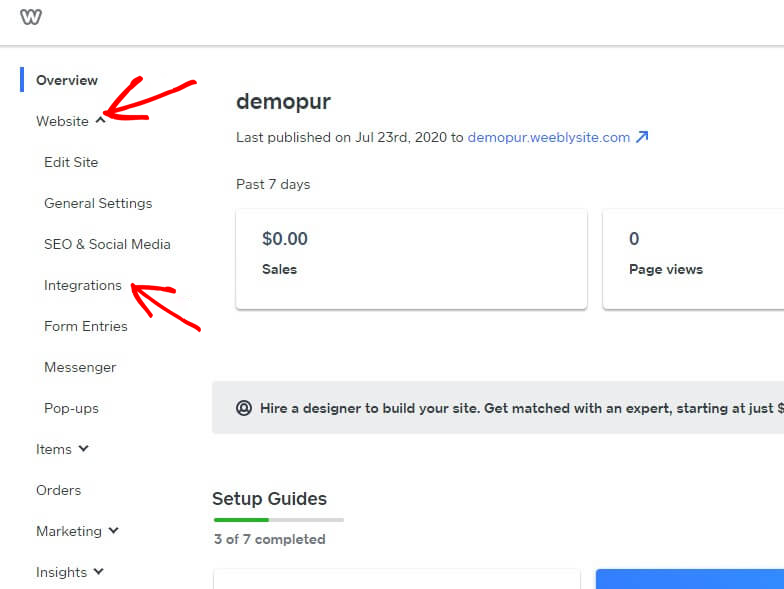
قم بتسجيل الدخول إلى لوحة تحكم Weebly وحدد الموقع » التكاملات.
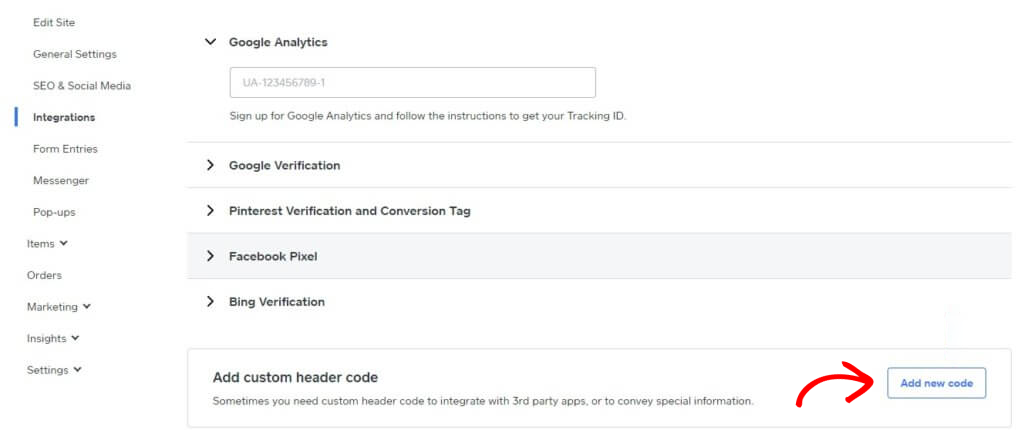
أضف رمز رأس مخصص في أسفل صفحة التكامل. انقر فوق إضافة رمز جديد.
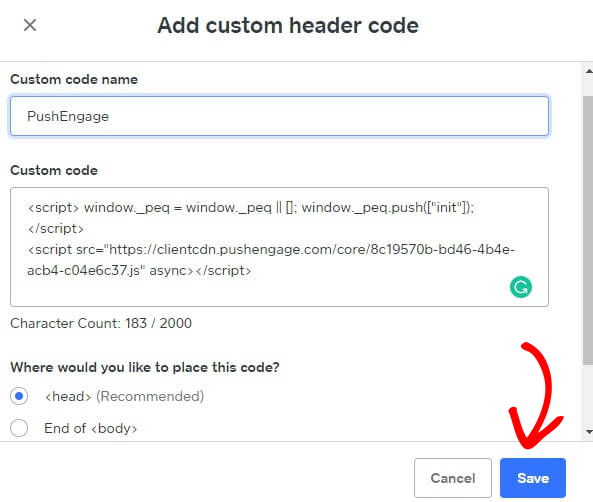
الصق رمز PushEngage في الرأس. يمكنك أيضًا تحديد نهاية <body> للصق الرمز. في الشاشة أدناه، قمنا بلصق رمز جافاسكريبت PushEngage في قسم التذييل. بمجرد الانتهاء، انقر فوق حفظ.
يكمل هذا تكامل PushEngage على موقع Weebly. يمكنك الآن البدء في جمع المشتركين وإرسال إشعارات الدفع من موقع Weebly.
في حال واجهت أي مشاكل، فلا تتردد في الاتصال بنا بالنقر هنا. سيكون فريق الدعم لدينا قادرًا على مساعدتك.