WP Simple Pay Review

WP Simple Pay评测:最佳WordPress Stripe插件?

Looking for a full review of WP Simple Pay?

Integrating Stripe into your WordPress site is one of the easiest ways to accept credit card payments. But what if you want more? What if you need more currencies, languages, and payment types?

WP Simple Pay can help you make the most of Stripe payments.

在本文中,我们将对这款插件进行测试,并深入探讨这些问题。

让我们开始吧。

A Quick Overview of WP Simple Pay

WP Simple Pay

WP Simple Pay is exactly what it sounds like. It makes online payments simple on your WordPress site. It’s easy to use, highly reliable, and requires zero coding to set up.

最棒的是什么?WP Simple Pay 帮助您专注于创建和销售产品,而无需担心接受来自世界各地的付款。

所有客户和付款信息都存储在您的 Stripe 帐户中,而不是存储在您的 WordPress 网站上。因此,该插件不会像其他替代方案那样使您的网站臃肿。WP Simple Pay 提供了一种最简单的方法,可以在您的 WordPress 网站上添加 Stripe 付款。

设置WP Simple Pay非常简单。

让我们快速看一下。

How to Set Up WP Simple Pay

WP Simple Pay is just like any other WordPress plugin. All you need to do is install it and activate it. If you’re not sure how to do that, check out this article on how to install a WordPress plugin.

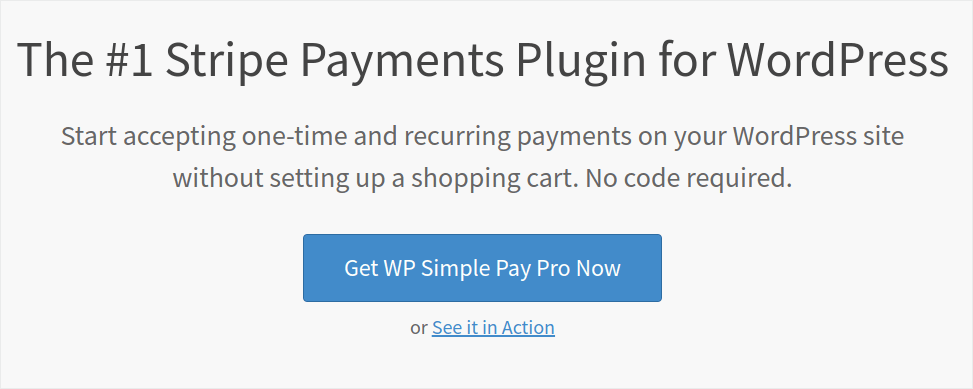
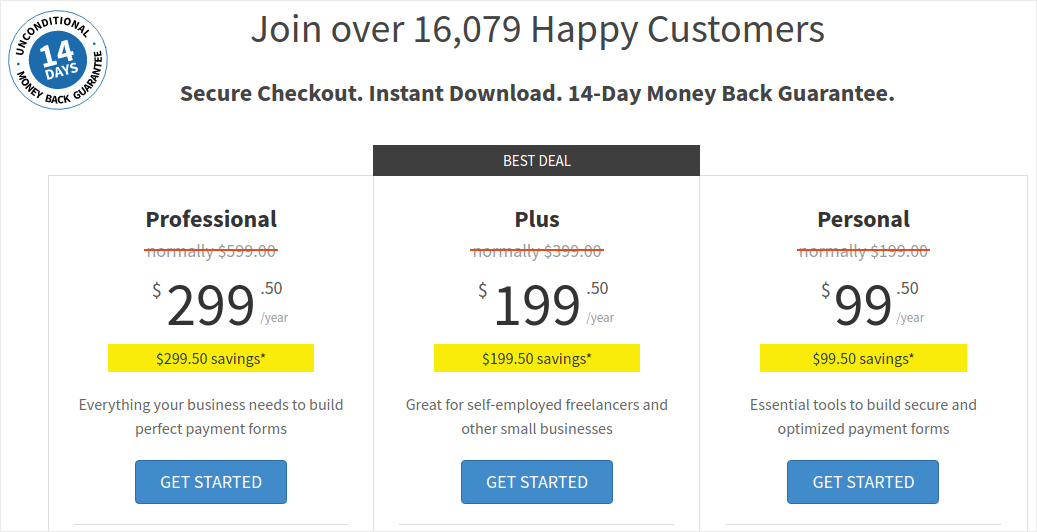
Start by heading over to WP Simple Pay and choose your plan:

WP Simple Pay pricing

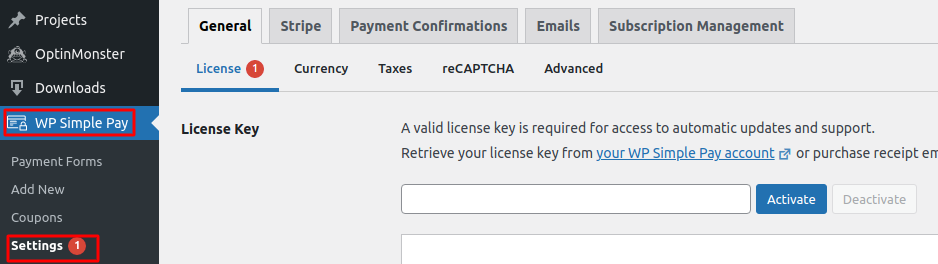
Once you’ve installed the plugin, on your WordPress dashboard, head over to WP Simple Pay » Settings and paste in your license key:

WP Simple Pay License

When you’re done, click on Activate.

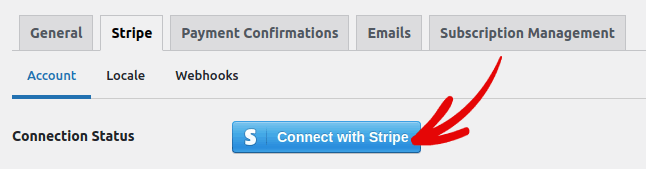
Then, go to the Stripe tab and click on Connect with Stripe:

Connect with Stripe

And that’s it. You’re done setting up the plugin. Next, you should explore the different features of the plugin.

What Can WP Simple Pay Do for Your Brand?

WP Simple Pay helps you create simple forms to accept payments for your products. You can create instant payment forms and a bunch of flexible payment types to go with it. The most impressive part is that everything is easy to set up and easy to use for your customers.

 Let’s go over each of these features and break down what makes the plugin awesome.

#1. Payment Form Builder

You can create a custom payment form in a few clicks with WP Simple Pay. And you can choose different form types such as:

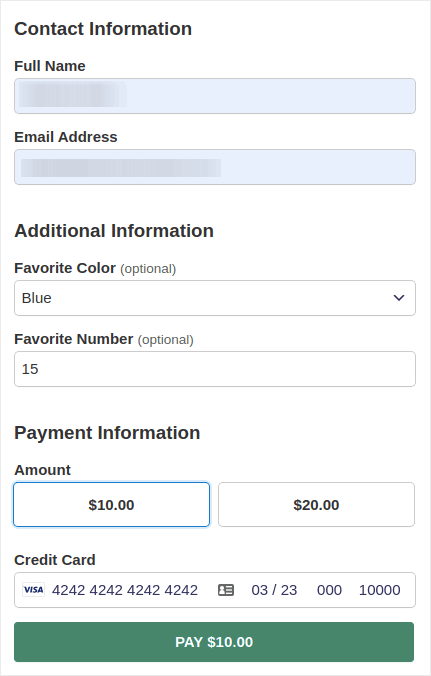
Embedded forms:

Embedded Form

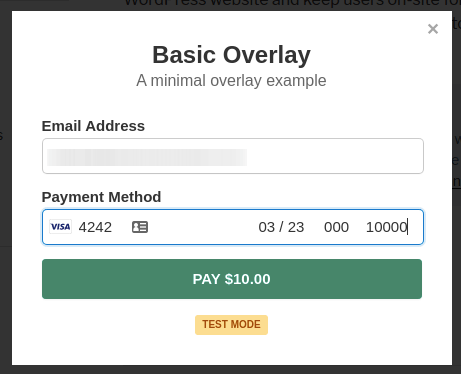
Or a pop-up payment form:

Popup payment form

And it takes literally 5 minutes to create a payment form right from your WordPress dashboard.

#2. Stripe Checkout Payment Pages

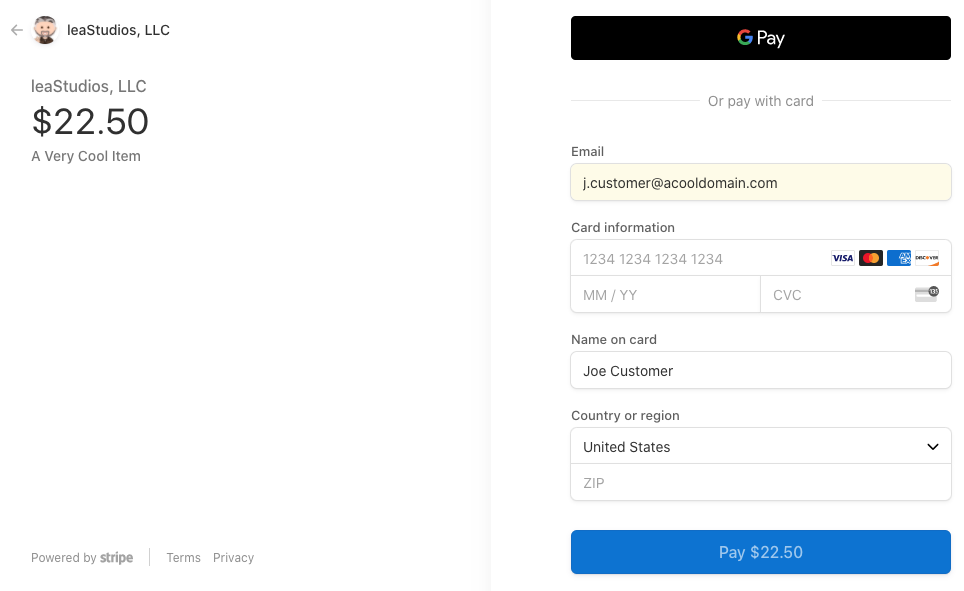
If you’re not interested in creating a custom payment form, you can use the default Stripe payment form as well:

wp simple pay subscription form

It’s simple, elegant and you can set up both recurring and one-time payments using the default Stripe payment form.

#3. Custom Amount Payments

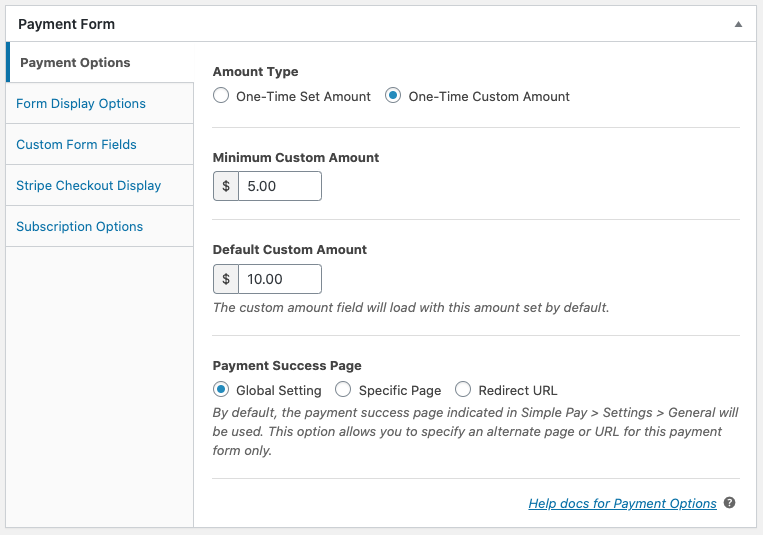
You can set a one-time amount for your products. Or, you could specify minimum and default amounts for “pay what you want” models.

payment options

#4. Add and Customize Subscription Options

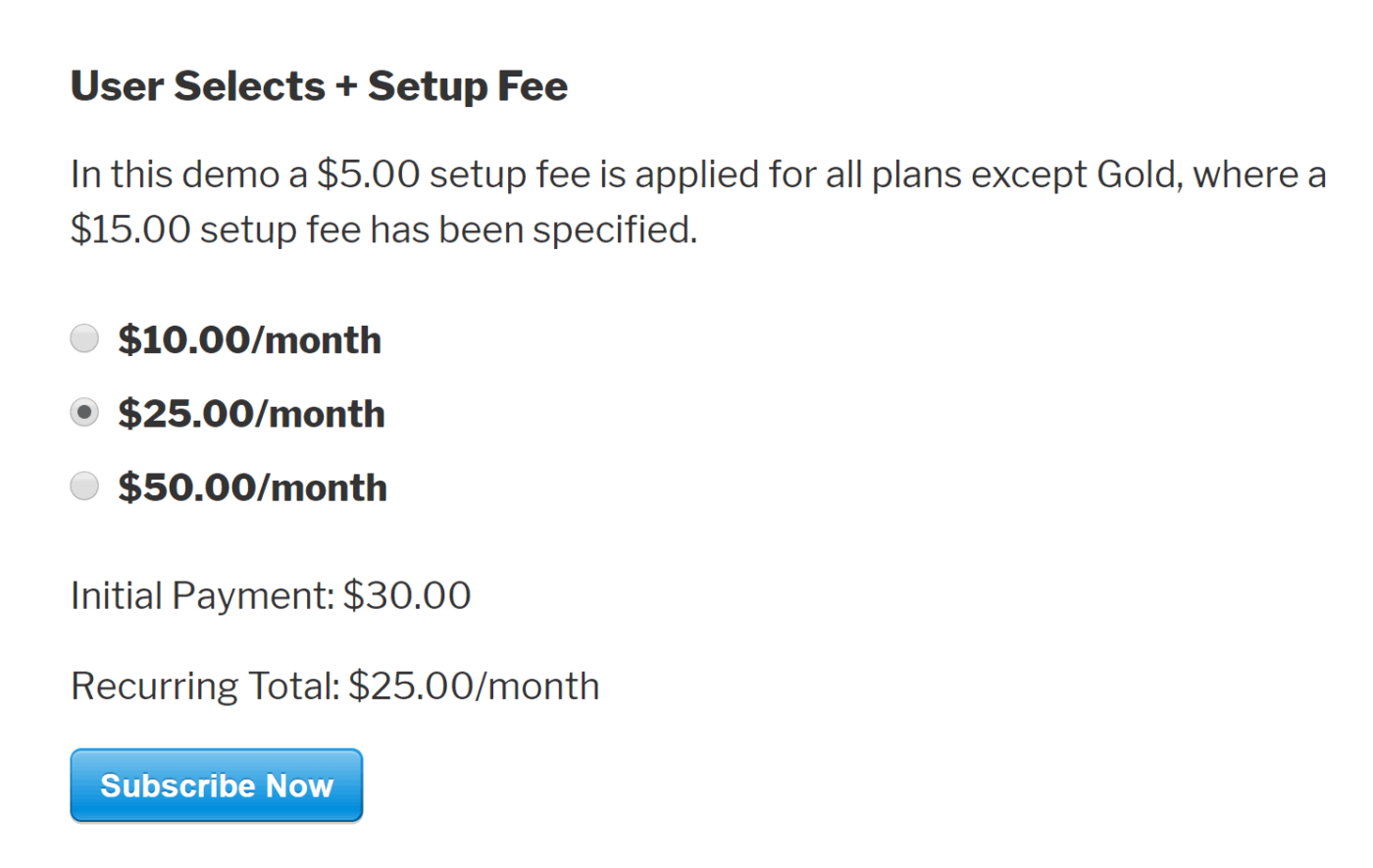
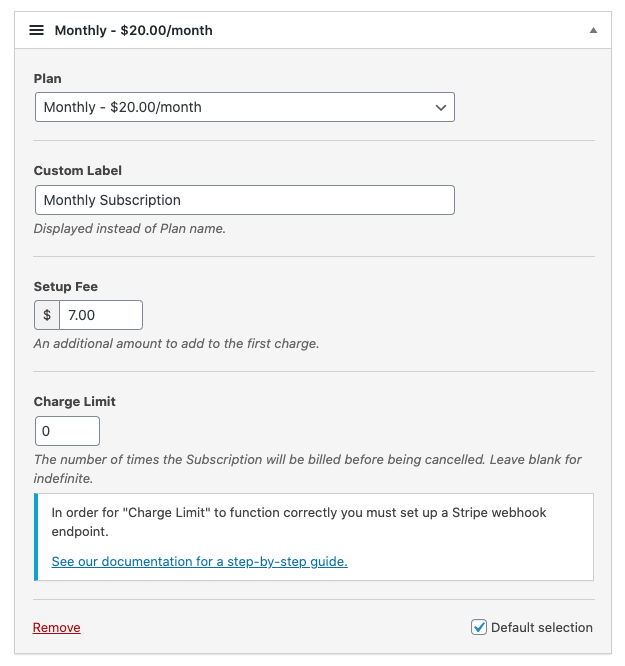
Setting up subscriptions is super easy with WP Simple Pay. You can add a custom amount option, charge a setup fee, or offer free trials.

subscriptions options

You can even set up installment plans to end subscriptions after a specific number of charges.

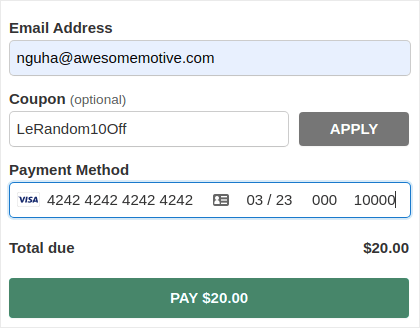
#5. Offer Discounts with Coupon Codes

Of course, you can create discounts on WooCommerce and Easy Digital Downloads. But WP Simple Pay makes it super easy to create coupon codes for subscription payments.

Discount Coupons on WP Simple Pay

#6. Alternative Payment Methods

Besides the usual credit card payments, you also get to set up several alternative payment methods. You can accept payments using Apple Pay and Google Pay:

google pay payment form

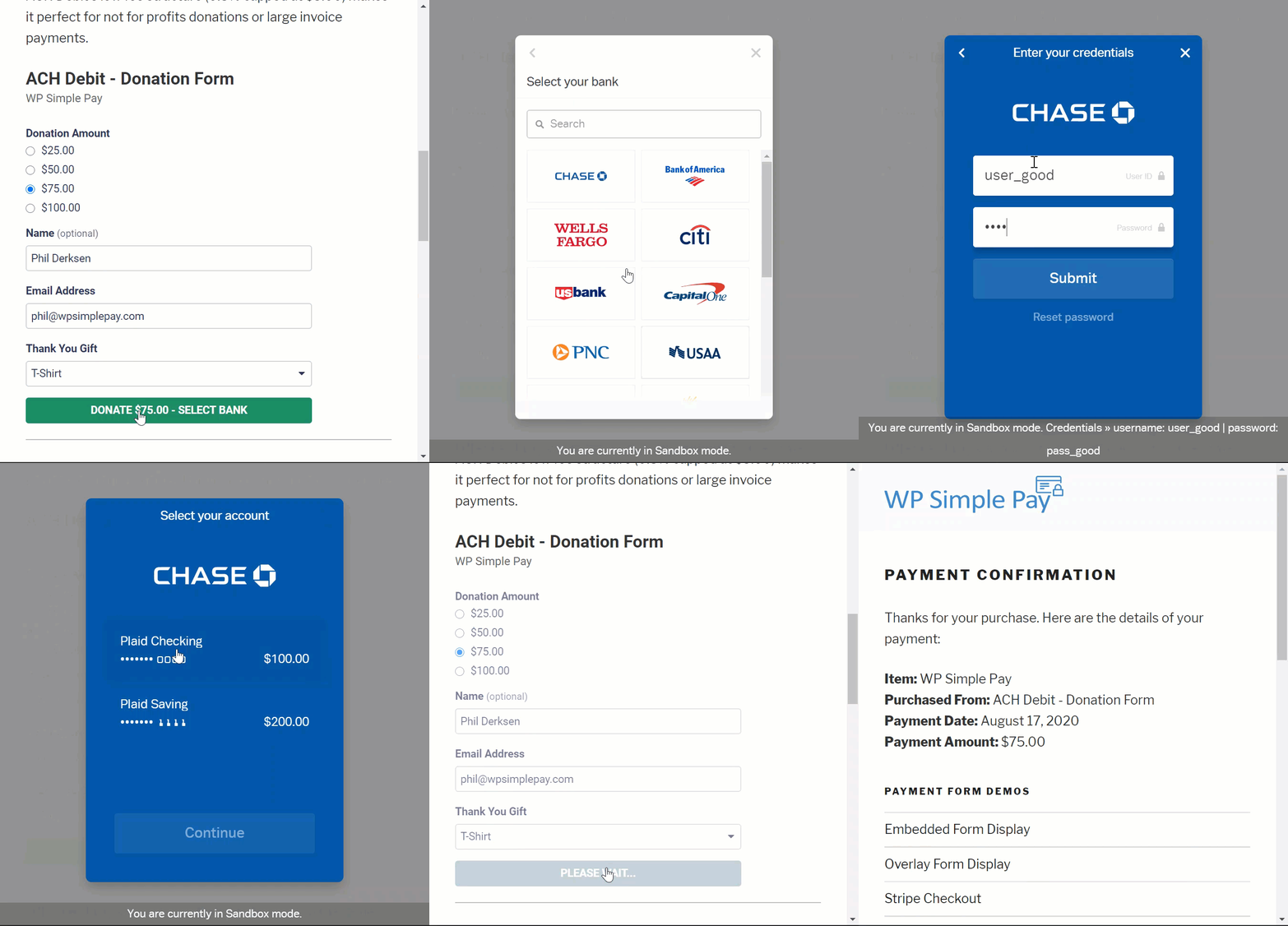
Or, you could even accept ACH Debit Payments:

ACH debit payment demo

WP Simple Pay can also help you accept payments using:

  • iDEAL
  • SEPA直接借记
  • 支付宝
  • Bancontact
  • giropay
  • Przelewy24

以及更多!

#7. Customized Payment Confirmation Details

The worst part about most payment processing software is that they send out horrible templated email responses. And there’s not a lot of stuff you can edit in that email. So, the emails that get sent out feel completely off-brand.

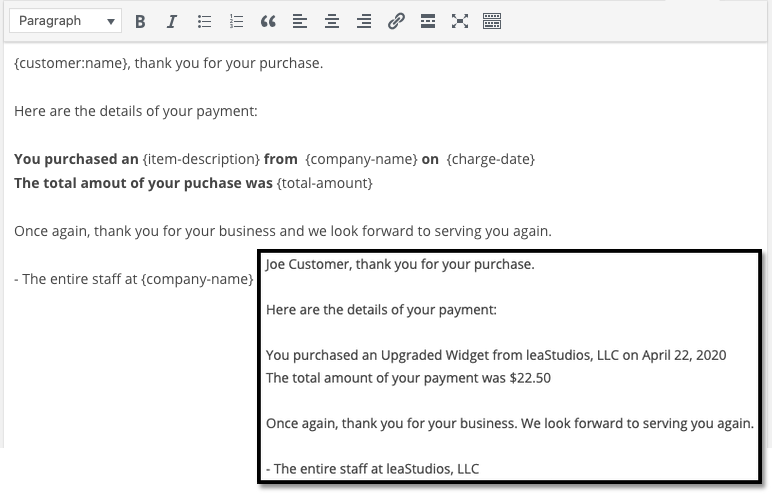
With WP Simple Pay, you can create a custom template for payment confirmation emails.

payment confirmation settings

To stay on-brand, you can simply create a template that fits your brand’s messaging and style. If you want to get fancy, you can even send out extra information such as license keys using custom fields.

#8. Location and Currency Settings

Another major problem with many Stripe plugins is that you can only accept payments in your local currency. This is not a problem caused by Stripe. Stripe accepts 30+ languages, 45+ countries, and 135+ currencies. The conflict comes from poorly coded plugins.

So, if you’re in India, by default you HAVE to create payment forms that accept payments in INR even if you want to price your product in USD.

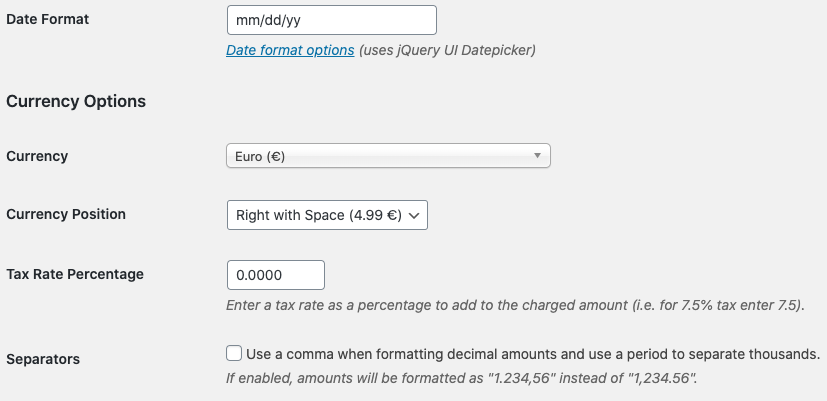
With WP Simple Pay, you can set your local language and currency as well as preferred currency.

currency settings in euro

就是这么简单!

定价

在我们给出最终裁决之前,还有最后一点需要考虑。

How much does WP Simple Pay actually cost?

Actually, it’s pretty affordable:

WP Simple Pay pricing

You can get started with the Personal plan at $99.50/year. And if you need more features or if you need Stripe payments for multiple sites, get the Professional plan at $299.50/year or the Plus plan at $199.0/year.

WP Simple Pay also has a Lite version which is completely free. So, if you want to get a feel for the plugin before you buy it, go check it out. But if you’re serious about growing your business, we recommend getting one of the paid plans.

最终裁决

Is WP Simple Pay the #1 Stripe payments plugin for WordPress?

我们的结论:是的,它是。

The sheer amount of advanced features you get even with the Personal plan is amazing. If you had to custom-develop that for your site, it would cost a ton of money. And you don’t even get a lot of the subscription payment features with many Stripe plugins out there.

So, if you’re serious about making money on your site, we recommend using WP Simple.

在谈论赚钱的同时,您还应该在您的网站上设置推送通知。您可以使用推送通知自动增加流量、参与度和销售额。

看看这些资源,您就会明白我们的意思:

我们建议使用 PushEngage 开始您的推送通知营销活动。PushEngage 是全球排名第一的推送通知软件。

所以,如果您还没有,请立即开始使用 PushEngage

添加评论

我们很高兴您选择留下评论。请记住,所有评论都将根据我们的隐私政策进行审核,并且所有链接都将是 nofollow。请勿在姓名字段中使用关键字。让我们进行一次个人化且有意义的对话。

在访客离开您的网站后与他们互动并挽留他们

通过难以忽略的推送通知,增加每次网站访问的价值。

  • 永久免费套餐
  • 轻松设置
  • 五星支持