
想在网站上展示社交媒体动态的简单方法?Smash Balloon 可以帮到您。Smash Balloon 声称是全球排名第一的社交动态插件。
但这到底意味着什么?这是真的吗?
在今天的文章中,我们将对 Smash Balloon 进行测试。我们将亲自找出真相。
让我们开始吧。
Smash Balloon 快速概览
Smash Balloon 是一款简单的 WordPress 插件,可让您在不使用任何代码的情况下在网站上展示社交媒体动态。
您可以使用 Smash Balloon 在几秒钟内为您的 WordPress 网站创建自定义社交媒体动态。无需编码,也无需聘请开发人员。您可以根据需要将 Instagram、Facebook、Twitter 和 YouTube 动态集成在一起或单独展示。
使用 Smash Balloon 这类插件的一个很酷的方法是使用社交媒体动态来创建推荐墙。
最棒的部分?它非常易于使用。
Smash Balloon 的设置几乎只需要 5 分钟。而且完全没有学习曲线。
超过 200 万用户信赖 Smash Balloon 在其网站上展示社交动态。此外,Smash Balloon 在 WordPress 上的平均评分为 4.8 星(满分 5 星)。
Smash Balloon 能为您的品牌带来什么?
将标签和社交影响力注入您的网站,让您的流量了解您的社交影响力。Smash Balloon 可以帮助您以一种非常简单有效的方式,在多个营销渠道上建立品牌。
您可以使用 Smash Balloon 来:
- 在您的网站上使用标签动态作为 社交证明
- 展示互动式 Twitter 动态以 提高网站参与度
- 在您的网站上嵌入 YouTube 视频以 增加订阅者
- 在您的网站上添加真实的 Facebook Business Page 评论以 提高转化率
还有更多!
现在您对该插件有了一点了解,让我们来看看是什么让 Smash Balloon 如此出色。
1. 超级易于使用
Smash Balloon 是市场上最易用的社交动态插件。没有之一。插件中的所有选项都是一键式解决方案。
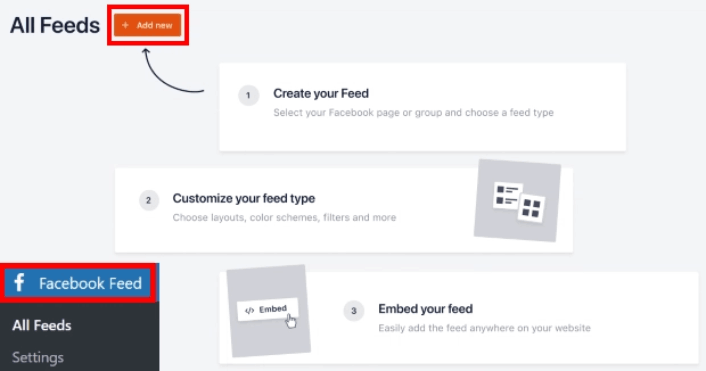
该插件功能强大,整体界面非常直观。因此,您永远不需要开发人员或任何技术技能来安装插件或使用它。
2. 响应式和移动设备优化
在任何会更改您网站设计界面的插件时,一个重要的考虑因素是它是否对移动设备友好。您的受众很可能大部分会通过移动设备访问您的网站。
Smash Balloon 确保您的社交动态不会破坏您网站在小屏幕上的其余布局。
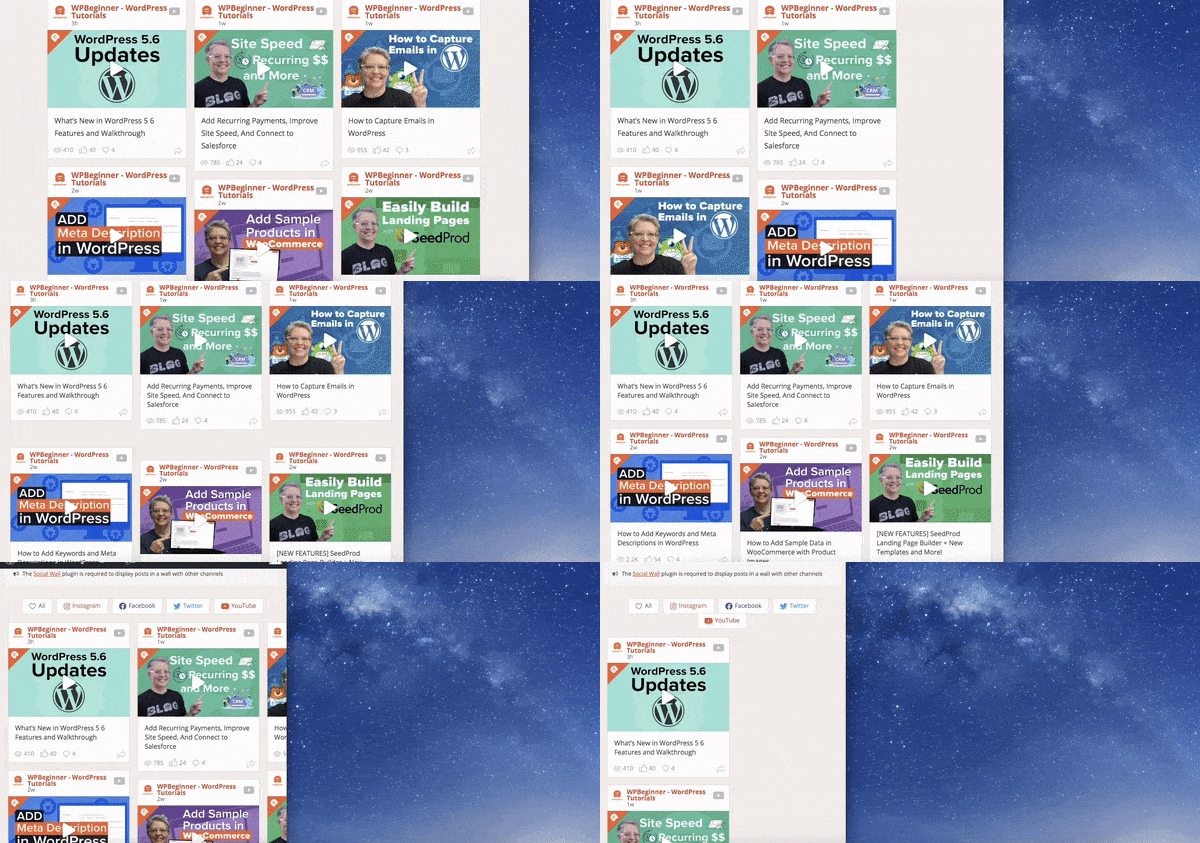
所有 Smash Balloon 插件都 100% 响应式且为移动设备做好准备。因此,您可以插入社交动态,而无需聘请开发人员创建单独的移动版本。
3. 超快性能
如果您的网站加载时间过长,无论您的网站看起来多么好,您的网站流量都会流失。
Smash Balloon 的设计宗旨是轻量化,简洁的代码有助于您的社交动态内容即时加载,而不会降低您网站的整体性能。这些插件在数据处理方面效率很高。因此,无论您的社交动态内容有多大,您的网站都不会变慢。
#4. 完全可定制的设计
Smash Balloon 会自动继承您网站其他部分的颜色和样式。这样,它默认看起来就很棒。
但是,如果您想自定义动态内容的显示方式,您可以自定义任何您喜欢的内容。想更改动态内容的高度、宽度、背景颜色、字体颜色或任何其他样式元素?
您可以使用非常直观的界面来完成此操作,而无需聘请开发人员。
您甚至可以自定义动态内容的单个帖子外观:
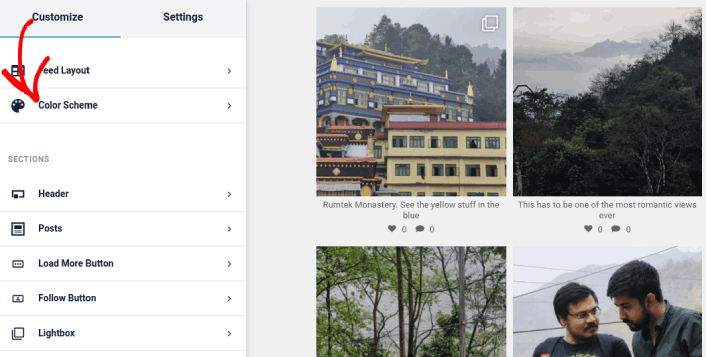
甚至布局:
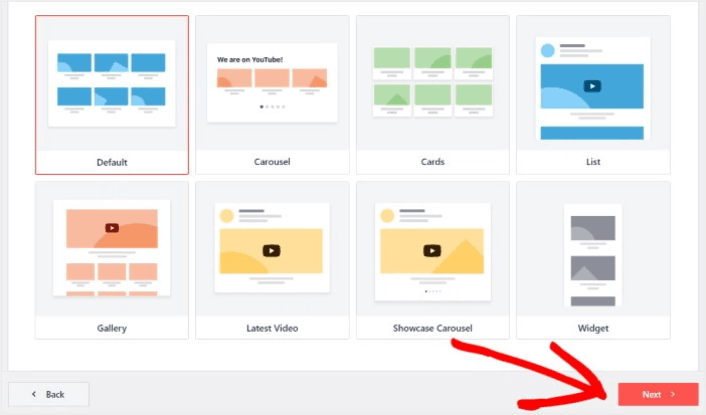
当然,您可能不想显示整个动态内容,而只想显示特定类型的内容。通过配置内容源,您可以使用 Smash Balloon 轻松完成此操作:
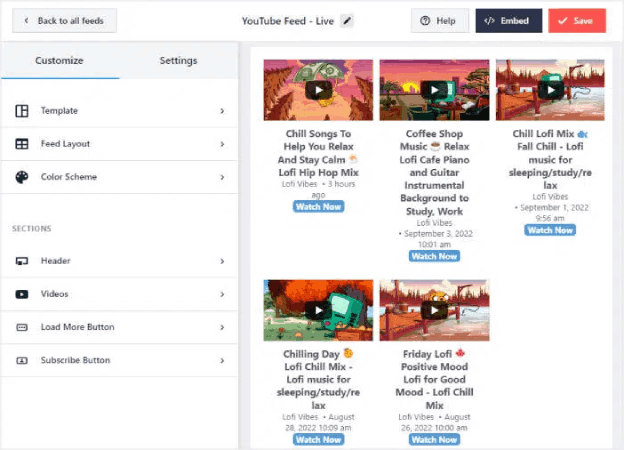
即使您从 YouTube 导入视频内容,也可以自定义动态内容的整体风格。
#5. 对 SEO 友好的嵌入
虽然 Smash Balloon 不会直接提高您的搜索排名,但它可以间接帮助您。
SEO 中三个非常重要的因素是优化代码、网站加载速度快和停留时间。
我们已经讨论过 Smash Balloon 的代码是如何完美优化的,使其加载速度超快并且不会减慢您的网站速度。
但是这个等式的另一半是停留时间。
停留时间究竟是什么?
停留时间是指访问者平均在您的网站上花费的时间。停留时间越长,Google 和其他搜索引擎就越相信您的内容确实非常出色。
那么,Smash Balloon 如何帮助实现这一点?通过使您的网站更具互动性,您可以成倍地增加平均停留时间。视频嵌入、互动推文和其他社交媒体动态内容可以让您的网站访问者在您的网站上停留更长时间。
#6. 顶级的客户支持
Smash Balloon 拥有超过 150 万活跃用户和数千条五星好评,在全球范围内受到推荐和信赖。
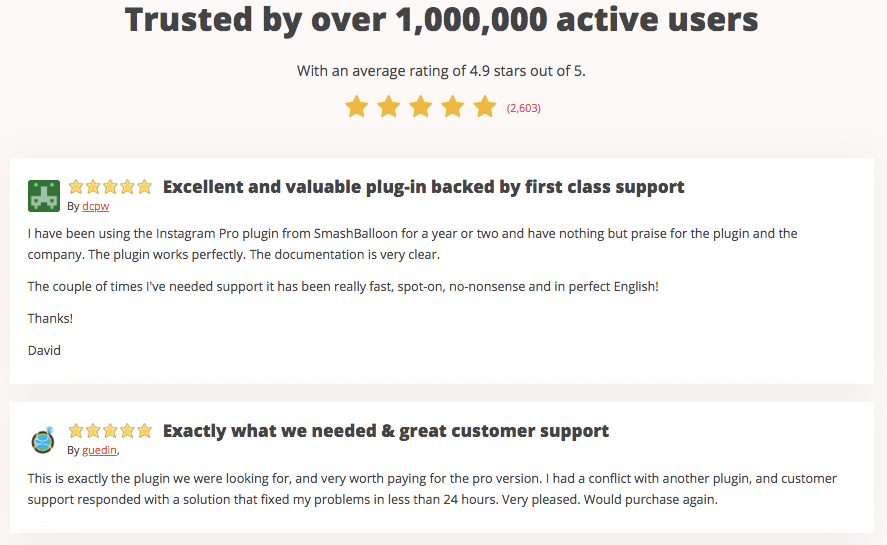
Smash Balloon 背后的客户支持团队是业内顶尖的。您会遇到优秀的开发人员和客户成功经理,他们都拥有 WordPress 开发背景,可以帮助您处理售前咨询和售后问题。
Smash Balloon 的全套产品包含什么?
Smash Balloon 不仅仅是一个插件。它是一个包含 5 个插件的套件。您可以购买单个插件、几个插件,或者一次性购买所有插件。我们建议购买全套产品,因为它有显著的节省,但稍后会详细介绍。
让我们来看看套件中的每个插件提供什么功能。
自定义 Facebook Feed Pro
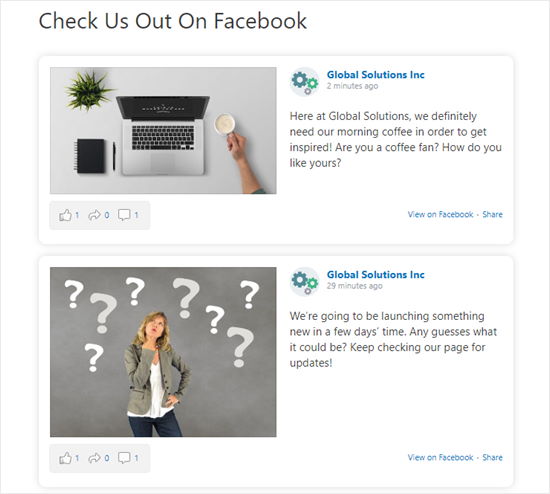
Facebook Feed Pro 允许您使用 oEmbeds 来显示 Facebook 动态内容,由于 API 更改,WordPress 不再支持此功能。您还可以显示多种动态内容,包括:
- Facebook 帖子时间线
- Facebook 照片
- Facebook 相册
- 状态更新和链接帖子
- Facebook 视频(包括直播视频和 360° 视频支持)
- Facebook 事件日历
您也可以在您的 Facebook Business Page 上展示评价:
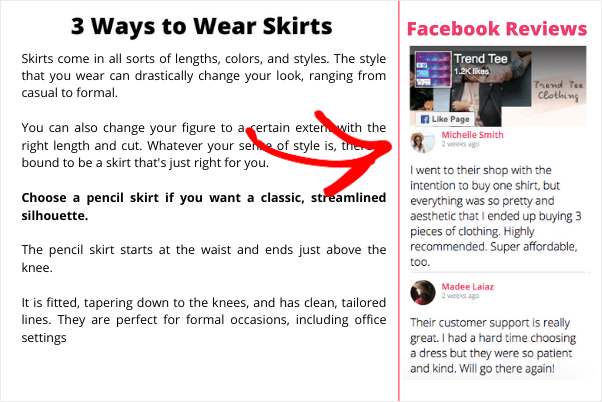
这是通过添加真实的社交证明来提高转化率的最佳方法之一。
查看 Facebook Feed Pro 中的完整功能列表。
Instagram 信息流 Pro

Instagram Feed Pro 允许您在 WordPress 网站上展示您的 Instagram feed。当然,由于 Facebook 不支持 oEmbed,Instagram 也不支持。但 Smash Balloon Instagram Feed Pro 允许您绕过这个问题,创建您的 Instagram帖子的图库。
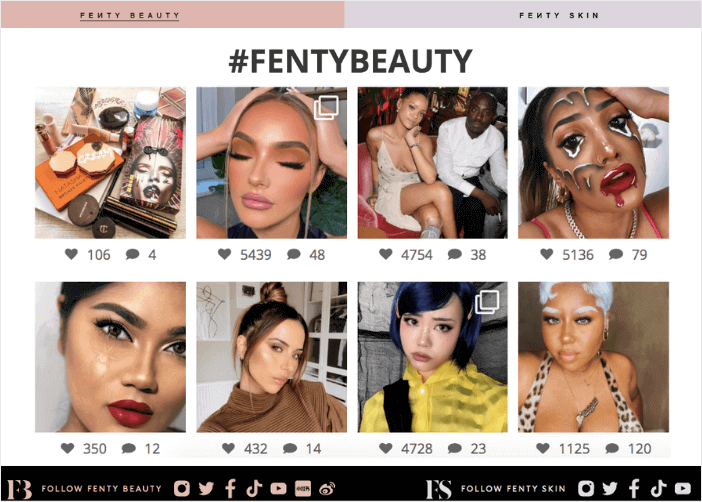
您还可以展示多种类型的 Instagram 帖子,包括:
- 用户 feed(您最新的 Instagram 帖子的 feed)
- Hashtag feed(带有您选择的 hashtag 的 Instagram 帖子)
- Tagged feed(其他 Instagram 用户标记您的照片的 feed)
- Mixed feed(包含多种帖子类型的单个 feed)
- IGTV feed(您的 IGTV 视频的 feed)
- Stories(以弹出灯箱形式展示您的 Instagram stories)
最棒的部分?
您可以嵌入可购物的 Instagram 帖子。这些是嵌入您网站的 Instagram 帖子,当有人点击时会重定向到您选择的产品或登录页面。而且由于它在您的网站上,您不必经过 Instagram 的常规审查即可设置可购物链接。
查看 Instagram Feed Pro 中的完整功能列表。
自定义 Twitter Feeds Pro

Custom Twitter Feeds Pro 可以轻松地在您的 WordPress 网站上嵌入交互式推文。如果您拥有活跃的 Twitter 关注者,这尤其棒,因为您可以获得大量很棒的评价作为推文。您可以使用插件的“加载更多”按钮,让您的访问者尽可能多地参与到您的推文中。
再次强调,停留时间,还记得吗?
Custom Twitter Feeds Pro 将自动创建并显示 Twitter 卡片,而不是您网站上无聊的链接列表,以帮助您吸引观众的注意力。
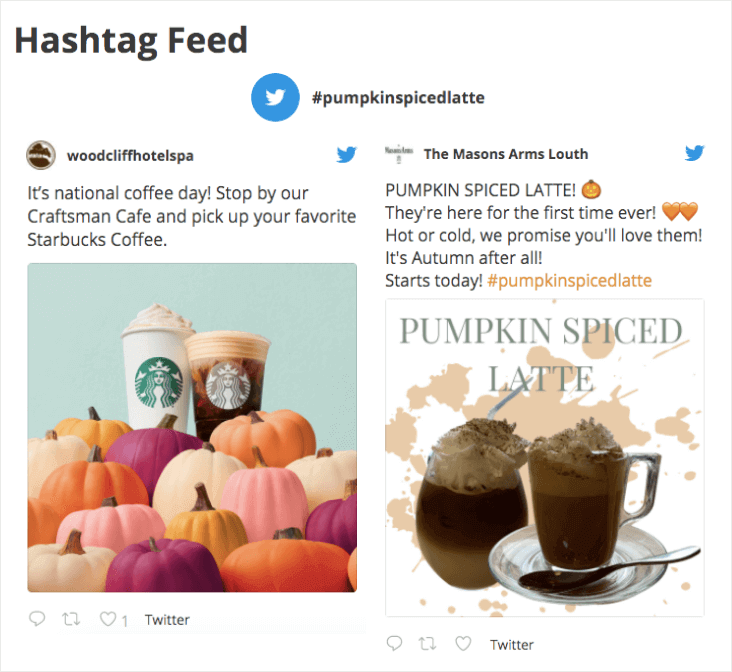
而且一如既往,您可以创建不同类型的 Twitter feed:
- 用户时间线 feed
- Hashtag 信息流
- 基于高级 Twitter 搜索结果的搜索 feed
- 主页 feed,显示您自己和您关注的帐户的推文
- 提及 feed
- 基于您特定 Twitter 列表的列表 feed
- Twitter slideshow,以滚动轮播方式显示您的 feed
- Twitter widget,您可以将其添加到侧边栏或页脚区域
查看 Custom Twitter Feeds Pro 中的完整功能列表。
YouTube Feed Pro
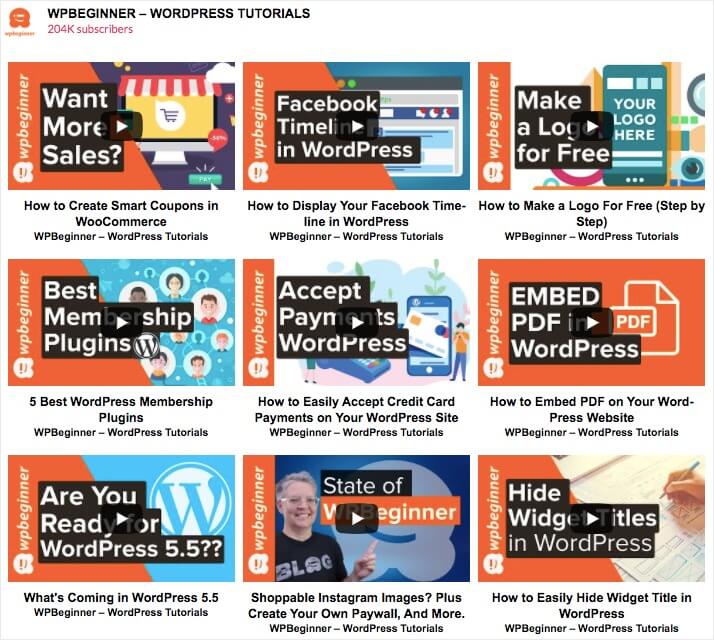
YouTube Feed Pro 是唯一一款可以在不拖慢整个网站速度的情况下将 YouTube 视频嵌入 WordPress 网站的插件。与其他插件不同,Smash Balloon 的 YouTube Feed Pro 仅在访问者与之互动时加载视频。
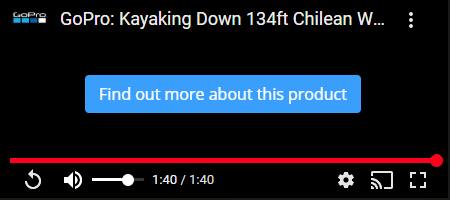
但这款插件如此出色的原因在于,您可以自定义视频的暂停和结束操作。
这是什么意思?
简单来说: 每次有人暂停或完整观看您的视频时,您可以向他们展示其他 YouTube 视频的缩略图,或者显示一个可点击的产品链接!
该插件允许您从 6 种不同的 Feed 类型中进行选择,例如:
- 频道
- 播放列表
- 收藏夹
- 搜索
- 直播
- 单个视频
您只需点击几下即可完成所有操作。
社交动态墙 Pro
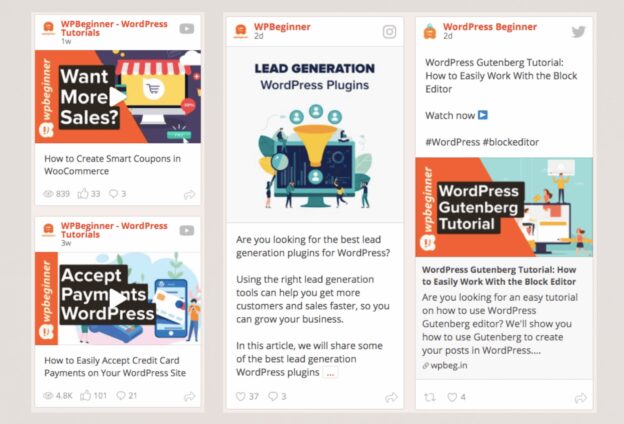
社交动态墙 Pro 只是将您所有的 Feed 组合在一个页面上。它正如其名:一个社交媒体帖子的墙。
您可以创建可过滤的网格、列表和轮播,一次性展示您所有的社交 Feed。
当然,您可以像使用 Smash Balloon 的其他插件一样,设置要显示和排除的内容。
这不仅是建立产品社会认同的好方法,还能进一步增加您的社交媒体关注者。
评价 Feed Pro

评价 Feed Pro 是将客户评价嵌入 WordPress 网站最简单的方法之一。一如既往,您无需聘请开发人员即可将公开的客户评价嵌入您的网站。
在网站上嵌入评价的最大问题是,您需要为每个商业目录提供 API 密钥。而大多数 API 都是付费许可,可能相当昂贵。但有了评价 Feed Pro,您无需使用 API 密钥即可轻松地将评价嵌入您的网站。
您可以直接从以下位置获取评价:
- Tripadvisor 列表
- Google Business 列表
- Facebook Business Page
等等!您可以自定义评价嵌入的设计,以匹配您主题的其余部分。这样,您就不必依赖特定的 WordPress 主题。
如果您还没有开始,应该立即开始使用评价 Feed Pro。
Smash Balloon 定价
拥有所有这些令人惊叹的功能,很容易相信 Smash Balloon 会非常昂贵。
但事实并非如此。真的不是!Smash Balloon 的插件套件是为小型企业而设计的。它的定价方式让任何人都能负担得起这些插件。
看看吧:

当然,也有免费版本。如果您没有预算购买社交媒体信息流插件,可以从它开始。但如果您已经盈利,并且希望建立更多的社交影响力以增加转化和网站参与度,请购买付费套餐。
最终裁决
那么,Smash Balloon 是最好的 WordPress 社交媒体信息流插件,还是不是?
我们的裁决:是的,就是它!
Smash Balloon 功能强大、易于使用且价格合理。它还高度注重性能,并提供设计模板和选项来定制几乎所有社交信息流的内容。
一分钱一分货,如果您希望在您的网站上建立参与度和转化率,Smash Balloon 是一项不错的投资。
说到这里,您是否已经尝试在您的网站上使用推送通知了?推送通知是提高参与度和转化率的绝佳工具。我们建议使用 PushEngage 发送您的推送通知。
PushEngage是全球排名第一的推送通知软件。所以,如果您还没有开始,请立即开始使用PushEngage!


