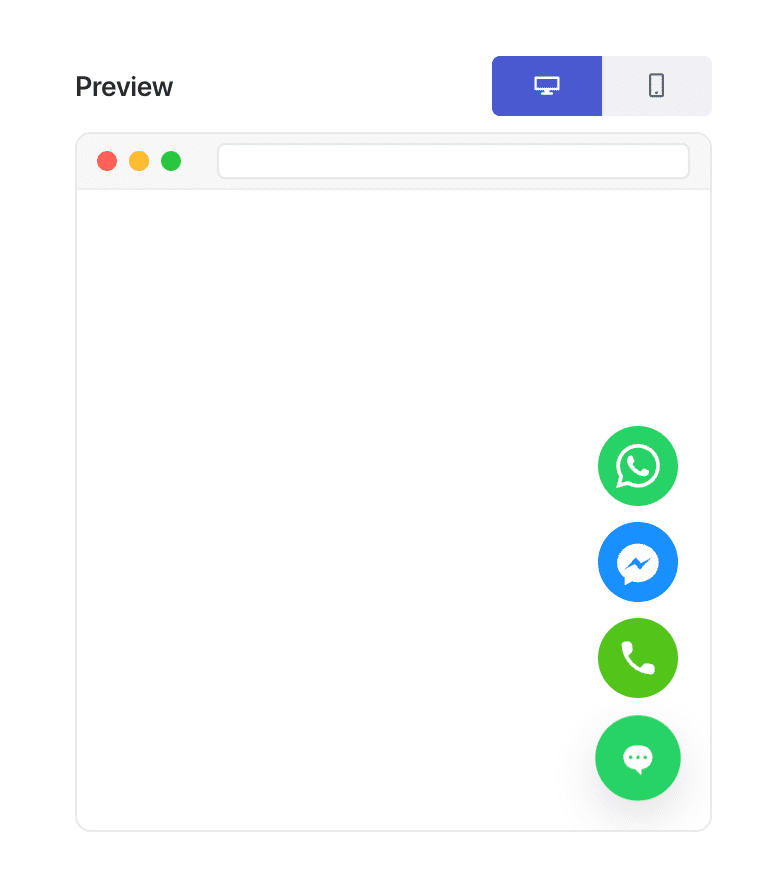
Exit Intent Chat Widget

How to Show Chat Based on Exit Intent

Most visitors who leave your website never come back. Exit-intent chat gives you one last chance to engage them before they disappear — whether they’re abandoning a cart, bouncing from a pricing page, or hesitating on a product comparison.

With PushEngage’s chat widget, you can display a message exactly when the visitor is about to exit, offering help, reassurance, or incentives that recover conversions.

This guide walks you through why exit intent works — and how to set it up in PushEngage in less than a minute.

立即发送多渠道消息!

推送和 WhatsApp 消息是非常有效且低成本的营销工具,可帮助您自动增加重复流量、参与度和销售额。

What Is Exit Intent?

Exit intent detects when a visitor is likely to leave your site by tracking behaviors such as:

  • Moving the mouse toward the browser’s close button or back button
  • Rapid upward cursor movement
  • Switching tabs
  • Attempting to close the tab

When detected, PushEngage triggers your chat widget instantly — capturing engagement at the perfect moment.

Why Exit-Intent Chat Works

Exit-intent chat is one of the highest-impact triggers you can use because it intervenes when a visitor is:

  • Confused
  • Hesitating
  • Price-checking
  • Looking for alternatives
  • Planning to abandon their checkout

A well-timed exit-intent message can:

  • Reduce cart abandonment
  • Recover lost leads
  • Answer last-minute doubts
  • Offer help at the moment of hesitation
  • Present incentives only to abandoning users

It’s the digital equivalent of saying, “Before you go — can I help with something?” right when they’re walking out the door.

How PushEngage Handles Exit Intent

PushEngage includes behavior-based triggers inside the chat widget builder. One of these triggers is Show on Exit Intent.

When enabled, the widget stays hidden until the visitor demonstrates behavior that signals they’re leaving.

A few notes:

  • Exit intent works best on desktop due to cursor-based cues.
  • On mobile, PushEngage uses fallback triggers that approximate exit behavior.

You don’t need custom scripts or plugins — PushEngage handles all detection automatically.

How to Enable Exit-Intent Chat in PushEngage (Step-by-Step)

Step 1: Create or Edit Your Chat Widget

In your WordPress dashboard:

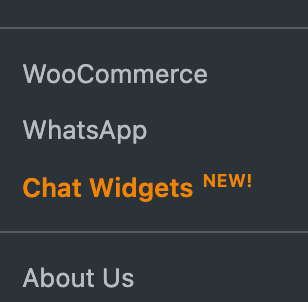
Go to PushEngage » Chat Widgets.

WordPress chat widgets

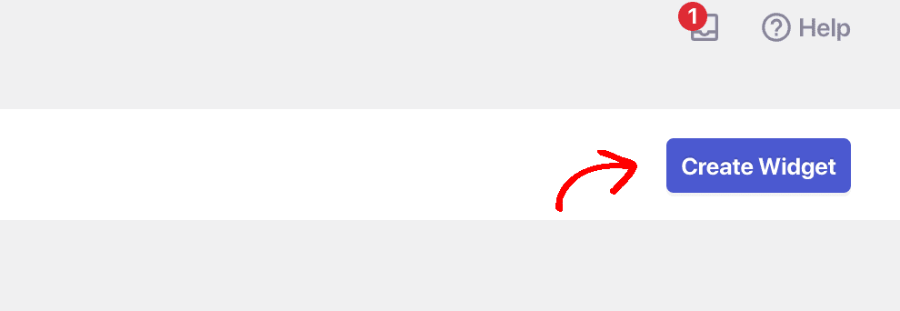
Choose Create Widget or select an existing one to edit.

Create New Widget

Step 2: Trigger on Exit Intent

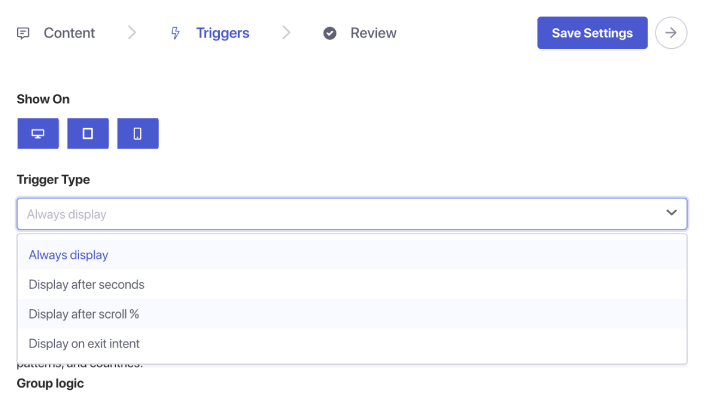
Once you’re done selecting channels and setting up your agent scheduling, go to the Triggers tab. Under Trigger Type, select Display on exit intent.

Triggers for Chat Widget

Step 5: Save and Publish Your Widget

Click Save Widget. Make sure the widget is active and targeted to the right pages. Your exit-intent chat is now live.

Where to Use Exit-Intent Chat (High-Impact Pages)

Exit intent works best on pages where the visitor is making a decision:

1. Pricing page

They are comparing cost and value — often seconds away from bouncing.

2. Checkout page

They may have doubts about shipping, trust, or payment.

3. Product pages

Perfect moment to answer pre-purchase questions.

4. Blog posts

Great for capturing leads before they leave after reading.

5. Demo/consultation pages

Useful for re-engaging prospects who are interested but hesitant.

Combine with page targeting to show exit-intent chat only where it matters most.

Optional Enhancements (High ROI)

1. Add a discount or offer

Only shown to abandoners → no margin loss for high-intent visitors.

2. Send exit-intent chats to sales agents

Recover lost opportunities instantly.

3. Combine with return-visitor targeting

Catch repeat hesitations.

4. Tailor the message by page

Product page: “Questions about this item?”
Pricing page: “Need help choosing the right plan?”
Checkout: “Want help completing your order?”

Best Practices for Exit-Intent Chat

Keep it subtle

Exit intent is about assistance, not desperation.

Avoid aggressive discounts everywhere

Use sparingly to avoid training visitors to abandon on purpose.

Keep messages short

Visitors are already leaving — keep your ask minimal.

Don’t combine with early-page triggers

Exit-intent chat should only appear at the final moment.

Test it on desktop and mobile

Mobile requires fallback logic — make sure the experience still feels natural.

设置聊天小部件后该怎么做

Exit-intent chat is one of the simplest ways to win back abandoning visitors — and PushEngage makes it incredibly easy to implement.

In under a minute, you can:

  • Detect when users are about to leave
  • Show a helpful message at the perfect time
  • Recover sales, generate leads, and reduce abandonment

Small change, big impact.

一旦设置好时间表,您的团队就可以更高效地运作,您的客户也能获得他们期望的体验。

如果您还没有在 PushEngage 中设置客服资料和排班,现在就是时候了。

不信?请查看这些关于多渠道营销活动的精彩资源:

立即开始!

添加评论

我们很高兴您选择留下评论。请记住,所有评论都将根据我们的隐私政策进行审核,并且所有链接都将是 nofollow。请勿在姓名字段中使用关键字。让我们进行一次个人化且有意义的对话。

在访客离开您的网站后与他们互动并挽留他们

通过难以忽略的推送通知,增加每次网站访问的价值。

  • 永久免费套餐
  • 轻松设置
  • 五星支持