How to Migrate Your GCM Key to FCM?

As Google has deprecated the GCM Key and has moved to Firebase Cloud Messaging, you would need to migrate your GCM Key to FCM key for your subscribers to be reachable.

The GCM was deprecated by Google in April 2018 and will be removed as soon as April 11, 2019. Hence the migration is important not only for the subscriber reachability but for reliable, scalable GCM infrastructure and new features.

Here are the Steps you can follow to migrate your GCM Key to FCM-

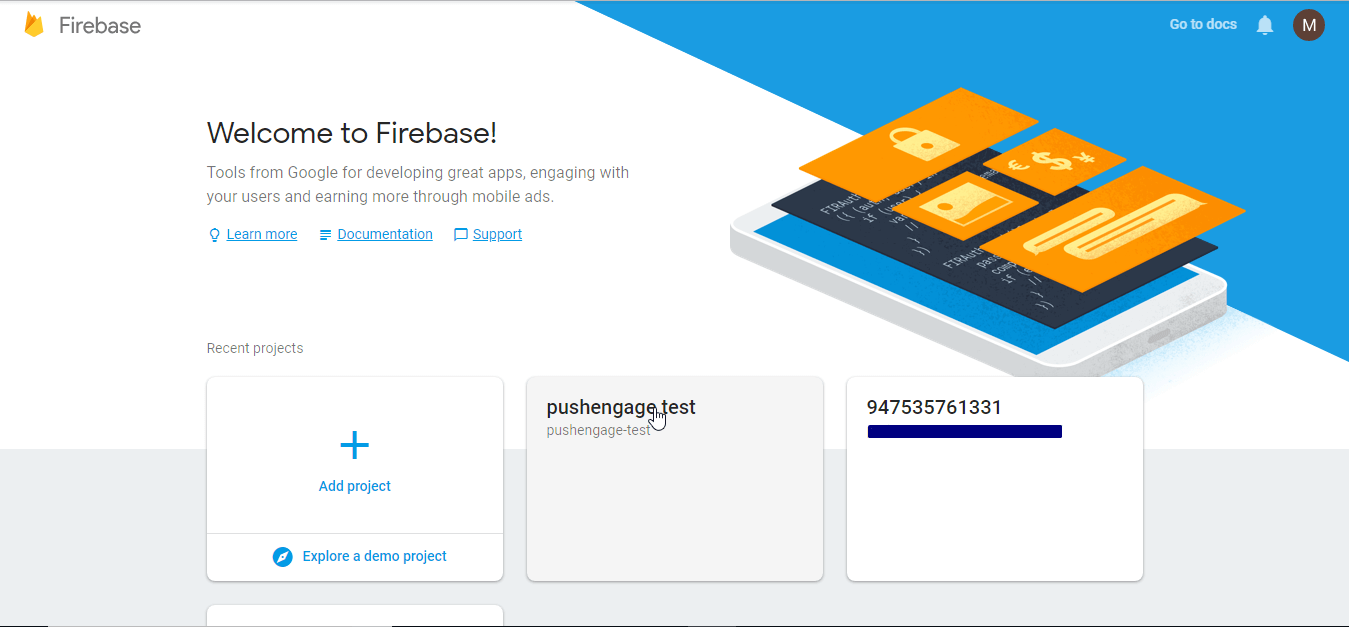
Step 1 – Login to your firebase account using your registered email id or the one you used to create the GCM key.

firebase login

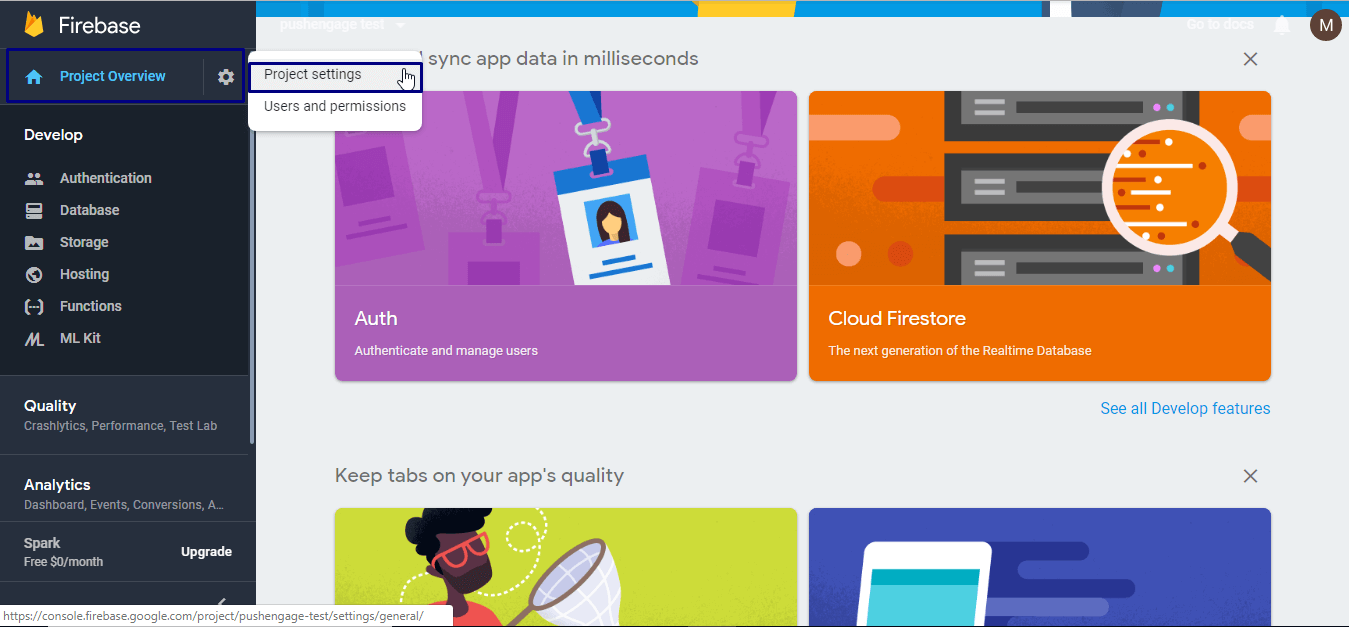
Step 2 – Select the existing project to move the GCM Key to FCM. This is a critical step so, ensure you select the correct project (this will be an existing project, not a new one) and then select Project Overview > Project Settings.

Project Settings

Step 3 – Under the Project Settings, select the Could Messaging Tab.

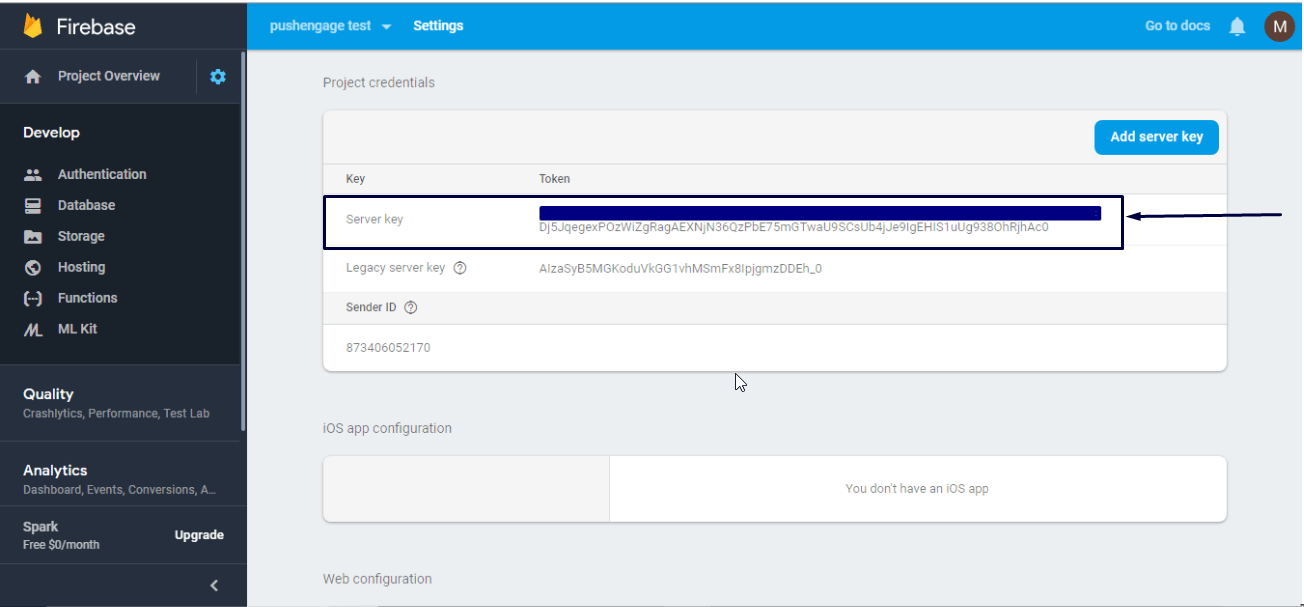
Step 4 –  Copy this server key present in your Firebase Console dashboard under Project Credentials.

server key

Step 5 – You can share this server key with us by sending an email at [email protected]. Please ensure that you have copied the Server Key correctly and send it using only your registered email id.

Please Ensure that the Sender ID Mentioned in the same tab is the same as the one present in your Pushengage Dashboard. This is a unique id and is a quick check to verify if the steps mentioned above was done correctly.

sender id

Our team will update the server key for your account and will update you once it is done. If you are using izooto and they have not updated you on this, the PushEngage is the best alternative to izooto. We will even help you migrate your push subscribes for free to our platform.

PushEngage Web 推送通知服务提供商

添加评论

我们很高兴您选择留下评论。请记住,所有评论都将根据我们的隐私政策进行审核,并且所有链接都将是 nofollow。请勿在姓名字段中使用关键字。让我们进行一次个人化且有意义的对话。

在访客离开您的网站后与他们互动并挽留他们

通过难以忽略的推送通知,增加每次网站访问的价值。

  • 永久免费套餐
  • 轻松设置
  • 五星支持