您是否正在查看您的 Shopify 商店并想知道如何启用 Shopify 推送通知?
也许您想变得更像亚马逊。或者,也许您刚刚意识到推送通知可以为您带来免费的自动重复流量。
无论哪种方式,您都将学会如何启用 Shopify 推送通知:
- 即使……您以前从未设置过推送通知,也不知道从何开始;
- 即使……您尝试为您的 Shopify 商店设置推送通知但失败了;
- 即使……您知道如何使用推送通知,但从未在 Shopify 上使用过;
最棒的是,我们将向您展示两种方法。
请注意:其中一种方法比其他方法简单得多,这也是我们推荐的方法。
几分钟后您就会明白我们的意思。
现在,让我们开始吧。
如何使用应用启用 Shopify 推送通知
使用 Shopify 的全部意义在于它是一个完整的内容管理系统 (CMS)。您无需编写任何代码即可创建电子商务网站——默认情况下没有的功能,都可以通过应用添加。
是的,这包括 Shopify 推送通知。在本教程中,我们将使用 PushEngage Shopify 应用。
PushEngage 是市场上排名第一的网页推送通知软件。所以,如果您还没有,请立即开始使用 PushEngage。
然后,登录您的 Shopify 管理后台,进入 应用。在 Shopify 应用商店中搜索 PushEngage:
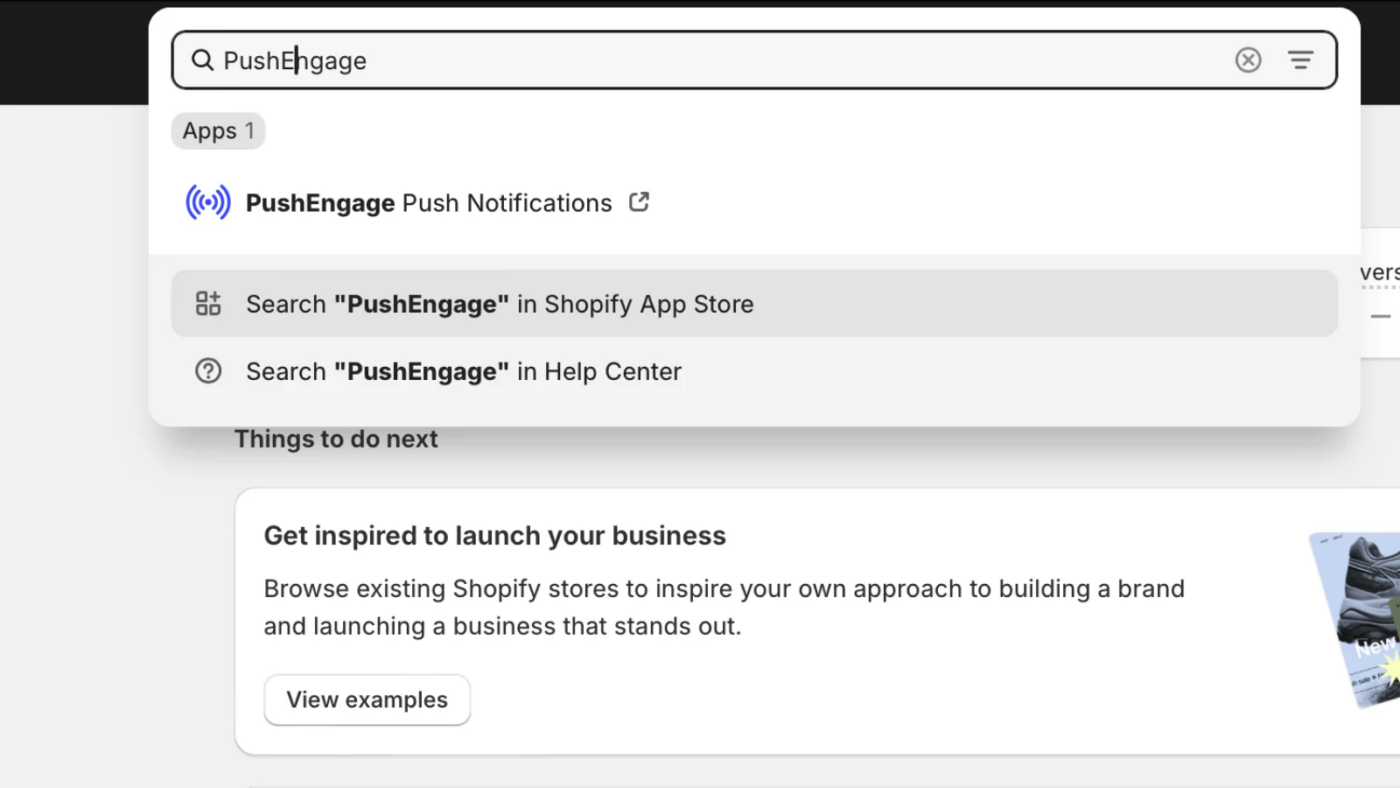
点击 安装 并按照入门指南进行操作。该应用会自动将安装代码放置在您的商店中,并自动创建现成的剧本,例如购物车放弃、浏览放弃、降价和补货提醒。无需代码,您可以在几分钟内上线。
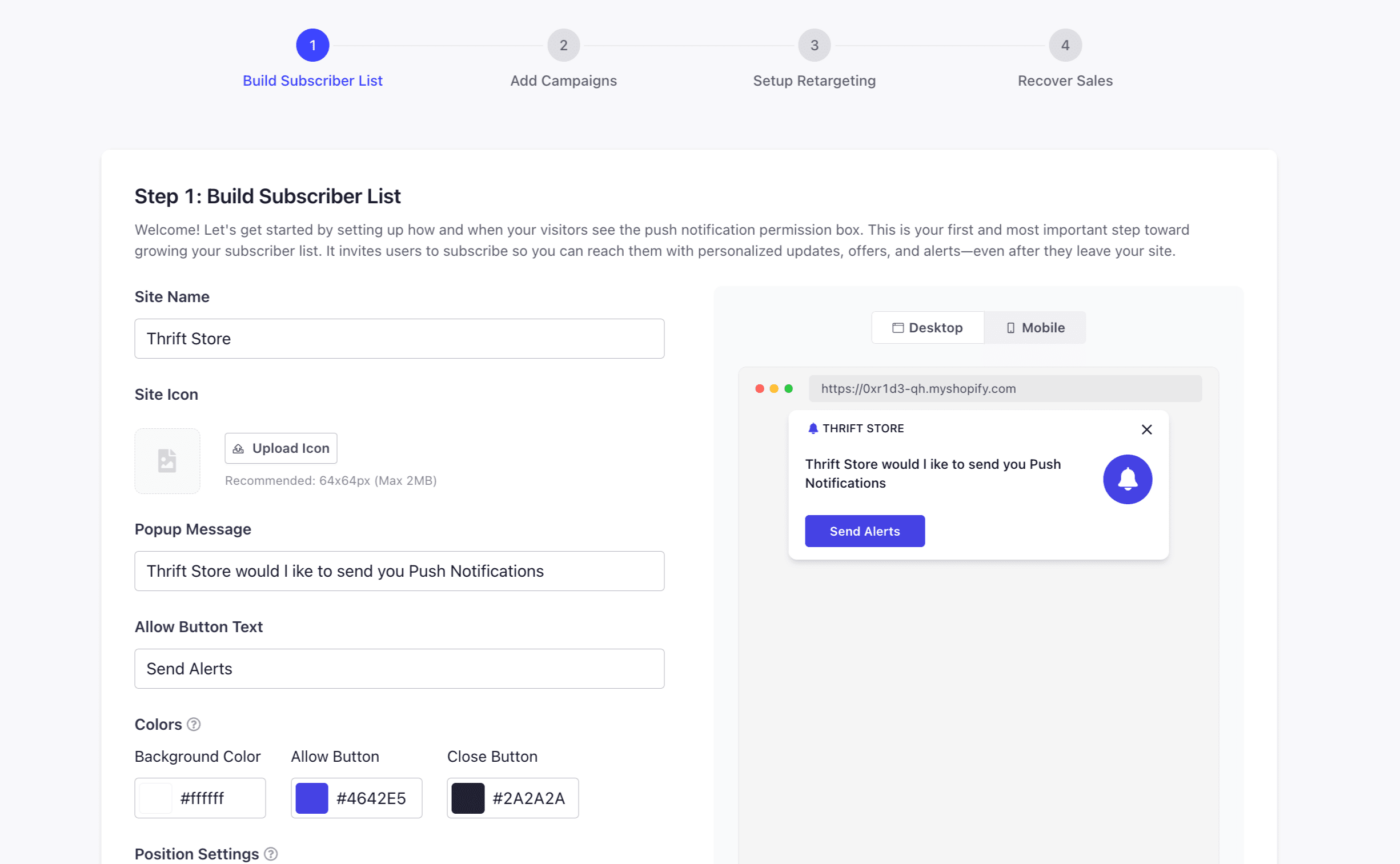
进入 PushEngage 控制面板后,在 设计 » 弹出窗口模型 下自定义您的订阅弹出窗口,使其与您的品牌保持一致:
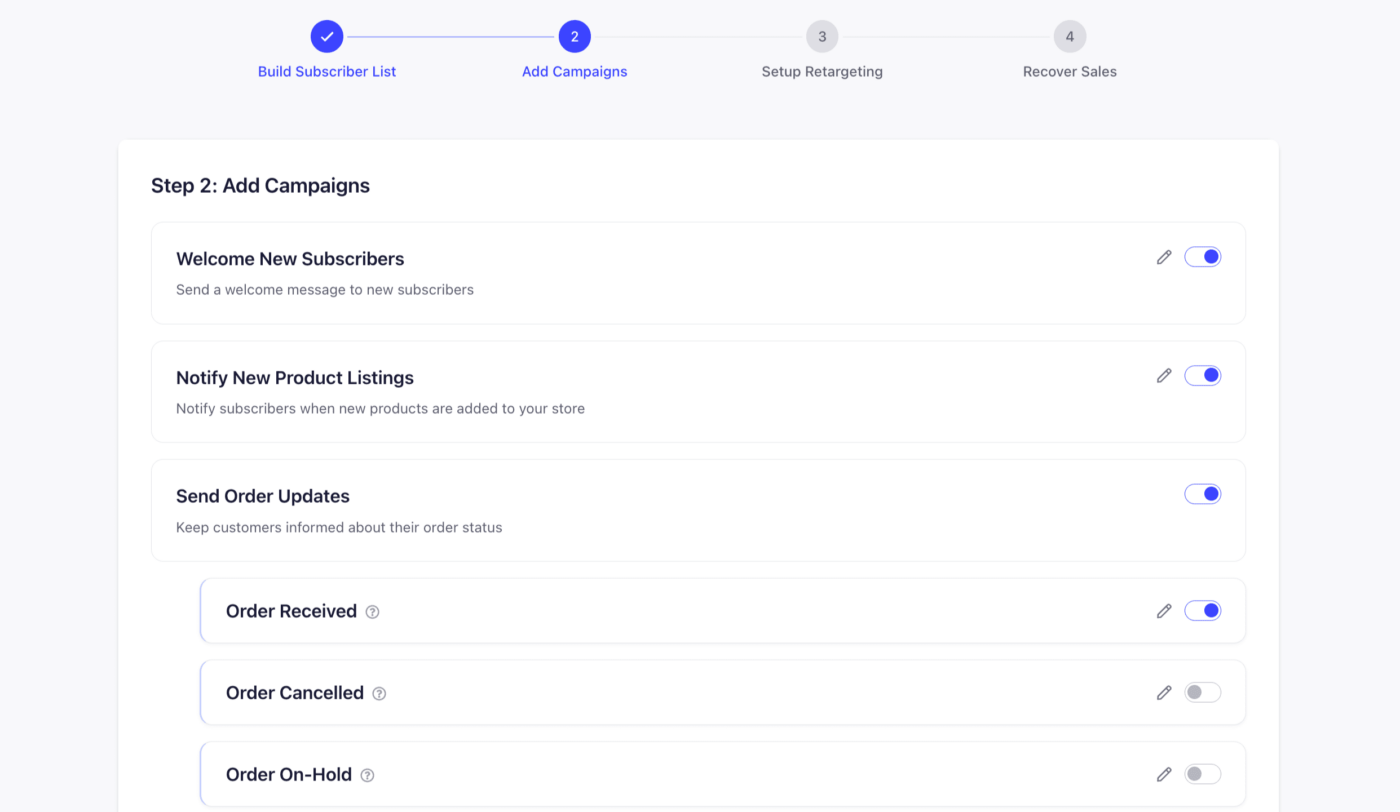
接下来,开启您想要的默认广告系列——欢迎优惠、新品公告、订单更新:
并启用预建的受众细分(或创建您自己的细分),以便您的广告系列能够触达正确的人群:
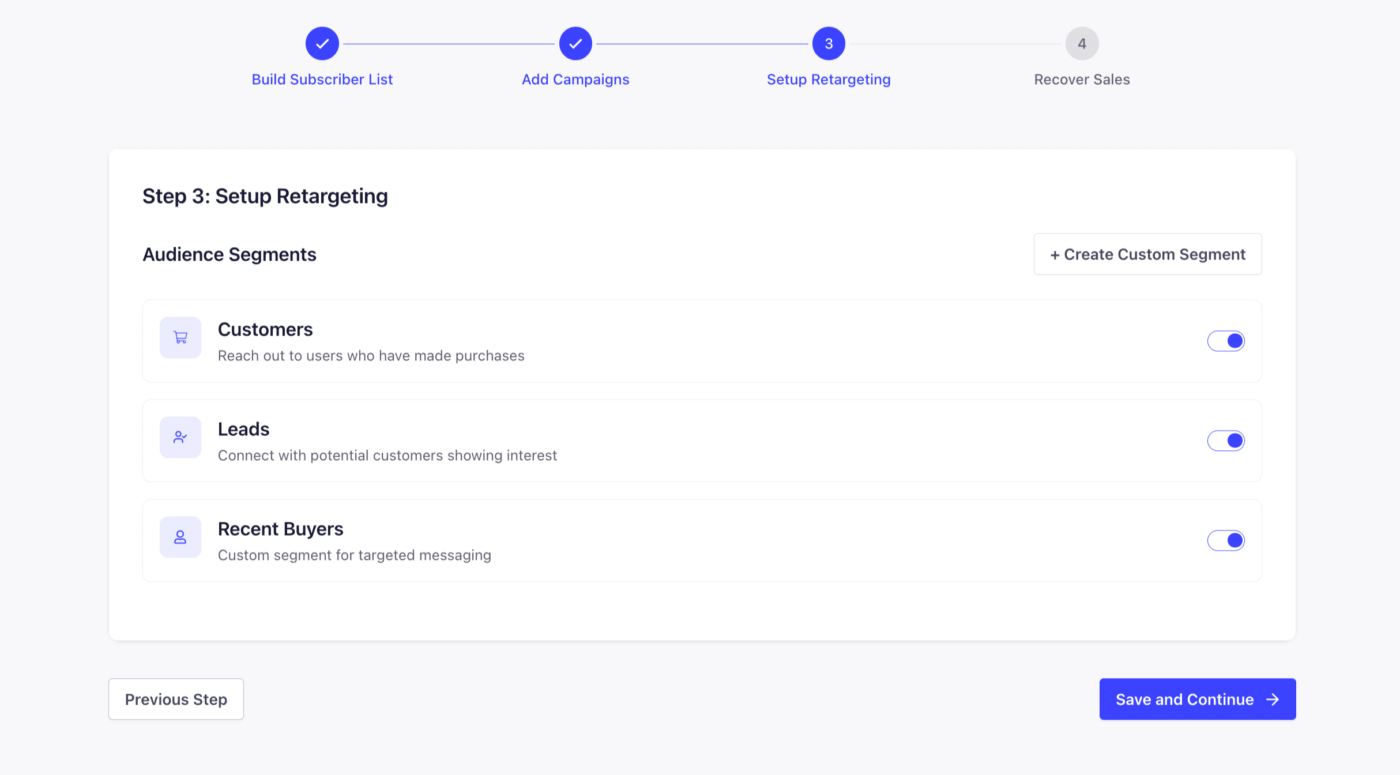
就是这样!您完成了。
如何不使用应用启用 Shopify 推送通知
让我们谈谈如何安装和启用 Shopify 推送通知而不使用应用。
需要明确的是:这不是我们推荐的方法。我们强烈建议您使用 PushEngage 应用 来启用 Shopify 推送通知。此方法完全是手动的,除非您熟悉代码,否则不应使用它。
话虽如此,首先登录您的 Shopify 管理后台。进入 在线商店 » 主题,找到您的实时主题,点击 自定义 旁边的 …(更多操作)按钮,然后选择 编辑代码。
然后点击 布局 下的 theme.liquid 文件进行编辑。
现在,进入您的 PushEngage 控制面板,转到 网站设置 » 网站详情,然后点击 点击此处获取设置说明 按钮:

转到 任意网站 标签页并复制安装代码。然后,回到您的 Shopify 代码编辑器,将代码粘贴到 theme.liquid 文件中,放在关闭的 </head> 标签之前,然后点击 保存。
您已完成!返回您的 PushEngage 控制面板并完成设置任务,开始收集订阅者。
再说一遍,这可能看起来有点复杂。所以,最好还是使用 PushEngage Shopify 推送通知应用。
下一步是什么?
启用推送通知只是您实现六位数销售之旅的第一步。但是,开始是最重要的一步,您已经做到了!
现在,是时候创建您的第一个广告系列了。查看此 自动推送通知广告系列 列表,这些广告系列在您睡觉时会持续销售。
花点时间设置这些广告系列。我们保证您会看到很棒的结果。
如果您在消息传递方面需要一些灵感,请查看这些 使用推送通知效果好的电子商务商店。那篇文章中有一些您可以立即借鉴并开始增长订阅者的示例。
以上就是本篇的全部内容。
明智地使用您新的推送通知超能力。
如果您还没有开始,请立即开始使用PushEngage。


好的
有用的信息
Shopify 不允许您上传到根域。我们能否将 Service Worker 下载放在 Shopify CDN 的其他位置?
您可以使用 PushEngage Shopify 插件。它将自动在您的 Shopify 网站上安装 PushEngage。