Drag and Drop Editor in Drip

Drip Autoresponder is very powerful and you can get higher engagements with your subscribers. Drip Marketing is mostly known in e-mail marketing where you can send a series of promotional e-mails to users. But you can send the drip to your customers in the form of a web push as well. You can use drip in e-commerce business to increase sales and re-engagement.

Once you have created a series of notification as a drip campaign using your PushEngage account and if you wish to switch or interchange the notification in the series you can do it easily with our update. You can just drag and drop the notifications and set the expiry, scheduled time.

For this, you must have at least 3 notification in a series. You cannot change the first notification of the series with drag and drop hence would need to edit it manually. However, you can change the order for the rest of the notifications.

Steps To Reorder Drip Notification

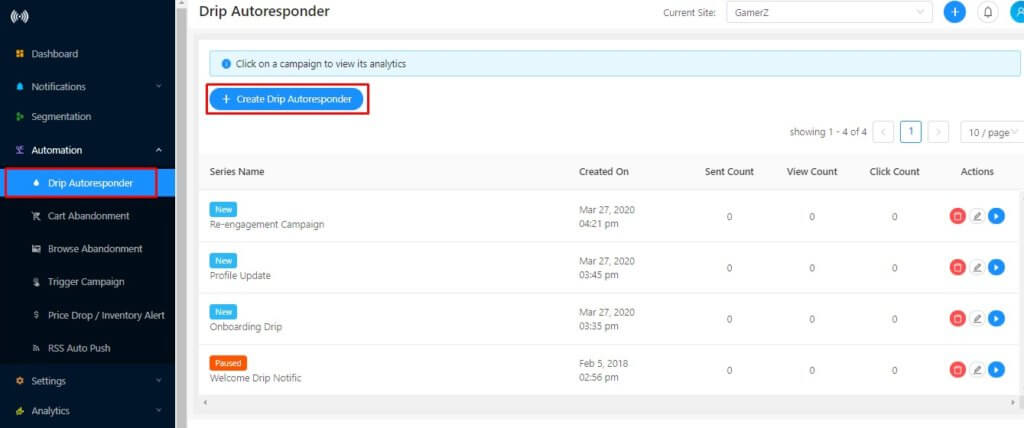
Step 1 – Navigate to Automation > Drip. Now click on Create Drip Autoresponder

创建滴灌自动回复器

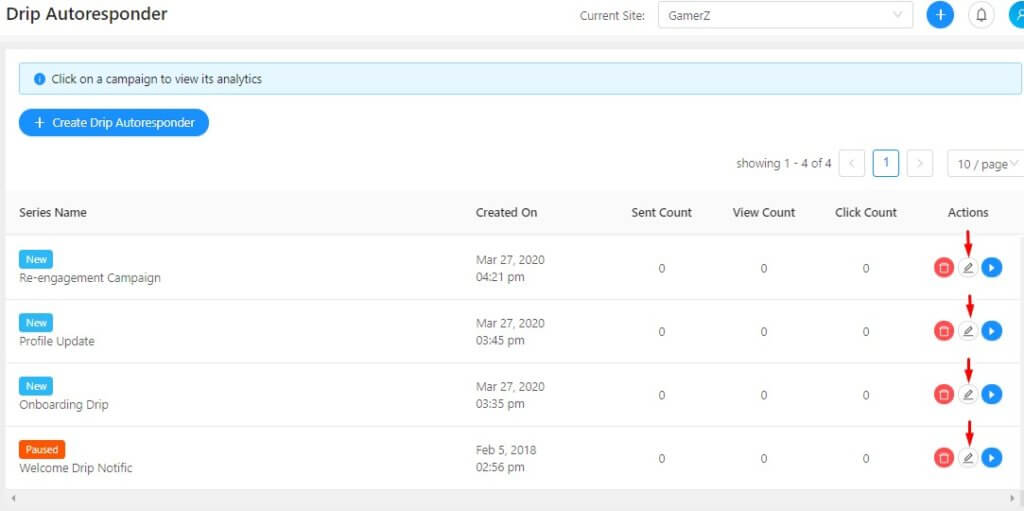
Step 2 – Click the edit button any of the drip campaigns you’ve created before that you would like to edit now.

editing the drip campaign

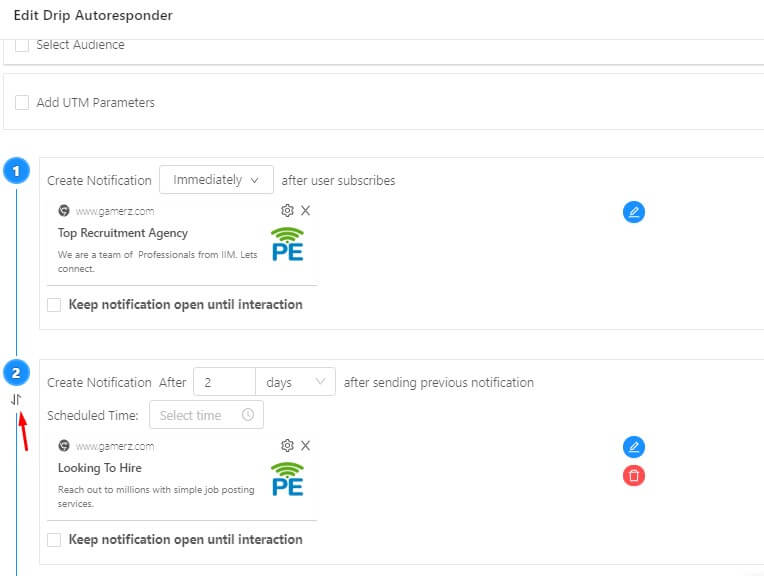
Step 3 – Click on the arrow button of the drip notification you wish to reorder. Drag it and replace it in the series of notification accordingly.

re-ordering drip push notification

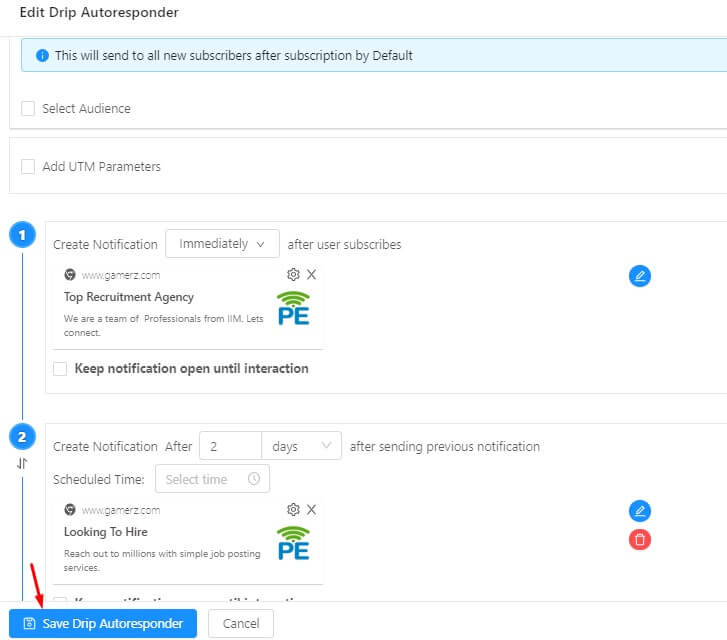
Step 4 – Edit the schedules time of the notification and once it is done, save the campaign.

save drip autoresponder

Note – When you reorder the drip the scheduled time remains the same. So if you move the second drop notification to the third number and both the notification has different timing please ensure you have changed the scheduled time and expiry time as well.

Drip Automation is available from the Premium Plan, so go ahead and register and try it out. For more questions email us at [email protected] or you can check out the support for further queries.

If you want Drip Automation as an add on to your basic plan you can let us know.

PushEngage Web 推送通知服务提供商

添加评论

我们很高兴您选择留下评论。请记住,所有评论都将根据我们的隐私政策进行审核,并且所有链接都将是 nofollow。请勿在姓名字段中使用关键字。让我们进行一次个人化且有意义的对话。

在访客离开您的网站后与他们互动并挽留他们

通过难以忽略的推送通知,增加每次网站访问的价值。

  • 永久免费套餐
  • 轻松设置
  • 五星支持