你好,Engagelings。
Exciting news: We just created an integration with WPCode that makes it super easy to launch, manage, track, and optimize eCommerce campaigns for all WordPress sites.
If you haven’t heard of them already, WPCode is a powerful plugin that allows you to insert code snippets into your website without ANY coding at all. All you need to do is select a code snippet in its library and select where on your website you want to insert it. And the plugin does all the work for you!
表面上看,这似乎是一个小更新。但事实并非如此。有很多内容需要深入了解。我们也使其超级易于使用。这项升级付出了很多努力,我们认为您会喜欢它。
让我们开始吧。
Why Should You Care About Our WPCode Integration?
Launching eCommerce push campaigns can be a pain. There are tons of details that you have to take of manually such as variables and tags that help trigger the campaigns. And then, you’d have to manually insert the code into your website’s code without wrecking it.
But eCommerce push notifications are incredibly powerful tools to grow your revenue and average order value at very low costs.
So, we went ahead and took the pain out of setting up these campaigns with the help of our friends at WPCode.
Why Did We Add eCommerce Code Snippets to WPCode?
在过去的几周里,我们迎来了大量新客户。当然,我们对此发展感到非常兴奋。但我们收到的最常见的问题之一是:“哪种营销活动最适合我们的业务?”
这是一个非常好的问题。
The truth of the matter is that you can use almost all the different campaigns in varying ways to grow almost any business. But takes some experience and expertise with marketing to know about these use cases. And the last thing anyone wants is to have to learn some new tech before they can get started.
So, with our code snippets in the WPCode library, we can now offer the option to launch eCommerce push campaigns in a few simple clicks. This includes:
And more. Not to mention, you can also set up goal tracking for your push notification campaigns in a few clicks as well.
And the coolest part is that even our free users will get access to some free templates. Of course, you can always upgrade your PushEngage
How to Access the Code Snippets
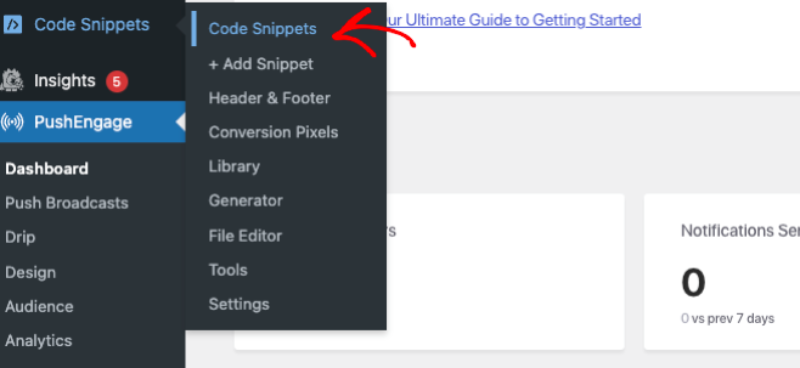
You can select a code snippet from the PushEngage Code Snippets library. Go PushEngage » Code Snippets:

If you don’t have the WPCode plugin already installed and activated, then you’ll see an Activate WPCode button. Click this to download the free WPCode plugin. You’ll need to install and activate WPCode before you can proceed.
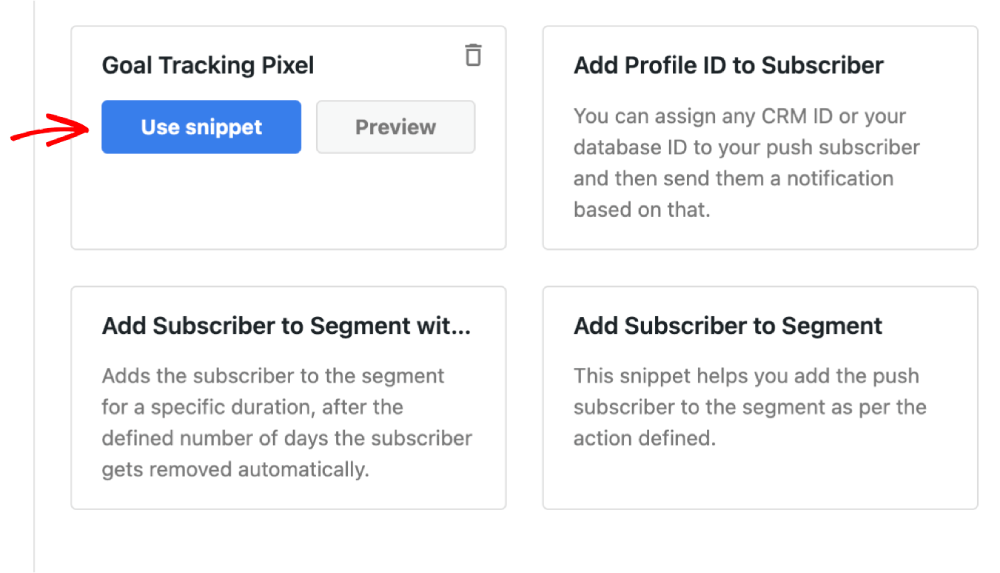
Once that’s done, you can simply check out the code snippets in the library.
Click on the Use Snippet button for a code snippet, and you’ll be taken to the Edit Snippet screen in WPCode, where you can customize it.

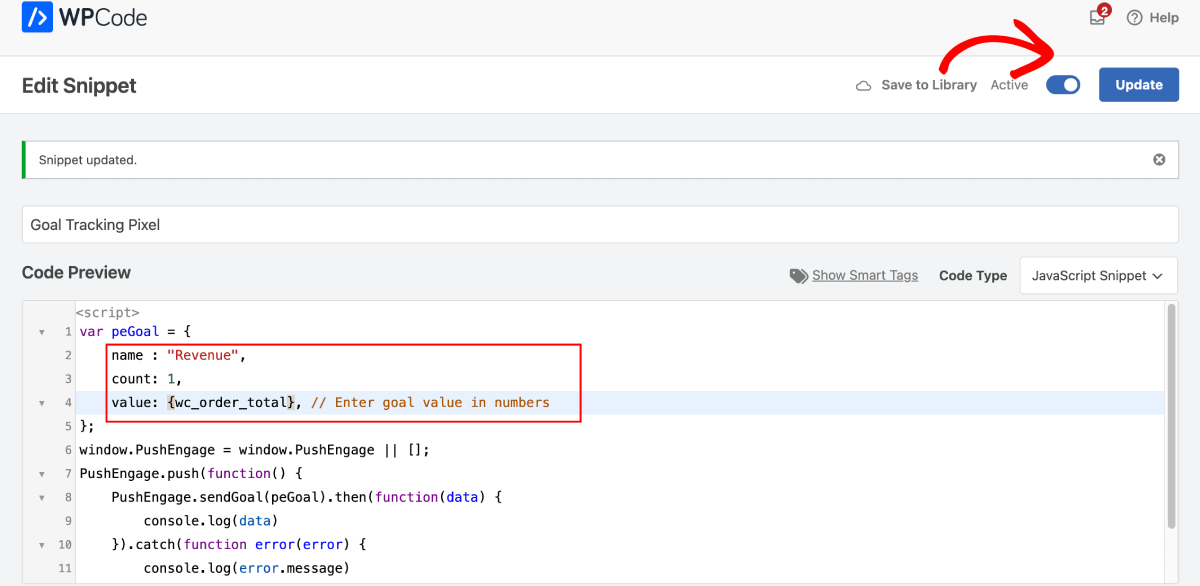
Go ahead and edit the snippet as you see fit.

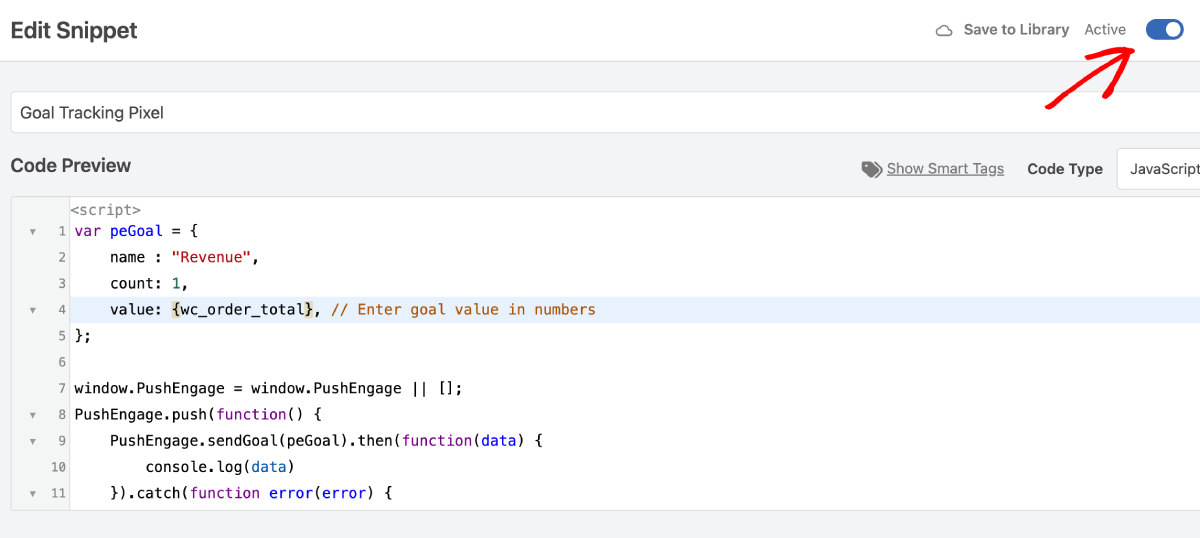
Then click on Update to save the snippet. Finally, enable the Activate toggle to install the snippet on your site.

您就完成了!
What Else Can You Do Using These Code Snippets?
We launched a bunch of these code snippets and we invite you to play around with them. You can create push notification campaigns for sites built using WooCommerce and Easy Digital Downloads.
You should take a look at the full list of snippets in the WPCode library.
Apart from creating powerful eCommerce campaigns, you can also:
- Set up a goal tracking pixel to track your push notification performance
- Add subscribers to a segment to automatically send push notifications
- Add subscribers to a segment for a specific duration, remove subscribers from a segment
- Add a CRM ID to each push notification subscriber
All these snippets make it super easy for you to grow your business using other channels such as app push notifications as well.
还有什么?
我们知道发展业务是一项艰苦的工作。 在 PushEngage,我们始终致力于改进我们的产品和您的体验。我们推出了这项新功能,以帮助您从 PushEngage 订阅中获得更多价值。
非常感谢您阅读此公告。
如果您有任何疑问,我们的客户成功团队随时为您提供帮助。只需在实时聊天中发起对话或查看 我们的联系页面。
And thank you for using PushEngage. Whether you’re using the free version or the Enterprise version, you’re just as important to us. The new code snippets are meant to help you succeed and we wish you all the very best.
在下面的评论中告诉我们您的想法,如果您还没有开始,请立即开始使用 PushEngage!