你好,Engagelings。
Exciting news: we’re launching a new feature called the Subscription Management Widget.
为什么?因为你!
That’s right, we’re making the user experience (a.k.a.: your experience) much better. You can now offer a simple way for your subscribers to manage:
- Whether they want to receive notifications from you
- The types of notifications they’re interested in
We’ve also made it super easy to display the Subscription Management Widget on PushEngage. We’re super proud of this cool new feature and we think that you’ll love it. And it’s a major update, so there’s a LOT more to unpack.
让我们开始吧。
Why Use a Subscription Management Widget
One of the biggest problems with push notification software is that it’s super difficult for you to get permission to send specific types of notifications from your subscribers. As a result, there’s a real risk of sending too many push notifications or sending irrelevant messages.
The same problem exists with email marketing. But at least, with email marketing software, you can create custom links to add subscribers to a specific email list segment. With push notifications, this feature simply isn’t available.
Well… it wasn’t. Until now.
We just built the solution to a massive problem that no one else is even trying to address!
The Subscription Management Widget democratizes your push notification subscription list. Your visitors can now choose what kind of notifications they want to receive. Your subscribers will love you for listening to what they want and you can make WAY more money by sending targeted and highly relevant push notifications.
And you can reduce your support tickets from unhappy subscribers trying to unsubscribe from push notifications.
Get Started With the Subscription Management Widget Easily
To get started, head over to your PushEngage dashboard and go to Design » Widgets and enable the Subscription Management Widget:

点击“编辑小部件”按钮来自定义您的小部件。首先在“外观和设计”下自定义您小部件的外观,以匹配您品牌的语言风格:
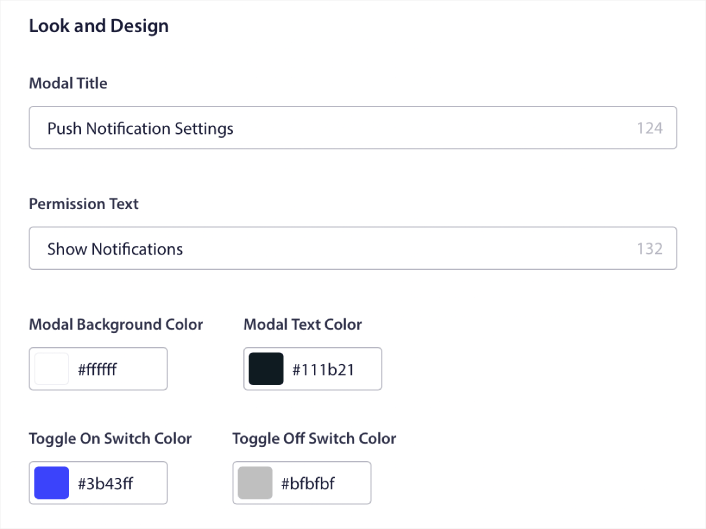
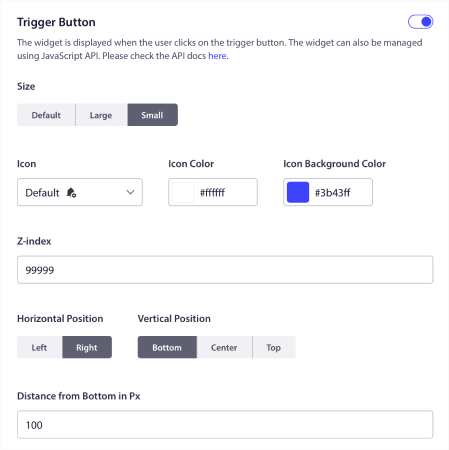
您可以创建一个完全自定义的弹出窗口,即使在访问者不订阅您的默认弹出窗口时,它也会保留。如果弹出触发按钮的大小让您觉得不合适,您也可以在触发按钮下进行自定义:
Select Where to Show the Subscription Management Widget
最酷的是,您还可以选择在触发按钮显示规则下显示小部件的具体页面:

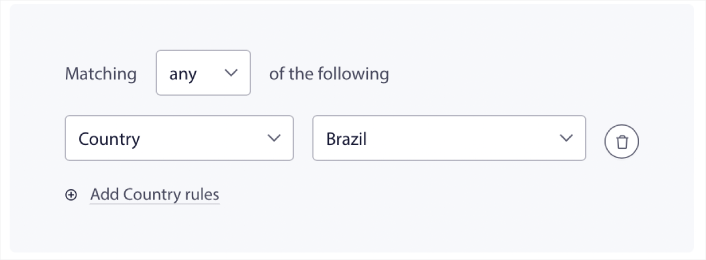
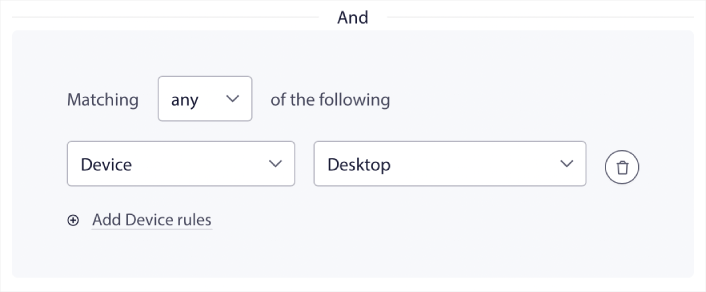
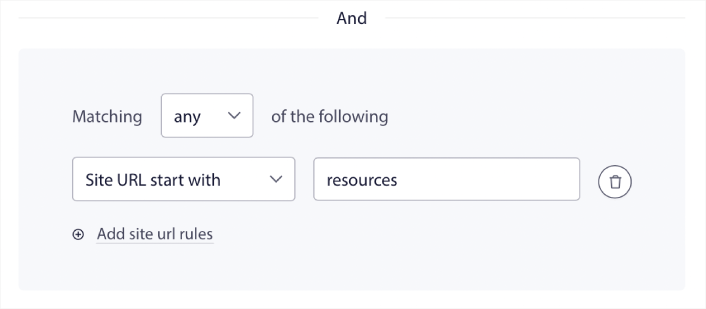
默认情况下,按钮将显示在所有页面上。 但是,您可以创建自定义定位规则,通过定位特定的内容来显示特定版本的小部件:
位置:
设备:
以及您网站上的网址:
Easy Unsubscribe Options
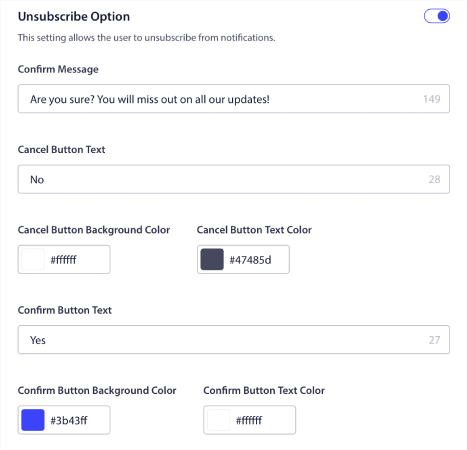
You can also give your subscribers an easy way to unsubscribe from your push notifications under Unsubscribe Option:

Again, you can fully customize the look and feel of the design along with the messaging to suit your brand guidelines. Any visitor that unsubscribes from your push notifications can also re-subscribe using the subscription management widget.
Allow Subscribers to Set Push Notification Preferences
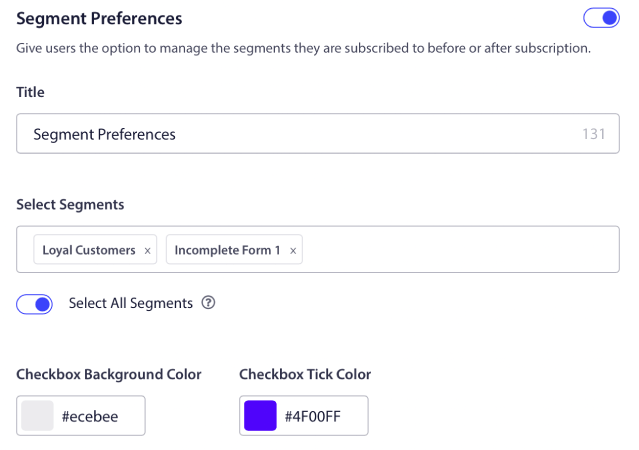
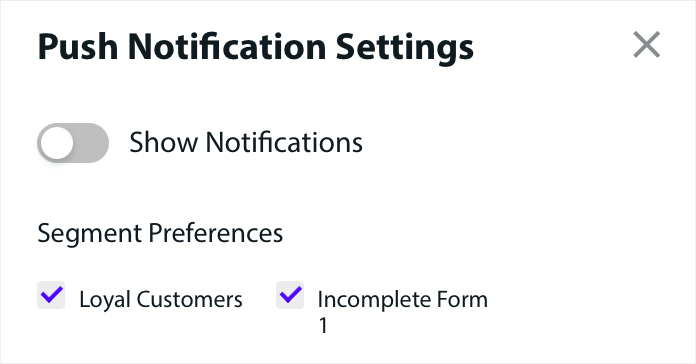
更进一步,您还可以允许订阅者在细分偏好设置下选择他们想要接收的通知类型:

如果您启用了全选细分,那么您的订阅者将默认自动添加到所有选定的细分中:
这对于新闻网站和博客网站来说是一项极其强大的功能。
Ask for Permission to Send Personalized Push Notifications
如果您在网站上运行电子商务推送通知,其中很多将是触发式推送通知。这包括:
甚至自定义触发式推送通知广告系列。
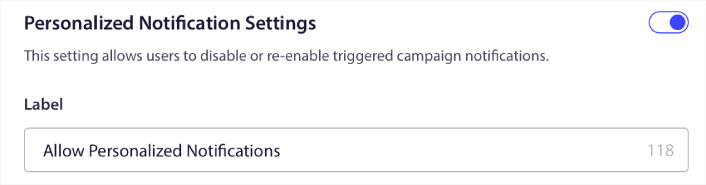
With our new Subscription Management Widget, you can now allow your subscribers to choose if they want to see personalised notifications:

只需在个性化通知设置下启用该选项即可:

还有什么?
我们知道发展业务是一项艰苦的工作。 在 PushEngage,我们始终致力于改进我们的产品和您的体验。我们推出了这项新功能,以帮助您从 PushEngage 订阅中获得更多价值。
非常感谢您阅读此公告。
如果您有任何疑问,我们的客户成功团队随时为您提供帮助。只需在实时聊天中发起对话或查看 我们的联系页面。
And thank you for using PushEngage. Whether you’re using the free version or the Enterprise version, you’re just as important to us. The subscription management widget is meant to help you succeed and we wish you all the very best.
在下面的评论中告诉我们您的想法,如果您还没有开始,请立即开始使用 PushEngage!