Looking for a way to add push notifications to your Flutter app?
You pour months into building your Flutter app. Smooth UI, killer features, everything is polished to perfection.
But here’s the hard truth: over 70% of app users disappear within 90 days.
They download. They browse. They ghost. Most apps never recover. They sink into the abyss of forgotten installs, spending more on ads than they’ll ever make back.
But what if you could bring users back without paying for it every time?
Here’s a jaw-dropping stat: Apps using push notifications see up to 88% higher user retention rates compared to those that don’t. And with Flutter’s cross-platform capabilities, implementing these powerful engagement tools has never been easier.
Ready to supercharge your Flutter app with push notifications? Let’s dive into everything you need to know to get started!
立即发送移动应用推送通知!
推送通知是一种超级有效、低成本的营销工具,可帮助您自动增加重复流量、互动和销售。
What Are Flutter Push Notifications?
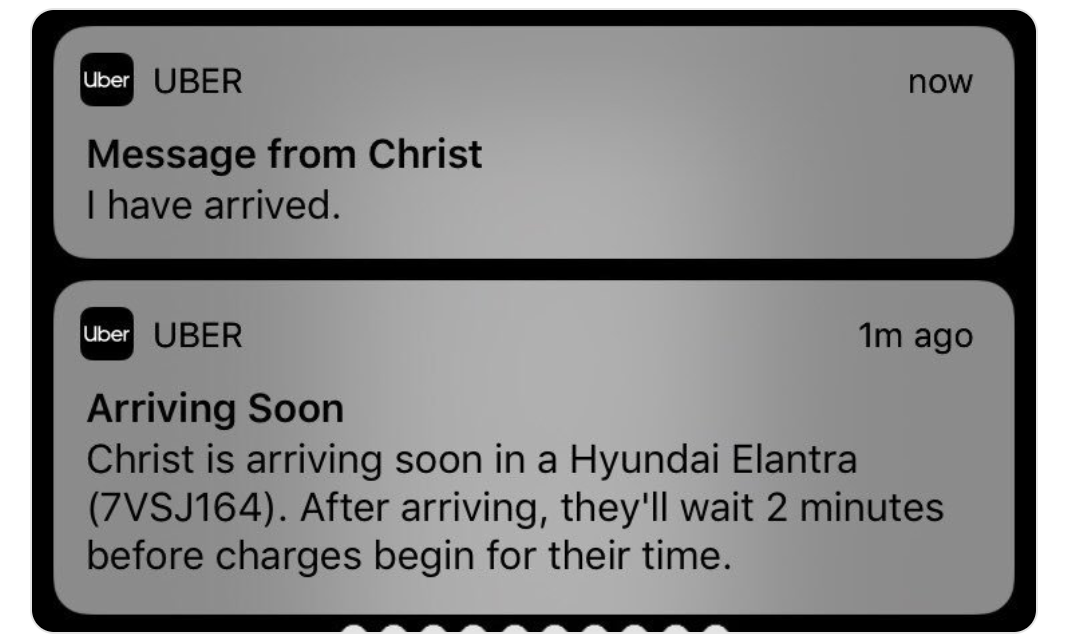
Think of push notifications as digital tap on the shoulder – they’re messages that pop up on your users’ devices even when they’re not actively using your app. But they’re so much more than just simple alerts!

Push notifications can include:
- Text messages and alerts
- Rich media like images and videos
- Interactive buttons and actions
- Deep links to specific app sections
Flutter’s popularity isn’t just a coincidence – it’s a powerhouse for cross-platform development. With over 500,000 apps built using Flutter, it’s become the go-to choice for developers worldwide. But what makes it perfect for push notifications?
- Single codebase for iOS and Android
- Rich ecosystem of notification plugins
- Seamless integration with popular services
- Outstanding performance metrics
Now that we understand a little more clearly why you should add push notifications to your Flutter app, let’s take a look at how you can do that.
How to Add Push Notifications to Your Flutter App
Push notifications are the simplest yet most powerful tool and it can push notifications can be the best channel for growth marketing for mobile app business. These short messages appear on a user’s device even when they’re not actively using your app, making them an ideal way to capture attention and drive action.
But there are some major pitfalls in the app development industry with push notifications. To address these issues, we made this short video to help you understand what’s possible with Flutter push notifications.
Why Firebase Isn’t Enough to Add Push Notifications to Your Flutter App
Why do most developers choose Firebase Cloud Messaging for their Flutter apps? Simple — it’s free, reliable, and backed by Google! FCM handles billions of messages daily and works seamlessly across platforms.
Key benefits of FCM include:
- Free unlimited push notifications
- Built-in analytics and monitoring
- Automatic retry logic
- Support for rich media content
If you’re using Firebase Cloud Messaging (FCM), you’ve already realized the problem.
- It delivers notifications but doesn’t tell you who actually clicked.
- It lets you send messages but has zero built-in automation to win users back.
- It offers basic segmentation but you can’t fine-tune targeting based on user behavior.
In short? Firebase is a notification delivery tool. That’s it. No marketing power. No real engagement strategy. If you want to keep users, you need more than a blunt instrument. You need a system that turns notifications into a growth engine.
How to Choose Your Push Notification Service That Helps You Retain, Convert, and Grow
Your app has one job: keep users coming back. PushEngage has a Flutter push notification SDK that makes it effortless.
🛠 For Developers: Easy SDK, simple setup, and no Firebase headaches.
📈 For Marketers: Automated push campaigns, segmentation, and data-driven insights.
💰 For Business Owners: Less churn, more conversions, and a healthier bottom line.

PushEngage可帮助您自动增加网站流量和参与度。如果您经营在线商店,PushEngage还可以通过帮助您创建自动化的电子商务推送通知来帮助您增加销售额。
You can get started for free, but if you’re serious about growing your business, you should buy a paid plan.
PushEngage’s Flutter SDK isn’t just a delivery system—it’s your automated retention powerhouse.
✅ Bring Back Lost Users Automatically: Set up smart drip campaigns to nudge inactive users back into the app. No manual work required.
✅ Hyper-Personalized Messaging: Target users based on what they actually do inside your app—not just random guesses.
✅ A/B Testing & Smart Scheduling: Find out what works, when it works, and send notifications when users are most likely to engage.
✅ Multi-Channel Power: Go beyond mobile. PushEngage lets you combine web + mobile push notifications for a complete multichannel strategy.
这些功能旨在帮助小型企业成长。看看案例研究,您就会知道各种规模的企业如何从 PushEngage 的推送通知中获得了巨大的成功。
This isn’t just about sending notifications. It’s about keeping users engaged and turning them into paying customers.
您会发现,如果您想为您的业务带来流量、参与度和销售额,PushEngage 绝对是最佳选择。而且,如果您预算有限,您总是可以 在推送通知方面发挥创意。
Right now, you have one of four options:
🚀 Winning Ending: You switch to PushEngage, set up automated campaigns, and watch engagement & revenue soar.
😞 Tragic Ending: You stick with Firebase, losing users and scrambling to recover them with paid ads.
🤷 Bittersweet Ending: You try to build retention workflows yourself, but they never quite work.
💀 Never-Ending Struggle: You ignore push notifications completely and keep bleeding users.
Which ending do you want for your Flutter app’s growth story?
How to Get Started With Flutter Notifications in Minutes
If you’re looking to add push notifications to a Flutter app, the PushEngage Flutter SDK takes just a few minutes.
- Follow our simple setup guide: How to Get Started With Flutter App Push Notifications.
- Set up your first automated campaign in a few clicks.
- Watch your engagement (and revenue) take off.
Your users won’t come back on their own. But with PushEngage, they’ll never want to leave.
What to do After You Add Push Notifications to a Flutter App
Now that you know how to add push notifications to a Flutter app, it’s time to get started with creating campaigns.
我们也建议您花些时间阅读我们的文章,了解如何为自动推送通知注入动力。从我们关于 推送通知最佳实践的文章开始。
如果您是推送通知的新手,在上线之前,您应该遵循一个完整的 推送通知测试 流程。这将帮助您在访问者看到它们并开始抱怨糟糕的用户体验之前解决常见问题。
而且您绝对应该设置 Google Analytics 来 跟踪推送通知。
对点击了推送通知或未点击的订阅者进行再营销。让我们知道这对您有什么帮助。在此期间,请查看这些资源:
- 如何通过好奇心提高推送通知的点击率
- 如何个性化每个推送通知
- 如何在推送通知中使用富媒体脱颖而出
- 如何重新激活不活跃的推送订阅者
- 如何使用推送通知让客户了解最新信息
- 如何在推送通知中使用表情符号以提高点击率
- 如何通过制造紧迫感来增加转化次数
如果您还没有,请 开始使用 PushEngage。