PushEngages WordPress-plugin låter dig skicka kampanjer utan krångel med att skapa manuella push-kampanjer. Så du kan aktivera att skicka en automatisk push så fort redaktörer trycker på publiceringsknappen.
Låt oss förstå i en guide nedan hur du aktiverar detta –
Välj PushEngage-pluginet från din WordPress-instrumentpanel och navigera till Inställningar > Inställningar för automatisk push
Aktivera växlingsknappen för att automatiskt skicka en push-notis till dina prenumeranter varje gång du publicerar ett nytt inlägg och välj vilken typ av notisbild du vill ha för dina kampanjer
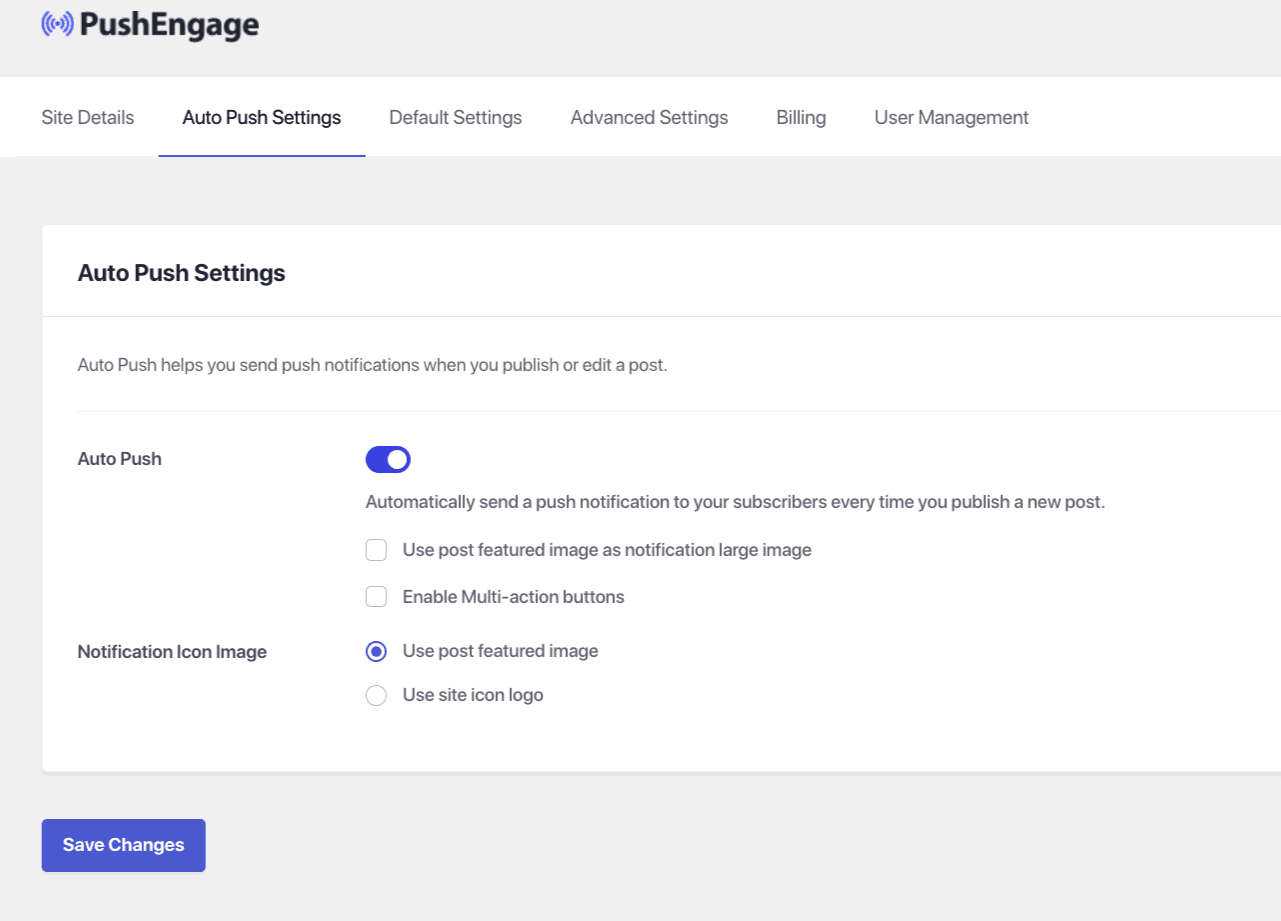
När detta är gjort, välj Spara ändringar
Om du stöter på några problem, tveka inte att kontakta oss genom att klicka här. Vårt supportteam kan hjälpa dig.