PushEngage WordPress-plugin giver dig mulighed for at sende kampagner ud uden besvær med at oprette manuelle push-kampagner. Så du kan aktivere afsendelse af en automatisk push, så snart redaktører trykker på udgiv-knappen.
Lad os forstå i en vejledning nedenfor, hvordan du aktiverer dette –
Vælg PushEngage-plugin fra dit WordPress-dashboard, og naviger til Indstillinger > Indstillinger for automatisk push
Aktivér skifteknappen for automatisk at sende en push-notifikation til dine abonnenter, hver gang du udgiver et nyt indlæg, og vælg den type notifikationsbillede, du ønsker til dine kampagner
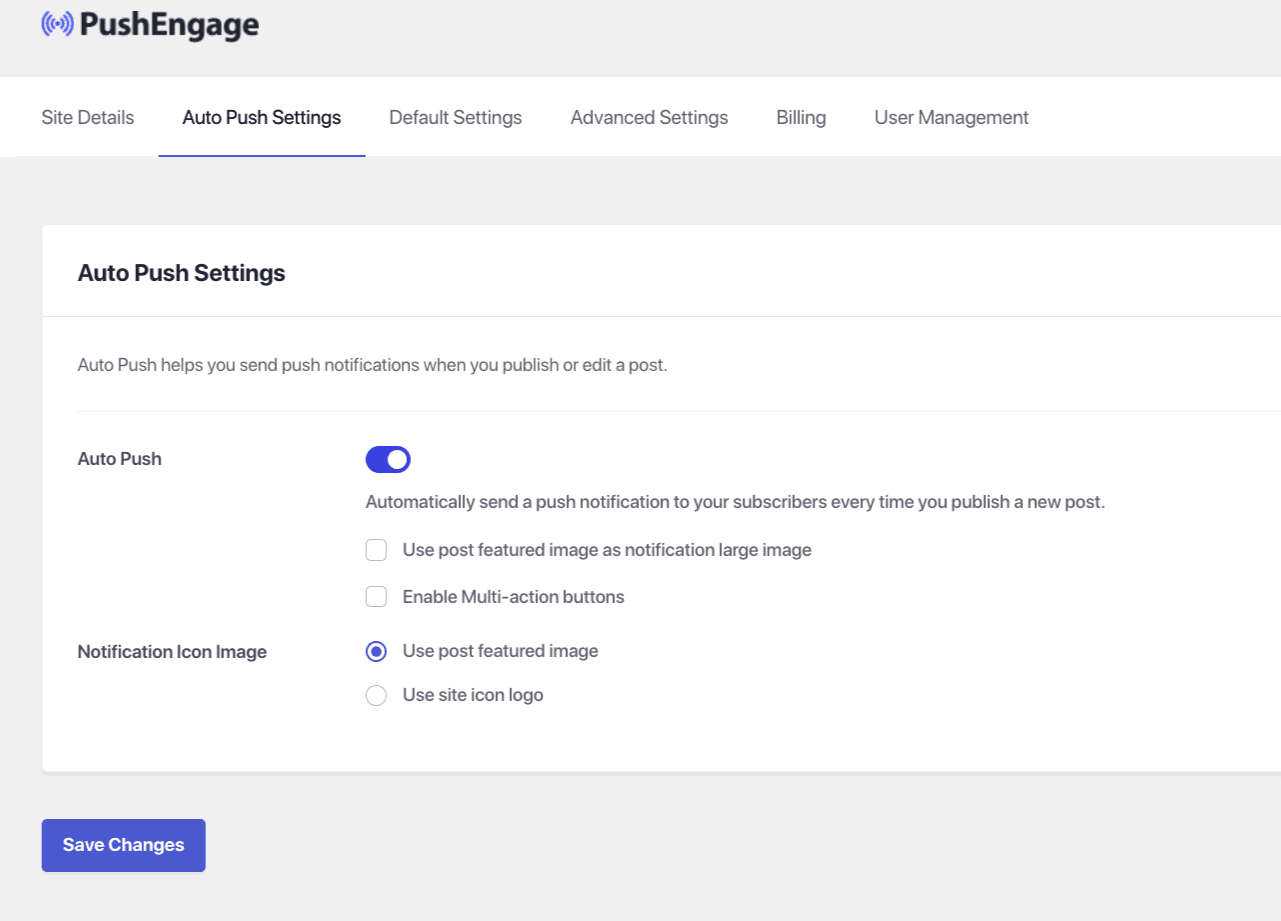
Når dette er gjort, skal du vælge Gem ændringer
Hvis du støder på problemer, er du velkommen til at kontakte os ved at klikke her. Vores supportteam vil kunne hjælpe dig.