Drip-kampagner eller Drip Autoresponders er et nyt koncept inden for Web Push-notifikationer. Vi vil forsøge at gøre opgaven lettere og beskrive specifikke trin til at køre disse i PushEngage.
Du kan aktivere en Web Push Notification Autoresponder-kampagne og sende den til alle abonnentbrugere eller til en liste/segment af brugere i PushEngage. Segmenter dine brugere i specifikke lister, hvilket kan ske på specifikke sider eller når brugeren abonnerer på en række notifikationer.
Før du starter
- Du har brug for en WordPress-konto og adgang til PushEngage-pluginnet.
- Drip Autoresponders er tilgængelige i Premium-abonnementer og derover i PushEngage.
Oprettelse af Drip Autoresponders
Trin 1 – Log ind på dit WordPress-dashboard og naviger til PushEngage Plugin > Drip. Du kan redigere den eksisterende velkomst-drip eller oprette en ny serie i henhold til din forretningscase.
Trin 2 – Opret nu Auto Responder-serien ved at tilføje en eller så mange notifikationer, som du ønsker at have i serien.
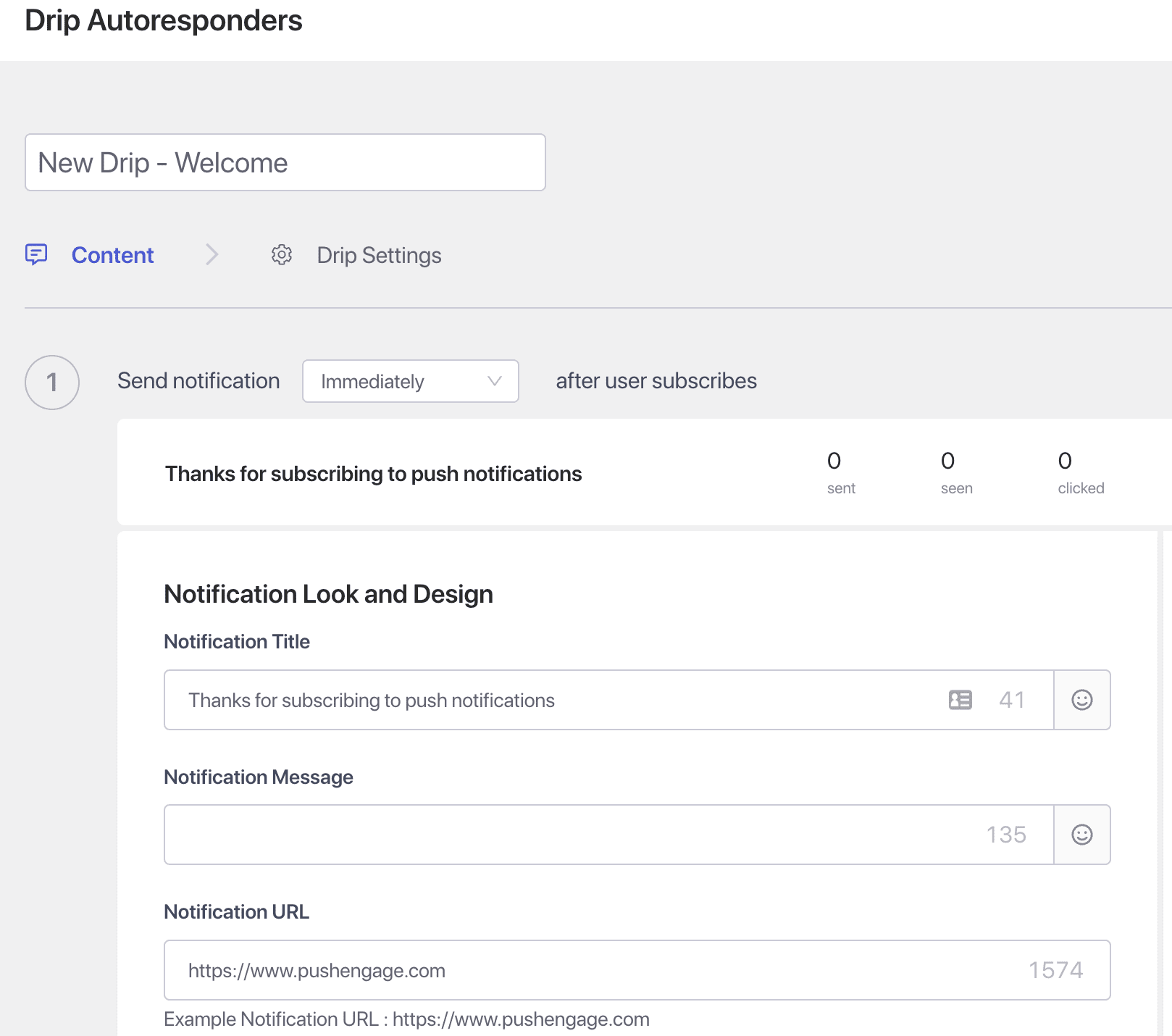
Trin 3 – Indstil forsinkelsen – Opret nu serier af notifikationer, der skal sendes efter 10 minutter eller 1 time og efter 1 dag som et eksempel.
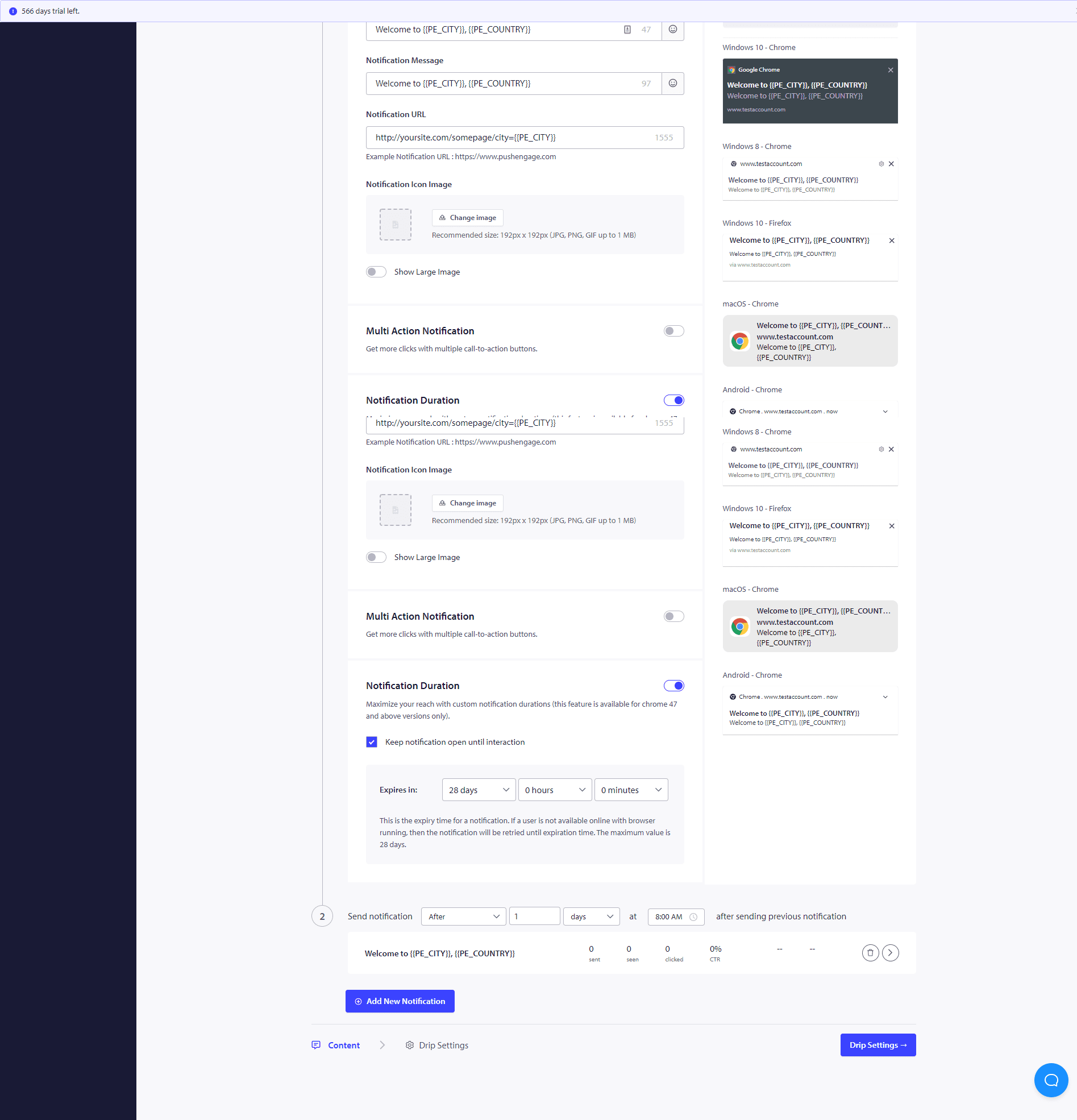
Når du har gennemført disse Drip-kampagner, vil du være interesseret i at se, hvordan hver af notifikationstrinene klarer sig. For at gøre det, besøg Autoresponder Analytics og klik på den netop oprettede Drip-kampagne.
Din drip autoresponder er nu klar. Det er det, læn dig tilbage og se trafikken stige, og besøgende engagere sig og vende tilbage til dit websted med Drip-kampagnerne.
Sådan personliggøres Drip-kampagnen?
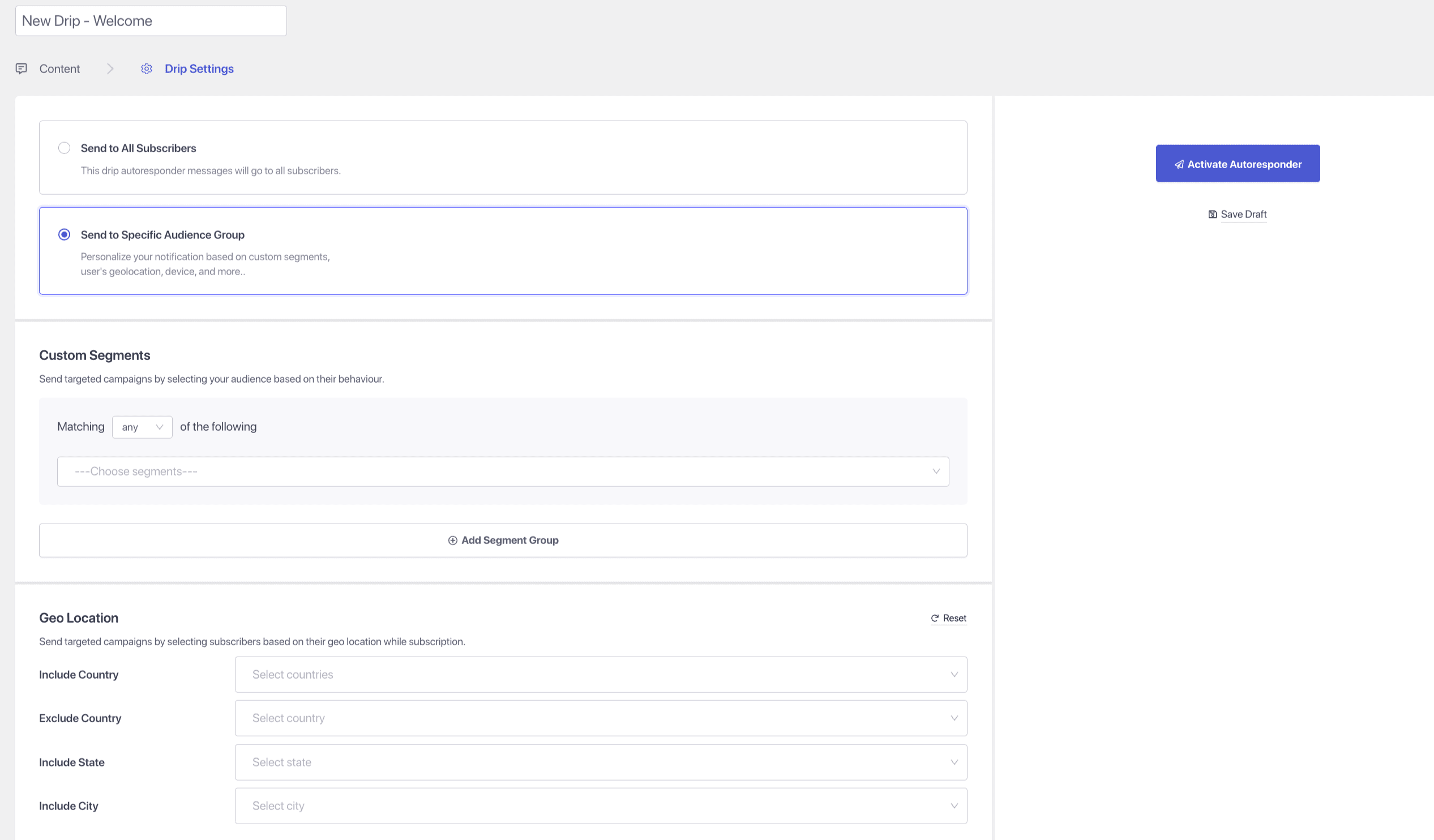
For at personalisere drippet, eller hvis du ønsker at sende det til en bestemt gruppe mennesker/segment eller til geolokation, kan du vælge det relevante segmentnavn eller den geolokation, du ønsker at notificere, fra rullemenuen.
Ydermere kan Drip-kampagner bruges til at opbygge formular-forladthed, velkomstserier og cross-sell-kampagner, kogebogsserier.
Hvis du støder på problemer, er du velkommen til at kontakte os ved at klikke her. Vores supportteam vil kunne hjælpe dig.