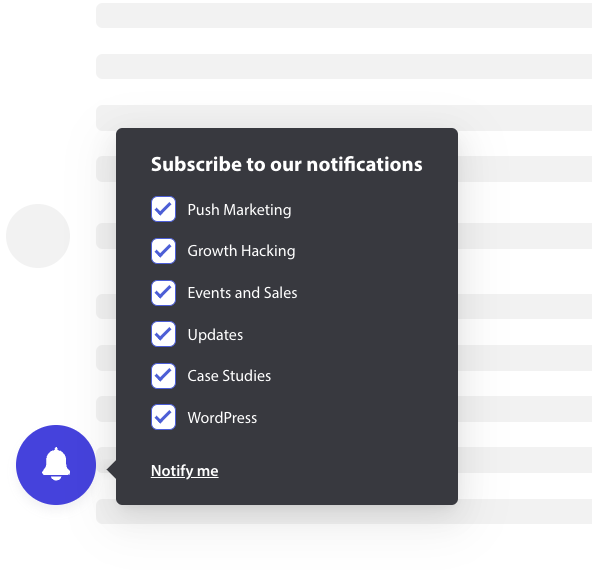
Abonnements-tilmeldingen eller Popup Modal kan nu tilpasses og også indeholde et segment-afkrydsningsfelt, så webstedsbesøgende kan få en chance for at beslutte, om de vil have besked om alle kampagner eller kun udvalgte segmenter.
De forskellige stilarter af abonnements-tilmelding
Der er forskellige stilarter i Abonnements-popup, der kan konvertere dine besøgende til dine web push-abonnenter og kunder.
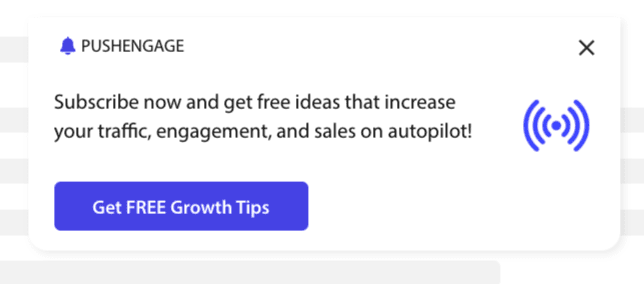
Elegant Tilmeldingsboks: Denne stil har et elegant design og kun én knap i stedet for to.
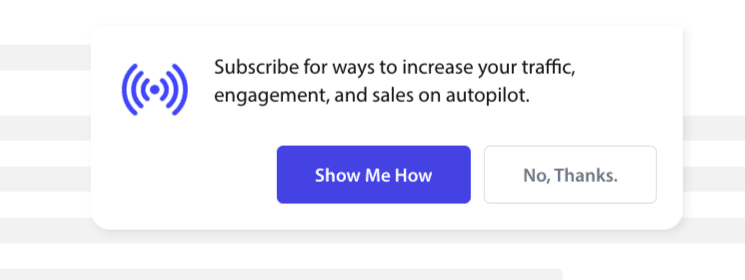
Safari-stil Boks: Dette er en klassisk dobbelttrins-tilmelding med to knapper til at klikke på Tillad eller Afvis, som kan tilpasses.
Klokke-placeret Bjælke: Denne lille klokke beder dig om at abonnere eller blokere. Det lille klokkeikon i nederste hjørne kan tilpasses, men optager mindre skærmplads, hvilket giver folk mulighed for at abonnere på push-meddelelser.
Flydende Bjælke: Denne popup-stil spreder sig over skærmen og placeres i bunden. Du kan tilføje længere tekst til design-popup'en.

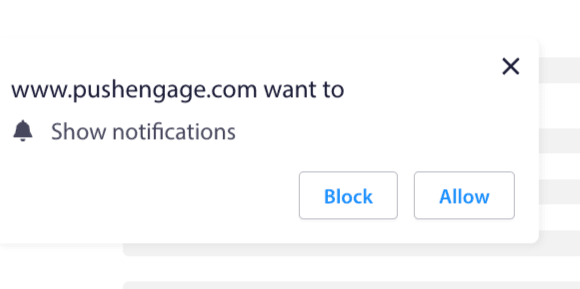
Push Ét-trins Tilmelding: En ét-trins tilladelsesboks, der ikke giver dig mulighed for at tilpasse eller tilføje nogen personlig besked.
Stor Safari-stil Boks: En boks, der vises midt på skærmen og giver dig mulighed for at tilføje segmenter.
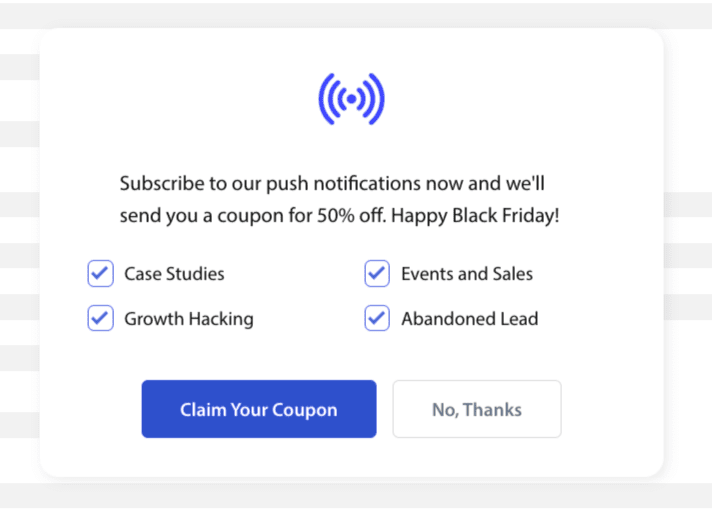
Bemærk: Alle abonnements-popup-stilarter kan redigeres eller tilpasses undtagen Ét-trins Tilmelding. Push Ét-trins Tilmelding er browserens standardstil og kan ikke redigeres eller tilpasses.
Tilføjelse af Segmenter til Abonnements-tilmelding
Du kan vælge den stil, du vil tilmelde dig, og klikke på Rediger. Under Popup-design skal du Aktivere Alle Segmenter.
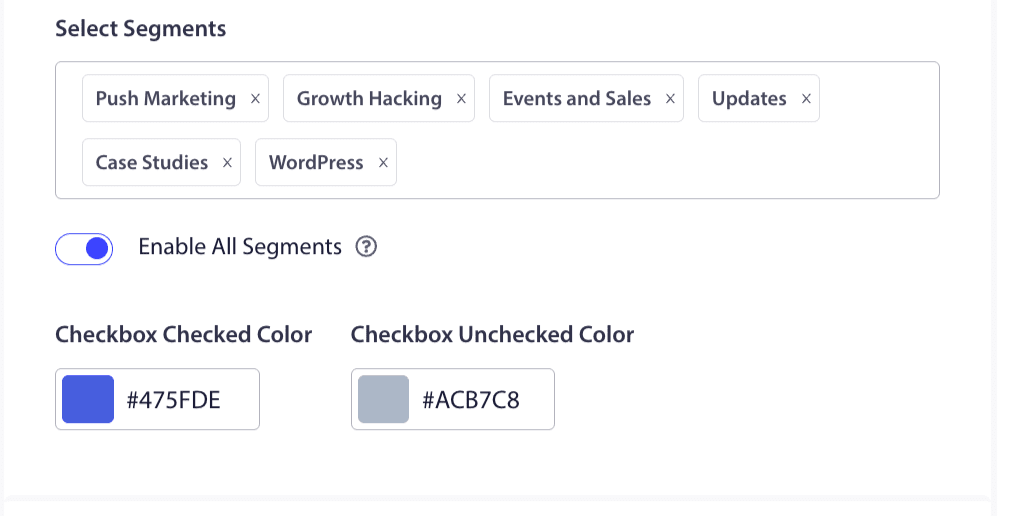
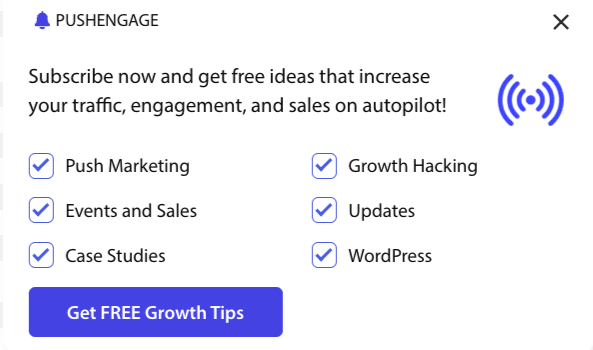
Du kan vælge segmenterne fra rullemenuen og kontrollere, om forhåndsvisningen er, som du ønsker, den skal se ud. Du har også mulighed for at tilpasse farven på afkrydsningsfelterne, så du kan justere dem med dine mærkevarers farver. Sådan ville din forhåndsvisning se ud –
Forståelse af muligheder for at forbedre funktionaliteten
Aktivér Tilmeldingsabonnement Ruler
Denne popup-modal vil blive vist på alle sider, som den globale målretningsregel tillader. Du kan dog tilføje disse popups på specifikke websider, hvis du ønsker det.
Aktivér abonnements-overlay
Et overlay er en mulighed, der fremhæver folk til at klikke på tillad, hvilket indikerer brugere til at klikke på tillad-knappen for at modtage push-notifikationer.
Aktivér påmindelsesprompt:
Browsere som Chrome og Edge er baseret på webstedsbesøgendes tidligere adfærd, hvis de ofte klikker på Bloker. De aktiverer en mere stille brugergrænseflade, et klokkeikon i adresselinjen. Det er en optimeret version af abonnements-popup'en for folk, der normalt afviser notifikationer. Denne påmindelse kan kun vises på en stationær computer. Det er for at uddanne folk til stadig at abonnere på web push-kampagner.
Abonnements-popup:
Dette er skifteknappen til at deaktivere eller aktivere visning af tilmeldingen på de sider, hvor koden er installeret. Hvis du slår denne skifteknap fra, stopper du med at indsamle abonnenter.
Forståelse af visningsindstillinger
Denne skærm vil hjælpe dig med at optimere, hvordan abonnements-popupen skal vises.
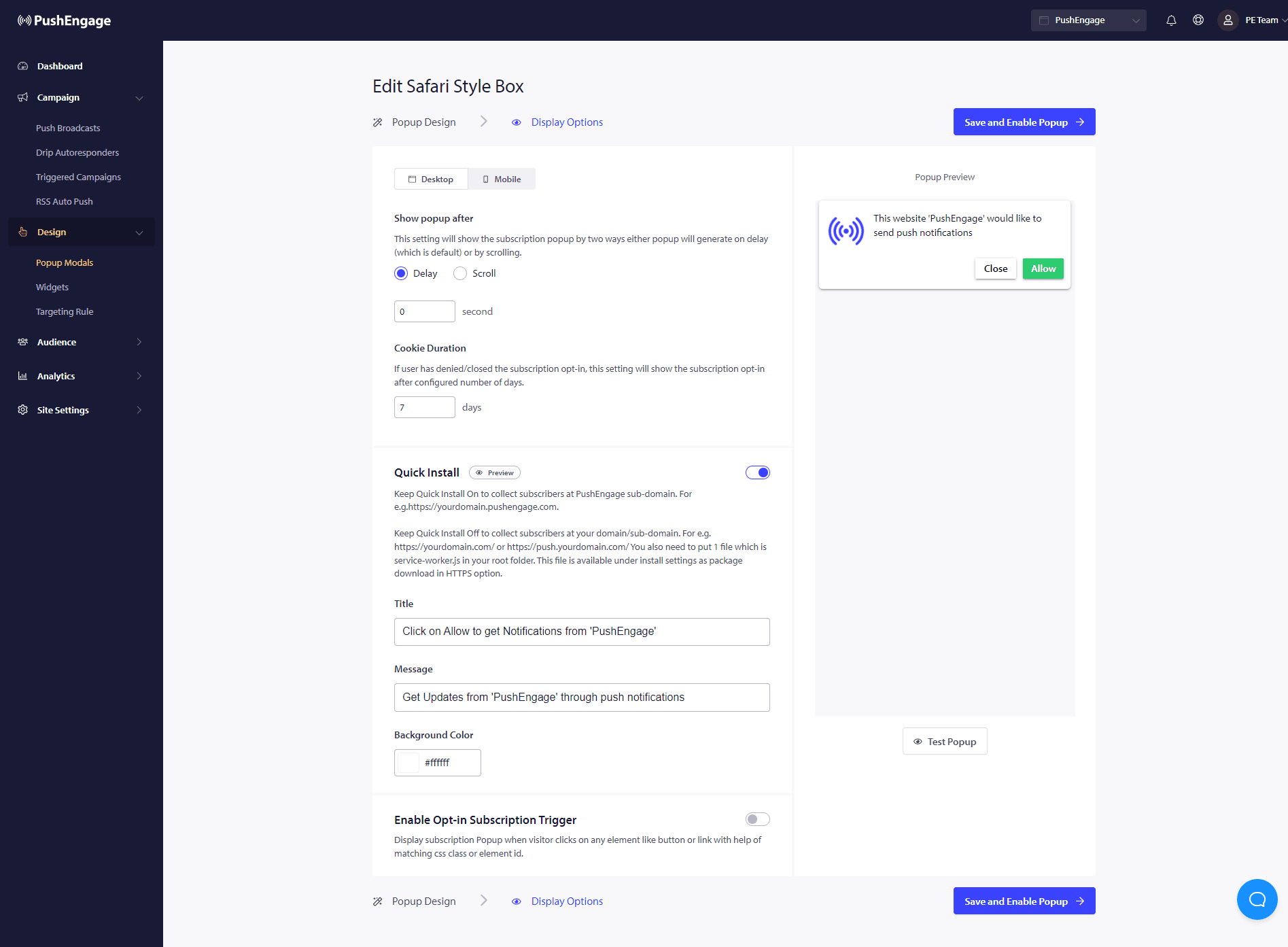
Hurtig Installation :
Vi anbefaler altid at holde denne mulighed slået fra. Så abonnenter indsamles på dit domæne. Denne mulighed er kun for folk, der ikke er i stand til at tilføje service workers til deres websted og indsamle abonnementer på deres domæne.
Aktivér udløser for tilmeldings-abonnement:
Udover sideindlæsning kan popupen udløses ved enhver anden begivenhed, som når den besøgende klikker på en knap eller et link ved hjælp af en matchende CSS-klasse eller element-ID. Popupen kan udløses uden at foretage ændringer i kodbasen.
Vis tilmelding:
Her kan du indstille reglen til enten at vise tilmeldingen efter en forsinkelse eller efter at have scrollet en vis procentdel af siden.
- Forsinkelse – Hvor længe efter skal abonnements-popup'en vises? Vi anbefaler, at bedste praksis er at have den under 5 sekunder eller maksimalt 10 sekunder.
- Scroll – Du kan bestemme, at abonnementspopupen kan udløses, hvis en besøgende har scrollet X procent af skærmen.
- Cookievarighed – Hvis en person afbryder og beslutter sig for hverken at tillade/blokere popup-vinduet for abonnement, kan du definere nulstillingscookiens varighed. Efter så mange dage kan den besøgende se popup-vinduet igen.
Det var det. Når du har tilpasset abonnementspopupen efter dit behov, kan du gemme ændringerne.
Du er nu klar til at se dine webstedsbesøgende blive konverteret til web push-abonnenter.
Hvis du alligevel støder på problemer, er du velkommen til at kontakte os ved at klikke her. Vores supportteam vil kunne hjælpe dig.