
Looking for a quick and easy way to create a thank you page in WordPress?
Let’s say that you have a landing page that converts visitors into leads or paying customers on repeat. Is that really the end of the customer lifecycle? No! There’s always other products and services that you can upsell. You could even ask customers who just converted to follow you on social media.
But how do you do that? You need a thank you page on your WordPress site.
So, do you need to learn how to code? Do you need an expensive designer to create a thank you page for you?
Fortunately, there’s an easy way to create a thank you page in WordPress. In this article, we’re going to help you launch a thank you page in less than 15 minutes.
هل أنت مستعد؟ دعنا نبدأ.
What’s a Thank You Page and Why Should You Care?
A thank you page is meant to thank visitors for buying a product or a service from you or even for becoming an email subscriber. In simple words, you want to reward your visitors for taking action.
Now, there’s a LOT you can do on a thank you page including:
- Showcase an onboarding series
- Give users a welcome gift or a coupon for future purchases
- Ask users to follow you on social media
- Upsell or cross-sell other products and services
وأكثر من ذلك بكثير!
But before you get started, remember to have a very clear and specific goal for your thank you page. Just because you can do a lot of things doesn’t mean that you should do them all on one page. More often than not, if you give your visitors too many things to click on, they won’t click on anything at all.
Here’s a sneak peek at the WordPress thank you page we’ll be creating in our tutorial.
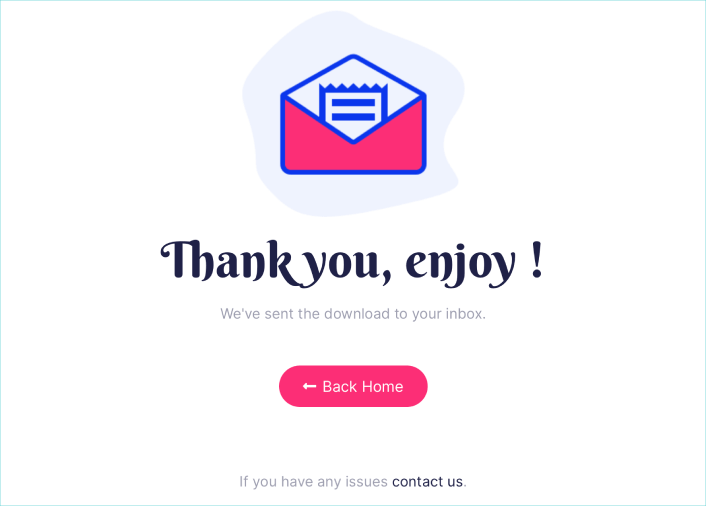
تذكر، هذه هي الأجزاء الأساسية فقط لأي صفحة هبوط ناجحة. بالنسبة لصفحتك، يمكنك إضافة العديد من الأقسام الأخرى وإنشاء عروض مخصصة لزيادة تحويلاتك.
كيفية إنشاء صفحة شكر في ووردبريس
Now that you know what to create, it’s time to launch your thank you page in WordPress. We highly recommend using SeedProd to create your landing pages.
SeedProd هو أفضل منشئ صفحات هبوط لووردبريس. إنه مثالي للشركات والمدونين وأصحاب المواقع الذين يتطلعون إلى بناء صفحات هبوط عالية التحويل دون أي مهارات تطوير.
With SeedPreed, you get pre-built templates for high-converting landing pages that you can publish instantly. This includes templates for:
- صفحات المبيعات
- صفحات قريباً
- صفحات 404
- صفحات الصيانة
- صفحات الضغط
- صفحات تسجيل الدخول
- صفحات الشكر
- صفحات الندوات عبر الإنترنت
- صفحات الفيديو
وغيرها الكثير!
الخطوة #1: تثبيت وتفعيل SeedProd
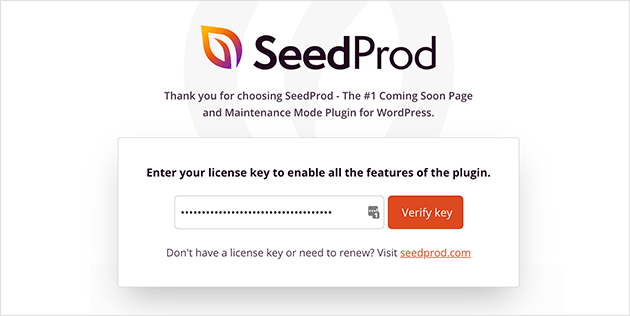
أولاً، ستحتاج إلى الحصول على إضافة SeedProd Pro وتفعيلها. إذا لم تكن متأكدًا من كيفية القيام بذلك، فراجع هذه المقالة حول كيفية تثبيت إضافة ووردبريس. بعد ذلك، انتقل إلى SeedProd » Settings في لوحة تحكم ووردبريس الخاصة بك وقم بتفعيل الإصدار الاحترافي:
بعد ذلك، انتقل إلى SeedProd » Pages للحصول على نظرة عامة على لوحة تحكم صفحات الهبوط في SeedProd. هذا هو المكان الذي يمكنك فيه رؤية الأنواع المختلفة من صفحات الهبوط التي يمكنك إنشاؤها باستخدام SeedProd:
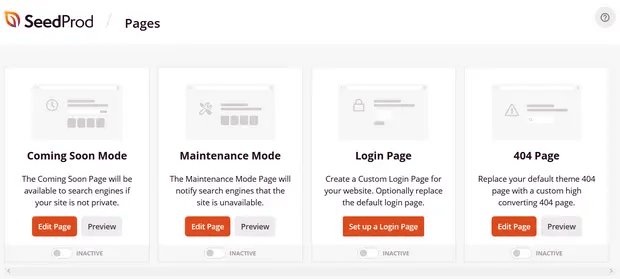
Keep in mind that these are all special pages with pre-built functionality and design templates. For a sales landing page, you don’t want to use ANY of these special landing pages. Instead, you’re going to create a custom landing page.
مرر لأسفل وانقر على زر إضافة صفحة هبوط جديدة للبدء:
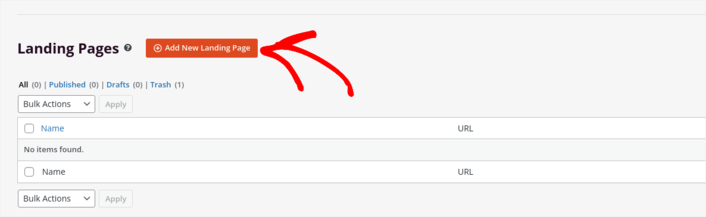
Step #2: Create a New Thank You Page in WordPress
بعد النقر على زر إضافة صفحة هبوط جديدة، سترى مكتبة SeedProd لقوالب صفحات الهبوط. هذه قوالب صفحات هبوط مصممة باحترافية ومتجاوبة بالكامل.
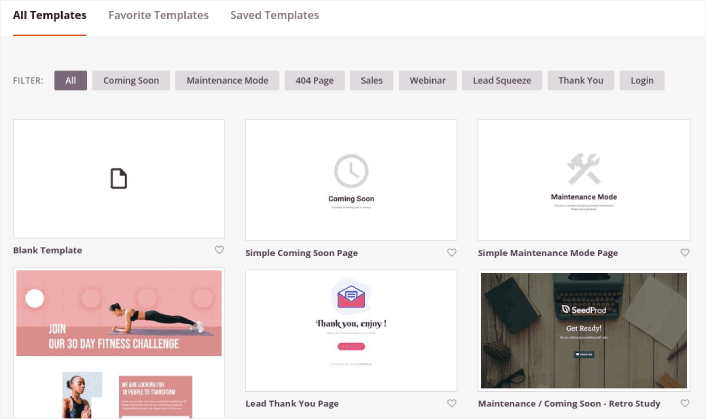
Next, you can select one of these templates to help you get started. Remember, the template is just a starting point. you can customize everything about the page later on. For now, find a template that you think will fit. When the templates page opens, you can click Sales to filter the list:
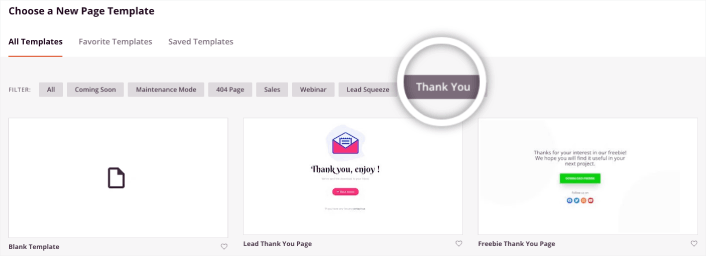
For this guide, we’ll select the Lead Thank You Page. Go ahead and click on it now.
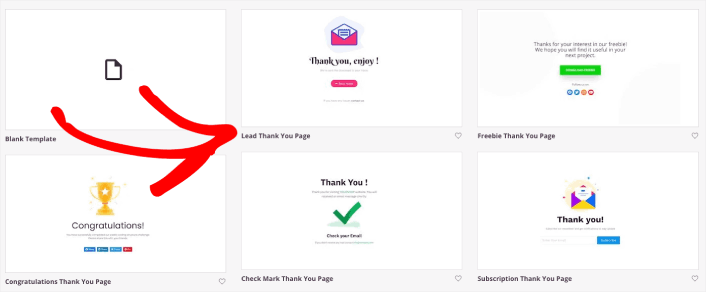
Net, we’re going to customize the landing page.
Step #3: Customize Your Thank You Page Design
يتيح لك منشئ SeedProd المرئي تخصيص صفحة الهبوط الخاصة بك باستخدام كتل محتوى بالسحب والإفلات.
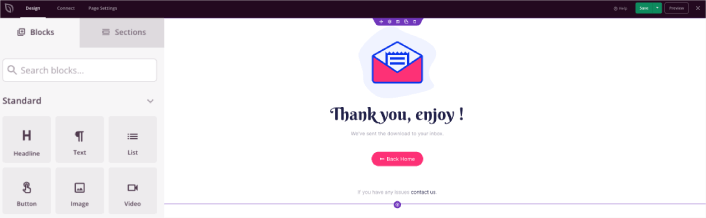
You can create a fully customized header for your thank you page in a matter of minutes. You can even add custom elements to convince and convert your traffic. For instance, you can create a video module and embed a YouTube video to convince your visitors to buy your product or service.
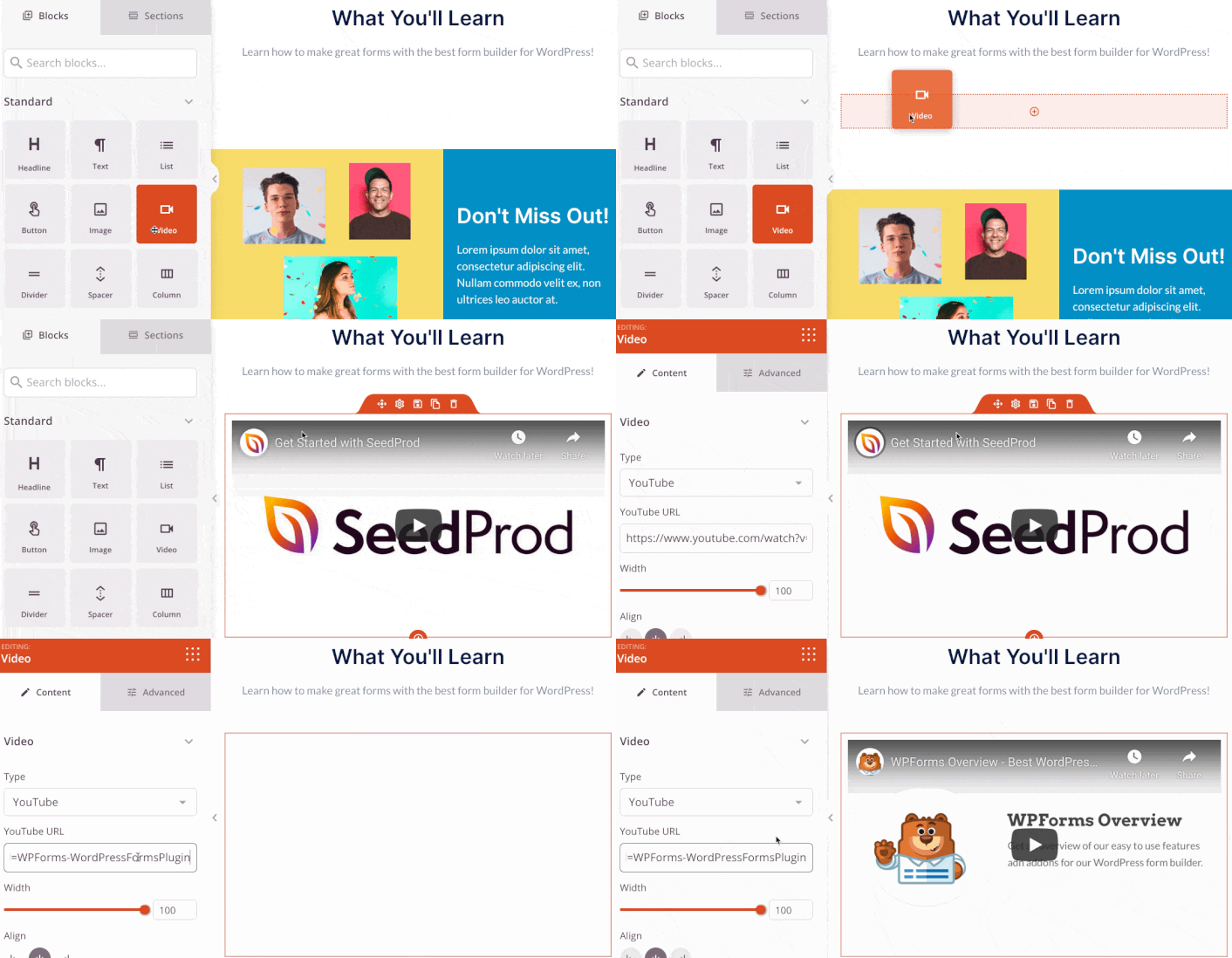
It’s also super easy to add a section with a brief description of your product or service . Head over to the Sections tab in the visual builder and under the Hero section, you’ll find several pre-built templates that you can import with a single click.
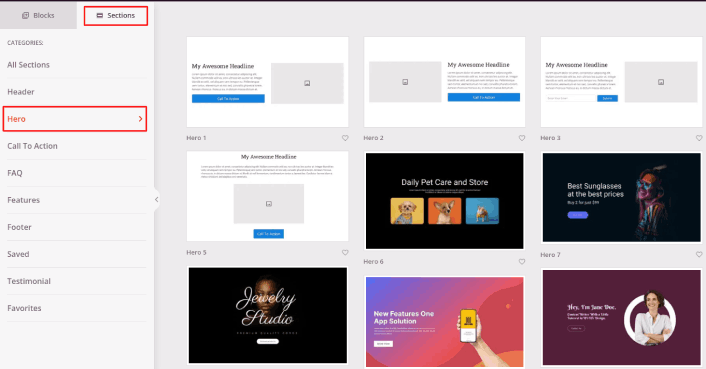
Go ahead and select one that you like.
Don’t worry about the colors or the content. You can edit all of it. What you should look for is a layout that goes well with your template.
You can customize the hero section the same way we did earlier by choosing a different image and changing the headline and description. While you’re at it, add a call-to-action button that nudges visitors to buy from you.

It’s so simple! When you’re done customizing your thank you page, go ahead and hit the Save button.
Step #4: Configure Your Page Settings
After you’re done designing your thank you page, click the Connect tab at the top of your page builder, and select your email marketing provider to collect leads on your site.
NOTE: This step is only if you want your customers to opt for another service. So, if you’re trying to upsell a service, you can skip connecting the email marketing service.
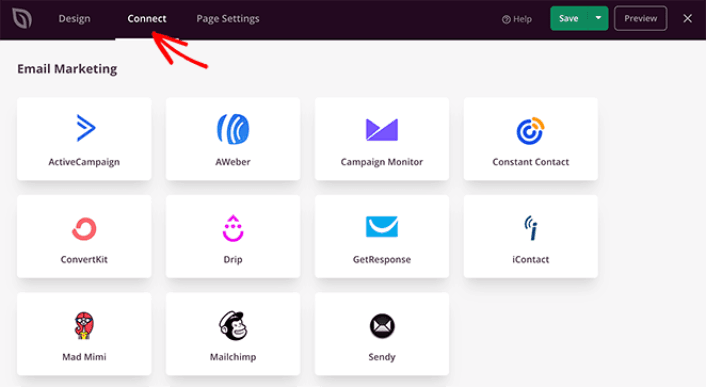
بعد ذلك، انقر فوق علامة التبويب إعدادات الصفحة في أعلى شاشتك.
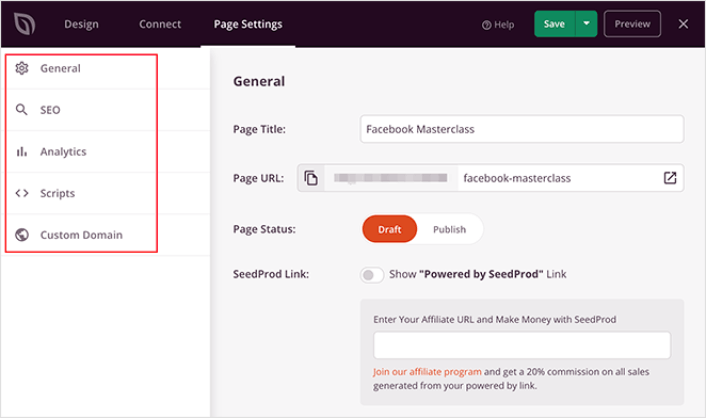
Here, you can add an SEO plugin and a Google Analytics plugin to your thank you page. You can even set up custom tracking codes such as a Facebook Pixel or a Pinterest pixel to track ad performance.
Step #5: Publish Your Thank You Page in WordPress
Now let’s go ahead and publish your design. To do this, click the dropdown arrow next to the save button and click Publish.
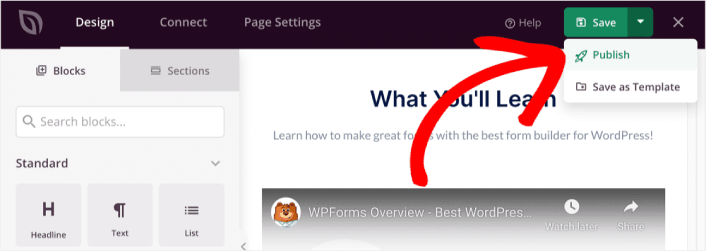
يمكنك بعد ذلك النقر فوق زر عرض الصفحة المباشرة لرؤية كيف تبدو.
Congratulations! You just published your very first thank you page.
What to do After You Build a Thank You Page
Now that your thank you page is live, it’s time to work on your traffic, engagement, and sales. You should try using push notifications on your site. Push notifications are a great marketing tool that can help you grow your business.
ألقِ نظرة على هذه الموارد الرائعة وستعرف ما نعنيه:
- 7 استراتيجيات ذكية لزيادة تفاعل العملاء
- هل إشعارات الدفع فعالة؟ 7 إحصائيات + 3 نصائح خبراء
- كيفية إعداد إشعارات الدفع للسلات المتروكة (دليل سهل)
نوصي باستخدام PushEngage لإنشاء حملات إشعارات الدفع الخاصة بك. PushEngage هو البرنامج رقم 1 لإشعارات الدفع في العالم. لذا، إذا لم تكن قد قمت بذلك بالفعل، ابدأ مع PushEngage اليوم!


