
Looking for responsive landing page templates for your site?
A pre-made landing page design can help you optimize for higher conversions on your digital marketing campaigns. Since a template is super easy to customize, you can easily launch a landing page for any brand you like. And once you get the hang of customizing a template, you can easily launch multiple landing pages for different offers and campaigns.
In this article, we’ll go over some of the best responsive landing page templates for a WordPress site. Our picks are useful for absolutely any brand. And you don’t need any coding to launch your landing pages.
Sounds good? Let’s get started.
What Are Responsive Landing Page Templates?
A landing page is a standalone web page, created specifically for a marketing or advertising campaign. It is where the visitor “lands” after they click on a promotional link in an email or online ads.
Unlike a web page, which typically has multiple goals and encourages navigation, landing pages are designed with a single focus or goal. Your landing page’s goal is known as a call to action (or CTA). This focus makes landing pages the best option in increasing the conversion rates of your marketing campaigns and helps you in acquiring a lead or sale.
In the last 10 years, the use of mobile devices has grown significantly. If you check out your Google Analytics, you’ll notice a large number of website visitors from mobile devices as well. So, it’s extremely important to make sure that your landing pages look great on mobile devices as well.
This is exactly why most landing page builders now offer responsive landing page templates. A responsive landing page is designed to look good on all devices. And that’s why we’re going to show you how to get responsive landing page templates for your WordPress site.
How to Get Landing Page Templates in WordPress
You can get landing page templates for a WordPress site in one of three ways.
The first way is to use dedicated landing page builders such as:
- Unbounce
- Instapages
- Leadpages
Dedicated landing page builders are not just WordPress plugins. Instead, they provide a service where you get a dashboard to design and publish standalone landing pages. Optionally, you can install their WordPress plugin to integrate the service to your WordPress site. This way, you can create pages in the landing page builder and then publish them as pages on your site.
The second option is to use website builders such as:
- Webflow
- Wix
- Squarespace
Of course, these are alternatives to WordPress and you can’t migrate your landing pages to WordPress. Instead, you create a complete website including landing pages using these platforms.
You can also use funnel builders such as:
Funnel builders help you create your entire sales funnel including landing pages, optins, checkout pages, and more. Of all the top funnel builders in WordPress, we recommend using FunnelKit.
Or, you can use WordPress theme builders such as:
Before you go any further, you should also check out our article on how to build a WordPress landing page.
Best Responsive Landing Page Templates
Now that we know what a landing page is and how to get your hand on responsive templates in WordPress, let’s look at the best responsive landing page templates in the market.
Theme builders help you create your entire WordPress theme along with landing pages from pre-built templates. Our recommendation is that you use a theme builder as it solves more than one business problem for you. We use SeedProd ourselves.
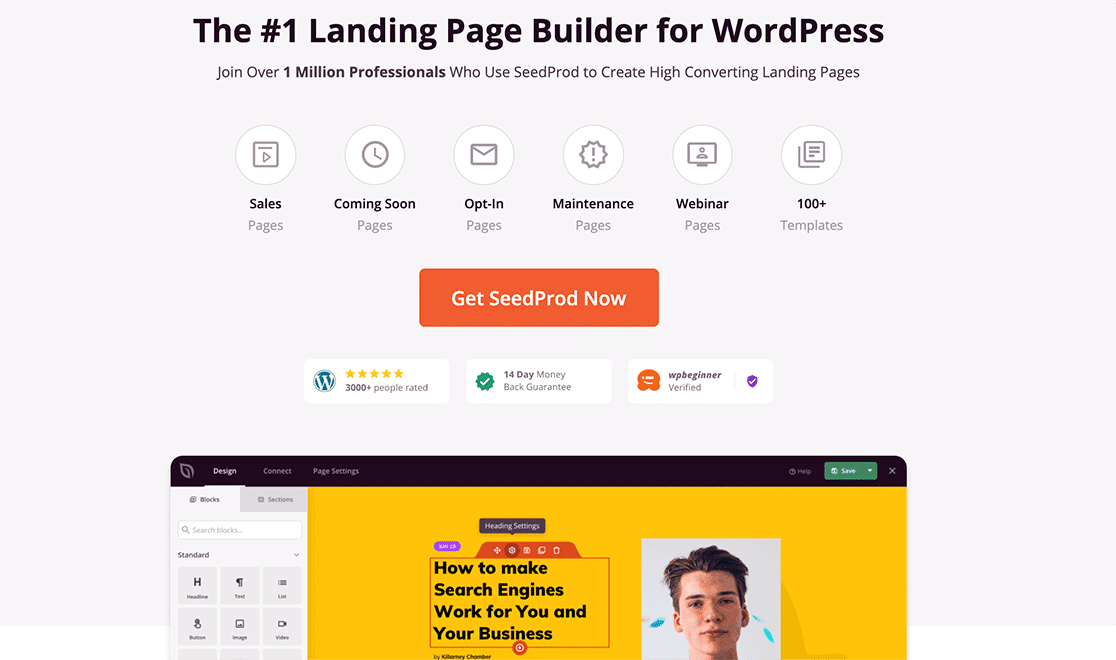
SeedProd هو أفضل إضافة ووردبريس لإنشاء صفحات هبوط تحقق التحويلات.
You get a drag-and-drop landing page builder that’s packed with options to build eCommerce pages and landing pages. Unlike WordPress website builders, you can customize every inch of your landing page including navigation menus, footers, blog pages, and styles. SeedProd also works with any WordPress theme and creates mobile-friendly landing pages.
مع SeedProd، تحصل على قوالب جاهزة لصفحات الهبوط عالية التحويل التي يمكنك نشرها على الفور. وهذا يشمل قوالب لـ:
- صفحات المبيعات
- صفحات قريباً
- صفحات 404
- صفحات الصيانة
- صفحات الضغط
- صفحات تسجيل الدخول
- صفحات هبوط التطبيقات
- صفحات الشكر
- صفحات هبوط البودكاست
- صفحات الندوات عبر الإنترنت
- صفحات الفيديو
And lots more! We love using SeedProd and we even wrote an in-depth review of the SeedProd plugin. Go ahead and check that out! Each of the templates on our list are available in SeedProd.
#1. Rocket Coming Soon Page Template

The Rocket Coming Soon Page template is perfect if you’re selling services on your site. Of course, it still works for a product site. But, if you’re running a service business, you can simply edit the text and get started right now.
The beautiful thing about this landing page template is its simplicity.
You can easy replace the image background to suit your business. The default image is mostly meant for sales or marketing services. So, we do recommend swapping it out.
The text description, the headline, and bullet points are easy to edit too.
You get the Rocket Coming Soon Page template straight away when you start using SeedProd. But if you’re new to creating landing pages, you should also check out this article on the best coming soon page plugins.
#2. Sunny Maintenance Page Template

The Sunny Maintenance Page template is perfect if you need to put up a temporary landing page during scheduled maintenance. The coolest bit is that it’s perfect for absolutely any brand.
At most, you might want to change the fonts, the color palette, and the image of the windmill to suit your branding. In SeedProd, you get a drag and drop visual editor. So, it’s super easy to change any of these elements.
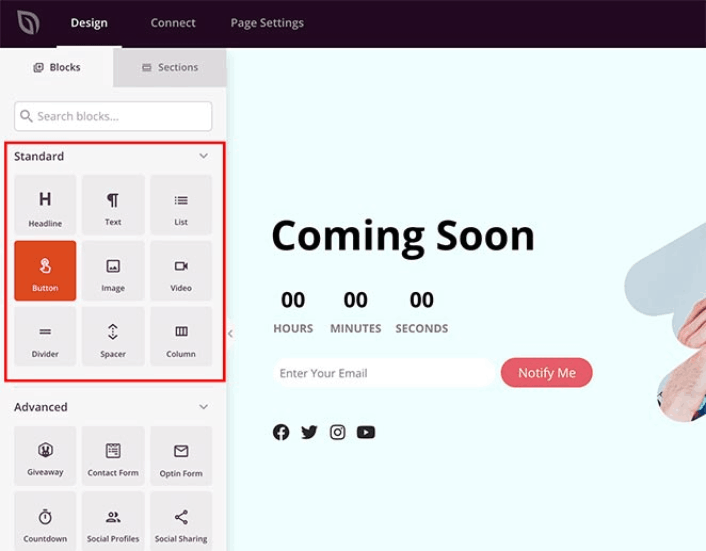
SeedProd’s templates are partly why it’s on our list of the best WordPress plugins of all time.
Again, the Sunny Maintenance Page template is super minimal. So, you can add elements if you like or use it straight out of the box with a little customization.
#3. Sorry Dog 404 Page Template

The Sorry Dog 404 Page template has to be one of the cutest 404 page designs in SeedProd’s library. Besides the super cute pug that somehow looks genuinely sorry about something, you get a lot of function from this one page.
A 404 page gets triggered when your website visitors try to go to a page or post you’ve deleted. The sorry message in the headline says enough to your visitors as is. But then, you also get a link to the home page and a link to the help desk.
And if that’s not enough, you also get a navigation menu to easily reach the most popular pages.
You can also add a section with your most popular posts right underneath the banner image using the SeedProd posts block.
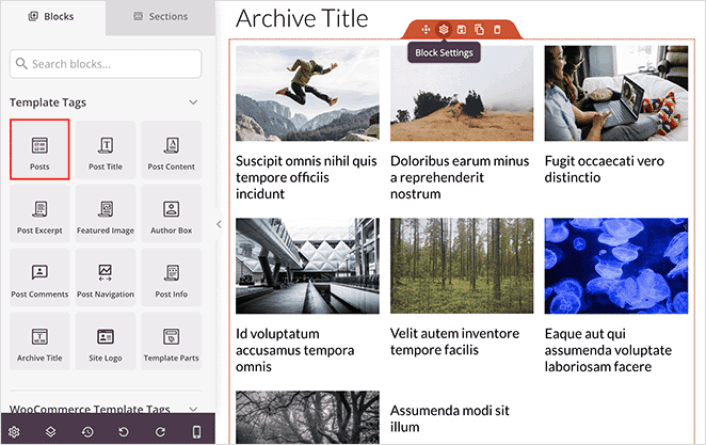
Or, you can use it as is with minor edits to the navigation menu and the links to your pages. It’s really that good!
#4. Health and Fitness Sales Landing Page
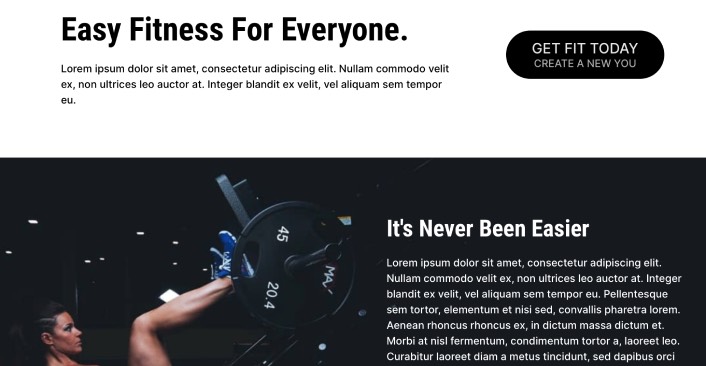
Health and fitness has to be one of the most competitive industries in the world. So, we’ve brought you a sales page template that performs well even in the most cutthroat industries of all time.
The Health and Fitness Sales Page template is one of the most detailed sales page templates you’ll find. It starts off with a minimal header with a clear call to action button. It’s the perfect place for an elevator pitch.
If you scroll down a little, you get a super cool image that you can replace instantly. The description and sub-heading is the perfect space for a more detailed pitch.
Scroll even further, and you get to see a clean pricing table with call to action buttons.
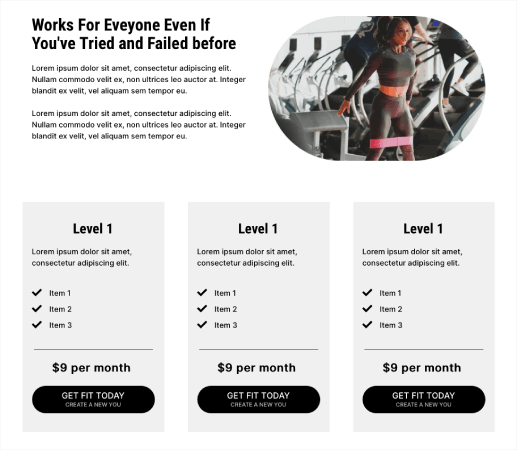
This is the perfect template for a sales page whether you’re selling a digital download, a bag of coffee sweeteners or a subscription. And if you want, you can also add a countdown timer for limited-time sales.
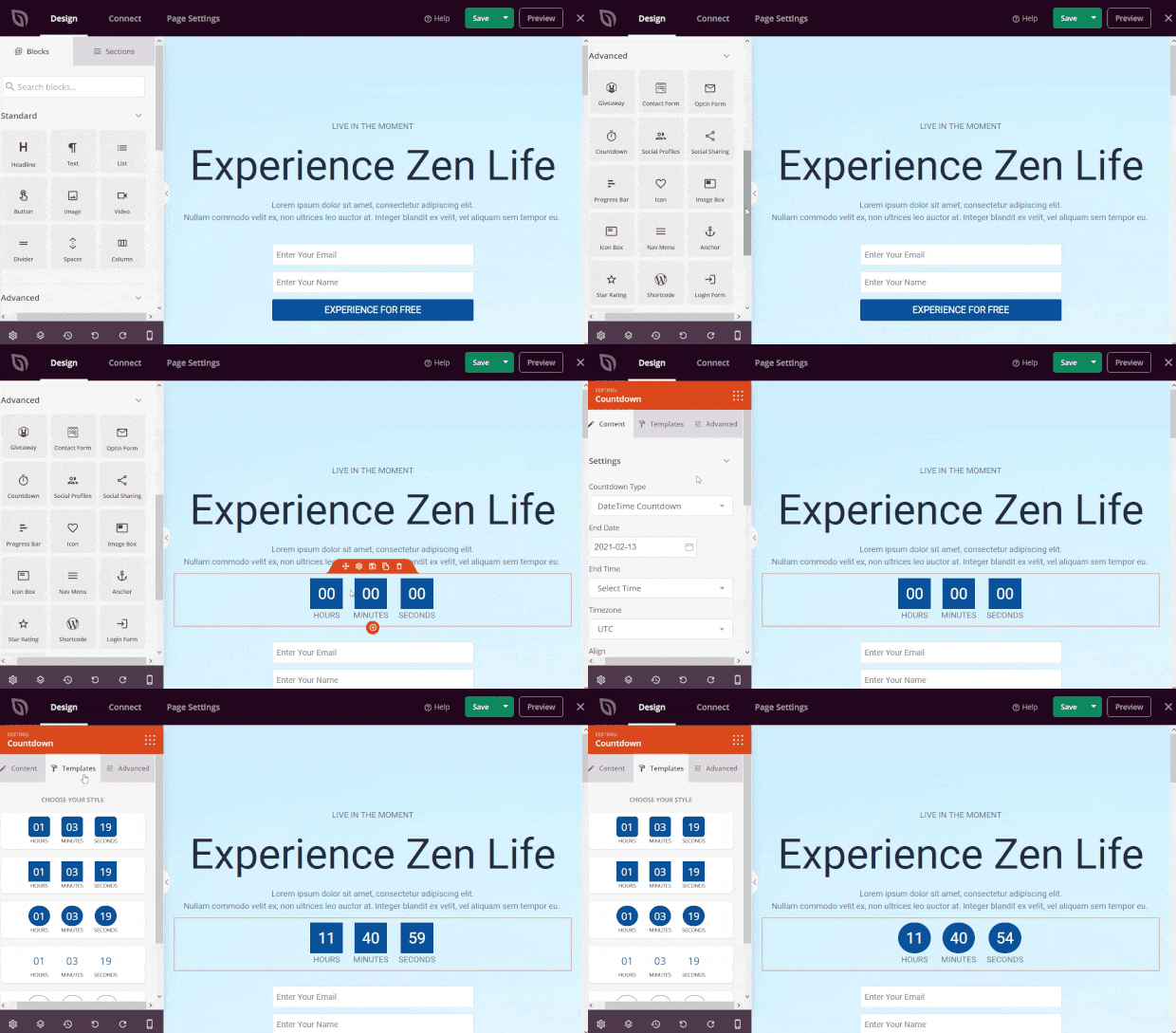
And it takes a few minutes to launch at most!
#5. Growth Webinar Landing Page Template

If you’re using a webinar to generate leads, you may as well use a template that works for growth hackers and lead generation experts. The Growth Webinar Landing Page template is perfect if you want to get started quickly.
All you have to do is hook up the call to action button to a calendar plugin or an event booking plugin.
If you scroll down, you’ll see that the template gives you cues as to what kind of copy works best in what section.
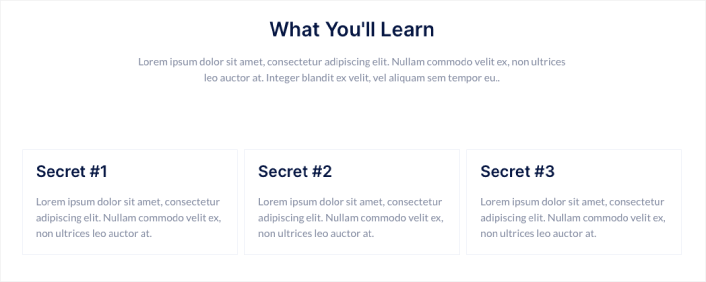
So, you don’t even have to spend a lot of time writing the copy for your landing page or hire an expensive copywriter!
#6. Investment Squeeze Page Templates

The Investment Squeeze Page template is another super effective template.
A squeeze page has only one objective. It’s to “squeeze” you just enough to get your email address. Know anyone in the investment and personal finance space? Yeah, they can squeeze for sure!
So, we recommend using this template straight up.
All you have to do is create a simple downloadable to offer your prospects. And tweak the page to suit your brand. The email optin takes care of the rest on autopilot.
If you spend a little bit of time creating quality images, you’ll end up with a really high-end squeeze page that doesn’t feel like a template at all.
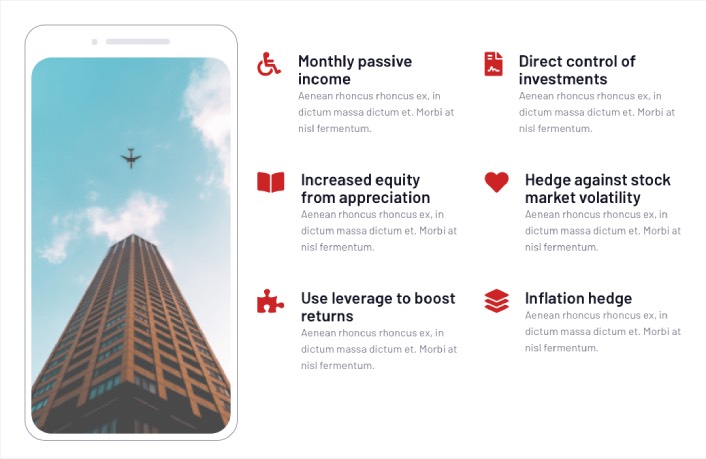
And again, it’s really easy to edit your template.
#7. Lead Thank You Page Templates
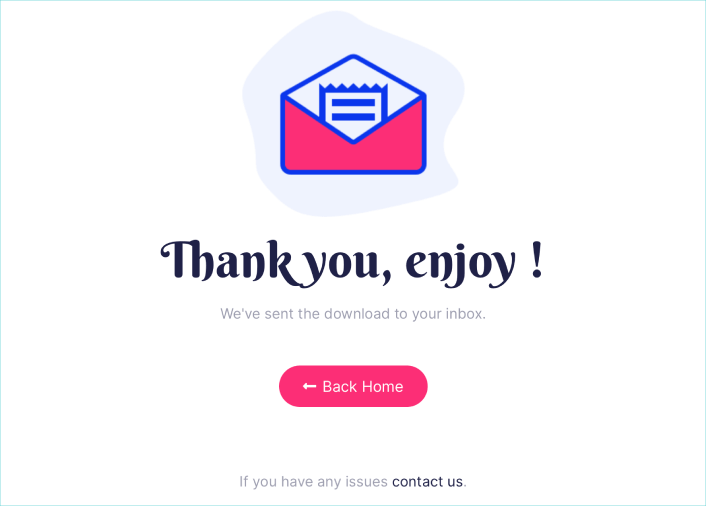
You need a thank you page at the end of your funnel. Once your visitors take the action you want them to take, you want to thank them properly. A thank you page template can help you create a custom experience for your leads with very little effort.
You can even use SeedProd to automatically redirect your visitors to the thank you page when they take the action you want them to take.
The Lead Thank You Page template is super effective and minimal. You can use it straight out of the box or make minor changes to it and launch in less than 10 minutes.
You can also use a thank you page to upsell or cross-sell other products and services or create a website welcome message.
What to do After You Have a Responsive Landing Page Template
يمكنك أيضًا إضافة زر انقر للاشتراك لجمع مشتركين في الإشعارات الفورية. تعد الإشعارات الفورية طريقة رائعة لزيادة حركة المرور المتكررة، والحصول على المزيد من التفاعل، وحتى بيع البضائع الرسمية إذا كان لديك بعض منها.
في SeedProd، قم فقط بسحب وإفلات وحدة HTML المخصصة من الشريط الجانبي.
لقد وضعنا زر الاشتراك مباشرة أسفل نموذج الاشتراك عبر البريد الإلكتروني في الطية الأولى.

ولكن يمكنك إدراج الزر في أي مكان تريده.
لهذا الجزء، تحتاج إلى بعض الخبرة في HTML و CSS. أو، يمكنك نسخ هذا الكود ولصقه في كتلة HTML المخصصة الخاصة بك:
<button onclick="subscribeOnClickButton()" style="border: none; padding-left: 5%; padding-right:5%; text-align: center; display: inline-block; color: blue;">Get Updates via Push Notifications</button>هذا زر قياسي في HTML مع القليل جدًا من التنسيق. الشيء الوحيد المميز هو وظيفة onclick في الكود. هذا يعني بشكل أساسي أنه يمكن لزوارك النقر على الزر للاشتراك في شيء ما. الآن، نحتاج إلى إضافة بعض الأكواد الإضافية للزر للسماح لزوارك بالاشتراك في إشعارات الدفع.
توجه إلى الصفحة الرئيسية لـ PushEngage وانقر على زر البدء:

بعد ذلك، ستحتاج إلى تحديد الخطة المجانية لتجربة PushEngage أو اختيار خطة مدفوعة إذا كنت جادًا بشأن تنمية عملك. تأتي الخطط المدفوعة مع المزيد من خيارات الحملات والقدرة على بناء قوائم مشتركين أكبر.
في لوحة تحكم PushEngage الخاصة بك، انتقل إلى إعدادات الموقع » تفاصيل الموقع وانقر على زر انقر هنا لتعليمات الإعداد. ضمن أي موقع، ستحصل على كود التثبيت الخاص بك:
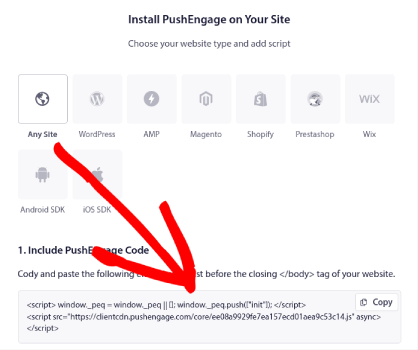
تحذير: تحتاج إلى نسخ الكود الذي تحصل عليه من لوحة التحكم الخاصة بك. الكود فريد لكل مستخدم PushEngage. لن تتمكن من نسخ الكود الموجود في الصورة وجمع المشتركين في إشعارات الدفع.
بمجرد حصولك على الكود في لوحة تحكم PushEngage الخاصة بك، أضف هذا المقتطف إلى الكود الخاص بك:
<script> window._peq = window._peq || [];</script> <script>
function subscribeOnClickButton(){
window._peq.push(['subscribe',{}.pe,function(res){
if(res.statuscode==1)
{
// Code to return response
console.log(res);
}
}]);
}
</script>
يجب أن يبدو الكود النهائي الخاص بك شيئًا كهذا:
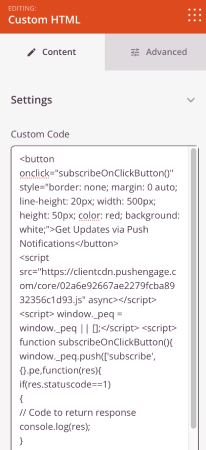
<script src="https://clientcdn.pushengage.com/core/02a6e92667ae2279fcba8932356c1d93.js" async></script>
<script> window._peq = window._peq || [];</script> <script>
function subscribeOnClickButton(){
window._peq.push(['subscribe',{}.pe,function(res){
if(res.statuscode==1)
{
// Code to return response
console.log(res);
}
}]);
}
</script>
ستحتاج إلى إضافة هذا الكود إلى كتلة HTML في صفحة الهبوط الخاصة بك بعد الكود الخاص بالزر. يجب أن يبدو شيئًا كهذا:
Feel free to customize the styles for the button any way you like and hit the Save button when you’re done. Now that you have a responsive landing page template, go take it live! Then the only challenge you have left is to send traffic to your landing page.
وإذا كنت تبحث عن طريقة ميسورة التكلفة لزيادة زياراتك، نوصي باستخدام إشعارات الدفع. يمكن أن تساعدك إشعارات الدفع في جلب المزيد من الزيارات المتكررة وتفاعل الموقع. يمكنك أيضًا إنشاء حملات إشعارات دفع آلية تولد مبيعات.
غير مقتنع؟ تحقق من هذه الموارد:
- 7 استراتيجيات ذكية لزيادة تفاعل العملاء
- هل إشعارات الدفع فعالة؟ 7 إحصائيات + 3 نصائح خبراء
- كيفية إعداد إشعارات الدفع للسلات المتروكة (دليل سهل)
- كيفية إضافة إضافة إشعارات الويب لـ WordPress إلى موقعك
نوصي باستخدام PushEngage لإنشاء حملات إشعارات الدفع الخاصة بك. PushEngage هو البرنامج رقم 1 لإشعارات الدفع في العالم. لذا، إذا لم تكن قد قمت بذلك بالفعل، ابدأ مع PushEngage اليوم!


Hi, You’ve done a great job. I’ll certainly digg it and
recommend to my twitter followers personally. I’m confident
they’ll be benefited
out of this website.