
Looking for the best email log plugin in the market?
Email log plugins serve as a comprehensive record-keeping tool for all emails sent from your WordPress site. You can use them for:
- Troubleshooting: Email logs enable you to identify and address any issues with your WordPress emails. By tracking the status and details of each sent email, you can quickly troubleshoot a lot of common errors.
- Records Management: Keeping a log of all sent emails is great for maintaining accurate records. Whether it’s for compliance, legal purposes, or simply archiving communication, the right email log plugin has you covered.
Email log plugins play a crucial role in enhancing the functionality and reliability of your WordPress site’s email system. You get both peace of mind and effective email management.
But which plugin do you choose?
هل يمكنك إعداده بسهولة والبدء؟ هل هو ميسور التكلفة؟ ما مدى فعالية الإضافة؟ ما نوع الميزات التي تحصل عليها؟ هناك الكثير من الأسئلة ولا توجد موارد كافية تقدم الإجابات الصحيحة.
In this article, we’re listing out the best WordPress email log plugins in the business. Stay with us till the end, and we’ll tell you our favorite ones.
دعنا نتعمق.
How to Choose an Email Log Plugin?
There must be over a thousand different WordPress email log plugins out there. So, how did we get to this specific list of plugins? What do the best email plugins have in common? We made our choices based on the following factors:
PushEngage هو المكون الإضافي رقم 1 للإشعارات الفورية في العالم. احصل عليه مجانًا!
- Comprehensive Logging: Look for a plugin that captures and records all essential details of sent emails, including sender and recipient addresses, subject lines, content, delivery status, timestamps, and any relevant error messages.
- Search and Filtering Capabilities: An effective email log plugin should offer robust search and filtering options. This allows you to quickly locate specific emails based on various criteria such as email addresses, subjects, content, timestamps, and status.
- User-Friendly Interface: Opt for a plugin that presents the email log information in a clear and organized manner. A user-friendly interface enhances usability and makes it easier to navigate through the email records.
- Email Status Indicators: Make sure the plugin provides visual indicators or color-coded symbols to differentiate between successful and failed email deliveries. This helps you grasp the status of emails at a glance.
- Export and Backup Options: Consider a plugin that allows you to export email logs to different formats (e.g., CSV) and offers backup options. This ensures you can keep external copies of your email records for safekeeping.
- Privacy and Security: Ensure that the plugin adheres to security best practices and doesn’t compromise the privacy of your email data.
- Compatibility and Updates: Check that the plugin is compatible with your WordPress version and other installed plugins. Additionally, verify that it receives regular updates to stay compatible with future WordPress releases.
- Performance Impact: Choose a plugin that is lightweight and doesn’t significantly impact your site’s performance. A well-optimized plugin should efficiently handle email logging without slowing down your website.
- Support and Documentation: Look for plugins with good support from the developers and a well-documented user guide. This ensures you can seek help or find solutions if you encounter any issues.
- User Reviews and Ratings: Read user reviews and ratings for the plugin to gauge its overall performance and reliability based on the experiences of other users.
الآن بعد أن أصبح لدينا فهم مشترك لنوع الإضافات التي نقوم بتقليص قائمتها، دعنا نلقي نظرة على الإضافات.
Best WordPress Email Log Plugin
We’ve already picked out the best email log plugin for a WordPress site. Now, we will go through our top picks and wrap things up with the plugins we use and can wholeheartedly recommend over the rest.
#1. WP Mail SMTP
WP Mail SMTP is one of the best email log plugins in the world. Using WP Mail SMTP removes some of the biggest email deliverability issues in WordPress. The default method for WordPress sites to send email can get flagged as spam. And that’s if they get delivered in the first place.
WP Mail SMTP can also come in handy when:
- لا يدعم الاستضافة الخاصة بك وظيفة mail() ولا يمكن لووردبريس إرسال البريد الإلكتروني
- لم يتم تكوين الخادم الخاص بك بشكل صحيح لتسليم البريد من موقع ووردبريس الخاص بك
- تريد إرسال رسائل البريد الإلكتروني الخاصة بعملك عبر Gmail أو Google Apps
- رسائل الاستفسار من نماذج ووردبريس الخاصة بك لا يتم إرسالها أبدًا إلى صندوق الوارد الخاص بك
The email log screen provides a wealth of useful information, allowing you to effortlessly check the status of emails sent from your site. The log information in WP Mail SMTP includes:
- Status: Red and green symbols indicate successful or failed email deliveries.
- Subject: The email subject line.
- From: The sender’s email address.
- To: The recipient’s email address.
- Source: The WordPress plugin responsible for creating the email.
- Mailer: The mailer service used for email delivery.
- Date Sent: The date and time the email was sent.
This search functionality makes finding specific emails a breeze. You can run highly valuable, quick searches based on various criteria:
- Email address
- Subject
- Email content
- Error message
- المصدر
والمزيد!
Get started with WP Mail SMTP today!
#2. Easy WP SMTP
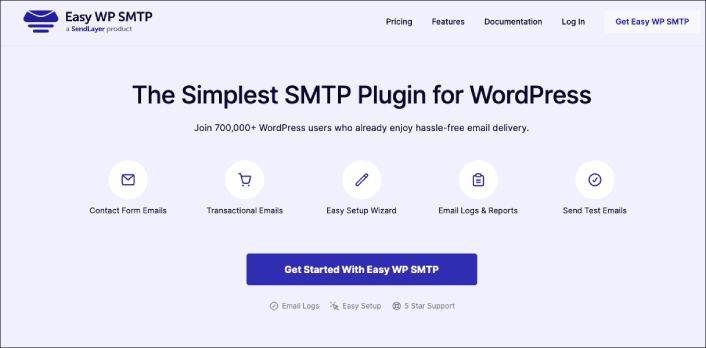
Easy WP SMTP is a powerful SMTP and email log plugin.
Let’s talk about Easy WP SMTP, Sendlayer’s cool WordPress SMTP and email log plugin. First off, it works great with other email services as well. The free version of this plugin doesn’t include email logging features, but if you opt for one of the paid plans, you get access to email logging and reports.
So, it’s worth considering if you’re into keeping track of your email activities.
Now, what impressed us was the plugin’s super comprehensive and organized log layout. It’s a breeze to search, sort, and filter through the log. You get all the essential details you need, like the email subject, sender email, recipient email, the plugin that sent the email, the mailer service, and the date and time the email was sent.
And hey, it even shows if the email was opened or if any links were clicked from it. Talk about thorough!
The search feature isn’t as advanced as WP Mail SMTP, but it still gets the job done. You can search for email addresses, subjects, headers, and even the content of the emails. Not too shabby!
Now, here’s a nifty feature we really liked – the email reporting. It’s so visually appealing with those color-coded graphs showing the number of emails sent, opened, and clicked each day. It’s like getting a clear picture of your email performance at a glance.
One thing to keep in mind, though, is that while this plugin has similar functionality to WP Mail SMTP, its search function is not as fancy. Also, as an SMTP plugin, it does come with some advanced features that might be a bit confusing for non-technical users.
But all in all, if you’re looking for a solid SMTP and email log plugin with detailed logs and cool reporting, Easy WP SMTP might just be the one for you!
#3. Brevo (Formerly Sendinblue)

Brevo is a popular WordPress email plugin. You can use Brevo to send automated emails and SMS campaigns alike.
You can easily create triggers for your autoresponders, such as welcome messages, cart abandonment recovery messages, price drop alerts, and more! Here’s a quick overview of why Brevo is a top choice on this list:
- محرر بريد إلكتروني سهل الاستخدام
- خيار إنشاء صفحات هبوط
- ميزات التسويق عبر الرسائل القصيرة والدردشة الحية
- يدمج نماذج الاشتراك في قائمة البريد الإلكتروني على موقعك
- رسائل بريد إلكتروني آلية للجهات الاتصال المستهدفة
- Social media integrations
But that’s not all. Brevo also comes with a fully searchable email log. So, besides being a powerful email marketing tool, it’s also a really great email management tool.
Brevo is best known for its capabilities to send transactional emails and SMS campaigns. So, naturally, you can easily filter your transactional logs over a period of time, by sender, by tag, and by event (sent, opened, unsubscribed). You can also:
- View the transactional email details,
- Preview the transactional email,
- View the transactional email history,
- View the links that were clicked in the transactional email,
- Resend the transactional email,
- Manually delete the transactional logs.
#4. WPForms Pro
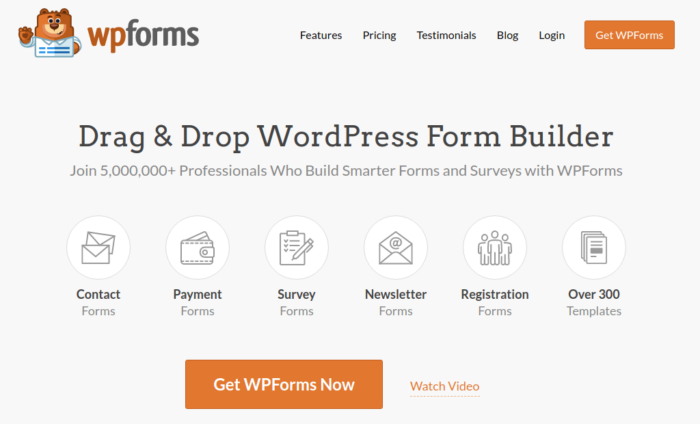
WPForms هي أقوى أداة بناء نماذج ووردبريس بالسحب والإفلات. باستخدام الإضافة، من السهل جدًا بناء نموذج مخصص بالكامل لموقع ووردبريس الخاص بك في غضون دقائق.
وعندما نقول نماذج مخصصة، فإننا نعني ذلك حقًا.
You can also send automated emails on form submission. So, WPForms also comes with its own range of email logging. Every automated response sent by any form built with WPForms is entirely trackable. On top of that, you can also track any activity in your email optins, which is a pretty rare feature.
WPForms can create logs for:
- Conditional Logic
- Entries
- Errors
- Payment
- Providers
- Security
- Spam
يمكن لـ WPForms مساعدتك في إنشاء أي نوع من نماذج الاتصال، أو نماذج الدفع، أو نماذج الاستبيانات، أو نماذج التسجيل، أو نماذج الاشتراك في النشرات الإخبارية التي يمكنك تخيلها. أفضل جزء؟ لديهم أكثر من 300 قالب في الإصدار الاحترافي أثبتت فعاليتها. يمكنك استيراد هذه القوالب فورًا وإطلاق النموذج في دقائق.
لقد كتبنا مراجعة كاملة لـ WPForms. يمكنك الاطلاع عليها لاحقًا. في الوقت الحالي، إليك نظرة سريعة على ما تحصل عليه مع WPForms:
- منشئ نماذج سهل للمبتدئين
- قوالب نماذج اشتراك مُعدة مسبقًا
- إشعارات وتأكيدات البريد الإلكتروني
- ميزات الحماية من البريد العشوائي
- نظام إدارة جهات الاتصال المدمج
- دعم عملاء سريع للغاية
#5. WP Mail Logging

WP Mail Logging is a powerful email log plugin for WordPress. It’s a simple WordPress email plugin to keep a record of emails sent from your site and catch any errors.
When you check out the email log, you’ll see some basic info, like when each email was sent, who received it, the subject, any attachments, and if there were any error messages. It’s handy to have all that in one place for easy browsing.
But, here’s the catch – it’s got fewer details compared to the WP Mail SMTP plugin. You won’t be able to see the sender’s email or which plugin actually created the email. And those bits of info can be pretty useful, especially when you’re troubleshooting any email issues.
The search feature is there, but it’s pretty basic. You can only search by the subject and content of the emails. So, if you’re looking for emails sent to a specific user, you’re out of luck. Also, the sorting is cool by date, but there’s no filtering option for display.
On the bright side, there’s one cool feature in this plugin that some other free email log plugins lack – you can bulk resend emails right from the log. This comes in handy when you have a bunch of emails failing due to some temporary glitch.
Overall, it’s got some useful stuff, but it’s not the most feature-packed option out there. If you’re looking for a free, lightweight plugin, it might just do the trick!
Which of These WordPress Email Plugins is Right for You?
It’s time for us to declare which of these is the best WordPress email plugin.
ولا توجد إجابة بسيطة.
إذا كنت بحاجة إلى خدمة تسويق عبر البريد الإلكتروني موثوقة، فنحن نوصي باستخدام Constant Contact. وإذا كنت ترغب في زيادة قائمة التسويق عبر البريد الإلكتروني الخاصة بك بشكل كبير، فيجب عليك بالتأكيد الحصول على OptinMonster. ولكن إذا كنت تبحث أيضًا عن تنويع قنوات التسويق الخاصة بك، فيجب عليك استخدام PushEngage لإرسال إشعارات الدفع.
تُعد إشعارات الدفع أدوات تسويقية قوية يمكن أن تساعدك في الحصول على زيارات متكررة وتفاعل ومبيعات. إذا كنت جديدًا في مجال إشعارات الدفع، فراجع هذه الموارد الرائعة:
- 7 استراتيجيات ذكية لزيادة تفاعل العملاء
- كيفية الحصول على المزيد من حركة المرور إلى مدونة ووردبريس الخاصة بك (9 طرق سهلة)
- كيفية زيادة معدل الاشتراك في إشعارات الدفع على الويب (7 طرق)
- كيفية إضافة إضافة إشعارات الويب لـ WordPress إلى موقعك
وإذا لم تكن قد فعلت ذلك بالفعل، ابدأ باستخدام PushEngage اليوم للانتقال إلى المستوى التالي!


